
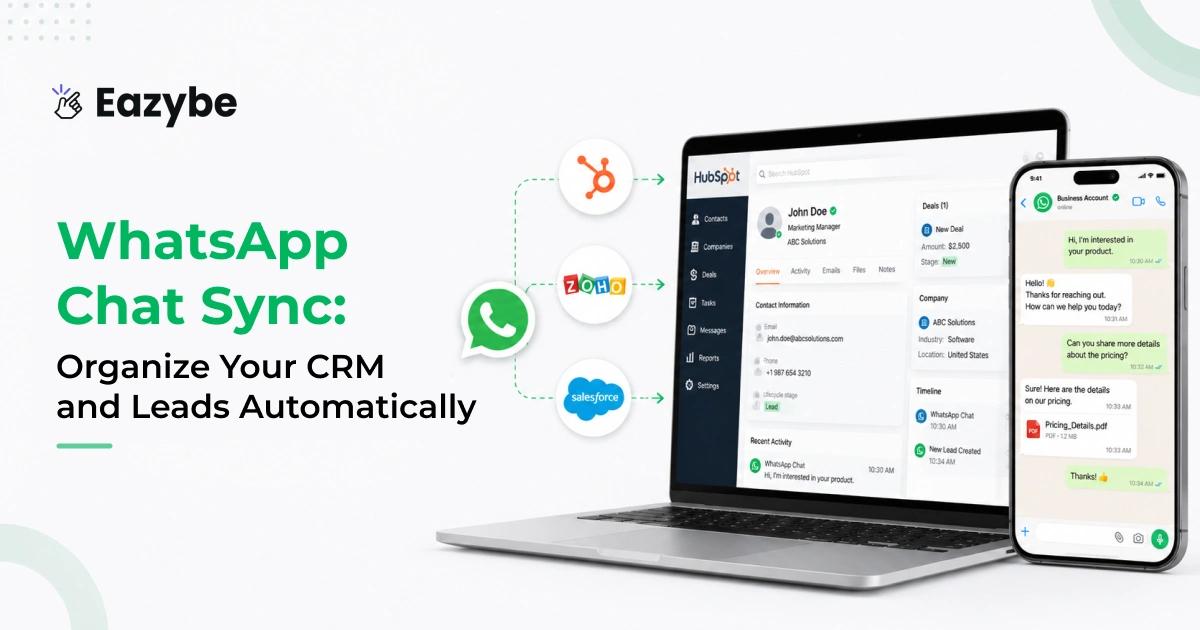


WhatsApp Chat Sync bring your WhatsApp conversation directly into your CRM. In most teams today WhatsApp is not just a communication tool it’s where leads ask questions, share requirements, send documents and move closer to a decision.
But there’s a gap. Conversations stay on individual phones, while the CRM meant to be the source of truth remains incomplete. Managers lack full visibility, follow-ups get missed, and important details are scattered across chats.
This is where Eazybe - WhatsApp AI agent with CRM integration makes the difference. Instead of manual updates and scattered information, every WhatsApp Chat Sync conversation is automatically synced into the CRM. Messages media and context stay organized in one place, giving a clear and complete view of every lead without changing how the team already uses WhatsApp.
What Is WhatsApp Chat Sync?
WhatsApp Chat Sync automatically save your WhatsApp conversations into your CRM in real time. By manually copying messages or updating details every chat text images documents and voice notes are captured and organized in one place.
It connects your daily WhatsApp communication with your CRM system helping your team manage leads track conversations and follow up efficiently with Whatsapp CRM without missing any important details.
Why WhatsApp Chat Sync In CRM Is Important
In most businesses today WhatsApp is where real customer conversations happen but your CRM is where those conversations are supposed to be tracked. When these two systems are not connected your sales process with hubspot whatsapp integration becomes fragmented.
Without proper WhatsApp Chat Sync in CRM conversations stay locked inside personal devices. This leads to scattered information, missed follow-ups and incomplete CRM records. Teams rely on manual updates on team inbox which are often delayed or skipped creating confusion and making it difficult to understand the true status of any lead.
With WhatsApp Chat Sync this gap is completely removed. Every message whether it’s text, images, documents or voice notes is automatically saved. And linked to the right contact or deal in your CRM Automatically with Best AI Agents for customer support. This ensures that your data is always accurate up to date and easy to access.
As a result:
- Your CRM becomes a complete source of truth with full conversation history
- Teams get better visibility into every customer interaction
- Follow-ups become consistent and trackable
- Managers can monitor progress without asking for updates
- Sales processes become more structured and reliable
By syncing WhatsApp with your CRM you turn scattered chat into organized data. This not only improve day-to-day operations but also helps your team close deals faster with better context and confidence.
Why WhatsApp Chat Backup Matters For Sales Teams
When your team depends on WhatsApp every day the chat history becomes the backbone of your sales work. Losing even a single message can break context and confuse the next rep or slow down a deal. That is why having proper WhatsApp Chat Sync in your CRM makes things easier. Every message is automatically saved,with whatsapp sales performance analytics so nothing gets lost when a phone crashes and someone leaves the company or chats get deleted by mistake. Here’s what this really solves for your team:
- You always have the complete customer context in one place.
- Handover becomes smooth because the next rep sees the full history.
- No one needs to chase screenshots or forwarded chats.
- Managers can review conversations without disturbing reps.
- Every lead journey stays intact from first message to final deal.
This small layer of backup removes uncertainty from your day-to-day work and integrations keeps your sales data stable.
Clear, Structured WhatsApp Analytics That Actually Help
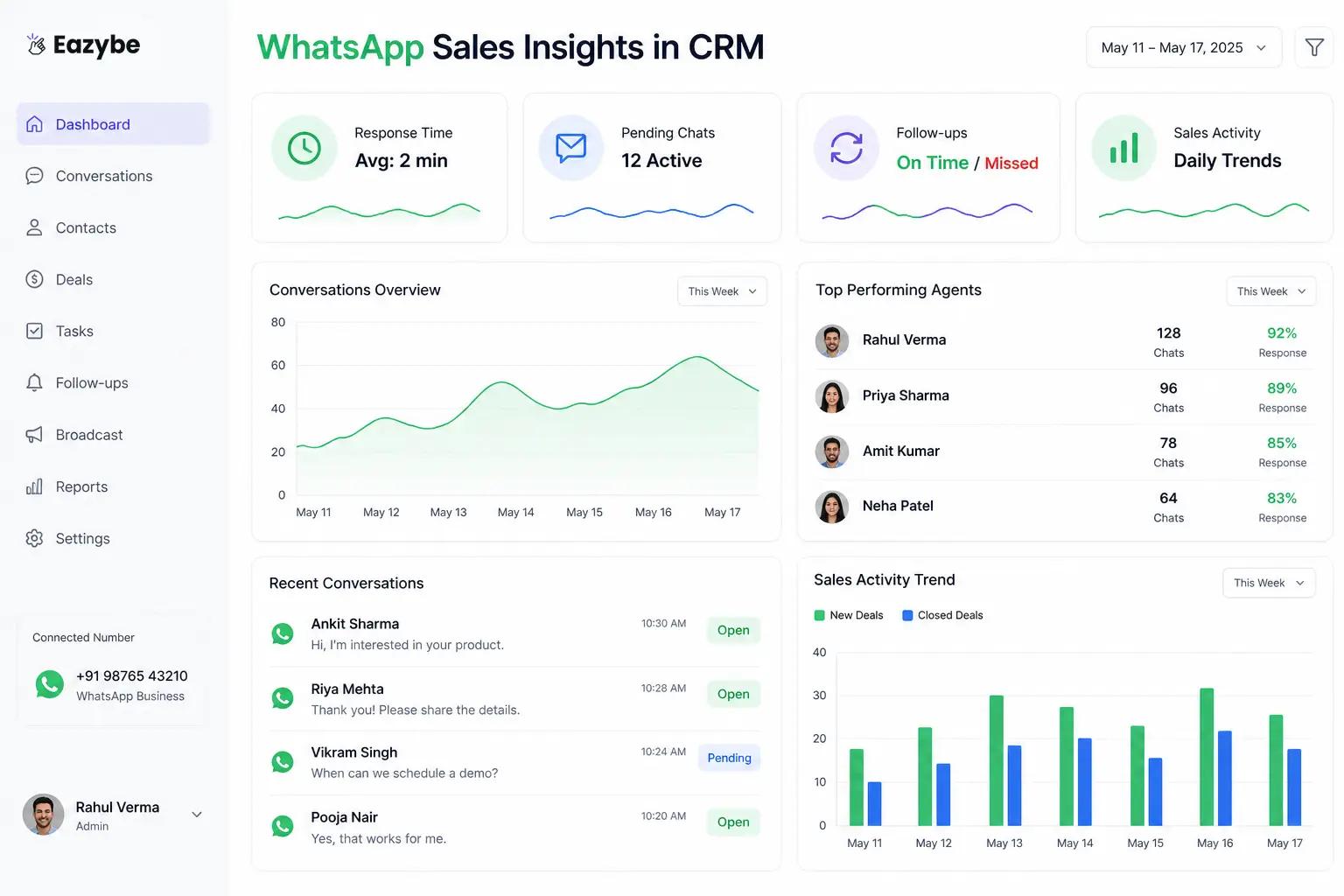
Once messages are synced and properly organized inside the CRM, the whole sales picture becomes clearer with whatsapp business tools. By scrolling through dozens of chats or asking the team for updates you get a simple view of what’s happening. A structured WhatsApp analytics dashboard shows things with sales efficiency like:
- How quickly reps are replying.
- Which conversations are still pending.
- How consistent the follow-ups are.
- How much outbound effort the team is putting in.
- Daily activity patterns that show who needs support.
These insights remove guesswork. You don’t have to read long chat threads to understand performance. You get a clean, real-time snapshot of your entire WhatsApp funnel. Something that finally turns WhatsApp from scattered chats into a measurable, organized sales system.
Why WhatsApp Chat Sync In CRM Is A Game Changer
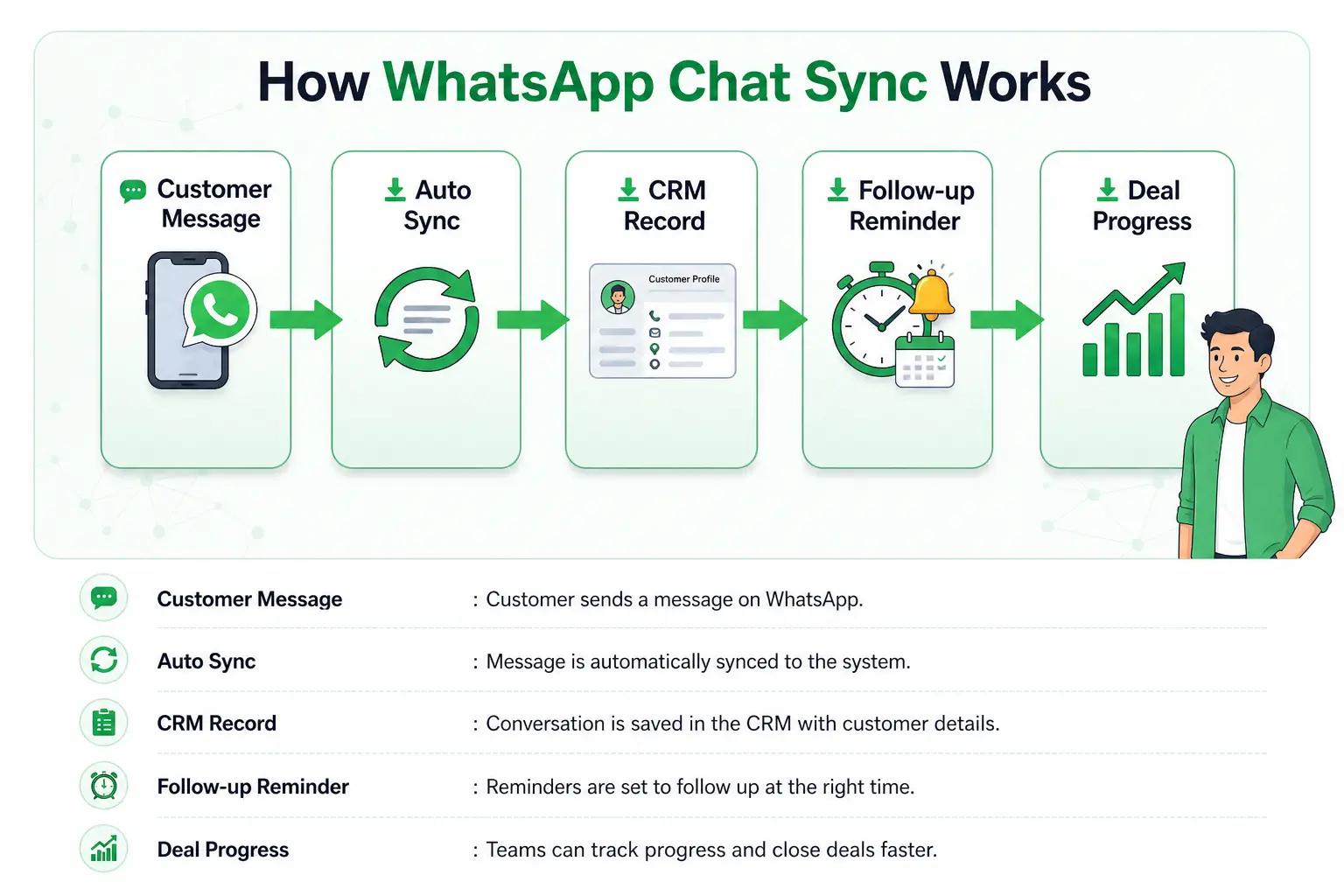
When every WhatsApp message whether it’s text, voice notes, images or files is automatically saved into your CRM, the way your sales team works starts to change completely.
Your team no longer has to think about updating the CRM or saving important details. Everything they communicate on WhatsApp is already captured and organized in the background with sales enablement tools.
There’s no need for:
- Copying messages
- Taking screenshots
- Asking reps to manually update the CRM
- Worrying about missing important information
WhatsApp stops being just a chat tool and becomes a clean structured data source inside your CRM. This makes your entire sales process more reliable, easier to manage and much more efficient.
Suggested Rrad: WhatsApp Coexistence
How WhatsApp Chat Sync Organizes Your Sales Workflow
When WhatsApp chats start syncing with your CRM, the whole way your team works changes. Things stop being scattered across phones and start coming together in one place that actually makes sense with your sales enablement.
1. One place for all customer chats
Every conversation lands in a single system. No more digging through personal WhatsApp chats or asking someone to forward messages. Anyone on the team can open the CRM and see the full customer history.
2. Clear ownership of leads
Each chat has someone responsible for it. You know exactly who is handling which customer, and if needed and also be AI sales agent, it can be passed on without losing the conversation in between.
3. Nothing slips through the cracks
Even if a phone breaks, a message gets deleted or someone leaves the team the chats are still there. The full history stays safe inside the Whatsapp CRM Integration.
4. Managers don’t need updates
Instead of constantly asking “what’s the status?”, managers can just open the CRM and see where things stand. It’s all already there in the chat timeline.
5. Faster replies, less confusion
Since everyone can see the full context, reps don’t keep asking customers the same things again. Conversations move faster and feel more natural.
6. Easy for new team members
New people don’t need long explanations. They just go through past chats in the CRM and understand the lead from day one.
7. Cleaner reporting
Once everything is stored properly, it becomes easy to see what’s actually happening with WhatsApp automation:
- Who is following up properly
- Which deals are moving
- How customers are responding
- Where conversations are dropping
Also Read: WhatsApp Sales Tracking
How WhatsApp Chat Sync Transforms Daily Sales
When WhatsApp chats are synced with your CRM, everything becomes more organized and easier to manage.
- Reps don’t waste time searching for old messages with rep radar or repeating questions to customers. They can see the full conversation in one place and respond quickly with better context.
- Managers also don’t need to keep asking for updates. They can directly open the CRM and see what’s happening with every lead.
- Customers get a smoother experience because conversation stay clear and they don’t have to repeat themselves again and again.
- Deals also move faster because follow-ups are not missed or delayed and everything stays on track.
- CRM records stay complete since every chat is saved automatically.
How to increase sales by making sure every lead is followed up on time every conversation is handled properly, and no opportunity is lost.
WhatsApp Chat Sync and Automation Tools That Fix A Big Problem
WhatsApp is where real customer conversations happen and relationships are built. Your CRM is where all those details are supposed to be stored and tracked. But without sync, both systems stay disconnected, and important information gets lost between them.
With WhatsApp Chat Sync in CRM and modern WhatsApp automation tools, this gap is finally closed. Conversations automatically flow into your CRM, follow-ups can be triggered on time, and routine updates don’t need manual effort anymore.
Everything stays updated in real time, properly organized, and easy to track without changing how your team already works on WhatsApp.
Conclusion: Why WhatsApp Chat Sync In CRM Matters For Sales
Your team is already selling on WhatsApp CRM. Your customers already prefer it. And most of your deals are already happening there. The real issue was never communication. It was the lack of structure behind it.
With WhatsApp Chat Sync in CRM, every conversation becomes organized, visible, and safely stored without any extra effort. Nothing stays stuck in personal chats, and no important detail gets missed.
Your team always knows what was discussed, what needs to be done next, and where each deal stands. It keeps your data secure, your pipeline clear and your sales process under control. No matter what happens to phones, people, or messages.
No confusion, No missing history, No lost leads. Just one clean CRM with every WhatsApp API conversation in the right place.