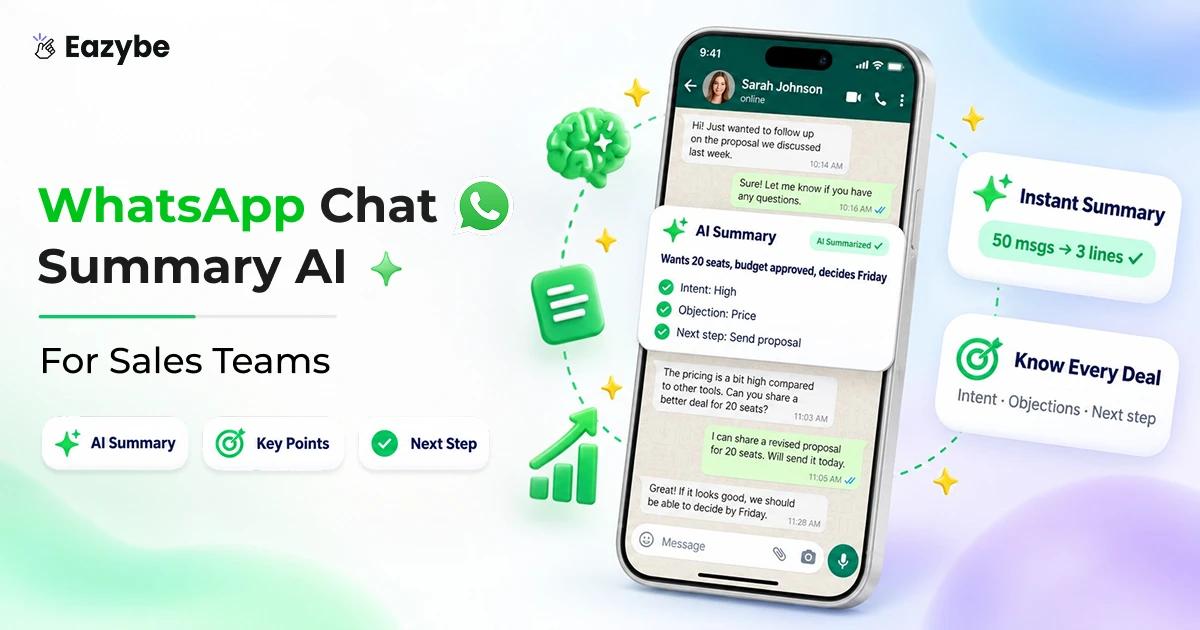



WhatsApp Team Inbox helps sales teams handle all their conversations in one place without missing anything. Messages come on different phones, different people reply, and no one has a clear view. Some customers wait, some chats get missed. It is not really the team’s fault. The problem is WhatsApp itself. With over 2.8 billion users worldwide, it’s now a business tool but it was built for one person, not a team.
WhatsApp Team Inbox puts all chats in one place so everyone can see and reply easily. And with Eazybe - WhatsApp AI Agent With CRM integration, it becomes even simpler. AI suggests replies, sends follow-ups, and keeps track of conversations. So the team can reply faster and focus more on closing deals.
What Is WhatsApp Team Inbox?
WhatsApp Team Inbox, powered by WhatsApp Business API allows multiple team members to access and manage customer conversations from one shared place. It helps teams handle different types of queries sales, support and follow-ups without confusion. Conversations stay organised, work is divided clearly, and business owners don’t have to stay involved in every chat giving them more time to focus on growing the business.
A team inbox changes that by putting every conversation into one shared space. Now instead of chasing updates, the team can see everything in real time with WhatsApp crm who’s handling which lead, which chats need a reply and where follow-ups are pending.
It brings a sense of order to daily conversations. Nothing fancy, just a clear system where messages don’t get lost, work doesn’t overlap and everyone knows what’s happening without asking around.
Why Sales Teams Struggle Without A WhatsApp Team Inbox
Sales teams aren’t struggling because of effort - they’re struggling because conversations are scattered. When every rep handles WhatsApp on their own phone, chats stay disconnected. There no single place to see what’s happening, and that lack of clarity slowly starts affecting deals.
A customer might speak to multiple people from the same team, but each rep radar only sees part of the story. Replies become repeated or slightly off and the experience feels inconsistent. Important chats don’t stay visible for long either with your Hubspot whatsapp integration. A lead asks for pricing, but within hours, that message gets buried under new ones. No one notices, and the opportunity starts to fade.
Inside the team, a lot of time goes into just figuring things out. Simple questions like Did you reply? or What did they say? keep coming up. Managers face it too — they don’t see conversations directly, only updates. By the time something looks off the deal has already slowed down.
Here’s what this looks like in day-to-day work:
- No full context: Conversations are split across people so no one sees the complete picture
- Missed or delayed replies: Important chats get buried under new messages
- Too much internal back-and-forth: Teams spend time checking instead of selling
- No clear visibility for managers: Decisions are based on updates, not actual conversations
- No prioritization: High-value or urgent leads don’t stand out
Individually, these feel like small issues. But together, they slow down responses, create confusion and make it easier for deals to slip away quietly.
How WhatsApp Team Inbox Improves Sales Team Productivity
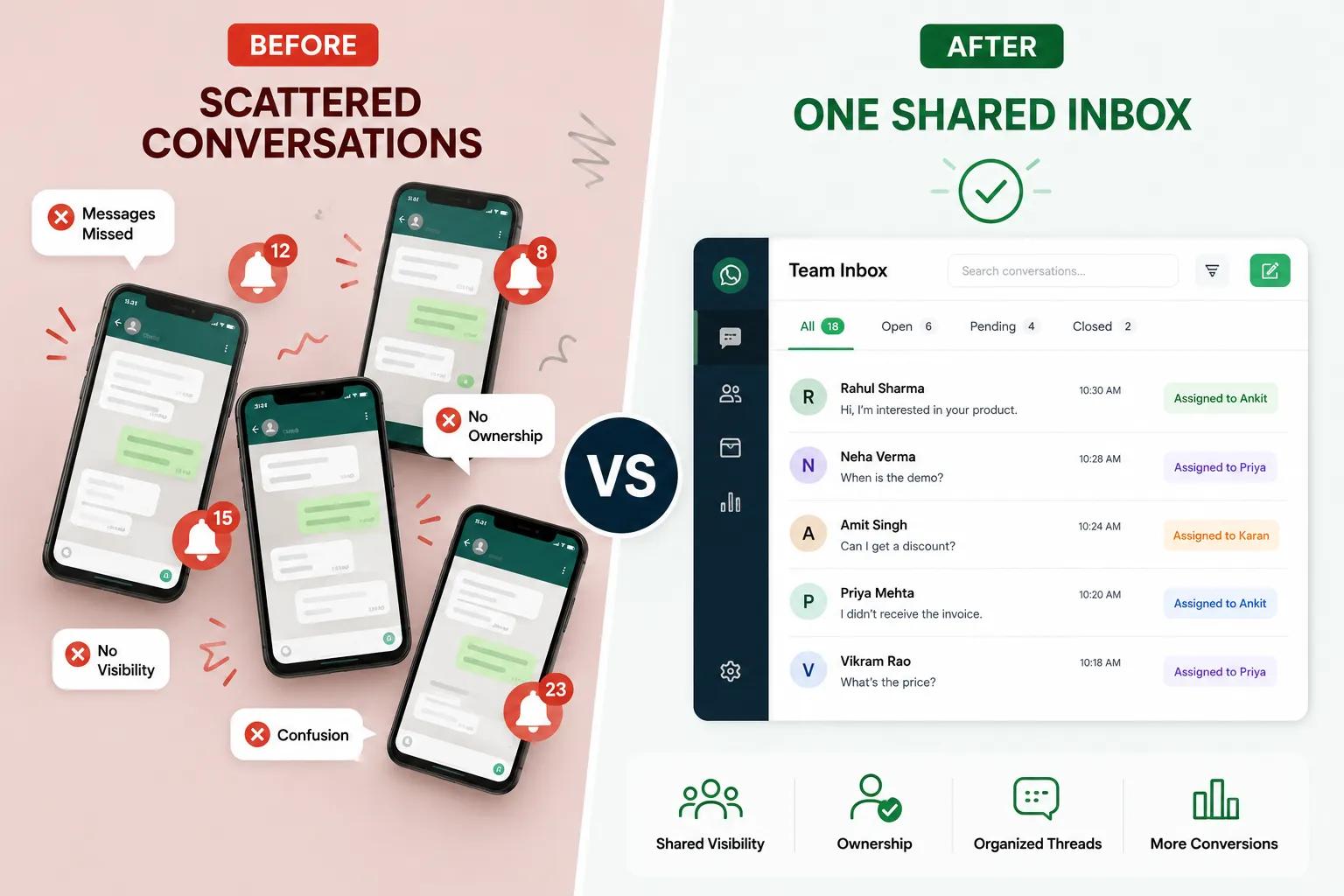
A WhatsApp Team Inbox gives sales teams a simple way to stay on top of every conversation without confusion. Instead of messages being scattered across phones everything comes into one place where the team can see, reply and manage chats easily. It removes the usual back-and-forth and makes daily work feel more in control.
When a new message comes in it’s clear who should handle it. Replies happen faster with the WhatsApp team inbox solution because nothing is hidden. Follow-ups don’t depend on memory anymore WhatsApp automation can take care of reminders and routine responses. And since every conversation is connected to customer details, reps always know what’s going on before they reply.
Here’s what actually changes in day-to-day work:
| Feature | What It Does | Why It Matters |
|---|---|---|
| Centralized Team Inbox | Brings all chats into one place | No more scattered conversations |
| Message Assignment | Gives each chat a clear owner | No confusion, faster handling |
| Quick Replies | Ready-to-use responses | Saves time on common questions |
| WhatsApp Automation | Sends follow-ups and basic replies automatically | Keeps conversations active |
| CRM Integration | Stores all customer interactions | Better context for every reply |
With this setup, teams don’t waste time managing messages. They stay focused on replying at the right time, following up properly, and moving deals forward.
How WhatsApp Team Inbox Supports Customer Support Teams
Customer support gets messy when too many conversations come in at once. Messages are spread across phones and different people reply at different times and customers end up repeating the same issue again and again. It slows everything down.
A WhatsApp Team Inbox brings some order to this. All conversations stay in one place, so any agent can open a chat and understand what’s already happened. No guessing, no asking around. The customer doesn’t have to explain things twice, and the agent can focus on solving the problem.
Best AI agents for customer support help by taking care of the simple repetitive part of support. They can reply to common questions, share basic information and keep the conversation active when the team is busy. So customers don’t feel ignored, even during peak hours by team inbox. When a real issue needs attention, the agent steps in with the full context already there.
Another small but important thing AI can quickly show what the conversation is about. Instead of reading long chats, the agent gets a clear idea of the problem and responds faster.
Here’s what actually changes:
| Metric Before | Team Inbox | After Team Inbox |
|---|---|---|
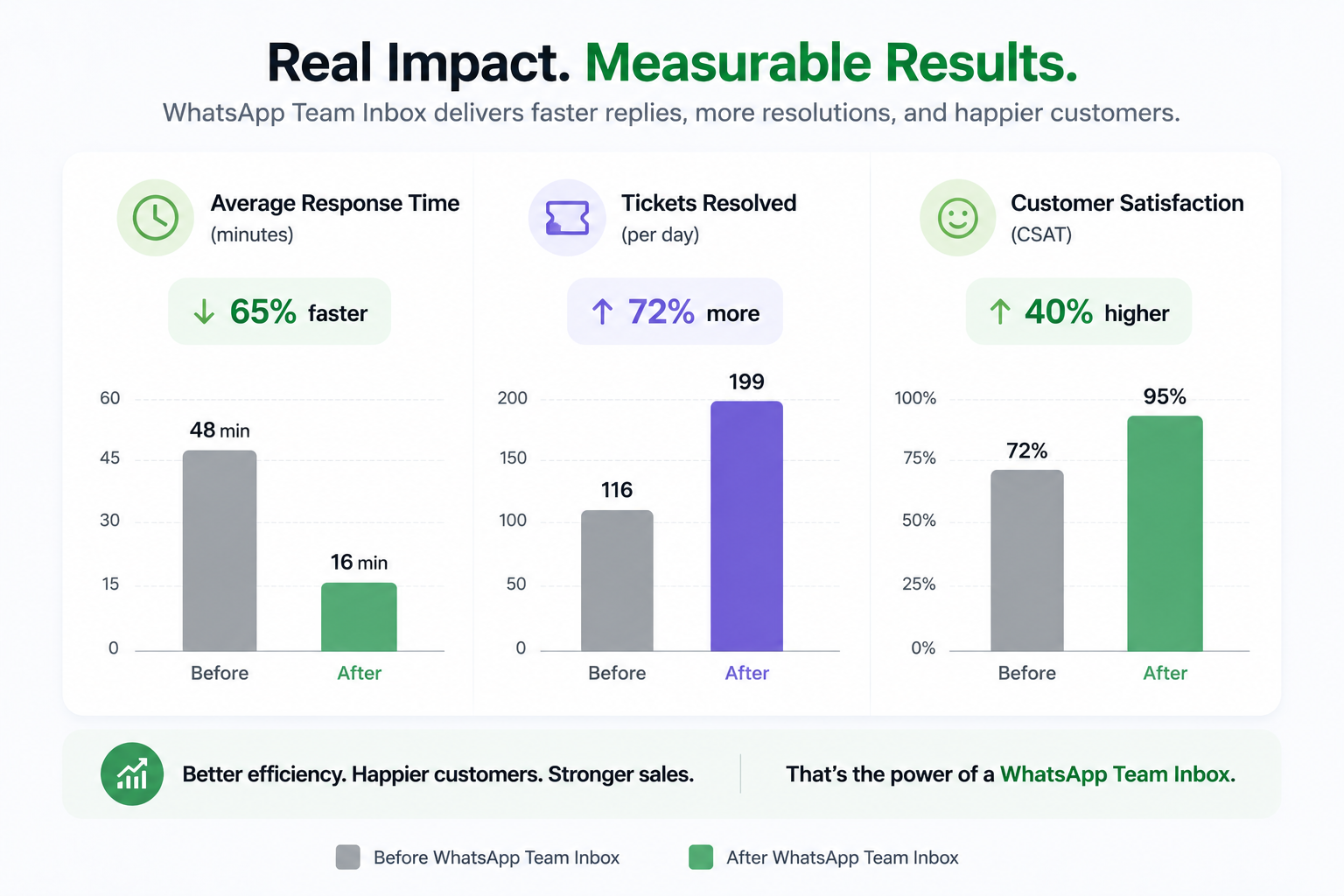
| Average Response Time | 4 hours | 45 second |
| Tickets Resolved Daily | 35 | 70 |
| Customer Satisfaction | 82% | 94% |
With this setup, support feels less chaotic. The team works with more clarity, and customers get quicker, more consistent help without delays.
Key Features Of WhatsApp Team Inbox
WhatsApp Business API lets multiple team members handle chats from one shared inbox. Instead of messages being on different phones, everything comes to one place. WhatsApp Team Inbox makes it easier to manage customer queries and keep conversations clear and avoid confusion. The team can quick reply faster and business owners don’t have to track every chat.
- Centralized communication: All customer conversations come into one shared space. The team doesn’t have to switch between phones or accounts with coexistence. Everyone can see what’s happening and respond from the same place, which keeps things transparent.
- Assignment and routing: Incoming messages can be directed to the right person or team. This makes sure queries are handled by the right person from the start and nothing is left waiting without a response.
- Status and availability updates: Team members can show if they’re active, busy, or offline. This helps others understand who can take up new conversations and keeps coordination smooth, especially during busy hours.
- CRM integration: Customer conversations stay connected with integrations and their details. This helps in tracking past interactions, understanding context, and maintaining proper records without extra effort.
- Automated responses: Common queries can be handled automatically, even outside working hours. This keeps conversations active with quick reply and reduces the load on the team for repetitive questions.
- Analytics and reporting: You can track how the team is performing response times and number of conversations handled and overall efficiency. It gives a clear picture of what working and where improvements are needed.
When these features come together managing WhatsApp conversations becomes much easier. The team stays aligned, responses are faster and customers get a smoother experience.
Benefits Of WhatsApp Team Inbox
A WhatsApp Team Inbox makes a clear difference in how teams handle daily conversations. When chats are not scattered across different phones and work becomes easier to manage. The team can see everything in one place to respond without confusion and stay on top of every message.
It reduce the usual back-and-forth saves time with whatsapp sales performance analytics and helps conversations move forward without delays. Over time this directly improves how customers experience your business replies are quicker communication feels smoother and nothing important gets missed.
Here’s what actually improves when teams start using a WhatsApp Team Inbox:
- No missed messages – all chats stay visible in one place
- Faster replies – anyone available can respond without delay
- Clear ownership – each conversation is handled by the right person
- Better coordination – the team stays aligned without constant checking
- Full context – past conversations are always available
- Less repetitive work – common replies don’t need to be typed again
- Improved customer experience – quicker and more consistent responses
- Easy to scale – works smoothly even as the team and conversations grow
In simple terms it helps teams stay organised, work faster and handle more conversations without things getting messy.
| Advantage | How It Helps | Example |
|---|---|---|
| Centralized Communication | All team messages are in one place | No need to switch between phones or apps |
| New lead goes directly to the right salesperson | Each chat is assigned to the right person | New lead goes directly to the right salesperson |
| Faster Responses | Quick replies reduce typing time | Pricing or product queries answered instantly |
| Full Context | Entire conversation history is visible | No repeated or off-track replies |
| Better Collaboration | Internal notes keep the team updated | Support teams can track ongoing issues easily |
| CRM Integration | Customer data stays connected | Teams always have updated information |
| Improved Customer Experience | Replies are quicker and more accurate | Important customers get timely responses |
| Scalable for Growth | Easy to add team members and workflows | Works smoothly as the business grows |
Why WhatsApp Team Inbox Works Better For Growing Teams
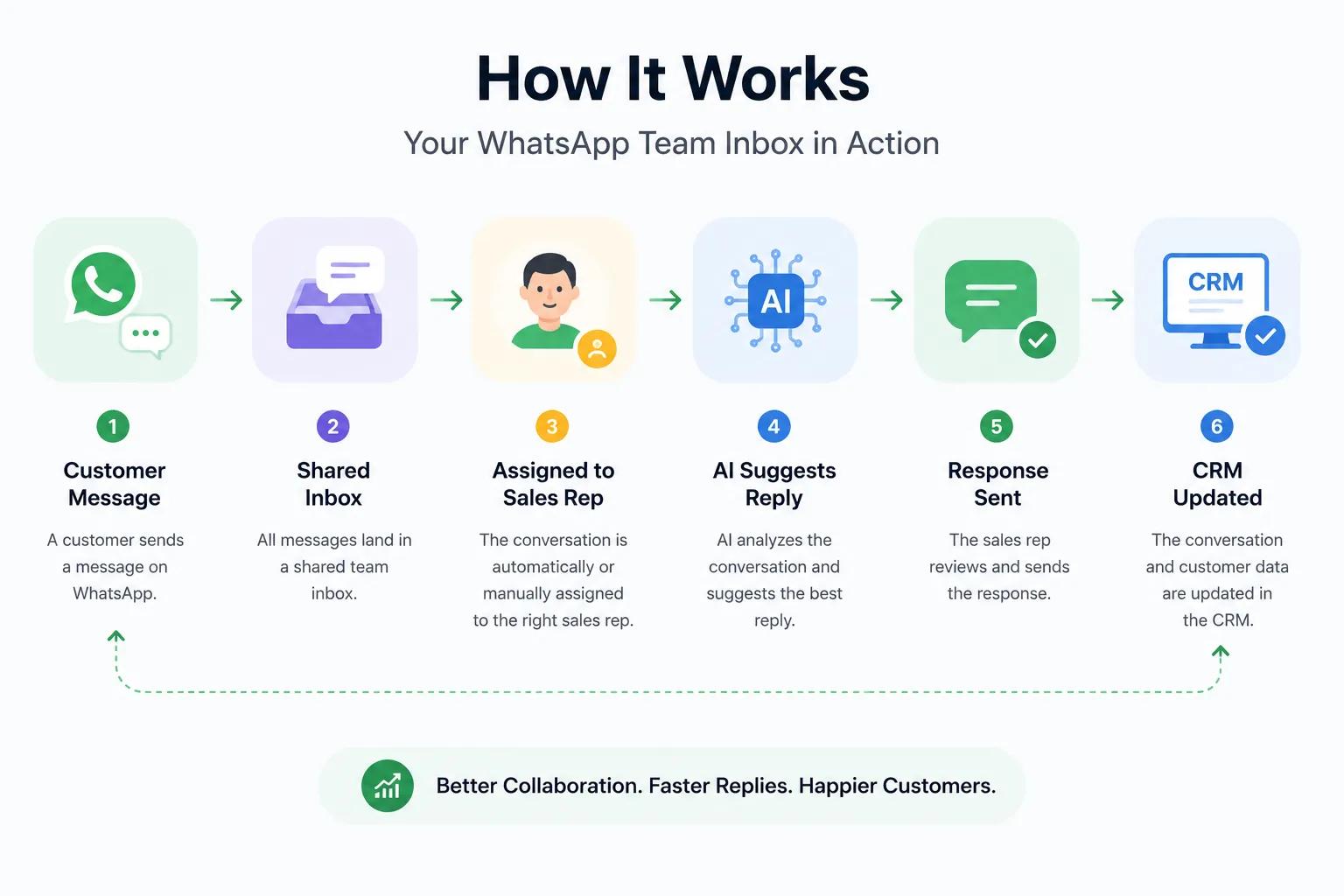
As a business grows so does the number of customer conversations and more leads, more follow-ups and more support requests. Without a proper system everything starts getting mixed up across phones, chats and spreadsheets. That’s where a WhatsApp Team Inbox makes things easier and sales efficiency by keeping all communication in one organised place.
It also becomes much more powerful when combined with AI agents and WhatsApp automation tools. Instead of manually replying to every basic query, AI agents can handle common questions and share quick responses and even guide customers until a human steps in. This keeps conversations active 24/7 and reduces pressure on the team.
Tools like Eazybe also add features like smart replies, CRM sync and conversation insights so team inbox management tools grow naturally with your business. Teams don’t just reply faster and they work smarter to also learn how to increase sales. In simple terms a WhatsApp Team Inbox helps teams stay organised while AI agent and automation make sure no message goes unanswered even during busy hours.
Platforms Offering Unified WhatsApp Team Inbox Solutions For Teams
Several platforms help businesses manage WhatsApp conversations in one place but not all of them focus on the same thing. Some are built for heavy automation, some for marketing and some for simple team communication with sales enablement.
Among these Eazybe stands out because it combines a WhatsApp Team Inbox with WhatsApp automation and AI support making it easier for teams to manage conversations and respond faster without switching tools.
Here’s a simple comparison:
| Platform | Strengths | Best For |
|---|---|---|
| Eazybe | Centralized inbox, WhatsApp automation, AI agents, CRM integration, quick replies | Teams that want simple, fast, and complete WhatsApp management in one place |
| Wati | Strong automation for high-volume messaging | Businesses running large campaigns |
| Gallabox | Multi-channel messaging support | Teams working across different regions and channels |
| Zoko | Advanced workflows and automation features | E-commerce and marketing-heavy teams |
Eazybe – WhatsApp Team Inbox stands out for combining messaging, tasks, templates, and analytics in a simple layout teams can use immediately.
Create Team Inbox With Eazybe
Setting up a WhatsApp Team Inbox for sales team with Eazybe is simple and quick. It helps teams get started without any complex setup with whatsapp business tools and keeps everything organised from day one.
- Create your account on Eazybe and connect your WhatsApp Business number
- Add team members and assign roles based on responsibilities
- Organise conversations by departments like sales or support
- Set automatic routing rules to send chats to the right person
- Connect your CRM to keep customer data in sync
- Create templates for common replies to save time
Once everything is set, the team can manage conversations easily. Chats stay organised, responsibilities are clear, and managers can see everything in real time without chasing updates.
Best Practices For Managing A Shared Team Inbox
A WhatsApp Team Inbox work well when the team uses it in a simple and consistent way every day. A few small habits can keep everything smooth and avoid confusion and better way of whatsapp sales tracking.
- Assign chats quickly – give each conversation to the right person so nothing is left hanging
- Use internal notes – share updates or context so the team stays on the same page
- Check performance regularly – look at response time and pending chats to spot delays early
- Keep templates updated – make sure saved replies are clear and useful
- Keep communication simple and polite – so customers understand easily and feel supported
When these basics are followed, the team stays organised, replies faster, and handling customers becomes much easier.
Real-Life Use Cases For WhatsApp Team Inbox In Sales
A WhatsApp Team Inbox is useful in everyday sales situations where multiple conversations need to be handled at once. Instead of messages getting lost or delayed everything stays organised and easy to manage for the whole team.
- New leads are handled faster: Incoming leads can be automatically sent to the right salesperson so there’s no delay in response.
- Campaign responses stay under control: When marketing campaign bring a high number of queries, a shared inbox helps the team manage them without confusion or missed messages.
- Smooth handover between teams: When a deal moves from sales to support, the full conversation history is already available. The customer doesn’t need to repeat anything.
- Better visibility for managers: Managers can easily see follow-ups, response times, and deal progress without asking for constant updates.
With a WhatsApp Team Inbox, sales teams stay more organised, respond on time, and handle more conversations without losing clarity.
Why Eazybe Delivers A Strong WhatsApp Team Inbox Experience
Eazybe brings everything a team needs into one simple system. Instead of jumping between tools teams can manage chats, assign work track follow-ups and stay updated all from one place. It combines WhatsApp Team Inbox CRM integration, automation and AI Sales agent so daily communication feels more organised and less scattered.
What makes it more effective is how smoothly the work flow in real time. Every conversation is visible to the team, so there is no confusion about what’s happening or who is handling what. AI agents and automation take care of common and repetitive queries, which helps reduce workload and keeps response times fast even during busy hours.
Along with that analytics help teams understand what’s working and what’s not—like response speed, conversation load, and team performance. The interface is kept simple, so even new members can start using it without much effort.
In short, Eazybe helps teams reply faster, stay organised, and manage more conversations without things getting messy.
Conclusion Of WhatsApp Team Inbox
A WhatsApp Team Inbox helps sales and support teams stay clear, organised, and fast in their daily work. When all messages come into one shared space, it becomes easier to reply on time, avoid confusion, and work together without missing important conversations. The overall flow of communication becomes smoother and more controlled.
With features like message assignment, internal notes, automation, AI agents, and analytics, teams don’t just manage chats—they manage them better. Everything becomes more structured, and responses become more consistent. Businesses using Eazybe often see much faster response times, higher daily conversation handling, and better customer satisfaction because nothing gets lost or delayed.
In simple terms, when communication matters, a powerful WhatsApp team inbox solution like Eazybe helps teams stay connected, respond faster, and deliver a better experience to every customer.