

Your deals happen in WhatsApp and the questions "can you send the quote by Friday" all sit in chat threads on your team's phones. Your record of those deals lives in a Google Sheet. A rep started six months ago and stopped updating. Which means it only knows what somebody remembered to type.
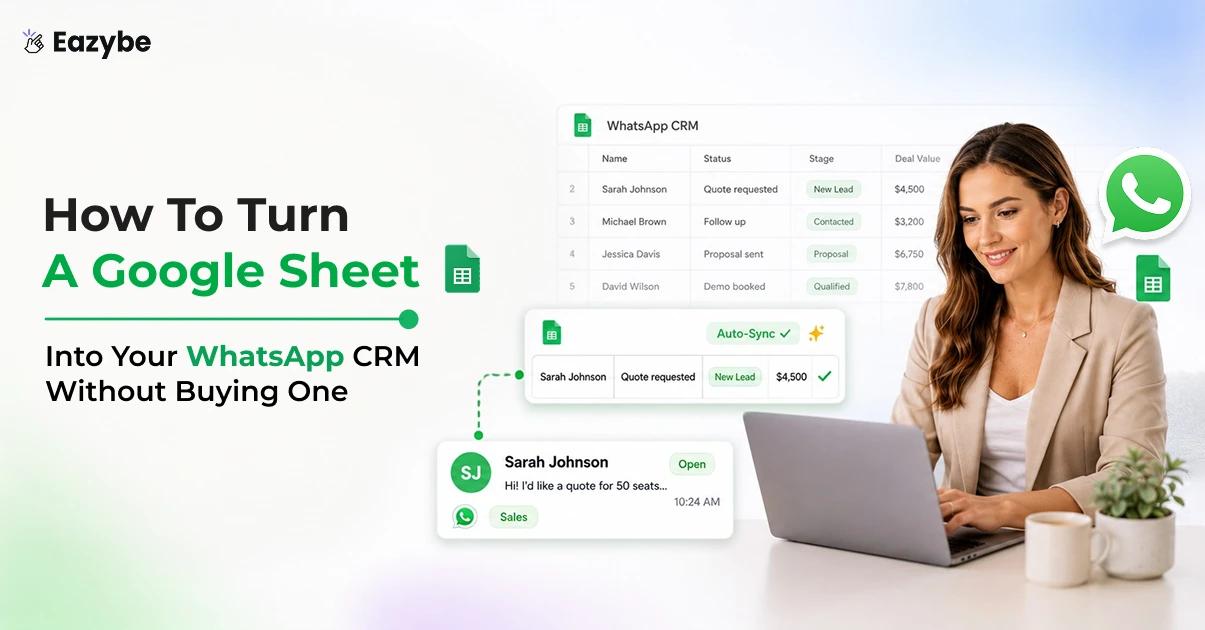
Eazybe fixes that from inside WhatsApp Web itself. Where its AI agents read each chat and write the result into your connected Sheet as contact fields and labels and short summaries. So, the row stays current on its own. In this blog, we explain how to turn a Google Sheet into your WhatsApp CRM without buying one.
What Is A WhatsApp To Google Sheets CRM?
A WhatsApp to Google Sheets CRM is a setup. Where your WhatsApp conversations automatically populate a connected Google Sheet with contacts, chat history, labels and follow up notes. So, a familiar spreadsheet becomes a live shared record of your pipeline that nobody has to update by hand.
It's done automatically, because a spreadsheet you maintain manually is only ever as fresh as your least motivated rep on their busiest day. A WhatsApp to Google Sheets CRM is fed by the conversations themselves. So, the rows fill as the chats happen, which means you keep the low cost and the zero learning curve of Sheets while losing the decay that usually comes with them.
Why WhatsApp Chat Backup Is The Missing Piece Without A CRM?
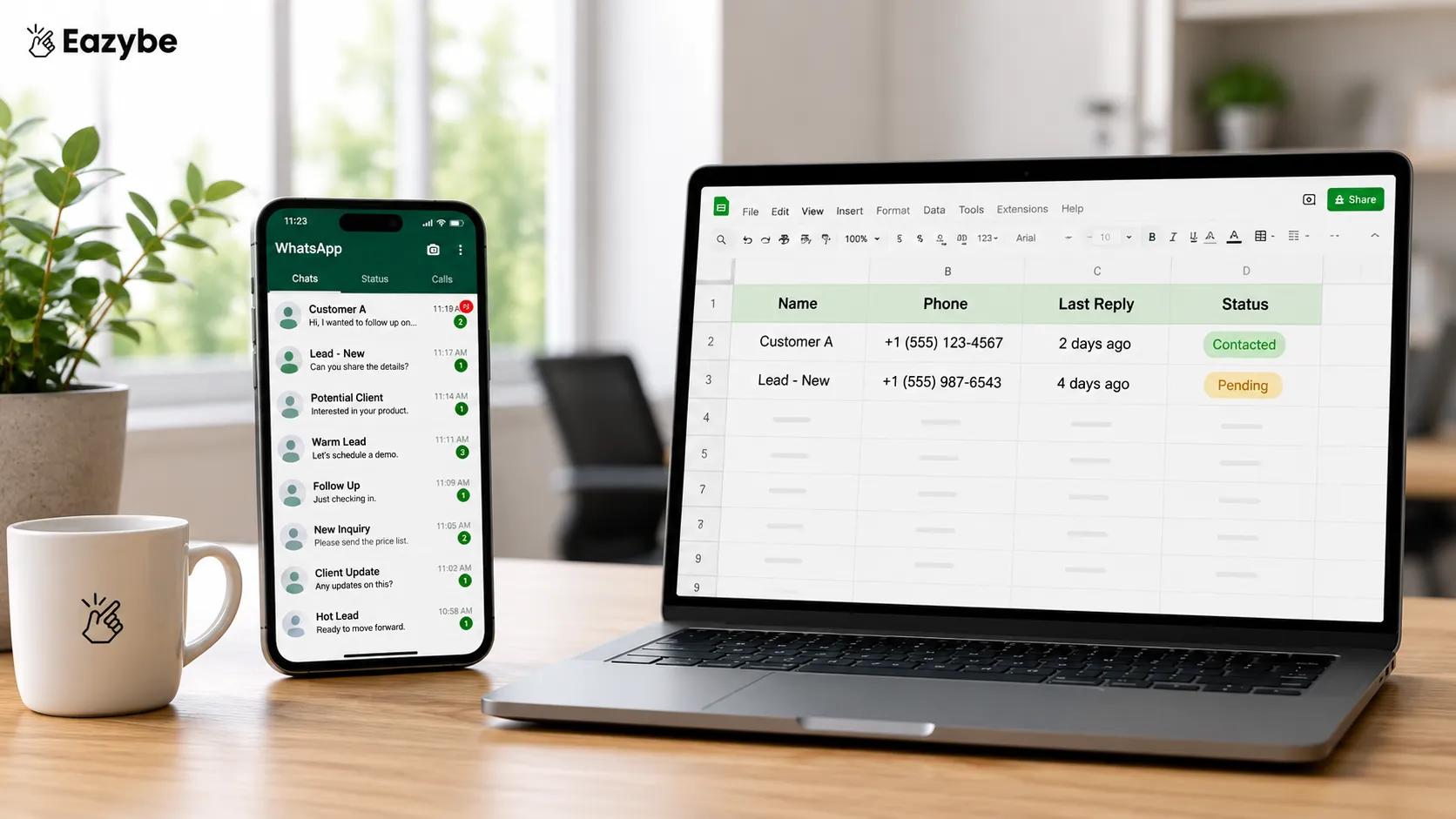
Chat backup turns WhatsApp threads into rows you can actually track.
Running without a CRM is a fair choice for a small team, since a Google Sheet costs nothing and everyone already knows how to use it. The problem is not the tool you picked but the one place it cannot see, because your best channel is sitting in threads only the rep holding the phone can open.
That makes the relationship history a personal asset instead of a company one, and the business only ever gets the version somebody remembers to write down. It shows up in three ways:
- Coverage: A rep goes on leave and nobody can say what was promised or when.
- Turnover: A rep resigns and the whole history leaves on their phone.
- Reality: Leadership plans from a sheet describing a business that already moved on.
WhatsApp chat backup closes all three by changing who owns the record rather than asking anyone to work harder. Once cloud backup is on, conversations land somewhere shared by default and the Sheet reflects what actually happened instead of what a rep recalled, while the WhatsApp Copilot works off that same record inside the chat window.
Also Read: Top 7 WhatsApp CRM Integrations For Sales And Support
Manual Sheet vs Google Sheets WhatsApp CRM
Here is what changes when a Google Sheets WhatsApp CRM stops being a document your team is meant to maintain and becomes one that WhatsApp maintains for them.
| Dimension Manual | Google Sheet | Eazybe synced Sheet |
|---|---|---|
| Who keeps it current | Reps by hand, so rarely | Synced from WhatsApp automatically |
| Chat history | Copy pasted if ever | Real time backup into the Sheet |
| Contact fields | Typed manually | Created from the chat with columns you choose |
| Labels and segments | Edited in two places and drift apart | Business Labels stay in sync both ways |
| Follow up notes | Scattered or lost | Timestamped inside the Sheet |
| What was actually said | Reopen the thread and scroll | A concise gist against your columns |
| Team wide view | One Sheet and several private phones | Several team members syncing to one Sheet |
| Accuracy after three months | Decayed and untrusted | Still current with no data entry |
A manual Sheet records what a rep remembered to type, and a synced Sheet records what actually happened in the chat.
The Sheet also stops being a second destination your team has to remember, because every field in it is readable and editable from the WhatsApp CRM panel sitting next to the open conversation.
How To Connect WhatsApp To Google Sheets With Eazybe
Eazybe runs as a Chrome extension over WhatsApp Web and works on the WhatsApp number your team already uses, so there is no migration to plan and no second app to learn. Once you connect WhatsApp to Google Sheets, that spreadsheet becomes a lightweight CRM you drive from inside the chat window itself:
- Real Time Chat Backup Into The Sheet: Conversations log into the connected Sheet as they happen rather than sitting on one phone, and the first time you connect it pulls the past three days before syncing forward from there. This one way flow is the piece that survives a rep leaving, because the record was never theirs to take.
- Mini CRM Inside WhatsApp Web: Open any chat and the matching Sheet row appears beside it with every field editable in place, plus a View in Sheets link for when you want the full grid. Setup detail sits on the Google Sheets WhatsApp integration page if you want to see it before installing.
- Business Labels As Your Segments: Labels act as the segmentation layer for the whole Sheet, and unlike the chat backup they move in both directions. Change a label in the Sheet and it reflects in WhatsApp, change it in WhatsApp and the Sheet agrees, which is what keeps the whole team reading the same status.
Suggested Read: 7 Best Practices For WhatsApp Sales Teams To Grow Revenue
What Eazybe Writes Into Your Google Sheet?
Four things land in the Sheet without anyone typing them:
- Backed up chat content: logged into rows in real time, one way from WhatsApp into the Sheet, starting with the past three days.
- Contact profile fields: covering name, number and the basic details, plus any custom property you add yourself.
- WhatsApp Business Labels: keeping your lead and customer segmentation aligned across both surfaces.
- Follow up notes with automatic timestamps: that you can create, edit or delete while the Sheet remembers when.
The writing itself is done by AI agents rather than by a plain sync job, which is what separates a filled row from a useful one. The CRM Sync Agent logs each conversation into the connected Sheet as it happens. The Lead Qualification Agent works out who is actually worth chasing and writes that judgement into your columns. The Revenue Agent watches for deals going quiet.
So, the Sheet flags them before anyone spots it manually. If you want a longer view of how that works. Our guide to the AI sales agent covers what these agents do across the full sales cycle rather than just inside a spreadsheet.
The Sheet then stops being only a record and starts working outbound too, since you can bulk upload contacts through it for broadcasts and targeted messaging, then export every contact under a given label whenever you need a clean list.
That is the honest scope of the model, and it comes down to contacts, labels, timestamped notes and chat backup. It is flat by design and for a small team that is very often exactly enough.
Which WhatsApp CRM Properties Fill Your Sheet Columns?
The useful question is not whether data arrives but which named properties actually populate, and those fall into three groups worth understanding before you design your columns.
1. Contact Properties Pulled Straight From The Chat
Name and phone number arrive first and sit alongside conversation metadata such as message count, last contact date and the timestamp of the most recent exchange. Together these tell you a relationship exists and when it was last touched, which is already more than most manual Sheets ever manage. Managers usually want the deal side of this in the Revenue Inbox rather than by scanning rows one at a time.
2. Custom Properties You Define Yourself
Anything past the defaults is yours to create, because adding a property from the contact panel creates the matching column in the linked Sheet. Product interest, city, appointment type or notice period all behave as proper fields once they exist, so you can sort, filter and export them like anything else.
3. Label Based Segmentation As A Property
Your labels live as a column rather than as a separate system, which is what makes them practical to work with. Filtering on a label is the same action as filtering on any other field, and that is precisely what makes label driven broadcasts and one click exports possible without extra tooling.
How To Choose Which WhatsApp To Google Sheets CRM Columns Sync
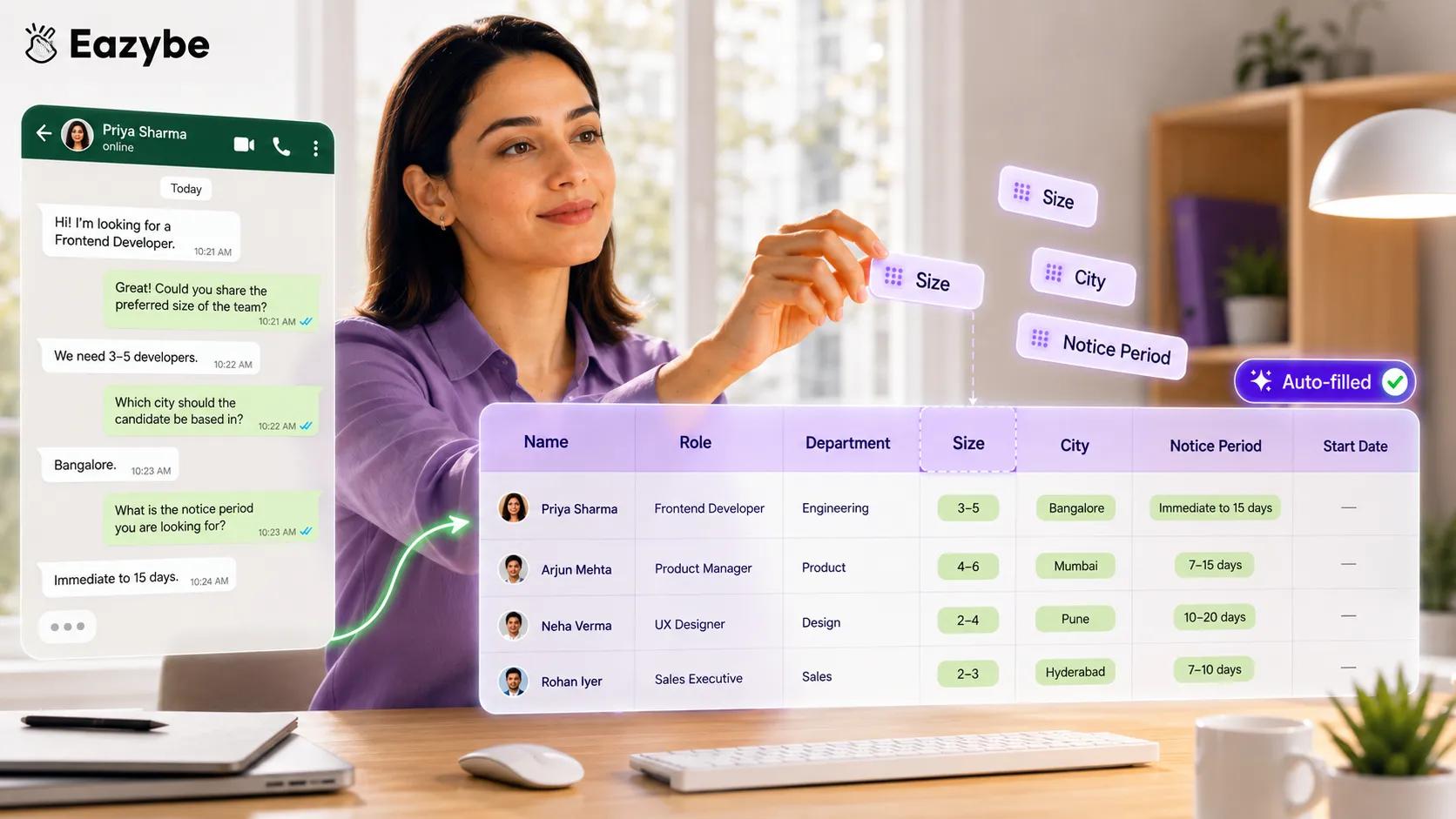
Pick your columns — the sheet fills itself from each conversation.
You are never stuck with a rigid template. When you create a contact from a chat you fill the fields that matter and add your own properties through the + icon before saving, then view, edit and extend them later as the business changes shape.
The examples make the point better than the principle does:
- A shoe brand tracks product interest, size and city.
- A clinic tracks appointment type and urgency.
- A recruiter tracks role, notice period and expected salary.
Same engine underneath and completely different columns on top. This is the self select principle the whole platform runs on, where you choose the fields and the sync fills only those, so the Sheet stays a tight decision ready view instead of a firehose nobody opens.
What The AI Reads That A Sheet Column Cannot Hold
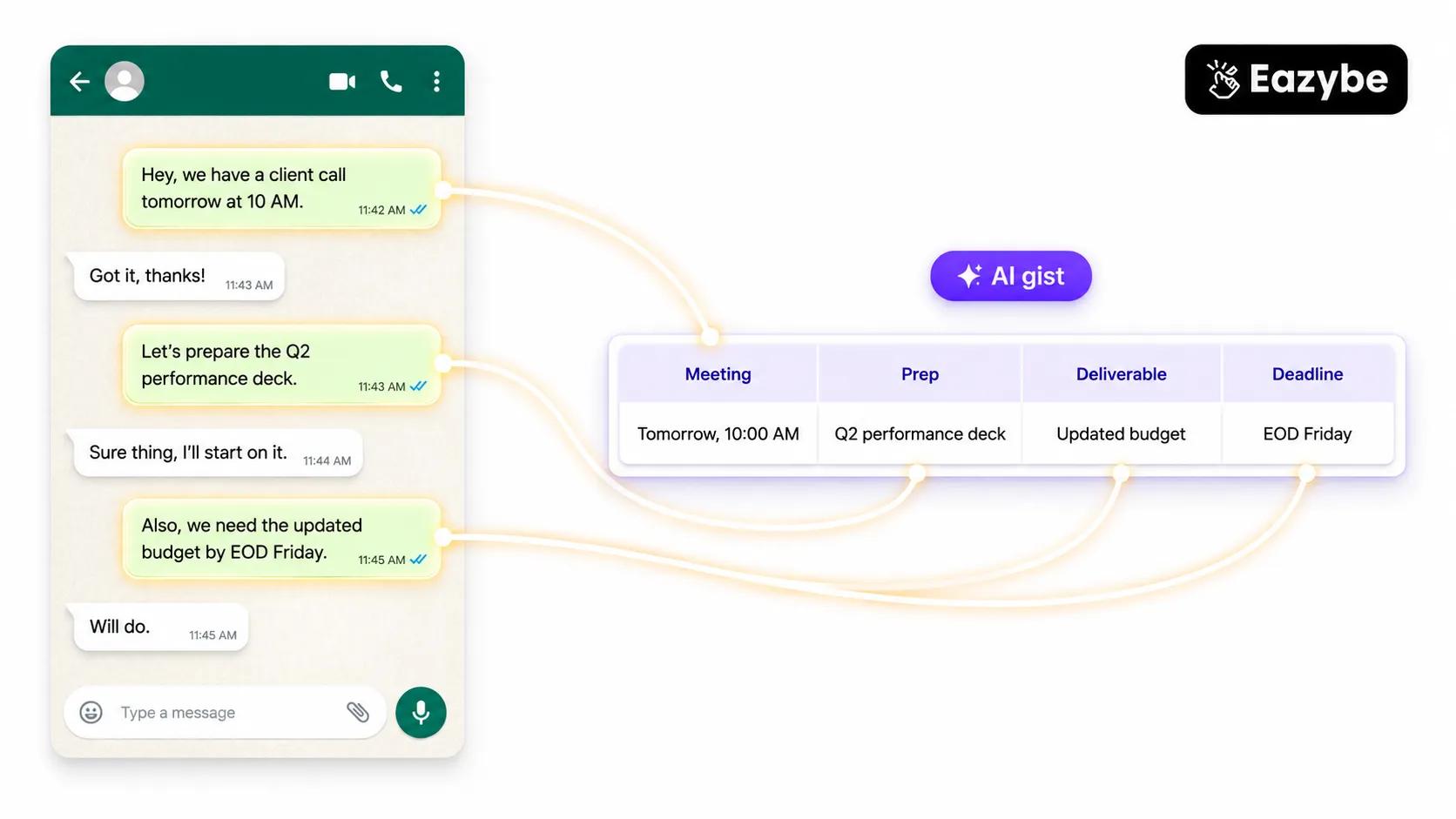
AI pulls out what a plain sheet column can't — tasks, dates and deliverables.
A column can hold a status but it cannot hold the reason behind it, and that gap is where most spreadsheet based pipelines quietly fall apart.
- Who Is Warm And Who Went Quiet: A column says Interested while the chat says they asked for pricing on Tuesday and nobody has replied since. Only one of those two facts predicts whether the deal closes, and it is not the one sitting in the Sheet. Silence is the signal a spreadsheet is least able to represent on its own, which is why Rep Radar exists as a separate read of the same data.
- What The Customer Actually Asked For: Requirements arrive in the middle of a conversation and almost never in a form anyone bothers to transcribe, so delivery timelines, budget ceilings and the one feature that decides the deal all stay buried in the thread unless something reads them out for you.
- Whose Turn It Is Next: The most expensive missing column is the one holding who owes the next message, because a row showing the customer spoke last and the rep never answered is worth far more than a status field that simply reads Follow Up.
WhatsApp Sales Intelligence Means You Read The Sheet Not The Threads
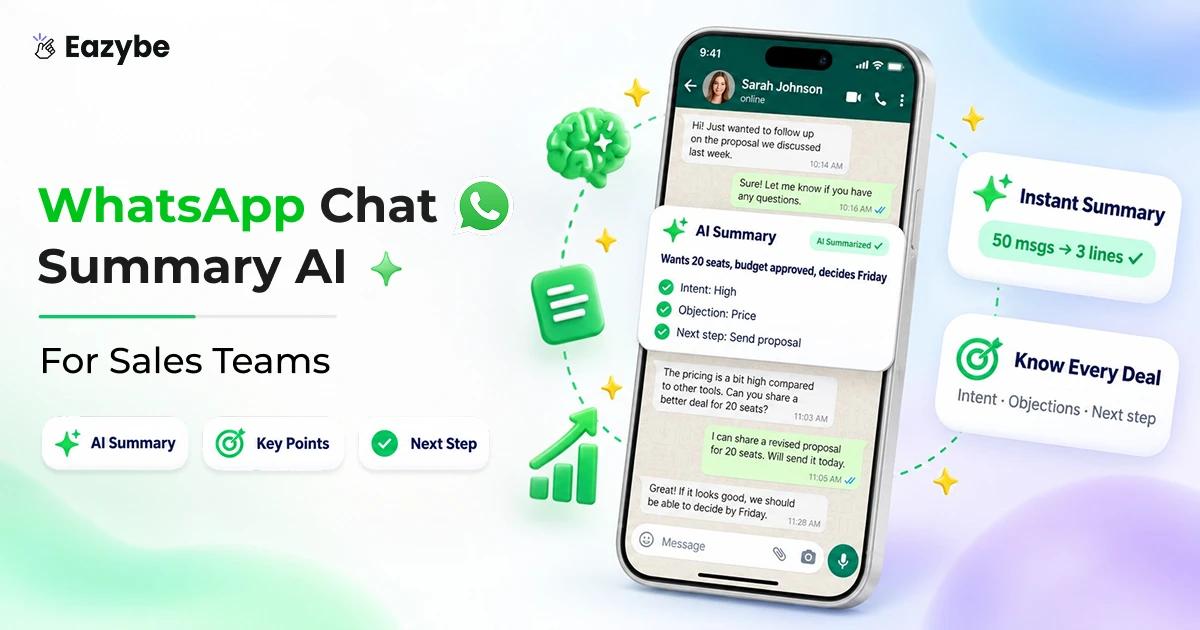
Backing up chats is table stakes, and nobody wants to scroll 40 threads to work out who is warm, which is exactly where the AI layer earns its place. It reads the conversation and writes a concise gist against your chosen columns, so a glance at the Sheet replaces reliving the whole thread.
Treat this as AI assisted rather than autopilot, because you configure which properties it tracks and you can review what lands, which makes the read a strong prompt for a human rather than a verdict to act on blindly. It is the same WhatsApp sales intelligence approach that feeds full CRMs, pointed at a spreadsheet instead.
How To Set Up Your WhatsApp To Google Sheets CRM?
- Install the Eazybe Chrome extension and open WhatsApp Web on the number your team already uses.
- Open the sidebar and go to Integrations, where you will find Google Sheets and a Connect button.
- Sign in to Google and grant access, then either create a fresh Sheet or upload one you already work in.
- Pick your columns by setting the contact fields and custom properties you want tracked from here on.
- Turn on chat backup and label sync, then work from the mini CRM beside each conversation.
Most teams are syncing within five minutes and there is a four day trial with no card required, so you can test the whole thing against a real working week before committing to anything. Plan detail sits on the pricing page.
What The Data Says About WhatsApp Adoption
The Sheet only matters because the channel matters, and the adoption curve makes that plain enough. WhatsApp Business reached around 200 million monthly active users worldwide by July 2023, which is growth of more than 300 percent against the 50 million recorded in June 2020.
That is the shape of the problem in one number, because business conversation moved onto WhatsApp far faster than any record keeping habit could follow, which is how so many teams ended up maintaining a spreadsheet that describes a channel it cannot actually see into.(Source: Statista)
What Small Teams Run Into On WhatsApp
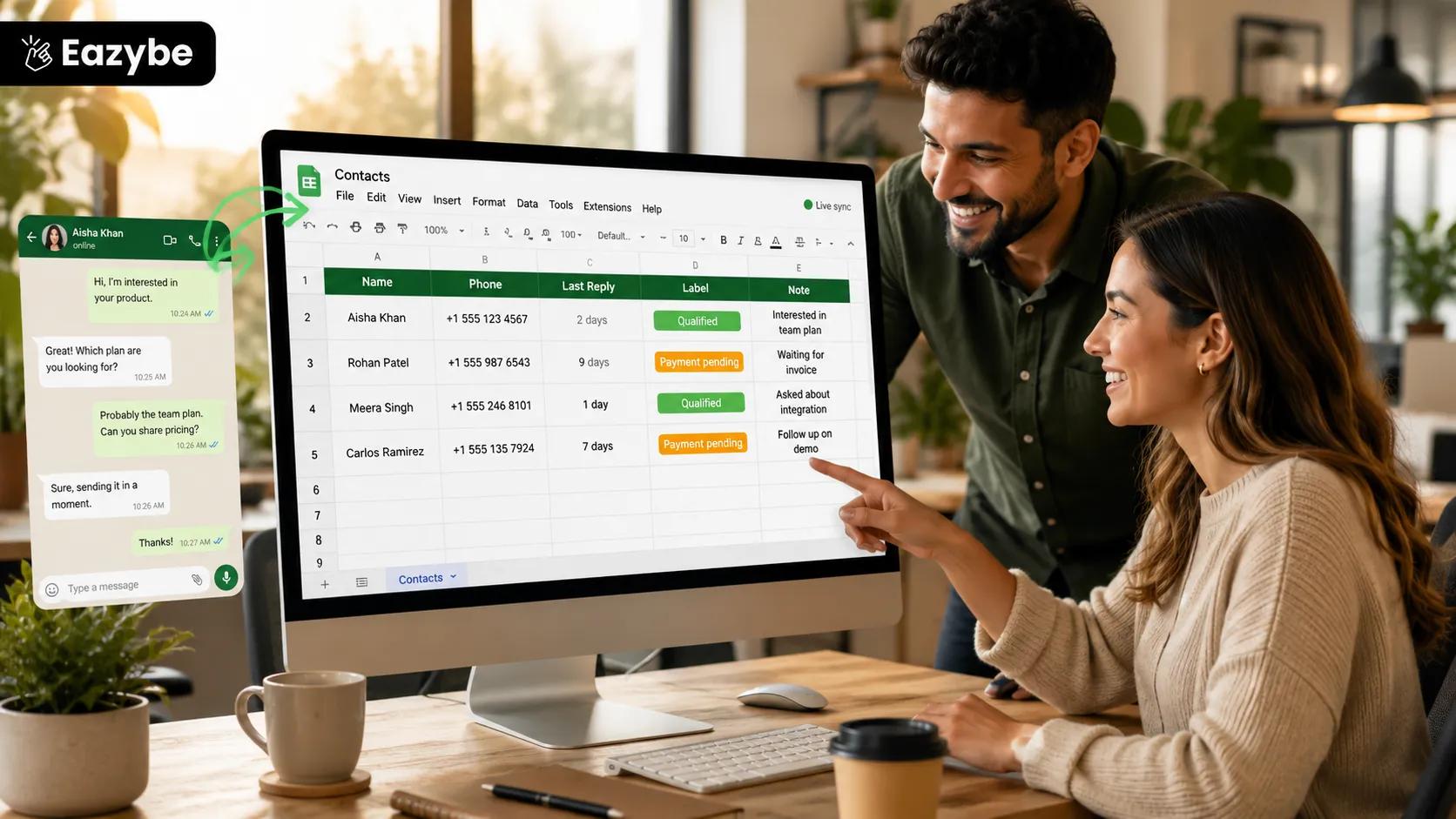
A shared sheet gives small teams a working CRM without buying one.
Ask a fifteen person team how their Sheet gets updated and you get a policy rather than a practice, where reps were supposed to log WhatsApp contacts manually and simply never did. That is less a discipline problem than what happens whenever the logging step sits outside the tool where the actual work is happening.
Three patterns repeat almost everywhere:
- Ownership: One rep holds the thread and therefore the relationship, so every handover turns into forwarded screenshots and hope. Shared visibility fixes that faster than any process document, and the team inbox is where teams land once one Sheet stops being enough.
- Timing: Deals are rarely lost to a competitor outright and far more often to a message that sat unanswered over a weekend while the Sheet still showed the lead as active and healthy.
- Trust: Once a Sheet has been wrong twice people stop opening it, and the team quietly reverts to asking each other in a group chat.
Running Google Sheets And A CRM With WhatsApp Integration Together
A Google Sheet is a good first home and it is not a pipeline engine, Which sounds like a problem until you realise you do not actually have to choose between them. Eazybe can keep the Sheet current and push the same contact intelligence into a full CRM at the same time. Which matters because a real CRM gives you objects a flat Sheet was never going to hold:
- HubSpot carries Contacts, Deals, Companies and Tickets as structured records with their own properties.
- Zoho covers Contacts, Leads and Deals, with Notes and Tasks sitting alongside them.
- Salesforce handles Contacts and Leads, and logs the WhatsApp conversation as an activity on the record itself.
So, the pattern for a growing team is simple enough. The Sheet runs as the shared at a glance view everyone reads. While deals and tickets live as proper objects in the CRM that the same sync keeps fed.
When To Graduate From A Sheet To A Full WhatsApp CRM
Four gaps are worth naming plainly:
- No deal or pipeline objects: so there are no stages, no amounts and no forecast fields anywhere in the model.
- No structured Leads, Opportunities or Tickets: which is exactly what support SLAs and multi stage sales tracking are built on.
- No Tasks, Call Logs or Events: so timestamped notes work as a record and never as a task engine.
- Label based segmentation rather than stages: which is excellent for filtering and broadcasts and weak for weighted forecasting.
The rule of thumb is quick to apply. If what you need is a shared, always current contact list with chat context and simple lead tagging, the Sheet is plenty, and the day you need pipeline stages, deal values or ticket SLAs you move up and carry your contacts and properties across rather than starting from an empty database.
One more thing worth knowing is that Eazybe is a connector. So, your data lives in your own Google Drive or your CRM rather than in a vendor workspace you cannot reach. It is SOC 2 certified, GDPR compliant and a Meta Business Partner.
Final Verdict
If your team already sells on WhatsApp and already lives in a spreadsheet, you do not need to buy a CRM to fix your record keeping, you need the spreadsheet to stop depending on somebody remembering to type. Connecting WhatsApp to a Google Sheet puts contacts, labels, notes and chat backup on the record automatically and gives you a concise readable gist of each conversation against columns you chose yourself.
Be clear eyed about the ceiling, because there are no deals, no tickets and no tasks in this model and there never will be. That ceiling sits far higher than most small teams expect, and on the day you finally hit it your contacts and properties move across into a full CRM instead of making you start over from nothing.