








It’s 9 AM and your coffee is still hot, but you already have five tabs open: WhatsApp Web, the team inbox, HubSpot, the call log and a spreadsheet. All you want to know is which hot leads are still waiting for a reply. Forty minutes of scrolling later you finally have the answer, but two of those leads have already moved on to someone faster.
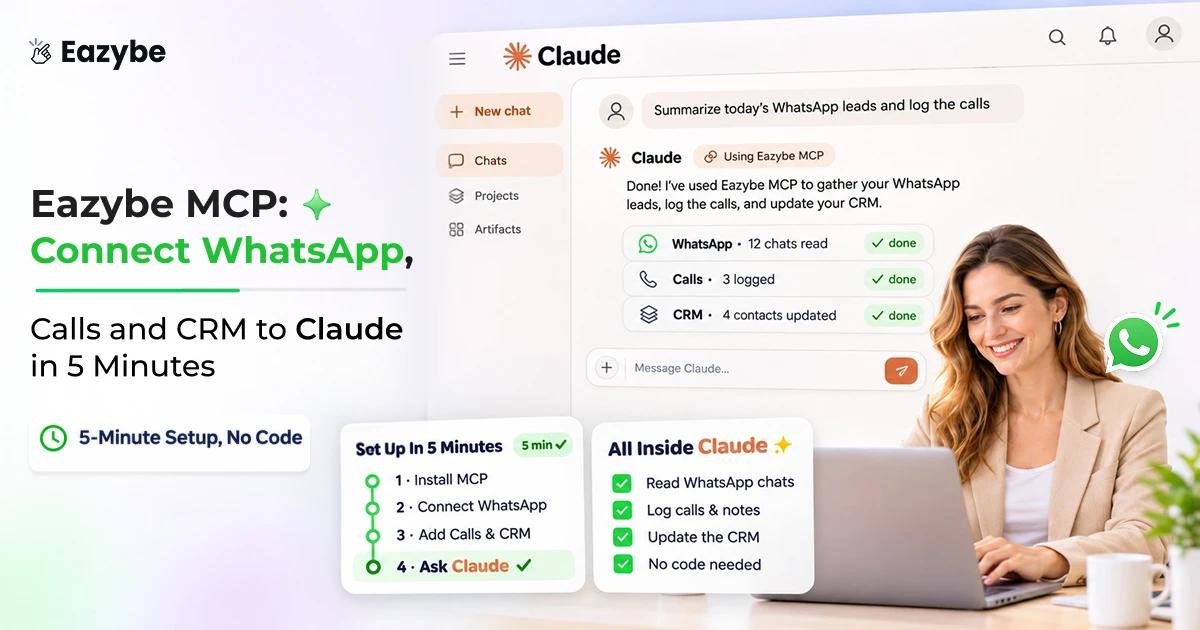
What if you could ask that question once and get the full answer in seconds? Eazybe MCP makes that possible. It connects your team’s WhatsApp chats, calls and CRM to Claude, so you ask in plain words and the AI checks everything for you. Eazybe is a WhatsApp AI agent and CRM platform for sales and support teams, and MCP is the bridge to the AI assistant you already use.
In this blog we explain what Eazybe MCP is, its benefits, every Eazybe feature it connects to, how to set it up in 5 minutes, and how to keep it safe.
What Is Eazybe MCP?
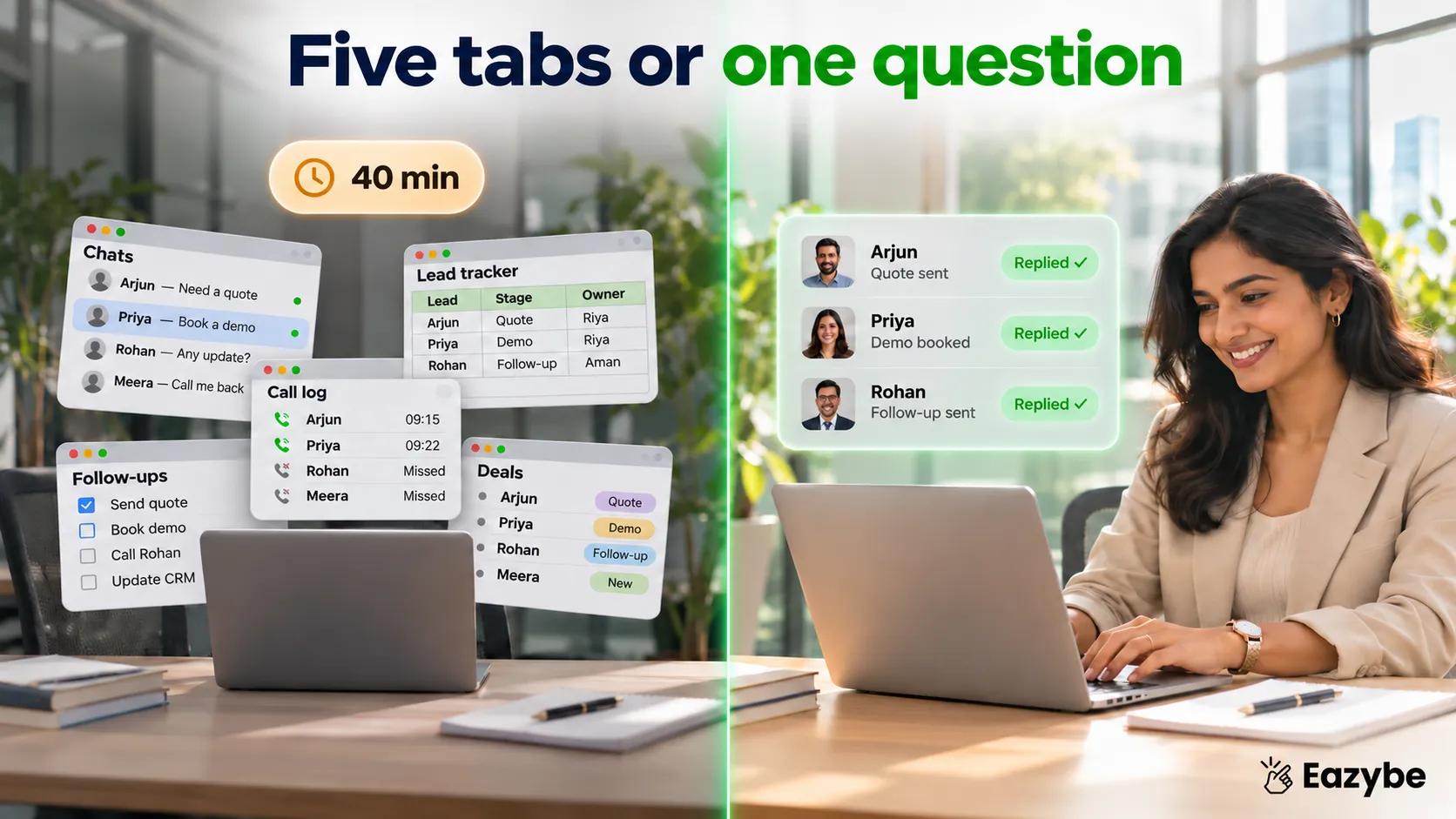
Eazybe MCP - Five tabs or one question
Eazybe MCP is a connection between your Eazybe account and an AI assistant like Claude or Codex. It lets the assistant read your team’s WhatsApp chats, calls and CRM records, and carry out tasks such as drafting replies, assigning chats and updating deals from a plain-language prompt.
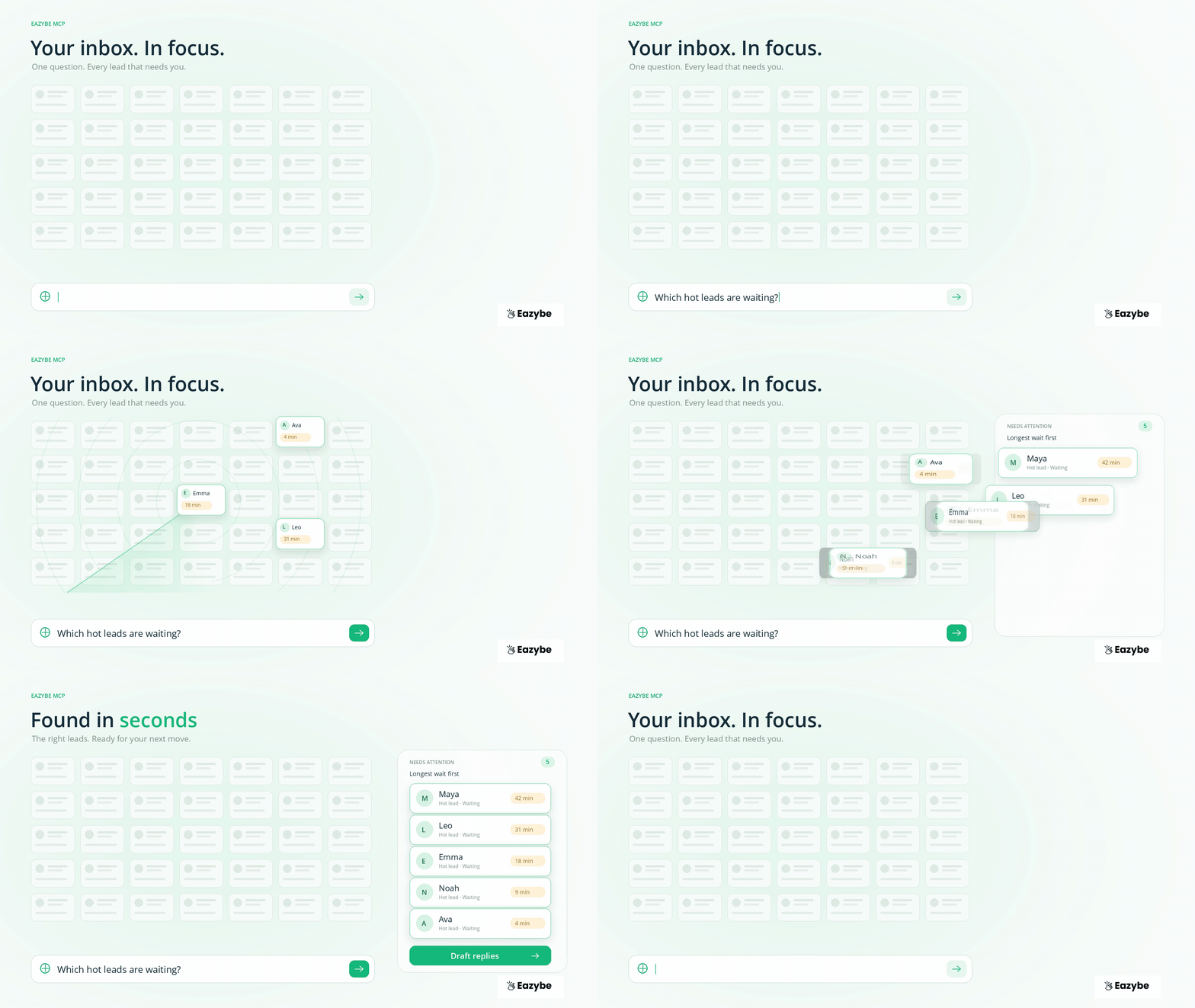
Without it, Claude can only talk about your business in general terms. With it, Claude can look at your real inbox and tell you exactly which customer has waited longest.
What it covers:
- WhatsApp conversations across your team.
- Call activity.
- CRM contacts and deals.
- Broadcasts, AI agents and team management.
What Is MCP And Why Does It Matter For WhatsApp?
MCP, or Model Context Protocol, is an open standard that lets AI assistants connect to outside tools and data in one common way. Think of it as a universal plug: a tool builds one MCP connection, and any assistant that supports MCP can use it.
Anthropic created MCP, and it’s now managed by the Agentic AI Foundation under the Linux Foundation, alongside OpenAI and Block. For buyers, that means you aren’t locked into one vendor’s private format.
For WhatsApp teams, MCP solves a simple problem. Your conversations live in WhatsApp, your deals live in the CRM, and your AI assistant can’t see either one. Eazybe MCP brings them into the assistant together.
The example prompts and setup steps are also on the Eazybe MCP page.
What Can You Do With Eazybe MCP?
With Eazybe MCP you can sort chats, reply faster, chase follow ups, see team performance and manage your team by typing a question. It covers 160+ actions across the inbox, CRM, broadcasts, agents and team management.
Example prompts from the Eazybe MCP page:
- “Group my unread chats by rep and tell me who has waited longest.”
- “Which hot leads haven’t had a reply in the last hour?”
- “Move last night’s unassigned chats to whoever is online now.”
- “Show open tickets from my WhatsApp groups.”
More prompts by role:
For sales managers
- “Which reps haven’t replied to a hot lead today?”
- “Summarize what happened on the Fleet Ops deal this week.”
For reps
- “Draft a follow up for every quote I sent with no reply in 3 days.”
- “What did Priya ask for in our last chat and call?”
For RevOps and admins
- “List chats that came in after 7 PM yesterday and who picked them up.”
- “Which deals have had no customer message in 10 days?”
Benefits Of Eazybe MCP For Sales Teams
The main benefits of Eazybe MCP are faster answers, less switching between apps, quicker replies to leads and full control over what the AI sends. Here’s what changes for each person on the team.
For sales managers:
- Answers in seconds: ask “who’s waiting for a reply?” instead of scrolling through every rep’s chats.
- One view of the team: chats, calls and deals come back in one reply, not five tabs.
- Faster morning reviews: summarize yesterday’s activity with one prompt.
- Problems spotted early: find hot leads with no reply, or deals that have gone quiet, before they’re lost.
For reps:
- Less admin: let the AI draft follow ups and update deal details.
- No more searching: ask “what did this customer ask for last time?” and get the chat and call history.
- More time selling: spend the saved time talking to customers.
For RevOps and admins:
- Quick reassignment: move unassigned chats to reps who are online.
- Easy reporting: pull team activity without exporting spreadsheets.
- Same rules as today: MCP works with your existing permissions and CRM setup.
For the business:
- No setup project: about 5 minutes, with no developer and no API key.
- No WhatsApp API needed: it works with the numbers your team already uses.
- Safe by design: nothing goes to a customer without your approval.
- No extra cost: it’s included in all paid Eazybe plans.
To see how chat and deal tracking works day to day, read our guide to WhatsApp sales tracking.
How To Set Up Eazybe MCP In Claude
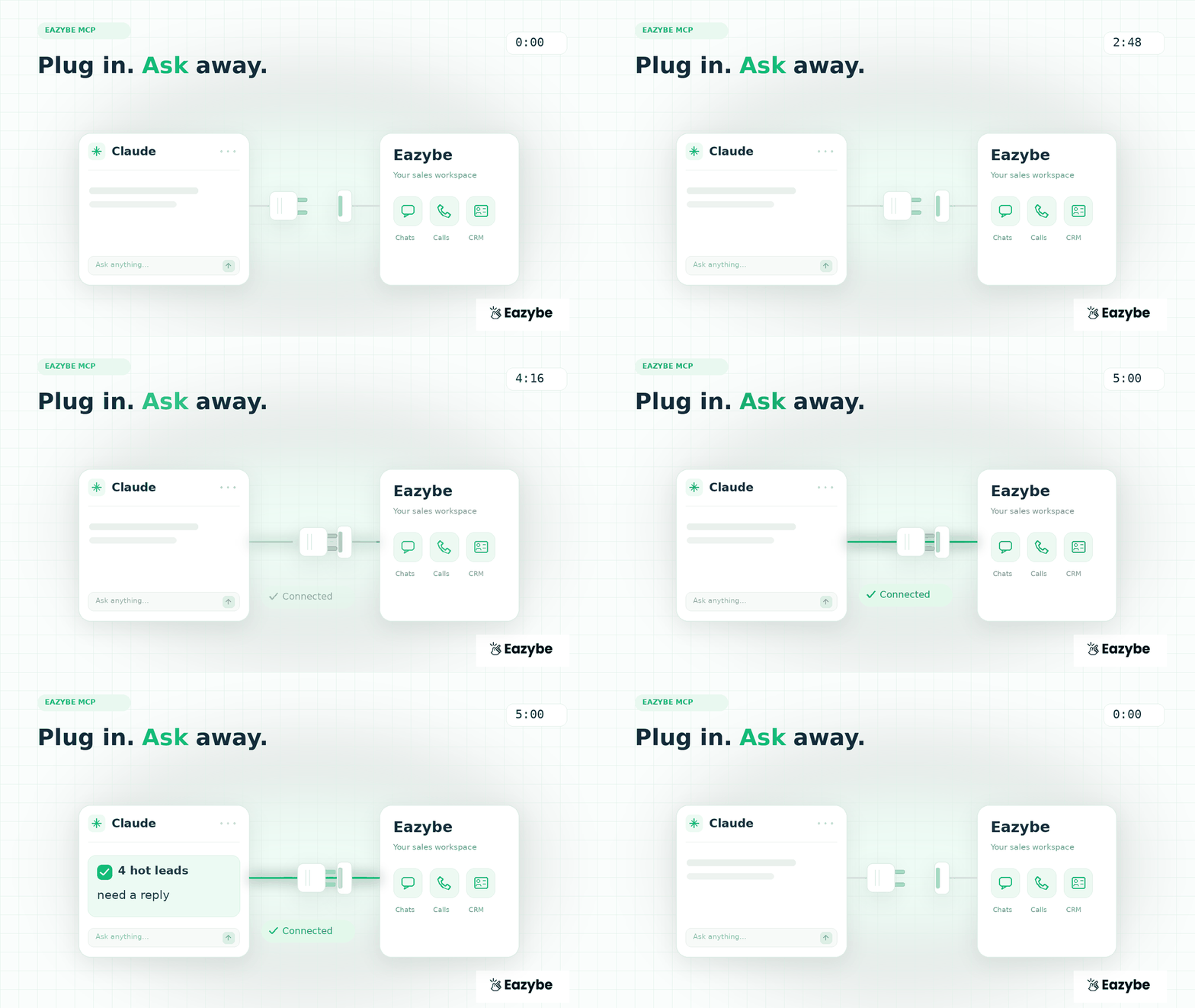
Set Up Eazybe MCP in Claude
You can set up Eazybe MCP in Claude in about 5 minutes. Add one server link as a custom connector, sign in with your Eazybe account, and turn it on in a chat:
- Open Claude’s settings: Go to Connectors, then choose Add custom connector.
- Add the server link: Name it “Eazybe” and paste: https://app.eazybe.com/api/wa-agent/business-mcp
- Connect and sign in: Click Connect and sign in with your Eazybe account.
- Turn it on in a chat: Enable Eazybe in a new conversation.
- Ask your first question: For example: “Which of my team haven’t replied to hot leads today?”
Before you start, have these ready:
- An active paid Eazybe plan
- Your Eazybe login
- A Claude plan that supports custom connectors
Book A Free Demo at Eazybe and we’ll set up Eazybe MCP with you.
How To Set Up Eazybe MCP In Claude Code And Codex
Eazybe MCP also works in Claude Code and Codex, which suit technical teams and admins who work in the terminal. You use the same server link and sign in with your Eazybe account.
Claude Code:
- In your terminal, add the server: claude mcp add --transport http eazybe https://app.eazybe.com/api/wa-agent/business-mcp
- Start Claude Code and sign in with your Eazybe account when asked.
- Ask a question, such as “Show unassigned WhatsApp chats from last night.”
Codex:
- Add the Eazybe server link to Codex’s MCP settings.
- Sign in with your Eazybe account.
- Ask your first question.
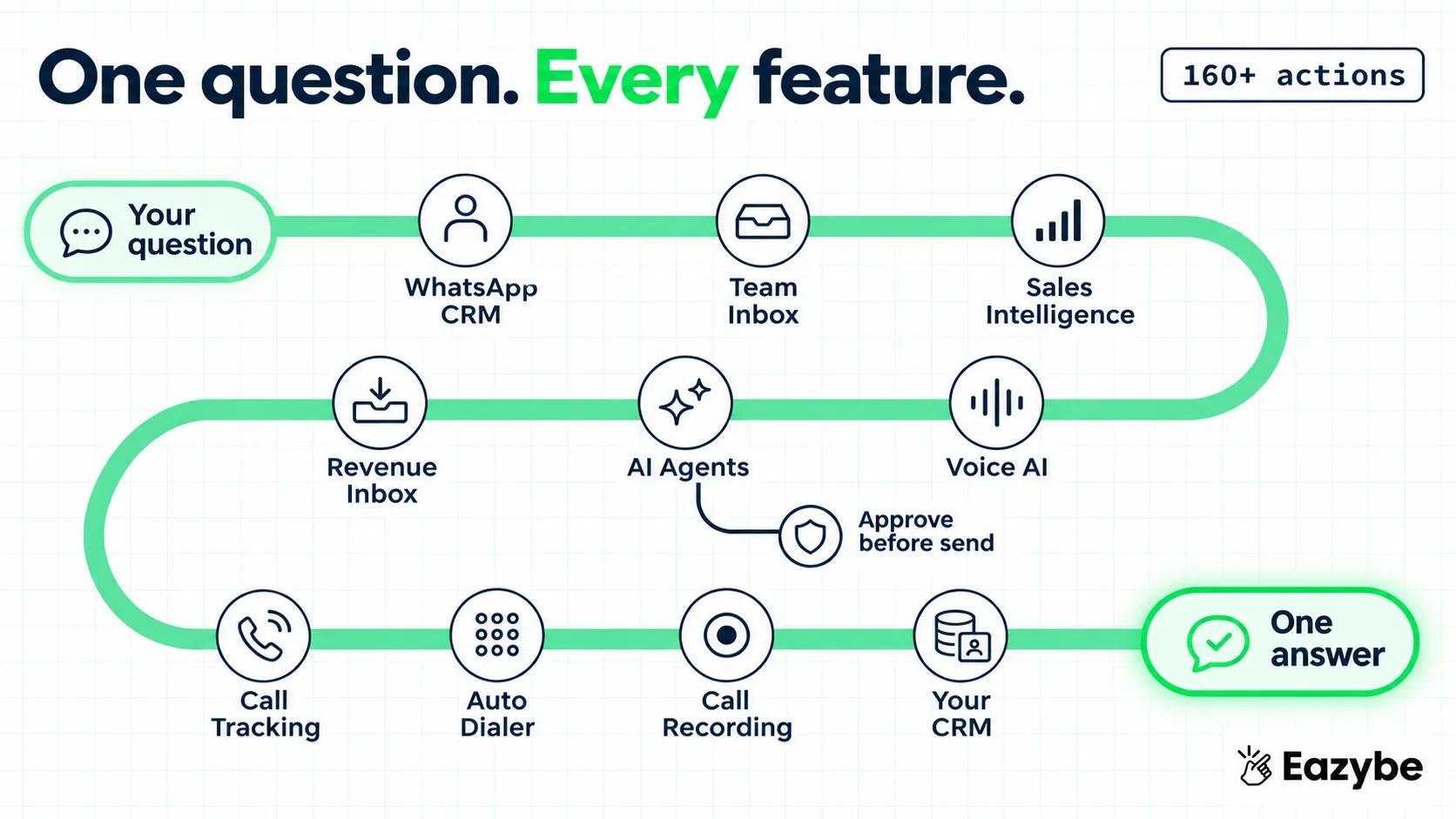
Eazybe MCP Tools: What The 160+ Actions Cover
One question, every feature
Eazybe MCP tools fall into five groups: inbox, CRM, broadcasts, AI agents and team management. Together they let the assistant read your data and take actions you approve.
| Group | What You Can Do |
|---|---|
| Inbox | Find unread and waiting chats, sort them by rep, draft replies, assign chats |
| CRM | Look up contacts and deals, see chat and call history, update deal details |
| Broadcasts | Prepare messages to a list or segment |
| AI agents | Work with your WhatsApp AI agents |
| Team management | See who’s online, reassign work, check team activity |
Eazybe Features You Can Use With Eazybe MCP
Eazybe MCP connects your AI assistant to the whole Eazybe platform. Each feature below says what it does on its own, what you can ask about it through MCP, and what your team gets from it.
WhatsApp CRM Sync
WhatsApp CRM sync saves business chats, group chats, files and voice notes to the right contact, deal or company in your CRM. It works with personal WhatsApp, the WhatsApp Business app and the WhatsApp API, and you choose which chats sync, so personal chats stay private. With MCP you can ask about any customer’s full conversation history in one line.
Try asking:
- “What did Priya ask for in our last three chats?”
- “Which customers sent a voice note this week that nobody answered?”
- “Summarize the Fleet Ops group chat from the last 7 days.”
Benefit: when a chat is reassigned or a rep leaves, the next person knows everything in seconds. Learn more about WhatsApp CRM.
Team Inbox
Team Inbox lets several reps work from one business number, with chats routed by territory, round robin or availability. It tracks which chats are waiting for a reply, and if a customer waits past your target, the owner gets a WhatsApp alert. With MCP you can sort and assign the whole inbox by asking.
Try asking:
- “Group my unread chats by rep and tell me who has waited longest.”
- “Move last night’s unassigned chats to whoever is online now.”
- “Which chats missed our 30 minute reply target today?”
Benefit: no customer waits because a chat fell between two reps.
Read how the Team Inbox works with the WhatsApp Business app.
WhatsApp Sales Intelligence
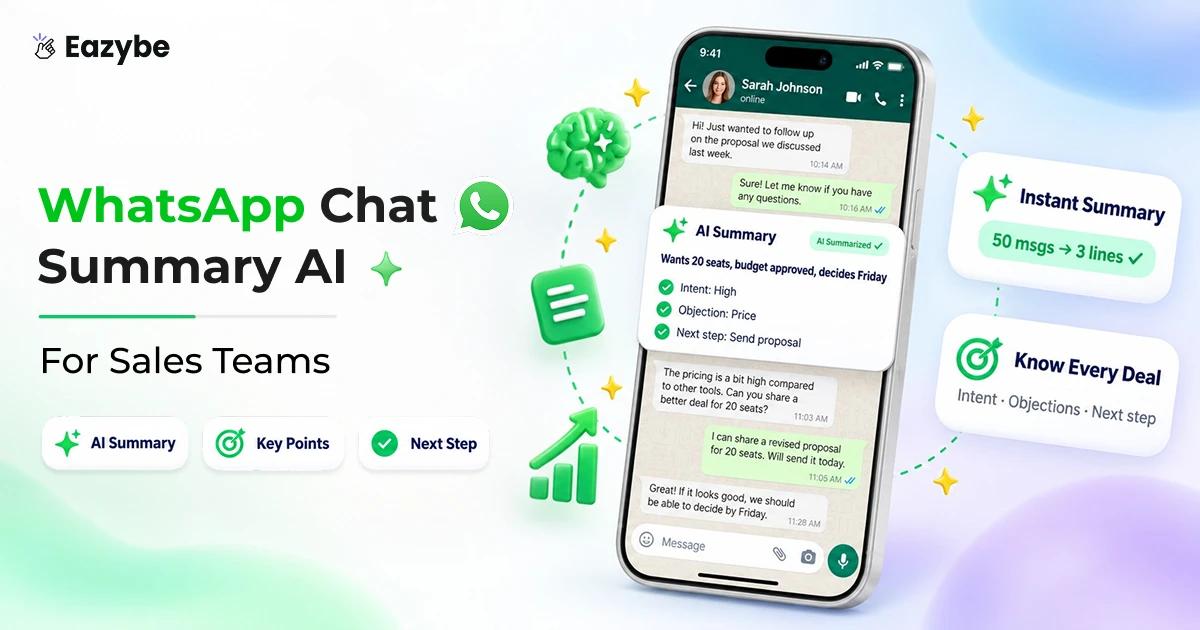
Sales Intelligence reads your team’s chats and calls and fills CRM fields like budget, need, urgency and objections. You set it up in plain words, and it can tag chats with AI labels like “Hot leads”. With MCP you can ask about those fields across every deal at once.
Try asking:
- “Which deals mentioned a budget over $10,000 this week?”
- “List the price objections customers raised in the last 7 days.”
- “Which hot leads said they want to start this month?”
Benefit: you see buying signals across the whole team without opening each chat.
Revenue Inbox
Revenue Inbox scores each deal by its conversation activity and flags deals that are stalling or going cold. Health scores can sync to HubSpot, Salesforce and Zoho. With MCP you can find at-risk deals and act on them in the same conversation.
Try asking:
- “Which deals have gone quiet for 10 days?”
- “Draft a follow up for every deal marked as going cold.”
Benefit: you rescue deals before they’re lost, not after the month ends.
See how Revenue Inbox spots deals before they’re lost.
WhatsApp AI Agents
Eazybe’s AI agents run on your own WhatsApp number and know each deal’s stage, owner and past chats. The CRM Sync, Lead Qualification, Revenue and Customer Success agents log chats, qualify leads, follow up on quiet deals and answer customers in their own language. With MCP you can see what the agents did and who they handed over.
Try asking:
- “Which leads did the AI qualify overnight?”
- “Show chats the AI handed to a rep today, with the reason.”
- “Which customers wrote in Spanish this week?”
Benefit: leads get answered around the clock, and reps only step in when it matters.
AI Voice Agents
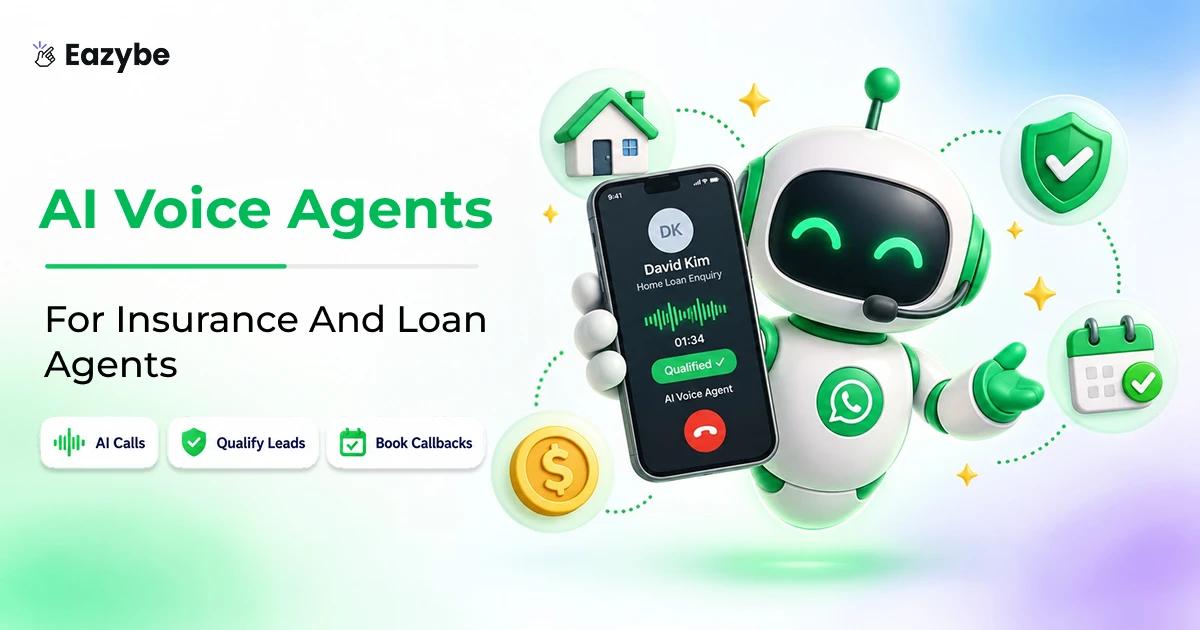
The AI voice agent calls leads from your WhatsApp number after they say yes on WhatsApp, asks your qualifying questions and saves the transcript and outcome to the CRM. It also hands hot leads to a rep with the full history. With MCP you can check what it did while your team was offline.
Try asking:
- “Summarize last night’s voice agent calls and who booked a meeting.”
- “Which leads did the voice agent hand to a rep today?”
- “Show calls where the customer asked to speak to a person.”
Benefit: every morning starts with a clear list of warm leads, not a pile of unread notes.
Our guide to the AI voice agent explains how it asks permission before it calls.
Outreach and Automation
Broadcasts send one personalized message to a CRM list, a Google Sheet or a WhatsApp label. CRM workflows send follow ups when a stage, a field or silence triggers them, from the owner’s number, and they stop when the customer replies. Quick Reply and Scheduler help reps send saved replies and timed messages. With MCP you can prepare outreach in plain words, then approve it.
Try asking:
- “Draft a follow up for every quote I sent with no reply in 3 days.”
- “Prepare a broadcast to customers whose renewal is due this month.”
Benefit: follow ups go out on time without anyone keeping a list.
Call Tracking
Call tracking logs each call’s time, length and outcome next to the customer’s WhatsApp chat. Calls from SIM phones and virtual numbers all land in the same place. With MCP you can ask about calls the same way you ask about chats.
Try asking:
- “Which reps made fewer than 10 calls yesterday?”
- “Show missed calls from customers with open deals.”
- “Which deals had a call but no WhatsApp follow up after it?”
Benefit: a quiet call log never hides a busy deal, and a busy log never hides a missed follow up.
To see how these calls sit beside your chats, read about call tracking.
SIM-Based Calling
SIM-based calling tracks calls reps make from their own Android phones, so customers see a number they already know. Each call is logged to the CRM without the rep typing anything. With MCP you can check field and remote reps’ calls without asking for reports.
Try asking:
- “Show today’s calls from the field team and their outcomes.”
- “Which customers did the field team call but not message after?”
Benefit: managers see field activity without a single end-of-day report.
Teams on the road can track every call with SIM-based calling.
Virtual Phone Numbers
Virtual phone numbers give your team one business line for calls, SMS and WhatsApp in the US, Canada and Puerto Rico. The company keeps the number if a rep leaves. With MCP you can see activity on each business line.
Try asking:
- “Show this week’s calls and chats on our US number.”
- “Which leads called our US line and haven’t been called back?”
Benefit: customers always reach the company, not one rep’s personal phone.
Selling into North America? Get a virtual phone number.
Auto Dialer
The auto dialer calls through an uploaded list one contact at a time and saves each outcome to the CRM. MCP helps you build the right list before you start.
Try asking:
- “List leads with no reply in 5 days and their phone numbers, so I can upload them to the auto dialer.”
- “Which renewal customers haven’t been called this month?”
Benefit: reps spend the session on the right people, not on a random sheet.
See how the auto dialer removes manual dialing.
Call Recording
Call recording saves each call to the contact for coaching and review. MCP helps you find the calls worth listening to.
Try asking:
- “Find yesterday’s calls longer than 10 minutes that didn’t book a meeting.”
- “Which of Riya’s calls this week ended as ‘Follow up’?”
Benefit: managers coach on the calls that matter, then play the recordings in Eazybe.
Recordings are saved to each contact with call recording.
CRM Integrations
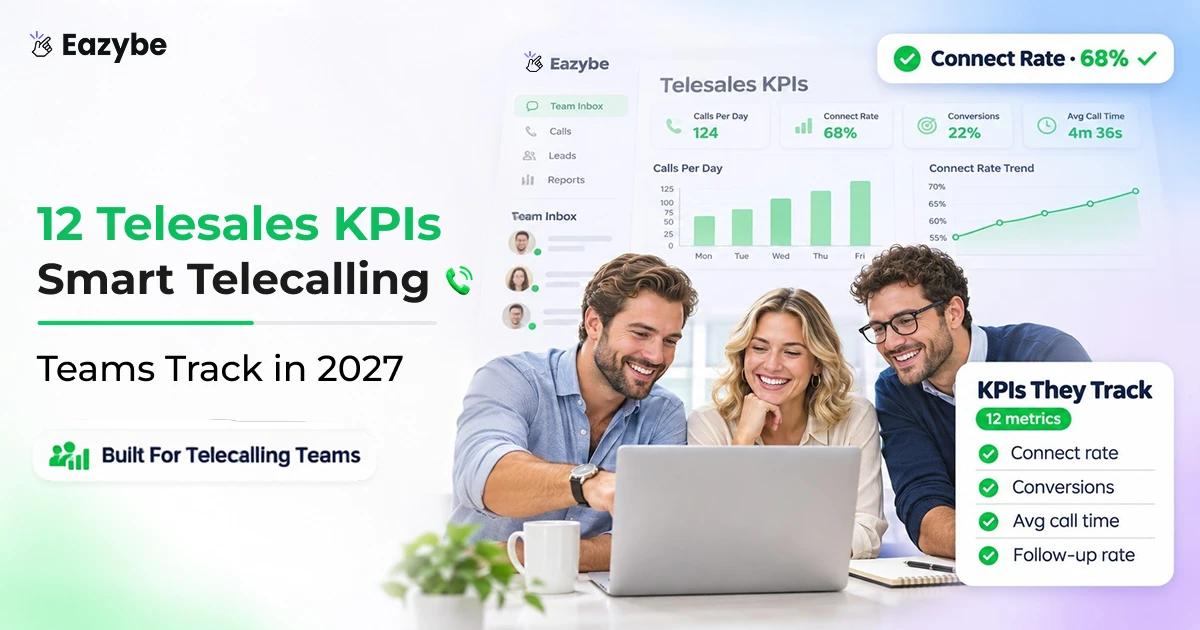
Eazybe connects to HubSpot, Salesforce, Zoho, Pipedrive, Bitrix24, LeadSquared, Freshworks, Google Sheets, monday.com and a Custom API, and Eazybe CRM is built in if you don’t have one yet. Conversation history, call activity and AI-filled fields all land in the CRM you already use. With MCP you can ask about CRM records and chats together.
Try asking:
- “Show HubSpot deals in Negotiation with no WhatsApp reply this week.”
- “Update the Fleet Ops deal stage to Proposal Sent.”
Benefit: your CRM stays current without reps typing updates.
Is Eazybe MCP Safe? Approvals and Privacy
Nothing sends without you
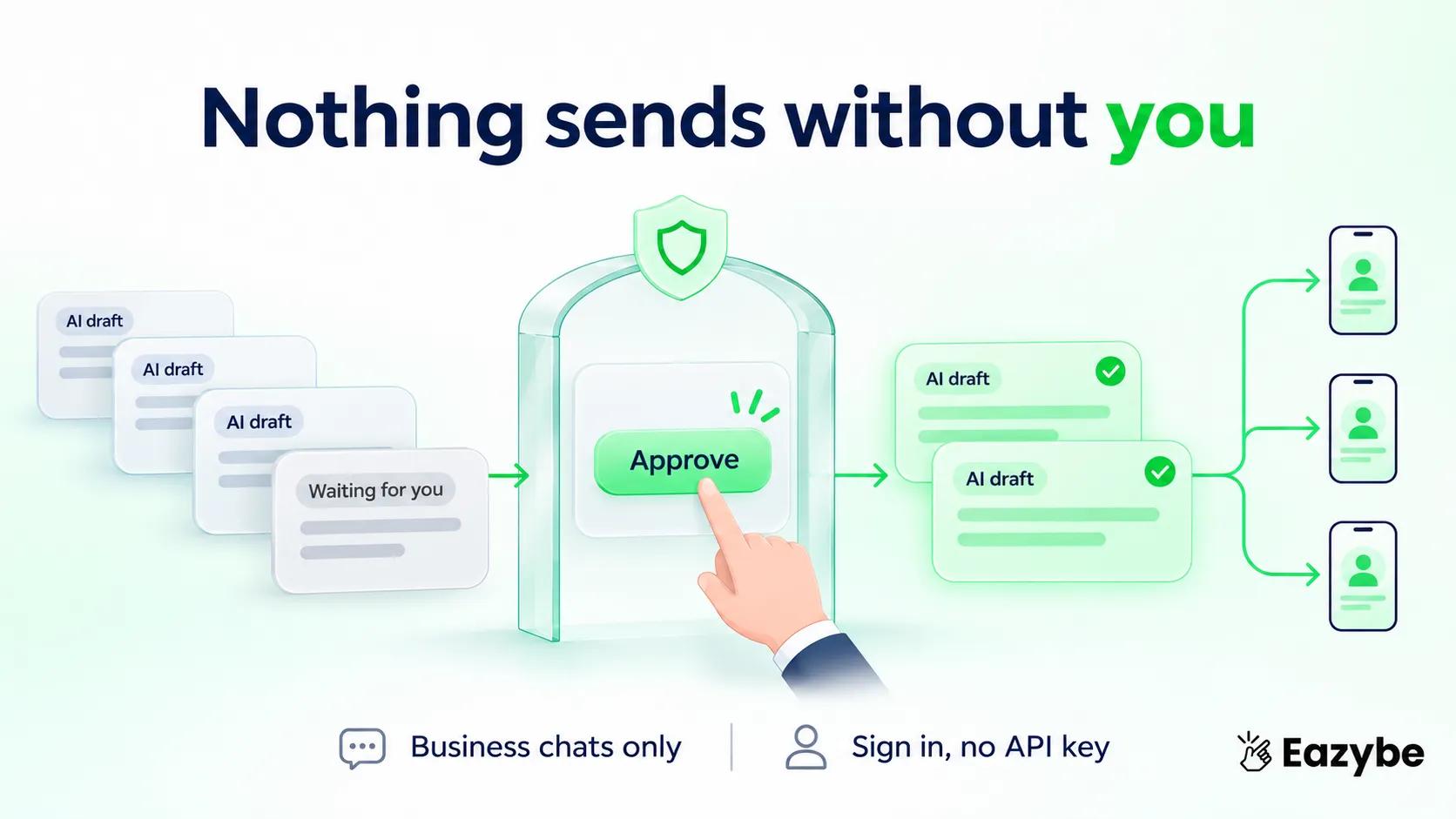
Eazybe MCP is built so the AI can’t message customers on its own. Anything the AI wants to send waits for your approval, and access goes through your Eazybe login, not a shared API key.
How it stays safe:
- You approve every send: the AI drafts the reply, and you decide whether it goes out.
- Sign-in, not keys: you connect with your Eazybe account, so there’s no API key to leak.
- Same permissions as today: MCP works with your team’s existing chats, permissions and CRM setup.
- Business chats only: Eazybe syncs only the business chats you choose. Personal chats stay private.
Good habits for any WhatsApp MCP:
- Connect only the accounts you need.
- Read drafts before approving them.
- Review which chats are set as business chats.
- Check your company’s AI policy before connecting customer data.
Eazybe MCP With Personal WhatsApp, Business App Or API
Eazybe MCP doesn’t need the WhatsApp Business API. It works with the WhatsApp setup your team already uses through Eazybe.
| Setup | What it is | Best for |
|---|---|---|
| Personal WhatsApp | The rep’s own number | Small teams and reps who sell on their own number |
| WhatsApp Business app | A free business profile on the app | Small businesses with one or a few numbers |
| WhatsApp API | Meta’s platform for larger volume | Teams that need broadcasts, automation and many users |
Eazybe MCP For Sales Teams In The UAE, Brazil And Europe

Every market, one inbox
Eazybe MCP works the same way in every country. What changes is how teams use WhatsApp, so here is a simple guide for each region.
UAE: Leads Come in Late, Chats Mix Two Languages
- Many leads arrive late at night from property portals and ads.
- Chats often mix Arabic and English, and Claude understands both.
- Ask every morning: “Which leads came in after 9 PM and still have no reply?”
- Ask in Arabic: "من هم العملاء المحتملون المهتمون الذين لم يتلقوا ردًا اليوم؟"
- Tip: use SIM-based calling on Android so customers see your local UAE number.
Brazil: Deals Move in Groups and Voice Notes
- Many buyers message a business on WhatsApp before anything else.
- Deals often happen in group chats and voice notes.
- Ask: “Show open requests from my customer WhatsApp groups this week.”
- Ask in Portuguese: “Quais leads quentes ainda estão sem resposta hoje?”
- Tip: Brazil has a data law called the LGPD, so sync only business chats.
Europe: Many Languages, Strong Privacy Rules
- Teams often sell in several languages, and Claude understands most of them.
- Privacy rules like GDPR matter, and you approve every message before it goes out.
- Ask in Spanish: “¿Qué leads calientes siguen sin respuesta hoy?”
- Ask in German: “Welche heißen Leads warten heute noch auf eine Antwort?”
- Tip: ask Eazybe where your data is stored before you connect.
One thing to know: Eazybe’s virtual numbers work in the US, Canada and Puerto Rico. In the UAE, Brazil and Europe, use SIM-based calling on Android phones instead.
This isn’t legal advice, so check the rules in each country you sell to.
Eazybe MCP vs Open-Source WhatsApp MCP Servers
Eazybe MCP is a hosted connection that you sign in to. Most open-source WhatsApp MCP servers run on your own computer and need technical setup.
| Feature | Eazybe MCP | Typical open-source WhatsApp MCP |
|---|---|---|
| No coding needed | Yes | No |
| Sign in with an account instead of an API key | Yes | No |
| Runs without your computer being on | Yes | No |
| Includes call activity | Yes | No |
| Includes CRM contacts and deals | Yes | No |
| Approval before messages are sent | Yes | Depends on the project |
| Team permissions and assignment | Yes | No |
| Support from a company | Yes | No |
| Free to use | No, included in paid plans | Yes |
| Full control of the code | No | Yes |
Bottom line: if you’re a developer who wants full control and only needs one WhatsApp number, an open-source server can work. For a sales team that needs WhatsApp, calls and CRM together with approvals, Eazybe MCP is the simpler choice.
Why MCP Matters For Sales Teams: The Data
MCP has grown from a new idea into an industry standard in about a year, and sales teams are short on time.
1. MCP is everywhere now. By December 2025 there were more than 10,000 published MCP servers. Claude, ChatGPT, Google Gemini, Microsoft Copilot, VS Code and Cursor all support it. Source → SiliconANGLE
2. It’s backed by the big players. Anthropic, OpenAI and Block founded the Agentic AI Foundation under the Linux Foundation, and Amazon Web Services, Google and Microsoft joined as platinum members. Source → SiliconANGLE
3. Reps have little time to sell. Sales reps in India estimate they spend only 27% of their week actually selling, according to Salesforce’s State of Sales report. Source → CXOToday, Salesforce State of Sales report
Asking one question in Claude instead of checking five tabs gives some of that time back.
How To Measure Eazybe MCP Results
The easiest way to measure Eazybe MCP is a simple before-and-after test. Track five numbers for one week without it, then one week with it, and compare.
| Number | What it means | You want it to |
|---|---|---|
| Time to answer | How long it takes to find who needs a reply | Go down |
| First reply time | How fast new leads hear back from you | Go down |
| Follow up rate | Follow ups done ÷ follow ups due × 100 | Go up |
| Leads left waiting | Hot leads with no reply at the end of the day | Get close to zero |
| Time on reports | Hours a week spent building reports | Go down |
A Simple 2-Week Test:
- Week 1: work as usual and write down the five numbers.
- Connect Eazybe MCP: it takes about 5 minutes.
- Week 2: ask Claude your questions each morning and evening, and write down the same numbers.
- Compare: see what changed and share it with your team.
Questions to Ask Claude:
- “How many hot leads had no reply at 6 PM today?”
- “What was our average first reply time this week?”
- “How many follow ups were due this week, and how many were done?”
Tip: measure the whole team, not one person. One fast rep can hide a slow inbox.
To dig deeper into your team’s numbers, read our guide to WhatsApp sales performance analytics.
Eazybe MCP Setup Problems And How To Fix Them
Most Eazybe MCP setup problems come from the plan, the sign-in or the connector not being turned on in the chat:
- Claude can’t see the connector: check that your Claude plan supports custom connectors, then add it again in Settings → Connectors.
- Sign-in fails: use the same email as your Eazybe account, and check that your Eazybe plan is active and paid.
- Claude says it has no data: make sure Eazybe is turned on in the current chat, not just added in settings.
- Some chats are missing: check which chats are set as business chats in Eazybe. Personal chats don’t sync.
- The AI won’t send a message: that’s expected. Approve the draft and it goes out.
How Much Does Eazybe MCP Cost?
Your inbox in focus
Eazybe MCP is included in all paid Eazybe plans at no extra cost. Here’s what each plan costs in US dollars:
| Plan | Price (USD) | Best for |
|---|---|---|
| Starter | From $19 per user per month | Individual reps |
| Scaler | From $39 per number per month | Teams sharing numbers |
| Basic AI | From $59 per number per month | Teams adding AI agents |
| Custom AI | Custom pricing | Larger teams and custom setups |
- Free trial: 4 days, no credit card, on Starter and Scaler.
- Voice numbers: an add-on, priced by country.
- Local prices: the pricing page also shows prices in your local currency.
For current prices and what each plan includes, see the Eazybe pricing page.
Try Eazybe free for 4 days, no credit card needed.
Where Eazybe MCP Falls Short
Eazybe MCP saves time, but it has limits worth knowing:
- It needs a supported assistant: the page names Claude and Codex. If your team uses another AI tool, check support first.
- It needs a paid Eazybe plan: it isn’t available on the free trial alone.
- It’s only as good as your data: if reps keep customer chats off Eazybe, the AI can’t see them.
- AI answers still need a check: read summaries and drafts before acting, especially on deals with large values.
Who Should Use Eazybe MCP

Leave nothing waiting
A good fit:
- Sales managers who check WhatsApp, calls and the CRM every day
- Founders who want quick answers about their pipeline
- RevOps and admins who manage assignment and reporting
- Teams that already use Claude or Codex at work
Hold off if:
- Your team doesn’t use WhatsApp for customer conversations
- Your company doesn’t allow AI assistants to access customer data yet
- You only need simple chat backup, which Eazybe already does without MCP
Final Thoughts on Eazybe MCP
Sales managers don’t need another dashboard. They need answers. Eazybe MCP puts your team’s WhatsApp chats, calls, CRM and every Eazybe feature inside the AI assistant you already use, so questions like “who’s waiting for a reply?” take seconds instead of an hour. Setup takes 5 minutes, and nothing goes to a customer without your approval. Start with one daily question, such as finding hot leads with no reply, and build from there.
Connect your WhatsApp to Claude today. Try Eazybe free for 4 days.