

Your reps sell on WhatsApp while your CRM is HubSpot, so ask yourself where the Acme deal really stands and then open HubSpot to check, where the stage has said Discovery for three weeks even though the pricing was renegotiated on Tuesday and the verbal yes came in on Thursday.
Eazybe - WhatsApp AI agents sit on top of WhatsApp Web so the chat writes itself into HubSpot instead of waiting on a rep who swears they will log it later, filling the properties you have approved on Contacts and Deals and Tickets while the exchange gets logged as activity on the record. In this blog we explain how to update HubSpot from WhatsApp automatically, what the AI reads and where it stops.
Why Your HubSpot Is Always Out Of Date
Your HubSpot is not stale because the tool is bad, it is stale because of a workflow gap no process discipline ever closes:
- The selling happens in WhatsApp: where the quotes and objections and the send it to my legal team all land.
- The logging happens in HubSpot: a different tab with ten fields waiting on a rep who is already behind.
- Reps live in the first and avoid the second: so it slips to the end of day and then never.
The result is a CRM that is confidently wrong, where the stage is stale and the amount has not matched reality since the first call, and leadership forecasts off it anyway because it is all they have. Real WhatsApp automation has to write fields, not just store messages.
How Do You Update HubSpot From WhatsApp Automatically
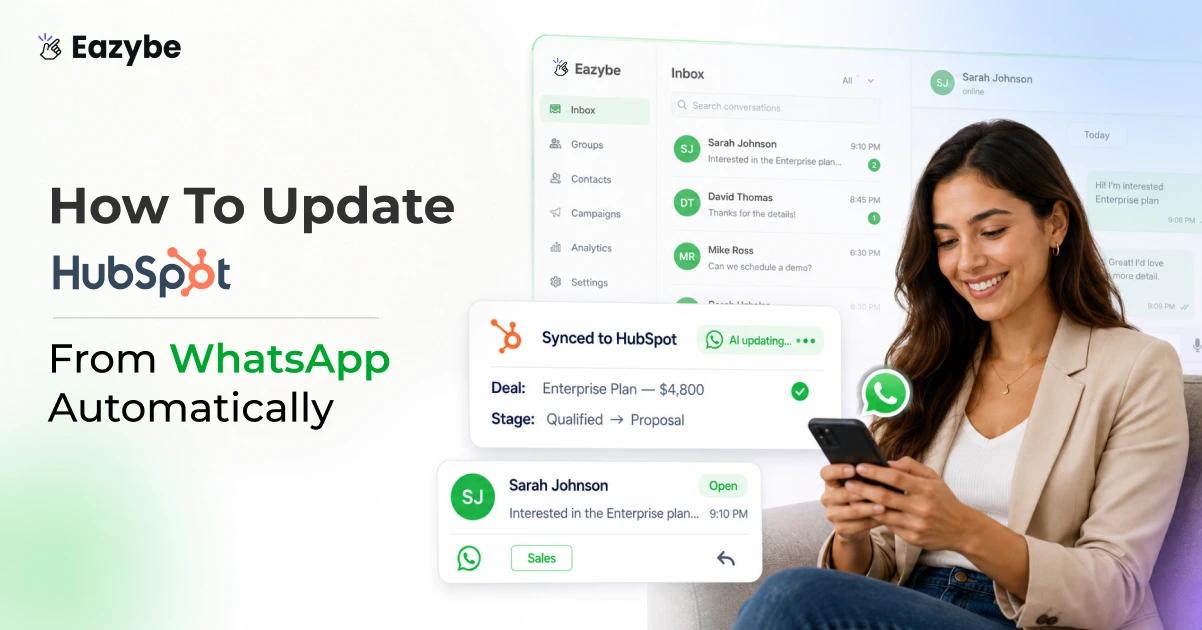
You update HubSpot from WhatsApp automatically by adding a layer that reads each conversation with AI and writes the important parts into the HubSpot properties you have chosen, so the contact and the deal and the ticket all reflect the chat without a rep retyping any of it.
That layer is Eazybe, a Chrome extension over WhatsApp Web that connects your number to your HubSpot account and keeps the record current on its own.
Three things happen underneath:
- It reads every conversation and pulls out what actually matters to the deal.
- It writes only to the fields you picked, so this is not a firehose and nothing outside your selection gets touched.
- It syncs for you, where object edits push the moment you save while chat activity backs up roughly every three minutes.
The word that matters is assisted, since a human still sets which properties sync and can review what lands on a high value record, so this is not a magic box that swears every field is correct forever, it keeps the CRM honest so your reps do not have to.
WhatsApp Is A Black Box And Reps Will Not Update The CRM
Ask any sales manager where their pipeline truth lives and the honest answer is on their reps' phones.
That is the black box, because the relationship and the intent and the next step all sit in threads no manager or forecast or handover can reach, so when a rep leaves the deal context walks out with them.
The two fixes teams reach for both fail.
- Discipline: where everyone agrees to update HubSpot after every chat, which survives about a week.
- Basic chat backup: where a tool copies raw messages onto the contact, which only moves the black box into HubSpot as a wall of transcript with no stage and no amount to sort a pipeline by.
You do not need more messages in your CRM, you need the fields to be right without anyone maintaining them.
What The AI Reads Before It Updates HubSpot From WhatsApp
Before anything reaches a HubSpot field, something has to read the conversation, and that is what most tools skip because copying messages is easy while understanding them is not.
Eazybe works the thread the way a manager would if they had time to open every chat, picking up the intent behind a reply, the number that changed on a quote, the objection nobody answered and the next step along with who owns it.
That last one matters most, since deals are rarely lost on price and much more often on a follow up nobody owns. Voice notes count too, because a two minute voice reply moves the deal somewhere your CRM never sees unless the audio gets read and not just stored, which is what WhatsApp Copilot does inside WhatsApp Web.
Everything it finds becomes a value, and a value goes into a field, which is how WhatsApp HubSpot properties get filled without anyone typing them.
Which HubSpot Objects Update From WhatsApp
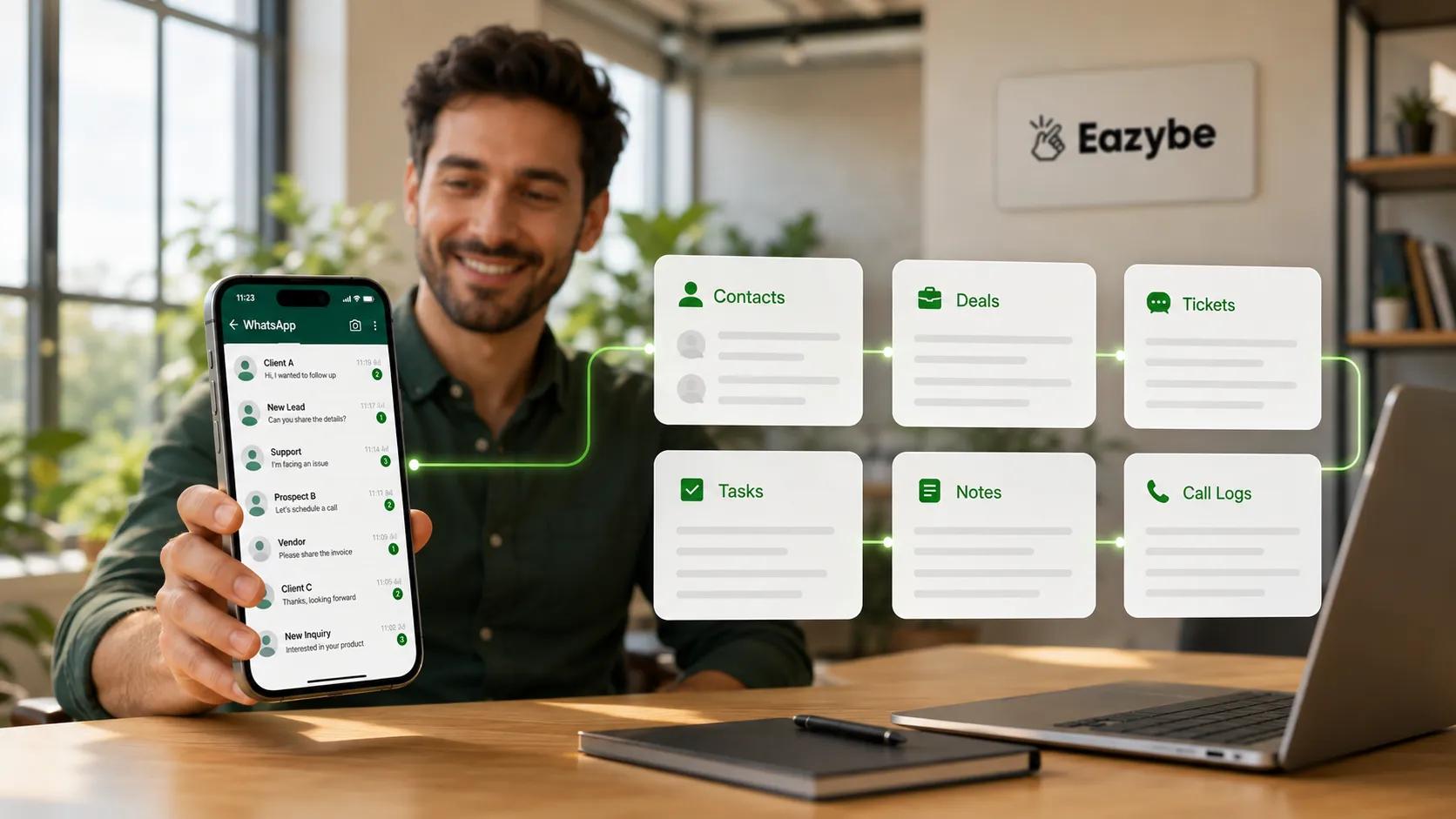
WhatsApp chats update six HubSpot objects — contacts, deals, tickets, tasks, notes and call logs.
The reason updating HubSpot beats backing up chats is coverage, because a contact record with fresh messages and a dead deal stage is still lying to you. So Eazybe works across the objects HubSpot actually supports, from a Mini CRM panel that sits beside the chat:
- Contacts: create new, where the phone number auto fills from WhatsApp, or edit an existing contact's properties.
- Deals: create and edit name, pipeline, stage, amount, close date and custom properties, so the stage matches the conversation.
- Tickets: create with name, pipeline, status, priority and description when a chat turns into a support case.
- Tasks: create with high, medium or low priority, batch create them and mark them complete.
- Notes: create a note and attach a range of WhatsApp messages as evidence.
- Call Logs: log outcome, direction, date and time and description.
A WhatsApp CRM is only useful if the objects your pipeline runs on stay current, which is why deals and tickets matter here more than the contact record everyone starts with.
Choosing Which HubSpot Properties The AI Can Update
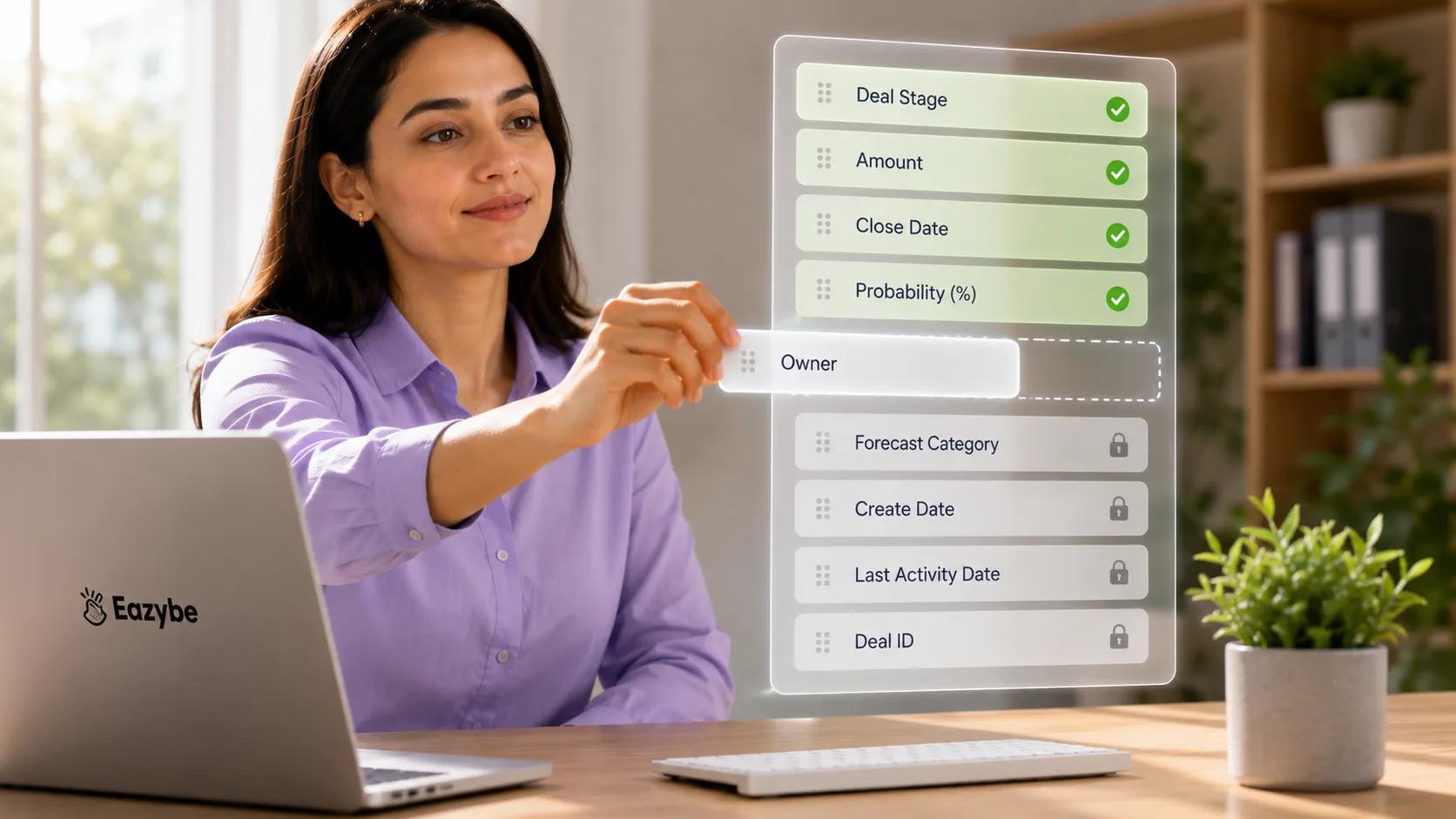
You choose which HubSpot properties the AI can write to — the rest stay locked.
Automation without control is just a different kind of mess, because nobody wants an AI rewriting a close date or stepping on a field the ops team owns. So property selection works at two levels.
The per record picker: click Edit on a Contact or Deal card and a picker opens where you choose which properties appear, reorder them, mark each one required or optional, then Apply and Save. That view becomes exactly what the AI is allowed to fill.
Admin level control: in Settings an admin uses Edit Properties to set which properties are editable and which stay read only across Contacts, Deals and Tickets, then Saves and clicks Apply in Extensions to push it org wide.
It looks different for every team, since a services business might let the AI keep only stage and close date current while an agency burned by a wrong forecast will lock deal amount as read only so ops keeps the last word.
Reps see a tight set of fields, admins keep governance and the AI writes only against what you have greenlit.
The Gist Not The Transcript: What Lands On The HubSpot Record
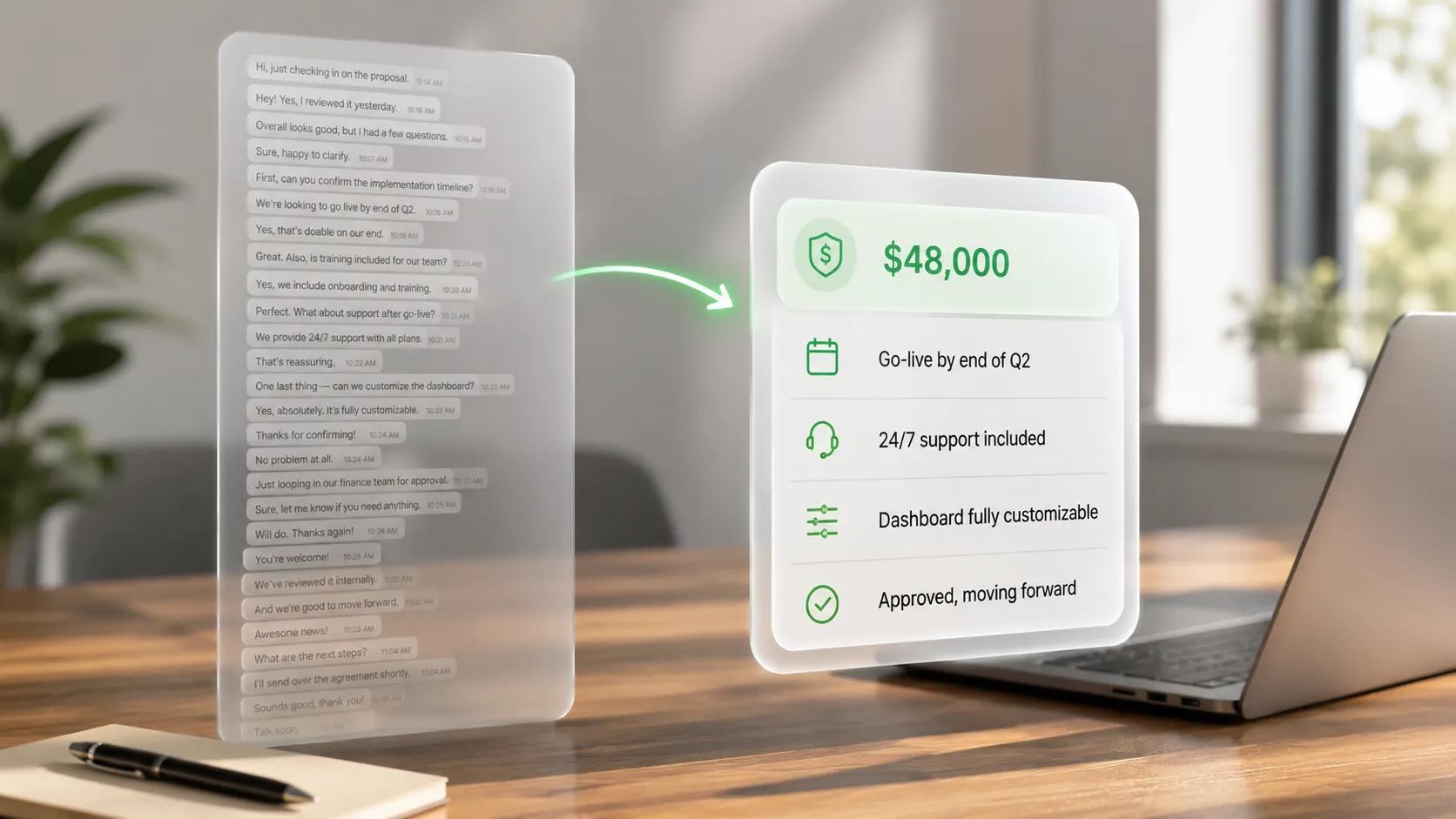
The gist lands on the record, not forty lines of transcript.
Nobody wants to open a deal and scroll forty messages to work out what is going on, so the point of updating HubSpot from WhatsApp is the opposite, which is a short read on the record at a glance.
Two things land and keeping them separate is what makes the record usable:
- The properties: the structured values like stage, amount, next step and intent written into the fields you selected, which is what your pipeline sorts and forecasts on.
- The activity: the underlying WhatsApp exchange logged as a WhatsApp Activity entry on the Contact timeline, the latest associated Deal and the Company page, with attachments attached as clickable links.
You lead with the gist and drop into the raw thread only when you need the receipts, which is the difference between a CRM that stores conversations and one that understands them. That layer is WhatsApp sales intelligence and it is worth reading on its own.
What Your Reps See While HubSpot Updates Itself
Everything so far is about what the manager gets. Which is a record that stays true, but the rep side matters just as much. Because a rep who has to leave WhatsApp to check anything will simply stop checking.
- The contact and the open deal sit beside the chat: in a Mini CRM panel inside WhatsApp Web, so there is no second tab to open before replying.
- Stages and tasks can be edited in the same window: which means the rep updates the deal in the middle of the conversation rather than after it.
- Voice notes get read and not left as audio: so a two minute reply does not disappear into a file nobody replays.
- Long threads collapse into a short catch up: which helps when a rep picks up a customer they have not spoken to in two weeks.
The trade is simple, since reps stay in the tool they already live in and give up nothing while HubSpot fills in behind them, which is also how a team inbox keeps a handover from starting at zero.
Eazybe vs Manual HubSpot Updates: The Difference
The comparison is not between a good process and a bad one, it is between a process that depends on a busy person remembering and one that depends on nobody.
| What you are comparing | Manual HubSpot updates | Update HubSpot from WhatsApp with Eazybe |
|---|---|---|
| Who does the data entry | Your reps, after every chat | Nobody, the AI reads and writes |
| When the record updates | End of day if ever | On save, auto sync every three minutes |
| Stage and amount accuracy | Drifts from reality | Reflects the live conversation |
| Objects kept current | Whatever a rep remembers | Contacts, Deals, Tickets, Tasks, Notes, Call Logs |
| What you read to catch up | Forty raw messages | The gist on the record |
| Voice notes | Never logged | Read and turned into values |
| Cost when a rep leaves | Context walks out the door | Context stays in HubSpot |
| Governance over fields | Honour system | Admin set editable versus read only |
| Judgement on a nuanced deal | A human who was in the room | AI assisted, reviewed by a human |
Manual updates depend on the person least likely to do them, though a rep who was in the conversation still reads a delicate deal better than any model, which is why the review step exists.
How To Connect WhatsApp To HubSpot In Four Steps
Getting this live is a short job and not a migration:
- Install Eazybe on WhatsApp Web and connect your number, whether personal WhatsApp, the Business App or the API through coexistence, with no migration.
- Connect HubSpot, where an admin grants App Marketplace Access and File Access, and free and paid plans both work.
- Self select your properties per module so the AI knows which fields it can keep current.
- Let it sync, since edits push on save while chat backup runs in the background.
One thing to plan around is that message sync only runs for chats whose contact already exists in HubSpot, so create the contact first and the thread starts logging. There is a four day free trial with no card.
How Often WhatsApp Syncs To HubSpot And What Pushes Instantly
Chat backup auto syncs roughly every three minutes and runs one way, from WhatsApp into HubSpot. The first connection backfills the last three days and after that only new messages flow, which keeps years of noise out of the record. Mini CRM edits are different because they push the moment you save, so a stage change lands immediately.
The practical read is that your pipeline is never more than a few minutes behind the conversation.
What The Data Says About WhatsApp As A Sales Channel
Statista reported the WhatsApp Business app at around two hundred million monthly active users by July 2023, up from fifty million in June 2020, which is a fourfold rise in three years and does not count businesses running on the API.(Source: Statista)
Sales conversations moved to WhatsApp faster than CRMs learned to read them, so this is not a niche workflow problem.
What Sales Teams Run Into Before They Automate HubSpot
A few patterns come up repeatedly on calls with teams running HubSpot alongside WhatsApp, with details cut back to industry and region.
A B2B services team in the Gulf found their pipeline review was really a memory test, since the manager would ask about a deal and the rep would recall it from their phone while HubSpot showed a stage that had not moved in a month.
A distribution business in South Africa lost a live negotiation when a rep left, because the price history sat in a personal chat nobody else could open, so the replacement restarted and got a worse number.
An education team in India hit the voice note gap, where their strongest reps sent long voice replies because it was faster, which made their best conversations the least documented ones in the company.
None of them had a discipline problem. They had a channel their CRM could not see into.
What Managers Can Finally See Once HubSpot Updates Itself
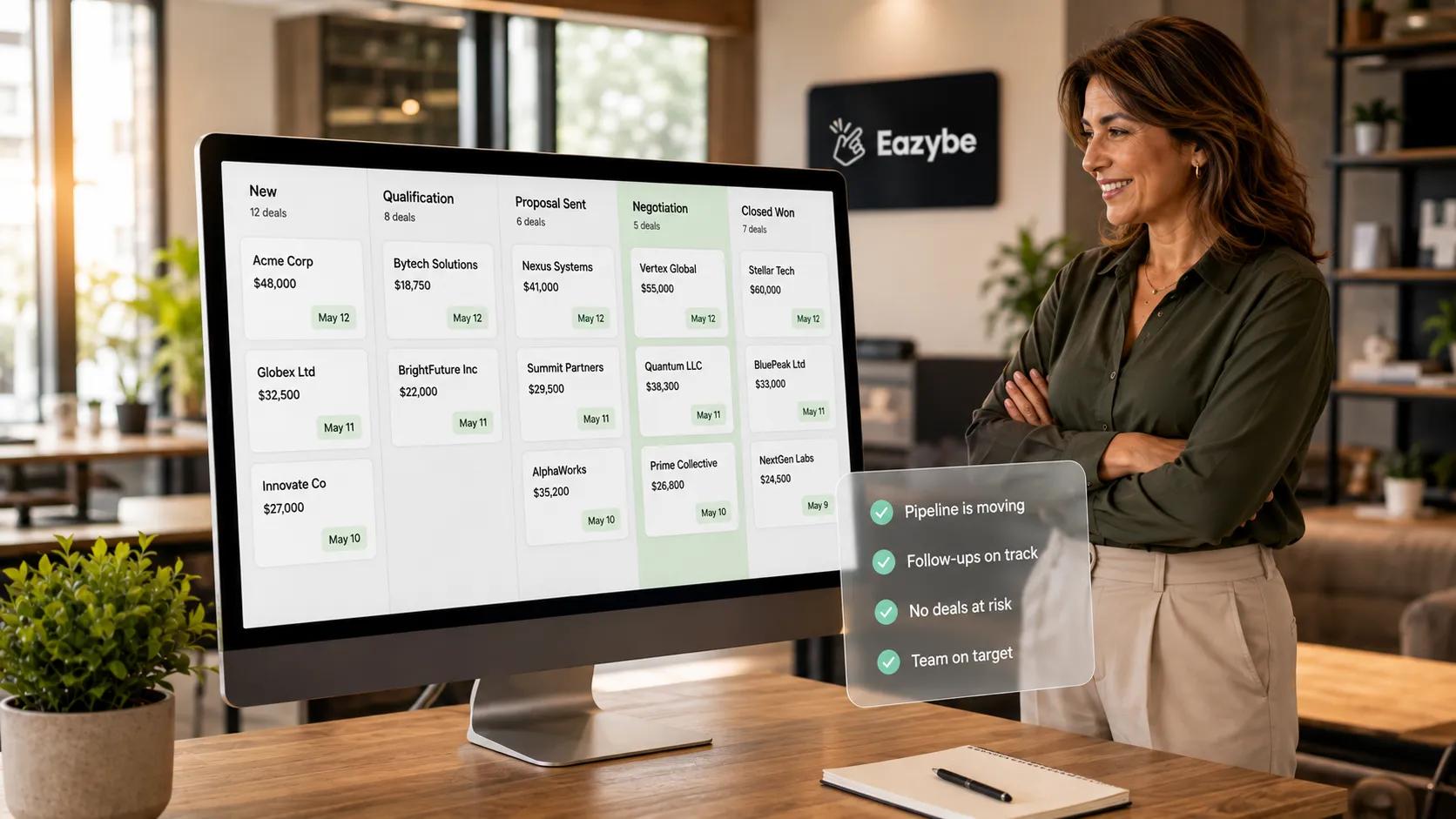
When HubSpot updates itself, managers see a pipeline that's actually current.
The payoff is not the automation, it is what becomes possible once the fields are true:
- A last activity date you can filter on: so a view of deals untouched for fourteen days actually means something.
- A stage you can forecast on: because it reflects this week rather than last month.
- A handover that starts from context: since a new owner reads the gist instead of asking around.
- Deals sorted by what happened: where an unanswered objection shows up as a field you can build a view around.
None of this needs new HubSpot tooling, it needs the properties to be right, which is the point of keeping your WhatsApp CRM current automatically.
Honest Limits Of Updating HubSpot From WhatsApp
We would rather you trust this than be surprised by it:
- Companies cannot be created or edited from the Mini CRM, they receive chat activity logging only.
- HubSpot has no Leads object, since lead capture lives on the Contact.
- A contact's phone number auto fills from WhatsApp and cannot be edited after.
- Deals and Tickets need the contact to exist first, which Eazybe can create in the same flow.
- Chat sync is one way, except Dynamic Labels, where HubSpot values like lifecycle stage auto apply WhatsApp labels in real time.
- The AI is assisted and not autonomous, so treat its reads as reviewable inputs on high value deals rather than gospel.
If you have no CRM at all, a Google Sheet works as a lightweight home for chat backup, though it is not a deal pipeline.
Final Verdict: Update HubSpot From WhatsApp Automatically
Manual CRM updates fail for a reason that has nothing to do with your team, since you are asking the person closest to the customer to do admin work at the end of a day they already spent selling.
Automatic updates remove the ask. The AI reads the conversation, writes only the properties you approved, logs the exchange underneath and leaves you a record you can forecast on. It will not replace a rep's judgement on a delicate deal, which is why the review step stays on high value records.
If your reps sell on WhatsApp and your pipeline lives in HubSpot, this is the gap worth closing first.