






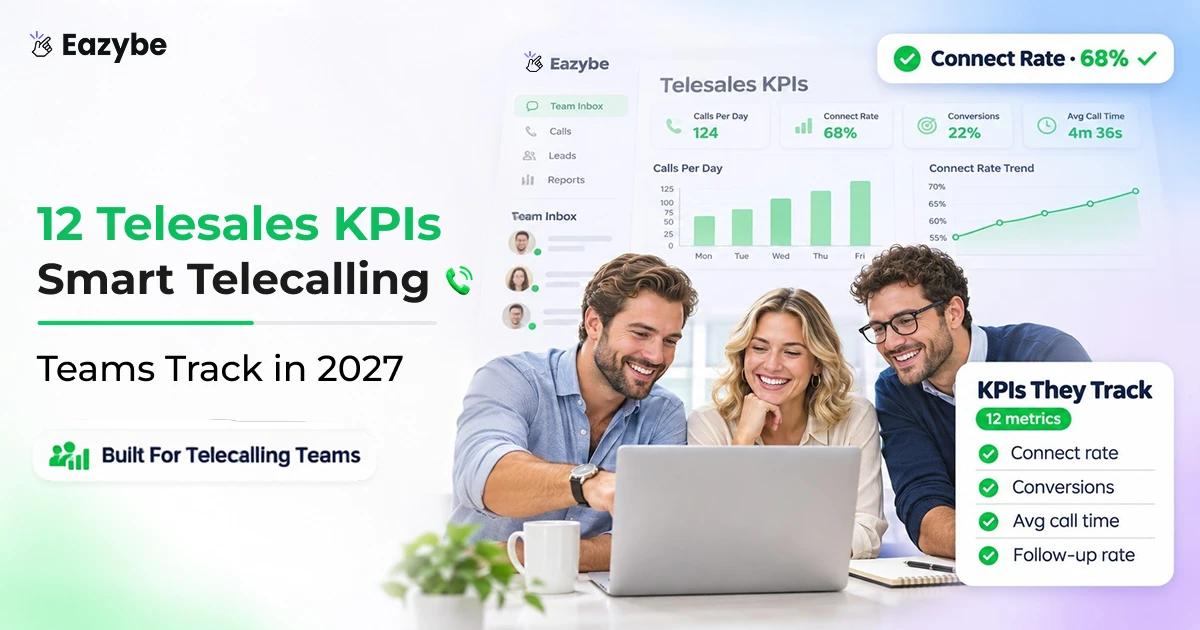


Riya runs a team of 12 telecallers. Her Monday report shows 960 calls and a 38% connect rate, so the week looks fine. Then a client calls, upset that nobody sent the brochure he asked for. His request is in a rep’s WhatsApp, and the CRM has no record of it.
Most telesales reports count calls, while most deals now close on WhatsApp after the call. Eazybe connects your team’s calls and WhatsApp chats to your CRM, so the numbers show the whole deal. In this blog we explain 12 telesales KPIs with formulas and examples, what each one tells you, and how to track every one without Excel.
What Are Telesales KPIs?
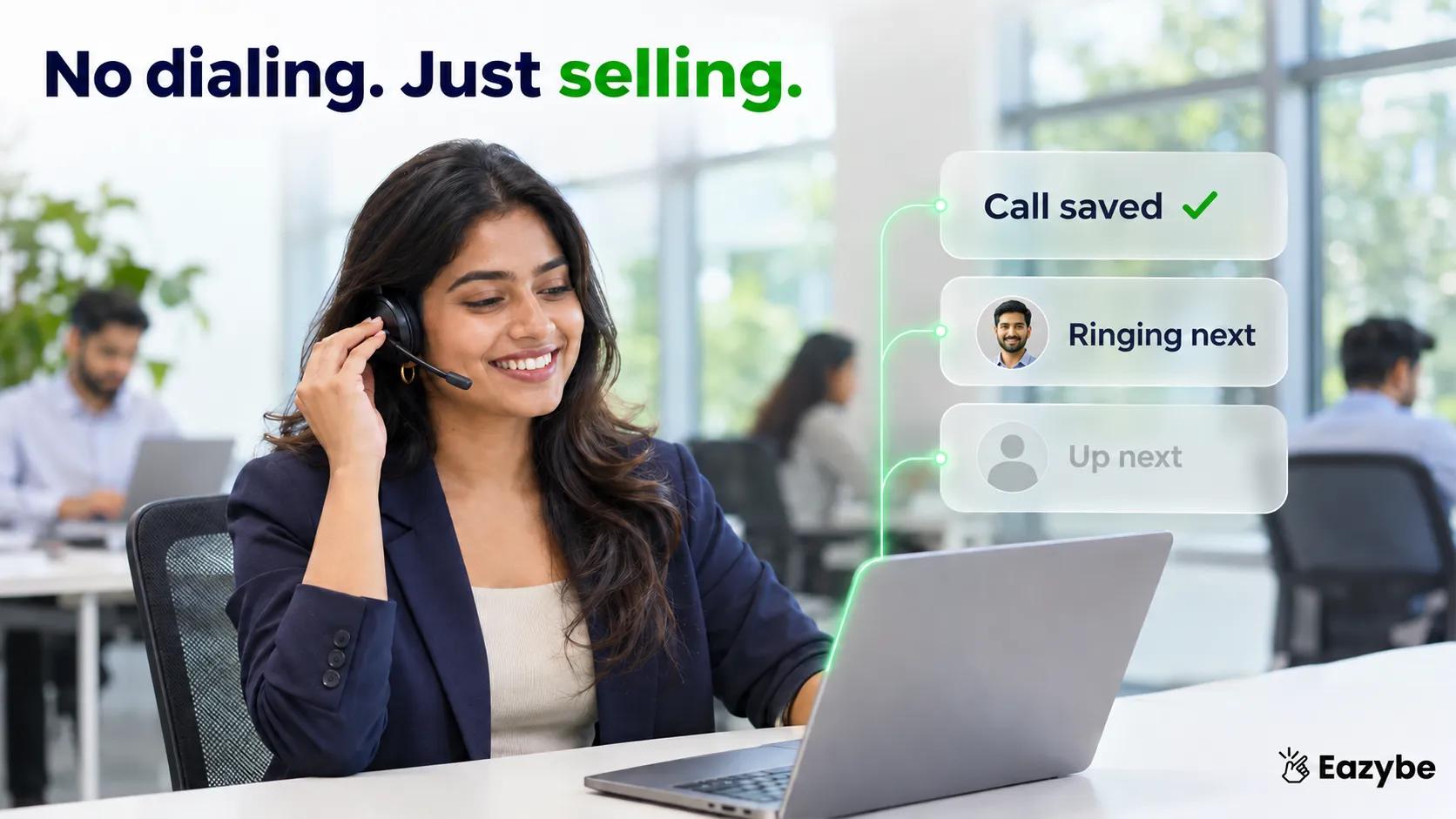
No dialing, just selling
Telesales KPIs are numbers that show how a telecalling team is really performing. Beyond how many calls were made, they show how many connected, how fast leads got a reply. Whether follow ups happened, and how many leads became customers.
Without them, you manage by feeling. The call count looks fine, but revenue is down, and everyone says they’re working hard. KPIs show you exactly where leads are slipping.
Why the usual telesales KPIs are not enough today:
- Most KPI lists only count phone calls.
- In India, the UAE, Brazil and many other markets, the lead replies on WhatsApp after the call.
- The quote, the voice note and the “yes” often happen in a chat the report never sees.
- So a team can hit every call target and still lose deals.
That’s why this list covers calls and WhatsApp.
How to use this list:
- Pick five or six KPIs that cover your full sales process.
- Check them every day.
- When one drops, fix that one first.
- Use your own last 30 days as the baseline. Averages from other markets rarely match yours.
KPI 1: What Is Call Connect Rate and How Do You Improve It?
Call Connect Rate = (Connected Calls ÷ Total Dials) × 100
Call connect rate is the percentage of dialed calls that a real person answers. Check this first every morning, because every other number depends on people actually picking up.
Example: your team dials 200 numbers and 70 people pick up, so your connect rate is 35%.
What a low connect rate usually means:
- You’re calling at the wrong hours for your customers.
- The lead list is old or has wrong numbers.
- Customers don’t recognise your number, or their phone flags it as spam.
How Eazybe helps:
- Call tracking analytics: shows total calls, answer rate and talk time by rep and by number, so you can see who connects and when.
- SIM-based calling: logs calls from reps’ own Android phones, so customers see a number they already know.
- Virtual phone numbers: give you a business line for calls, SMS and WhatsApp in the US, Canada and Puerto Rico.
Benefit: you find the best calling hours from your own data instead of guessing.
How to set it up:
- Connect reps’ Android phones with SIM-based calling or add a virtual number.
- Open call analytics and filter by user and by number.
- Compare answer rate by time of day, then move your main calling block to the best hours.
Read how SIM-based calling logs each call next to the customer’s WhatsApp chat.
KPI 2: How Do You Measure Telesales Conversion Rate?
Telesales Conversion Rate = (Deals Won ÷ Connected Leads) × 100
Telesales conversion rate is the percentage of connected leads that become paying customers. Divide by connected leads, not total dials, so a bad lead list doesn’t hide a good closing team.
Example: a rep connects with 50 leads in a month and closes 4 deals, so their conversion rate is 8%.
Also track cost per conversion:
- Cost per Conversion = Total Monthly Team Cost ÷ Deals Won
- If your team costs 4,237.78 United States Dollar a month and closes 80 deals, each deal costs $52.97.
- Whether that’s good depends on what one customer is worth to you.
Points to remember:
- Set separate baselines for each product. A property sale and an insurance policy convert very differently.
- If conversion falls while calls go up, the team is busy but not selling.
- Look at the chats too. Many deals close on WhatsApp, so a call-only report undercounts your best reps.
How Eazybe helps:
- CRM sync of calls and chats: the deal record shows every call and every WhatsApp message, so you can see what led to the sale.
- Revenue Inbox: flags deals that are active, stalling or going cold, before they’re lost.
Benefit: you see why deals were won or lost, not just how many.
How to set it up:
- Connect your CRM: HubSpot, Salesforce, Zoho, Pipedrive or another supported CRM.
- Turn on WhatsApp chat sync for business chats.
- Use Revenue Inbox to review deals marked as going cold each week.
Revenue Inbox gives each deal a health score based on its conversation activity.
KPI 3: What Is the Right Calls Per Day Target for a Telecaller?
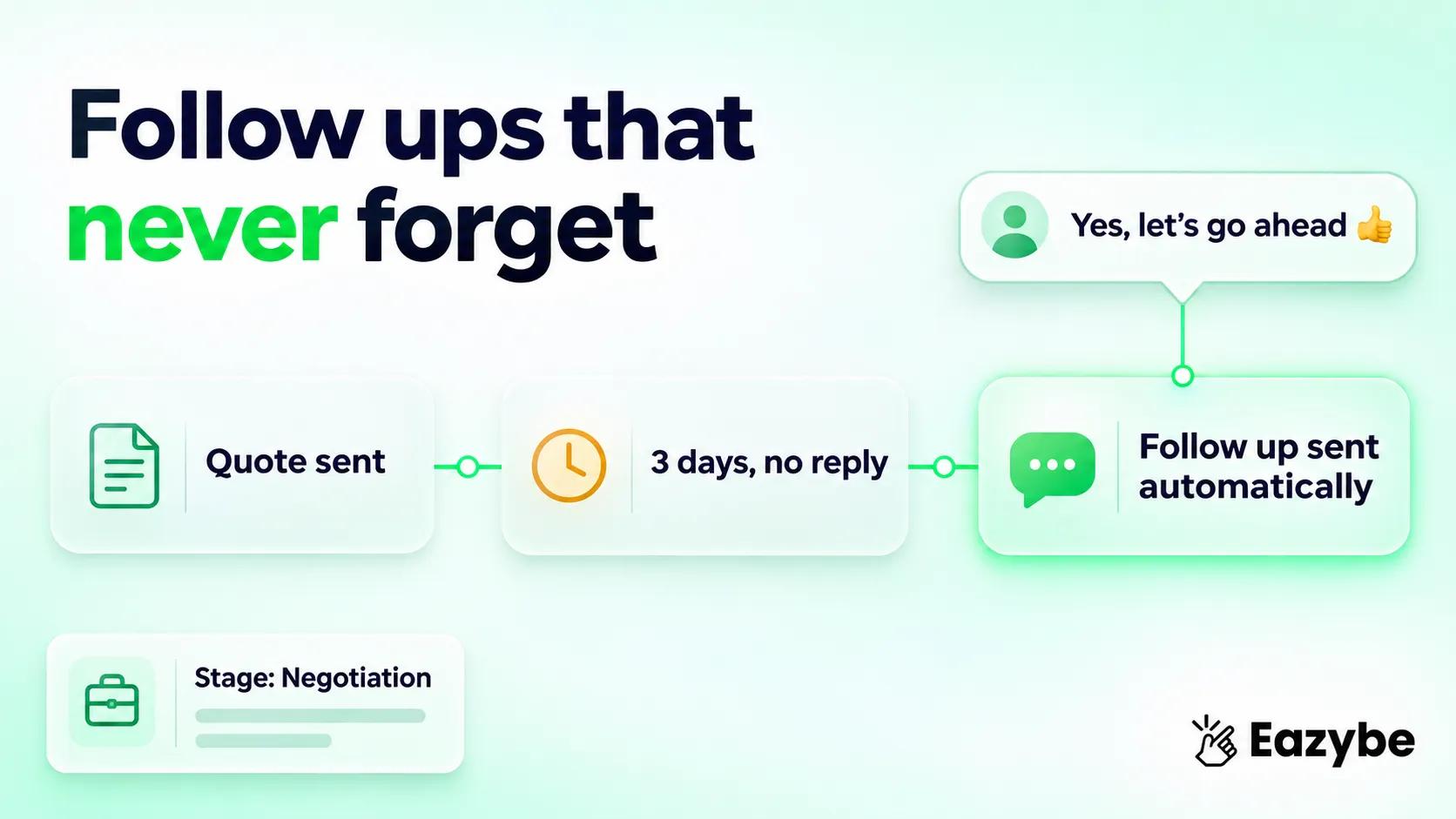
Follow-ups that never forget
Calls Per Telecaller Per Day = Total Calls ÷ Number of Reps ÷ Working Days
Calls per telecaller per day is the average number of calls each rep makes in a working day. It’s the most common KPI on dashboards, and it’s the easiest one to fake.
Example: 12 reps make 5,280 calls over 22 working days, which averages 20 calls each per day.
Points to remember:
- Treat it as a minimum, not a goal.
- A rep making fewer calls with high conversion is not a problem. A rep making few calls with low conversion is.
- Pushing the target too high leads to rushed calls, missing notes and lower conversion.
- Set the target from what your best reps actually do.
Where reps lose time:
- Copying numbers from sheets by hand.
- Waiting between calls.
- Typing call notes into the CRM.
How Eazybe helps:
- Auto dialer: reps upload a list and the next number rings as soon as a call ends.
- Automatic CRM logging: the call outcome is saved to HubSpot, Salesforce or Zoho, so reps don’t type it.
- Call analytics by user: shows each rep’s real call count without asking them.
Benefit: reps spend more of their shift talking to customers and less time dialing.
How to set it up:
- Export your lead list from the CRM or Google Sheets as an Excel or CSV file (up to 1,000 contacts per sheet).
- Upload it to the auto dialer and pick the number to call from.
- Start the session. Each outcome is saved to the contact before the next call.
The auto dialer also saves each recording and the next step, such as a booked meeting or a callback.
KPI 4: What Is Average Talk Time and What Does It Tell You?
Average Talk Time = Total Talk Time ÷ Connected Calls
Average talk time is how long a connected call lasts on average. It tells you whether reps are having real conversations and whether those conversations go anywhere.
Example: 40 connected calls with 160 minutes of total talk time works out to 4 minutes per call.
What the number tells you:
- Very short calls: the opening isn’t working, or the lead is wrong.
- Very long calls with few sales: the rep struggles to close.
- Normal talk time but low conversion: check what happens after the call, on WhatsApp.
How Eazybe helps:
- Call recording: each call is saved to the contact, so you can replay the short ones and the long ones.
- Call analytics: shows average call length by rep.
- WhatsApp chat next to the call: you can see if the rep followed up after a good call.
Benefit: you coach reps on real calls, not on guesses.
How to set it up:
- Turn on call recording. Check the recording rules in your country first.
- Every week, pick each rep’s two shortest and two longest calls.
- Replay them with the rep and agree on one change.
Call recording saves every recording to the contact for coaching and review.
Ready to see your team’s real numbers? Track calls, WhatsApp chats and follow ups in one CRM view. Book a free demo at eazybe.com.
KPI 5: How Do You Track Follow Up Rate Across Calls and WhatsApp?
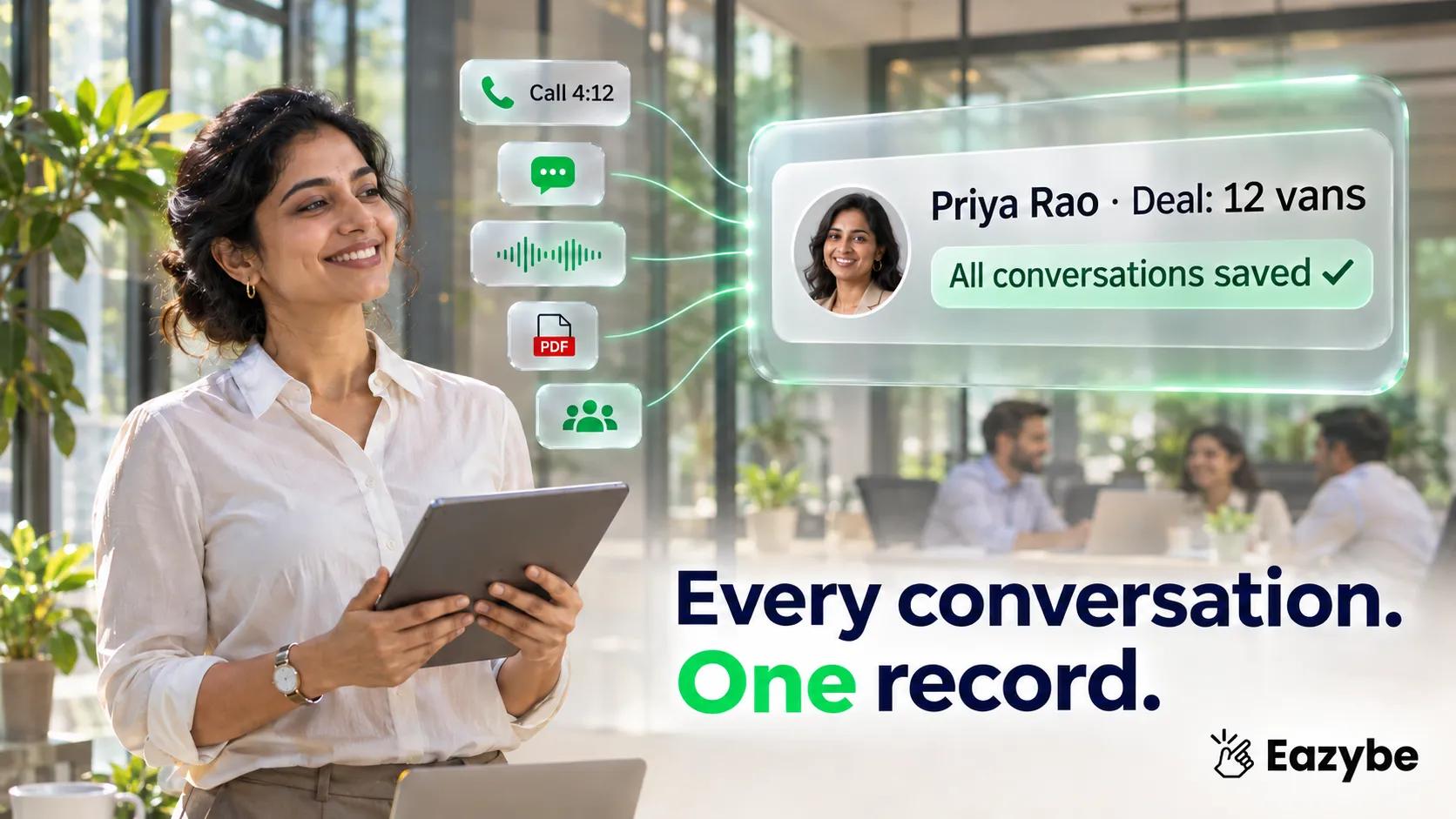
Every conversation, one record
Follow Up Rate = (Follow Ups Completed ÷ Follow Ups Due) × 100
Follow up rate is the percentage of planned follow ups that actually happen. Most leads don’t buy on the first call, so this is often where deals are won or lost.
Example: reps had 300 follow ups due this week and completed 180, so the follow up rate is 60%. The other 120 leads were left waiting.
Why follow ups get missed:
- The callback note sits in a WhatsApp chat or a diary.
- Nothing reminds the rep.
- The lead gets reassigned and the history is lost.
- A follow up sent on WhatsApp isn’t counted, so it looks missed.
Points to remember:
- Count calls and WhatsApp messages as follow ups.
- If this number stays low, fix the system before blaming the reps.
How Eazybe helps:
- CRM workflows: trigger a follow up on a stage, a field or silence, for example “quote sent, no reply in 3 days”.
- Sent from the owner’s number: the customer sees a familiar name, and the workflow stops when they reply.
- Scheduler and Quick Reply: reps schedule messages and send saved replies in one tap.
Benefit: no lead goes cold because someone forgot.
How to set it up:
- Pick one trigger to start, such as “quote sent, no reply in 3 days”.
- Write the follow up message using CRM fields like the customer’s name.
- Turn it on for business hours only, and review replies weekly.
Need words for those messages? Our list of WhatsApp message templates includes sales follow up examples.
KPI 6: What Is Missed Call Callback Time and Why Does It Matter?
Missed Call Callback Time = Total Wait Time After Missed Calls ÷ Number of Missed Calls
Missed call callback time is the average time between a customer’s missed call and your team’s first callback or WhatsApp reply. Most KPI lists skip it, but a missed inbound call comes from someone who wanted to talk to you.
Example: 10 missed calls waited a total of 20 hours for a reply, which averages 2 hours each.
Points to remember:
- Inbound missed calls are warm leads, so treat them as the top priority.
- A WhatsApp message like “Sorry we missed you, can I call you at 4?” counts as a reply.
- Track this number by rep and by time of day.
How Eazybe helps:
- Call history: shows missed calls as a separate count, filtered by rep, number or call type.
- AI calling: AI can call missed leads back in working hours and save the outcome to the record. Check which plan includes this.
Benefit: fewer warm leads go to a competitor who answered first.
How to set it up:
- Open call history and filter to missed calls.
- Assign one rep per shift to clear missed calls every hour.
- Add a saved WhatsApp reply for missed calls.
Our guide to the AI voice agent explains how AI callbacks work and how they ask permission first.
KPI 7: What Is Lead Response Time When Leads Reply on WhatsApp?
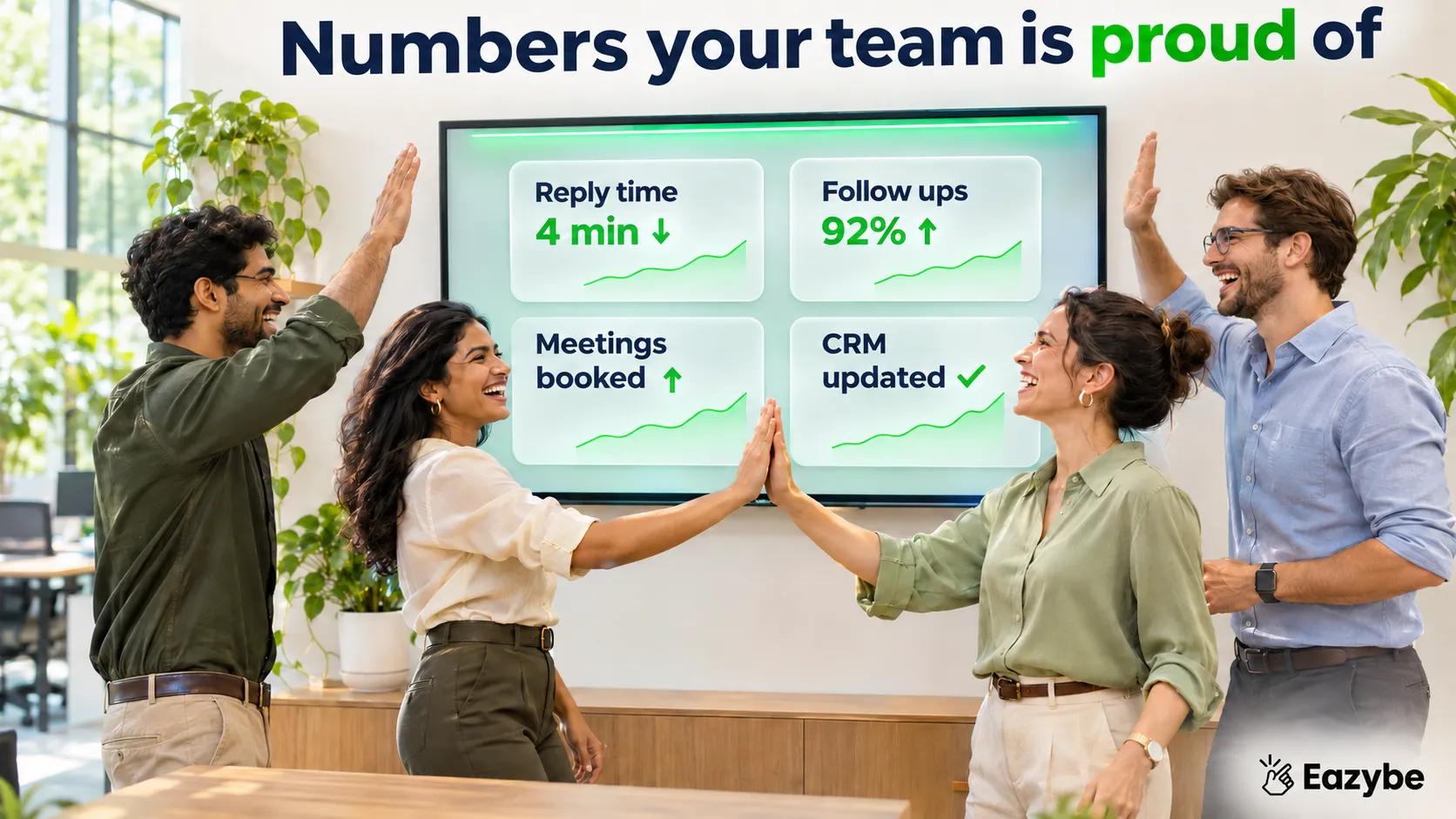
Numbers teams are proud of
Lead Response Time = Total Time From Lead Created to First Reply ÷ Number of New Leads
Lead response time is how long a new lead waits for your team’s first reply, on any channel. Count a call or a WhatsApp message, whichever comes first.
Why speed matters: an audit of 2,241 US companies found that firms contacting a lead within an hour were nearly seven times as likely to qualify it as firms that waited an hour longer. (Source → SmartCompany, reporting Harvard Business Review research)
Example: a lead fills in a form at 2 pm and gets a call at 5 pm, which is a 3 hour response time. A WhatsApp reply at 2:05 pm brings that down to 5 minutes.
Points to remember:
- Track it by rep and by lead source.
- A fast WhatsApp reply counts as a response, even if the first call comes later.
- Leads from ads cool down fastest.
How Eazybe helps:
- Team Inbox: routes new leads to reps by territory, round robin or availability.
- Unreplied view: shows which chats are still waiting for a first reply.
- WhatsApp AI agent: can send the first reply instantly while a rep gets ready to call.
Benefit: new leads hear from you while they’re still interested.
How to set it up:
- Connect your shared business number to Team Inbox.
- Choose a routing rule: territory, round robin or availability.
- Check the unreplied list at the start of every hour.
A shared Team Inbox works with the WhatsApp Business app, with no API needed.
KPI 8: What Is WhatsApp SLA Breach Rate for Sales Teams?
SLA Breach Rate = (Chats Not Replied to Within the SLA ÷ Total Customer Chats) × 100
WhatsApp SLA breach rate is the percentage of customer chats that wait longer than your reply target. An SLA is the reply time you promise, for example 30 minutes.
Example: out of 400 customer chats this week, 60 waited longer than 30 minutes, which gives a breach rate of 15%.
Points to remember:
- Track breaches by hour. Lunch and after 6 pm are common gaps.
- Track them by rep, to see who is overloaded.
- A breach is a signal to add cover or automation, not just to blame someone.
How Eazybe helps:
- SLA monitoring: tracks which customer chats are waiting and for how long.
- Owner alerts: if nobody replies in 30 minutes, Eazybe sends the owner a WhatsApp message.
Benefit: managers hear about late replies while there’s still time to fix them, not in next week’s report.
How to set it up:
- Set your reply target, for example 30 minutes.
- Turn on owner alerts for breached chats.
- Review breaches by hour every Friday and adjust shifts.
KPI 9: What Is CRM Logging Rate and Why Do Other KPIs Depend on It?
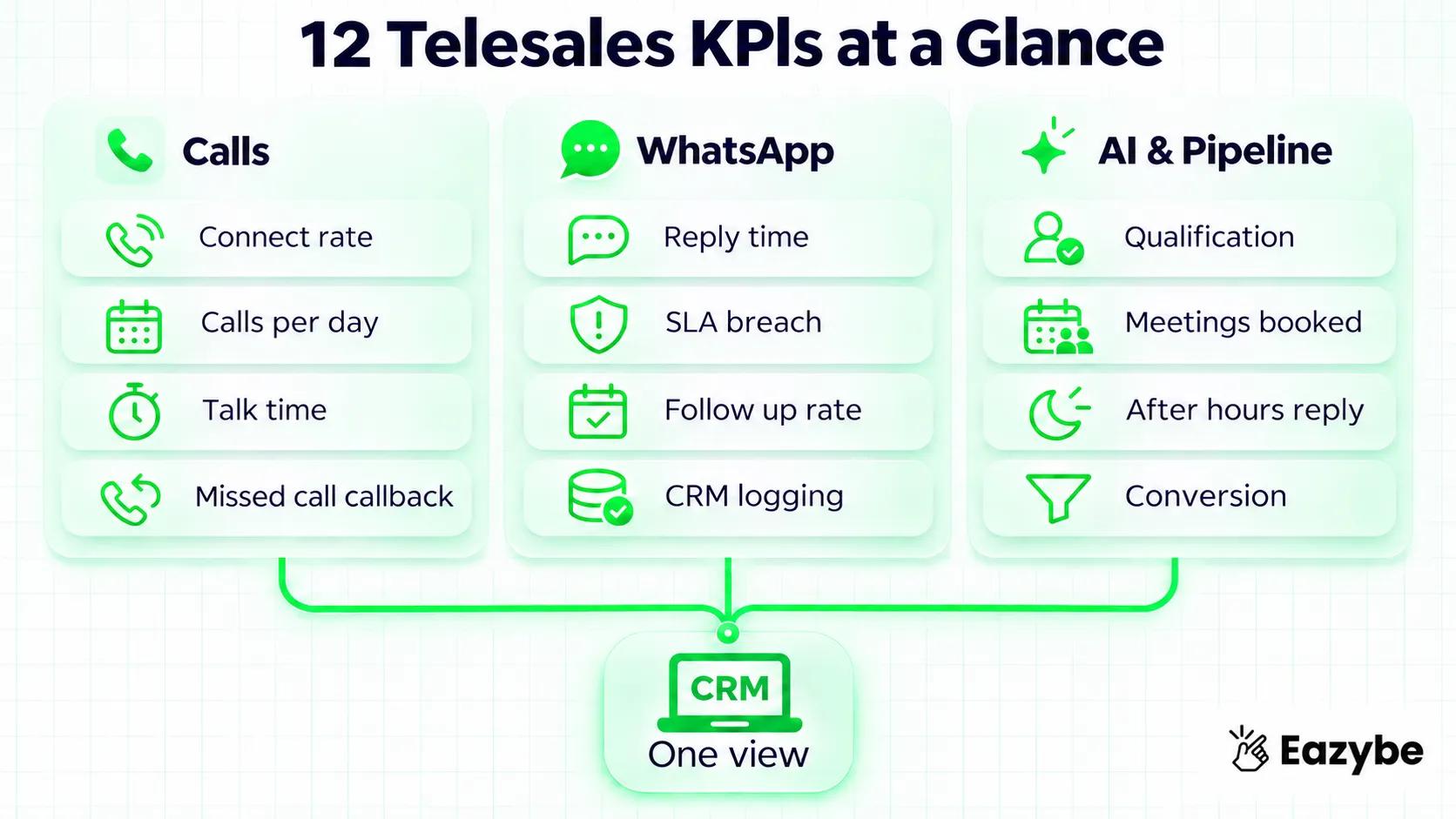
All KPIs, one view
CRM Logging Rate = (Calls and Chats Saved to the CRM ÷ Total Customer Conversations) × 100
CRM logging rate is the percentage of customer calls and chats that are saved in your CRM. Every other KPI depends on it. If half your chats live only on reps’ phones, every number on your dashboard is half right.
Example: a rep had 100 customer conversations last week, but only 45 are in the CRM, so the logging rate is 45%.
What usually goes missing:
- WhatsApp chats on personal numbers
- Customer WhatsApp groups
- Voice notes and PDFs
- Calls that reps forget to log
How Eazybe helps:
- WhatsApp CRM sync: saves business chats to HubSpot, Salesforce, Zoho, Pipedrive, Bitrix24, LeadSquared and more.
- Group, file and voice note backup: these are saved to the right contact or deal.
- Privacy control: only the business chats you choose sync. Personal chats stay private.
- Rep handover: if a rep leaves, the history stays with the deal.
Benefit: your CRM finally shows what customers actually said.
How to set it up:
- Connect each rep’s WhatsApp: personal, Business app or API.
- Choose which chats count as business chats.
- Connect the CRM and check that chats appear on the right contacts.
Eazybe’s WhatsApp CRM works with the numbers reps already use. There’s nothing to migrate and no new phones.
KPI 10: How Do You Measure Lead Qualification Rate?
Lead Qualification Rate = (Leads With Need, Budget and Timeline Recorded ÷ Total Leads) × 100
Lead qualification rate is the percentage of leads whose key buying facts are saved in the CRM. Reps often hear the budget on a call or read it in a chat, then never type it in.
Example: out of 200 leads, only 50 have a budget saved, so the qualification rate is 25%.
Points to remember:
- Decide on three or four fields that matter most, such as need, budget, timeline and decision maker.
- An empty field doesn’t mean nobody asked. It usually means nobody typed it in.
- Qualified leads should get faster follow up.
How Eazybe helps:
- Sales Intelligence: you tell the AI in plain words what matters. It reads chats and calls and fills those CRM fields.
- Example: “We need 12 vehicles, budget is $18,000, can we start this week?” fills fleet size, budget and urgency automatically.
- AI labels: tags chats like “Hot leads” so reps know who to call first.
Benefit: reps open a CRM that’s already up to date and spend more time selling.
How to set it up:
- List the fields you want filled, such as budget, need and urgency.
- Describe each one to Sales Intelligence in plain words.
- Check a sample of 20 deals after a week to confirm the fields are correct.
KPI 11: What Is Meeting Booked Rate in Telesales?
Meeting Booked Rate = (Meetings Booked ÷ Connected Leads) × 100
Meeting booked rate is the percentage of connected leads who agree to a next step, such as a demo, a site visit or a consultation. It’s the best outcome number for longer sales cycles.
Example: reps connected with 120 leads and booked 18 meetings, so the meeting booked rate is 15%.
Points to remember:
- A good connect rate with a low meeting rate means reps aren’t asking for the next step clearly.
- Count meetings booked on WhatsApp too, not just on calls.
- Track no-shows separately.
How Eazybe helps:
- WhatsApp AI agent: replies with the deal history in mind, books the meeting and moves the deal to the next stage.
- CRM update: the stage changes automatically, for example to “Demo booked”.
- Handover: hot leads go to the right rep with the full chat.
Benefit: more conversations turn into a fixed next step.
How to set it up:
- Turn on the AI agent on your WhatsApp number.
- Tell it what a booked meeting looks like for your team.
- Choose when a rep should take over the chat.
The WhatsApp AI agent works on your own WhatsApp number and knows each deal’s stage, owner and past chats.
KPI 12: What Is After Hours Lead Response Rate?

Minutes beat hours
After Hours Lead Response Rate = (After Hours Leads Replied to Within 15 Minutes ÷ Total After Hours Leads) × 100
After hours lead response rate is the percentage of leads that arrive outside working hours and still get a fast reply. Leads from ads and websites often come in at night or on weekends.
Example: 40 leads came in after 7 pm last week and only 6 got a reply within 15 minutes, so the rate is 15%.
Points to remember:
- Check what share of your leads arrive after hours. It’s often higher than managers expect.
- A short, helpful reply at night is better than a perfect reply the next morning.
- Hand the warm ones to a rep first thing in the morning.
How Eazybe helps:
- WhatsApp AI agent: replies 24/7 in the customer’s language, qualifies the lead and hands it to a rep with the full history.
- AI calling: AI can answer or return calls and save the transcript and outcome to the CRM. Check which plan includes it.
Benefit: night and weekend leads are covered without night shifts.
How to set it up:
- Turn on the AI agent outside business hours.
- Give it your product details, prices and FAQs.
- Every morning, review the leads it passed to reps.
How Do You Track All 12 Telesales KPIs Automatically With Eazybe?
You can track all 12 telesales KPIs automatically by connecting your calls, WhatsApp and CRM in Eazybe, then setting reply targets and follow up rules. Here is the full setup:
- Connect calls: Use SIM-based calling on Android, a virtual number or the auto dialer.
- Connect WhatsApp: Link personal WhatsApp, the Business app or the API, and choose which chats are business chats.
- Connect your CRM: Calls and chats land on the right contact or deal.
- Set up Sales Intelligence: Tell the AI which fields to fill, such as budget, need and urgency.
- Set your SLA: Choose a reply target and turn on owner alerts.
- Add follow up workflows: Start with “quote sent, no reply in 3 days”.
- Turn on the AI agent: Use it for after hours leads and first replies.
- Review weekly: Check call analytics and conversation reports by rep and by number.
All your call numbers come together in call tracking - total calls, answer rate, talk time and average call length.
Try Eazybe free for 4 days, no credit card needed.
What Are the Benefits of Tracking Telesales KPIs in Eazybe?

Leads answered while sleeping
The main benefits of tracking telesales KPIs in Eazybe are complete data, no manual reports, faster replies and fewer lost follow ups:
- No more Excel: calls and chats sync on their own, so the morning report is ready.
- The full deal in one place: calls, WhatsApp chats, groups, files and voice notes sit on the same CRM record.
- Accurate numbers: reps don’t self-report, so logs aren’t rounded up or skipped.
- Faster replies: routing, SLA alerts and the AI agent cut lead response time.
- Fewer lost follow ups: workflows send them on time from the owner’s number.
- A CRM reps don’t have to update: AI fills budget, need and urgency from conversations.
- Better coaching: recordings and chats show what really happened.
- Night and weekend cover: the AI agent replies when your team is offline.
- Privacy for reps: personal chats are never synced.
Telesales KPI Tracking: Excel vs Call Tracker vs Eazybe
| Capability | Excel reports | Call tracker | Eazybe |
|---|---|---|---|
| Call logs without manual entry | No | Yes | Yes |
| Call recording | No | Yes | Yes |
| Call outcome in the CRM | No | Yes | Yes |
| WhatsApp chats in the CRM | No | No | Yes |
| WhatsApp group chats in the CRM | No | No | Yes |
| Voice notes and files saved No No Yes | No | No | Yes |
| Lead response time across calls and WhatsApp | No | No | Yes |
| SLA alerts to the deal owner | No | No | Yes |
| AI-filled CRM fields | No | No | Yes |
| AI replies after hours | No | No | Yes |
Bottom line: a call tracker is enough if your team sells only by phone. If deals move to WhatsApp after the call, track both channels together.
Where Telesales KPI Tracking Falls Short
- Reps can game the numbers: if you measure only calls per day, you get many short calls. Pair activity KPIs with outcome KPIs.
- Benchmarks don’t carry over: compare your team with its own past, not with another market.
- Bad data gives bad KPIs: agree with your team which chats are business chats.
- KPIs don’t coach: a number shows where the problem is. You still need to listen to calls and read chats with reps.
How Much Does Telesales KPI Tracking Software Cost?
Telesales KPI tracking software is usually priced per user, per phone number, or as a base price plus add-ons for recording, CRM sync or storage.
Eazybe has four plans:
- Starter: per user
- Scaler: per number, with team users included
- Basic AI: adds AI agents
- Custom AI: priced for larger teams
Starter and Scaler include a 4-day free trial, with no credit card. Voice numbers are an add-on, priced by country. See current prices on the Eazybe pricing page.
Final Verdict on Telesales KPIs
Call counts alone don’t show whether a team is selling. The telesales KPIs that matter show whether leads connect, how fast they get a reply, whether follow ups happen and whether conversations turn into meetings and deals. Most of that now moves between calls and WhatsApp, so measure both. Start with five KPIs: connect rate, lead response time, follow up rate, meeting booked rate and conversion rate.
Track your calls and WhatsApp in one place. Try Eazybe free for 4 days.