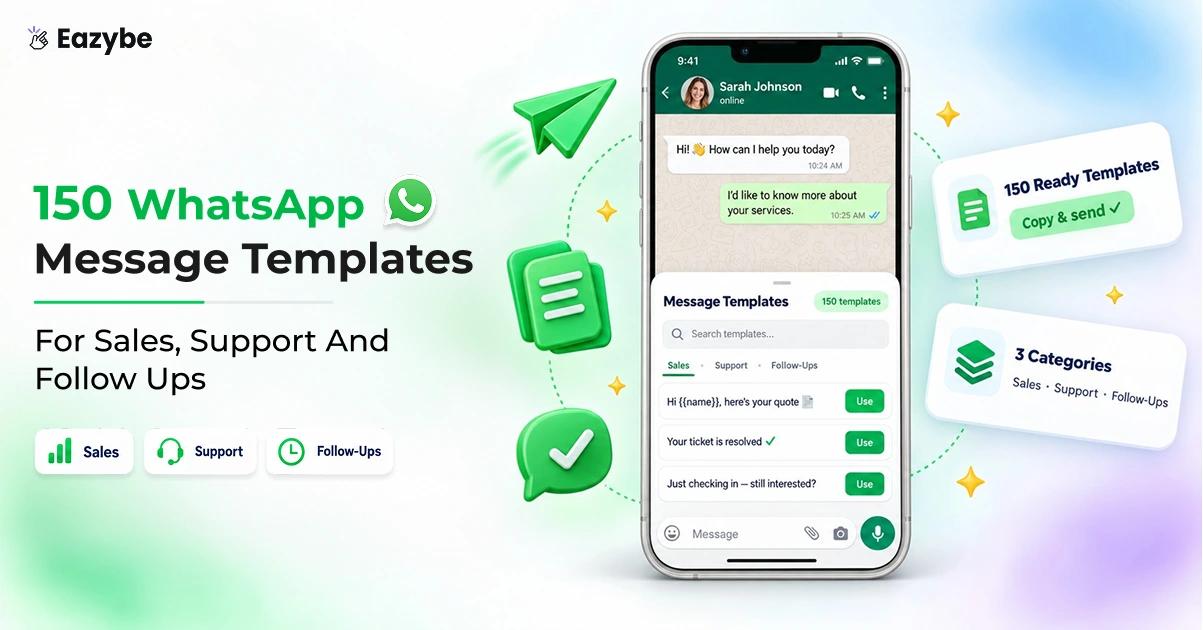


WhatsApp message templates are how every Business API conversation starts, but writing them from scratch takes time. Most lists online only give you the message. So, you are left guessing the category, the timing and whether it will pass review.
This library gives you 150 templates, each with a short note on when to send it and a message ready to copy. It also shows what happens after the customer replies. Where Eazybe AI agents take over the conversation and turn it into a pipeline.
What Are WhatsApp Message Templates?
WhatsApp message templates are pre approved messages businesses use to start a conversation on the WhatsApp Business API. After a customer messages you, you can reply freely for 24 hours, but anything sent after that needs a template Meta has already approved.
Each template can have a header, body, footer and buttons. Eazybe's guide to creating a WhatsApp message template walks through every field in the dashboard.
Prefer a head start? Eazybe also has a ready library of WhatsApp message templates you can adapt.
How To Use These WhatsApp Template Examples?
Every template follows the same layout, so you can scan quickly and copy what you need:
- The note above each box: when to send the message and why it works.
- The category label: marketing, utility or authentication, which you pick when you submit.
- Variables: placeholders such as
{{customer_name}}that you swap for real details. - The button line: the buttons to add, each under 20 characters.
- The opt out line: included on every marketing template, since Meta expects one.
The variables here are named so they are easy to read. In the Eazybe dashboard they are written as numbers, so swap each one for {{1}}, {{2}} and so on, in the order they appear.
WhatsApp Sales Templates By Stage
These WhatsApp sales templates work in any industry, because every sales team moves buyers through the same stages. At each stage the reply matters just as much as the message. Which is where Eazybe reads intent, budget and next step straight into your CRM.
If you are mapping these stages for your own team, a WhatsApp sales funnel shows how each one connects to the next.
WhatsApp Templates For First Contact And Lead Welcome
1. Welcome A New Enquiry
Category: Marketing
The first reply sets the tone for the whole deal, so send this within minutes of a new lead arriving. At that point the buyer still remembers exactly why they reached out, and a fast answer tells them you take them seriously. Offering to send options also gives them an easy first step that does not feel like a commitment.
Hi {{customer_name}} 👋
Thanks for your interest in {{product_name}}. I have picked out a few options that match what you asked about.
Would you like me to send them over?
Reply STOP to opt out
Buttons: Send options | Not right now
2. Reply To A Website Form
Category: Marketing
Website form leads have usually done some research already, so they want a real person rather than an automated thank you. Naming the rep who will look after them makes the conversation feel personal from the start. Asking about timing rather than pushing a call also respects that they may still be comparing options.
Hi {{customer_name}},
We got your request about {{enquiry_topic}} on our website. I am {{rep_name}}, and I will be looking after you from here.
When would suit you for a quick chat?
Reply STOP to opt out
Buttons: Today | This week
3. Reply To An Ad Enquiry
Category: Marketing
People who tap an ad are often comparing several businesses at once, so a slow or pushy reply loses them quickly. Leading with pricing or answers gives them what they actually came for. Letting them choose what they need next keeps them in control, which usually earns a faster reply.
Hi {{customer_name}},
Thanks for tapping our ad for {{product_name}}. I can share pricing or answer any questions you have.
What would help you most right now?
Reply STOP to opt out
Buttons: See pricing | Ask a question
4. Follow Up After An Event
Category: Marketing
Event leads go cold fast, because everyone they meet is following up at the same time. Sending this within a day, and naming the event, helps you stand out from the rest of the inbox. Delivering what you promised on the day also builds trust before you ask for anything.
Hi {{customer_name}},
It was great meeting you at {{event_name}} 🤝 As promised, here is a little more about {{product_name}}.
Would a short call next week help?
Reply STOP to opt out
Buttons: Book a call | Send details
5. Referral Introduction
Category: Marketing
A referral is the warmest lead you will ever get, and the name of the person who referred them is what earns the reply. Always put that name in the first line, so the message is never mistaken for a cold pitch. Keep the rest short, since the referrer has already done most of the selling for you.
Hi {{customer_name}},
{{referrer_name}} mentioned you might be interested in {{product_name}}, so I wanted to reach out personally.
Is now a good time for a quick chat?
Reply STOP to opt out
Buttons: Yes, let's talk | Maybe later
6. Missed Call Callback
Category: Utility
A missed call is one of the easiest leads to lose, because most people will not call twice. Replying on WhatsApp gives them a quick way to continue without picking up the phone again. It also turns a missed moment into a written conversation you can track.
Hi {{customer_name}},
Sorry we missed your call at {{call_time}} today. How can we help?
Just reply here and someone from our team will pick it up.
Buttons: Call me back | Reply here
When new leads arrive faster than your team can answer them, an AI sales agent can reply first, qualify the buyer and hand them to the right rep.
WhatsApp Follow Up Templates For Leads
1. A Gentle First Nudge
Category: Marketing
Most buyers do not ignore you on purpose, they simply get busy after you send the details. Waiting two or three days before this nudge makes it feel like a friendly check in rather than a chase. The two buttons make replying effortless, which is often all a busy buyer needs.
Hi {{customer_name}},
Just checking in on the details I sent about {{product_name}}. Did you get a chance to look them over?
Reply STOP to opt out
Buttons: Yes, I have | Resend please
2. Share Something Useful
Category: Marketing
When a lead goes quiet, asking for a decision again usually pushes them further away. Sharing something genuinely helpful keeps you in their mind without adding pressure. It also positions you as someone who helps them choose well, not just someone trying to close.
Hi {{customer_name}},
I thought this short guide on {{guide_topic}} might help while you decide 📘
Let me know if anything in it raises a question.
Reply STOP to opt out
Buttons: View guide
3. Answer The Question They Have Not Asked
Category: Marketing
Most products have one question nearly every buyer asks at the same stage, whether it is about delivery, pricing or setup. Answering it before they ask removes a quiet reason for delay. It also shows you understand their situation, which makes the next conversation easier.
Hi {{customer_name}},
A lot of people ask about {{common_question}} at this stage, so here is a quick answer: {{short_answer}}.
Anything else I can clear up for you?
Reply STOP to opt out
Buttons: That helps | I have a question
4. Offer A Demo
Category: Marketing
A short demo often moves a deal further than a long email ever could. Offering a specific day works better than an open invitation, because it gives the buyer something concrete to say yes to. Keeping the demo to 15 minutes also lowers the effort it takes to agree.
Hi {{customer_name}},
Would a 15 minute demo of {{product_name}} be useful? I have a few slots open on {{available_day}}.
Reply STOP to opt out
Buttons: Book a slot | Not yet
5. Check The Timing
Category: Marketing
Sometimes a lead is interested but simply not ready yet, and chasing them now wastes both sides' time. This message lets them tell you when to come back, without having to say no. Their answer also tells your team exactly where to focus this month.
Hi {{customer_name}},
Is {{product_name}} still on your list for this month, or would you prefer I check back later?
Reply STOP to opt out
Buttons: This month | Check back later
6. The Final Follow Up
Category: Marketing
Closing the loop politely often earns a reply that three earlier nudges did not. Telling a buyer you are pausing removes the pressure, which makes it easier for them to answer honestly. Leaving the door open means you still get the deal if their timing changes later.
Hi {{customer_name}},
I have not heard back, so I will pause my messages about {{product_name}} for now.
If anything changes, just reply here and I will pick it up straight away.
Reply STOP to opt out
Buttons: Still interested
Follow ups only work if they go out on time, and the Scheduler lets you set each nudge for the right day instead of relying on memory.
WhatsApp Templates For Quotes And Proposals
1. Quote ready
Buyers want to see the number first, so put the total and the expiry date right in the message. That way they can judge the quote at a glance without opening a file. The expiry date also adds gentle urgency without you having to push.
Hi {{customer_name}},
Your quote for {{product_name}} is ready ✅
Total: {{quote_amount}}
Valid until: {{expiry_date}}
Tap below to see the full breakdown.
Buttons: View quote
2. Proposal sent by email
Proposals sent by email are easy to miss in a crowded inbox. A short WhatsApp message makes sure yours actually gets opened and read. Offering to walk through it on a call also gives you a natural next step.
Hi {{customer_name}},
I have emailed the proposal for {{project_name}} to you. Happy to walk you through it on a short call if that helps.
Buttons: Book a call | Got it, thanks
3. Quote expiring soon
Send this about two days before the quote expires, so the buyer still has time to ask for changes. Leaving it until the final day can feel like pressure and often leads to a rushed no. Offering changes keeps the conversation going even if the first quote was not quite right.
Hi {{customer_name}},
A quick reminder that your quote for {{product_name}} expires on {{expiry_date}}.
Let me know if you would like any changes before then.
Buttons: Accept quote | Request changes
4. Revised quote
When you send an updated quote, buyers want to know what changed without comparing two documents line by line. Stating the new total and confirming everything else stays the same saves them that effort. It also shows you listened to what they asked for.
Hi {{customer_name}},
As we discussed, here is your updated quote for {{product_name}}.
New total: {{quote_amount}}
All other terms stay the same.
Buttons: View quote
5. Any questions on the proposal
Asking whether anything does not fit usually surfaces the real objection much faster than asking if they are ready to sign. It invites honesty rather than a polite silence. Once you know the objection, you can actually do something about it.
Hi {{customer_name}},
Did the proposal for {{project_name}} cover everything you needed? I can adjust any part that does not quite fit your plans.
Reply STOP to opt out
Buttons: All good | I have questions
6. Loop in the decision maker
Plenty of deals stall because the person you have been speaking to is not the one who signs. Offering a short summary for their team helps your contact pass it on without extra work. It also quietly tells you whether there is someone else you need to win over.
Hi {{customer_name}},
If anyone else on your team is involved in deciding on {{project_name}}, I am happy to send them a short summary too.
Reply STOP to opt out
Buttons: Yes, please | Not needed
When a buyer replies to a quote, the budget and objection they mention can land straight on the deal record through the HubSpot WhatsApp integration, so nobody has to type it in.
WhatsApp Templates For Payments And Invoices
1. Invoice ready
Showing the amount and due date upfront cuts down the replies asking how much is owed. It also makes the invoice easy to action straight from the chat. A clear button to view or pay removes one more step between the customer and payment.
Hi {{customer_name}},
Your invoice {{invoice_number}} is ready 🧾
Amount: {{invoice_amount}}
Due by: {{due_date}}
You can view or pay for it below.
Buttons: View invoice
2. Payment due reminder
A friendly reminder a few days before the due date works far better than chasing after it is late. Most customers are happy to pay on time when they are reminded early. The warm closing line keeps the tone helpful rather than demanding.
Hi {{customer_name}},
A friendly reminder that invoice {{invoice_number}} for {{invoice_amount}} is due on {{due_date}}.
Thanks for staying on top of it.
Buttons: Pay now
3. Payment received
A quick confirmation stops the customer wondering whether their payment actually went through. It also saves your team from answering the same question by phone or email. Attaching the receipt closes the loop neatly in one message.
Hi {{customer_name}},
We have received your payment of {{payment_amount}} for invoice {{invoice_number}} ✅
Thank you, your receipt is ready below.
Buttons: Download receipt
4. Payment overdue
Most late payments are simple oversights rather than refusals, so a neutral tone works best. Offering help gives the customer an easy way to raise a problem instead of going silent. A clear payment button means they can settle it the moment they read it.
Hi {{customer_name}},
Invoice {{invoice_number}} for {{invoice_amount}} is now past its due date.
Please arrange payment when you can, or reply here if you need any help.
Buttons: Pay now | Contact us
5. Payment failed
A failed payment is usually an expired card or a bank block, not a customer trying to avoid paying. Telling them what service is at risk makes the fix feel important without sounding alarming. A direct link to update their details keeps the process quick.
Hi {{customer_name}},
Your payment of {{payment_amount}} did not go through.
Please update your payment details so {{service_name}} keeps running without interruption.
Buttons: Update details
6. Instalment reminder
Customers paying in installments often lose track of where they are in the plan. Showing which instalment is due, and how many there are in total, keeps things clear. It also reassures them about how much is left to pay.
Hi {{customer_name}},
Instalment {{instalment_number}} of {{total_instalments}} for {{product_name}} is due on {{due_date}}.
You can pay it securely below.
Buttons: Pay instalment
Keeping every payment conversation tied to the right customer is much easier with a WhatsApp CRM, where each reply sits on the contact record instead of in someone's phone.
WhatsApp Templates For Customer Onboarding
1. Welcome aboard
New customers are most excited, and most likely to give up, in their first few days. Giving them one clear first step works better than a long list of things to do. A warm welcome also reminds them they made the right choice.
Hi {{customer_name}}, welcome to {{company_name}} 🎉
Your account is ready. Your first step is to {{first_step}}, and it only takes a few minutes.
We are glad to have you with us.
Buttons: Get started
2. Meet your account manager
A new customer who knows exactly who to ask for help is far less likely to quietly give up. Introducing a named account manager gives them that person from day one. Inviting them to reply here keeps one tap away.
Hi {{customer_name}},
I am {{rep_name}}, your account manager at {{company_name}}.
Message me here any time you need help getting set up.
Buttons: Say hello
3. Book your kickoff call
A kickoff call gets a new customer set up properly and avoids problems later. Letting them pick the time books far more calls than suggesting one yourself. It also shows you are working around their schedule, not yours.
Hi {{customer_name}},
Let us set up your kickoff call for {{company_name}}. Choose a time below that works best for your team.
Buttons: Choose a time
4. Setup progress
People like to finish what they start, so showing progress nudges customers to complete setup. Naming the very next step removes any confusion about what to do. Mentioning that it takes only a few minutes makes it feel easy to do right now.
Hi {{customer_name}},
You have finished {{steps_done}} of {{total_steps}} setup steps 🚀
Your next step is to {{next_step}}, and it only takes a few minutes.
Buttons: Continue setup
5. First week check in
The first week often decides whether a customer stays or leaves. Checking in early catches problems before they turn into frustration. Giving them a simple way to ask for help makes it far more likely they will.
Hi {{customer_name}},
How is your first week with {{company_name}} going?
Reply here if anything is not working the way you expected.
Buttons: All good | I need help
When several people share onboarding, a team inbox gives every new customer a clear owner, so no welcome message goes unanswered.
WhatsApp Templates For Renewals
1. Renewal coming up
Nobody likes a surprise charge, even for a service they value. Sending this a week or two ahead gives customers time to plan. Telling them no action is needed keeps the renewal smooth for those who want to continue.
Hi {{customer_name}},
Your {{plan_name}} plan renews on {{renewal_date}}.
No action is needed if you would like to continue as you are.
Buttons: Manage plan
2. Renewal with an upgrade option
Renewal is a natural moment to suggest an upgrade, since the customer is already thinking about their plan. The key is making it just as easy to keep what they have. That balance feels helpful rather than pushy.
Hi {{customer_name}},
Your {{plan_name}} plan renews on {{renewal_date}}. Teams your size often move to {{upgrade_plan}} for extra features.
Would you like to compare the two?
Reply STOP to opt out
Buttons: Compare plans | Keep my plan
3. Renewal confirmed
A simple thank you after renewal builds more loyalty than most discounts ever will. It reassures the customer that everything went through correctly. Including the receipt also saves them from asking for it later.
Hi {{customer_name}},
Your {{plan_name}} plan has renewed until {{new_end_date}} ✅
Thank you for staying with us. Your receipt is ready below.
Buttons: View receipt
4. Card expiring before renewal
A card that expires before renewal is one of the most avoidable reasons customers drop off. Catching it early gives them time to update it before anything breaks. A direct link keeps the fix to a few seconds. · Utility
Hi {{customer_name}},
The card on file for your account expires before your renewal on {{renewal_date}}.
Please update it so your service is not interrupted.
Buttons: Update card
5. Plan expired
When a plan expires, many customers worry their data is gone, and that fear stops them coming back. Telling them their data is safe removes that barrier straight away. It makes renewing feel like picking up where they left off.
Hi {{customer_name}},
Your {{plan_name}} plan expired on {{expiry_date}}. Your data is safe, and you can pick up right where you left off.
Renew now to restore full access.
Buttons: Renew now
When customers reply to a renewal message with questions, WhatsApp Copilot drafts the answer so your rep can review it and send it in seconds.
WhatsApp Win Back Templates For Quiet Leads
1. We kept your details
Coming back to a conversation feels much easier when the buyer knows they will not start from scratch. Reminding them you still have their enquiry lowers the effort of saying yes. It is a gentle way to restart without repeating your pitch.
Hi {{customer_name}},
We still have everything from your inquiry about {{product_name}}.
Would you like to pick up where we left off?
Reply STOP to opt out
Buttons: Yes, continue | No thanks
2. Something new since we spoke
A genuine update gives you a real reason to get back in touch, rather than simply asking again. If the new feature solves what they were looking for, the message almost sells itself. It shows your product is moving forward, which builds confidence.
Hi {{customer_name}},
Since we last spoke, we have added {{new_feature}} ✨
It might be just what you were looking for with {{customer_need}}.
Reply STOP to opt out
Buttons: Tell me more
3. A price change
If price was the reason a buyer walked away, a lower starting point is the strongest win back message you can send. Stating the new price clearly lets them decide instantly. Keep it short, since the number does most of the work.
Hi {{customer_name}},
Pricing for {{product_name}} has changed, and it now starts from {{new_price}}.
It might be worth another look.
Reply STOP to opt out
Buttons: See pricing
4. A seasonal return offer
Tying an offer to a real season or date makes it feel natural rather than desperate. A clear end date adds urgency without any pressure in the wording. The warm closing line reminds them you value their business.
Hi {{customer_name}},
This {{season_name}}, returning customers get {{discount}} off any order until {{offer_end_date}} 🎁
We would love to see you again.
Reply STOP to opt out
Buttons: Claim offer
5. Ask what happened
This message is honest rather than salesy, and that honesty is exactly why it works. Buyers are often happy to tell you whether they found another option or still need help. Either answer tells you something useful about your pipeline.
Hi {{customer_name}},
You were looking at {{product_name}} a while ago. Did you find what you needed, or is it still on your list?
Reply STOP to opt out
Buttons: Still looking | Found one
6. A lapsed customer offer
Past customers already know and trust you, so they need far less convincing than a new lead. A small, time limited offer is often all it takes to bring them back. Saying you missed them adds a personal touch that a plain discount lacks.
Hi {{customer_name}},
It has been a while since your last order with {{company_name}}, and we have missed you 💚
Here is {{discount}} off your next one, valid until {{offer_end_date}}.
Reply STOP to opt out
Buttons: Shop now
A quiet lead is only worth chasing if you know it has gone quiet, and Revenue Inbox flags buyers whose replies have slowed so these win back templates go out at the right moment.
To send a win back offer to a whole segment at once, a WhatsApp broadcast delivers the same approved template to every opted in contact.
WhatsApp Message Templates For CRM And Sales Software
These ten WhatsApp message templates are written for any CRM or sales software company, from welcoming a new customer to reminding them their trial is ending. Each note also shows how that moment works in Eazybe, since every template here matches a real feature your customers use.
1. Welcome and connect your number
The first task for any new user is connecting their WhatsApp number, and many drop off here because they fear losing their existing chats. Telling them upfront that they keep the number customers already know removes that worry. With Eazybe, WhatsApp coexistence runs the API and the app on the same number, so nothing changes for their customers.
Hi {{customer_name}}, welcome to {{company_name}} 👋
To get started, connect your WhatsApp number. You keep the same number your customers already know, so nothing changes for them.
Buttons: Connect number
2. CRM connected
Once the CRM is linked, users want proof that it is actually working. Confirming the connection and telling them chats now sync automatically gives that reassurance straight away. Eazybe writes every conversation into CRMs such as HubSpot, Zoho, Salesforce, Pipedrive and Bitrix24 as native fields, so the proof is one click away.
Hi {{customer_name}},
Your {{crm_name}} account is now connected ✅ Every WhatsApp chat will sync to the right contact automatically from here on.
Buttons: View synced chats
3. Invite your team
A shared inbox only works once the whole team is in it, and many accounts stall with just one user. This message nudges the account owner to bring everyone else in by explaining the real benefit. Eazybe's Team Inbox gives every conversation one clear owner, so no customer waits while two reps assume the other has replied.
Hi {{customer_name}},
Your shared inbox is ready. Invite your team so every WhatsApp chat has a clear owner and no customer waits for a reply.
Buttons: Invite team
4. Your AI sales agent is live
Users want to know the moment their AI agent starts working, so they can trust it and check its early replies. This confirmation also sets expectations about what the agent does and when it hands a lead over. An Eazybe AI sales agent qualifies each buyer against your own products and pricing before passing them to the right rep.
Hi {{customer_name}},
Your AI sales agent is now answering new enquiries on {{whatsapp_number}} 🤖 It will qualify each lead and pass the ready ones to your team.
Buttons: See activity
5. Weekly reply time summary
Managers rarely know how fast their team really replies until a customer complains. A short weekly summary puts the number in front of them without logging into anything. Eazybe's Rep Radar ranks every rep on reply time and volume, so this message turns into a coaching conversation rather than a guess.
Hi {{customer_name}},
Your team's average reply time this week was {{reply_time}}, and {{waiting_chats}} chats are still waiting for an answer.
Buttons: View report
6. Deals going quiet
Deals rarely die in one moment, they fade when nobody follows up for a few days. Flagging quiet deals while they can still be saved gives the team a clear list to work through today. Eazybe's Revenue Inbox scores deal health, so a buyer whose replies slow down surfaces long before month end.
Hi {{customer_name}},
{{deal_count}} deals have had no reply for more than {{days_quiet}} days. A quick follow up now could bring them back.
Buttons: View deals
7. Save time with quick replies
Most teams answer the same handful of questions every single day without realising how much time it costs. Showing them how many they answered this week makes the saving obvious. Eazybe's Quick Replies drop a saved answer into any chat with one keystroke, which is exactly the fix this message points to.
Hi {{customer_name}},
Your team answered {{question_count}} customer questions this week. Save your most common answers as quick replies and cut your typing time.
Buttons: Set up replies
8. Schedule messages for the right time
Reps often write follow ups late in the day, when customers are least likely to read them. Scheduling means every follow up arrives when it will actually be seen, not when the rep happened to finish typing. The Eazybe Scheduler sends each message at exactly the time you choose, even outside working hours.
Hi {{customer_name}},
You can now schedule WhatsApp messages to go out at the best time for each customer, even outside working hours ⏰
Buttons: Try scheduling
9. Chat backup is running
Losing chat history when a rep changes phones or leaves is a real fear for sales managers. Confirming that backup is active removes that worry and reminds the customer of a feature they may forget they have. Eazybe's Cloud Backup saves every conversation against the right contact, so the history stays with the business rather than the phone.
Hi {{customer_name}},
Your WhatsApp chat backup is now running. Every conversation is saved against the right contact, even if a phone is lost or a rep moves on.
Buttons: View backup
10. Trial ending, keep your insights
The end of a trial is when users decide whether the product was worth it. Reminding them of the data they have already built up makes upgrading feel like keeping something valuable rather than buying something new. Eazybe reads every chat into sales intelligence properties such as intent and reply time, and that history is exactly what this message asks them to keep.
Hi {{customer_name}},
Your {{company_name}} trial ends on {{trial_end_date}}. Upgrade to keep the buyer intent, reply times and deal insights your chats have built up so far.
Reply STOP to opt out
Buttons: Upgrade now
WhatsApp Message Templates By Industry
Every industry has its own rhythm of enquiries, bookings, reminders and follow ups. These WhatsApp business message templates are grouped by industry, so you can go straight to the messages that fit your business.
WhatsApp Templates For Ecommerce
1. Order confirmed
Customers want reassurance the moment they pay, especially when buying from a store for the first time. A clear confirmation with the order number removes that doubt. It also reduces support messages asking whether the order went through.
Hi {{customer_name}},
Thanks for shopping with {{store_name}} 🛍️ Your order {{order_number}} is confirmed, and we will let you know as soon as it ships.
Buttons: View order
2. Order shipped
Once an order ships, the most common customer question is when it will arrive. Answering that upfront with a delivery date saves your team from replying to the same question again and again. A tracking button gives customers a way to check for themselves.
Hi {{customer_name}},
Good news, your order {{order_number}} is on its way 🚚 It should arrive by {{delivery_date}}.
Buttons: Track order
3. Cart reminder
Shoppers often leave items in their cart because something interrupted them, not because they changed their mind. A friendly reminder brings them back to finish what they started. Keep it light, since pushing too hard can feel intrusive.
Hi {{customer_name}},
You left {{product_name}} in your cart at {{store_name}}. It is still waiting for you if you would like to complete your order.
Reply STOP to opt out
Buttons: Return to cart
4. Back in stock
Customers who asked about an out of stock item are some of your most motivated buyers. Letting them know the moment it returns gives them first chance before it sells out again. Mentioning that stock moves quickly adds gentle urgency.
Hi {{customer_name}},
Good news, {{product_name}} is back in stock at {{store_name}} ✨ Popular sizes tend to go quickly, so now is a good time to order.
Reply STOP to opt out
Buttons: Shop now
5. Review request
Reviews carry a lot of weight with new shoppers, but most happy customers never think to leave one. Asking a few days after delivery catches them once they have used the product. Keep it short, since a long request feels like a chore.
Hi {{customer_name}},
How are you finding your {{product_name}}? A quick review would really help other shoppers decide, and it only takes a minute.
Reply STOP to opt out
Buttons: Leave a review
6. Return processed
Customers waiting for a refund often worry it has been forgotten. Confirming the return and giving a clear timeline for the money removes that anxiety. A smooth return experience is often what turns a one time buyer into a repeat customer.
Hi {{customer_name}},
Your return for order {{order_number}} has been processed. Your refund of {{refund_amount}} will reach you within {{refund_days}} working days.
Buttons: View refund
Once these messages are running, WhatsApp automation can trigger them from your store events, so confirmations and updates go out without anyone pressing send.
WhatsApp Templates For Real Estate
1. New listing match
Buyers are often looking at several agents at once, so being first with a matching listing makes a real difference. Mentioning the area and budget shows you remembered what they asked for. Giving them two options keeps the next step easy.
Hi {{customer_name}},
A new {{property_type}} has just listed in {{location}}, and it fits within your budget 🏡
Would you like the details or a visit?
Reply STOP to opt out
Buttons: Send details | Book a visit
2. Site visit confirmed
A confirmed visit with the time and the name of the person meeting them makes the buyer feel looked after. It also cuts down on no shows, since the details are right there in the chat. A directions button saves them searching for the address.
Hi {{customer_name}},
Your visit to {{property_name}} is confirmed for {{visit_date}} at {{visit_time}}. {{agent_name}} will meet you there.
Buttons: Get directions | Reschedule
3. Visit reminder
Busy buyers forget visits, and a missed appointment wastes the agent's afternoon. A reminder the day before gives them a chance to confirm or move it. That small step protects your schedule and theirs. ·
Hi {{customer_name}},
A quick reminder that your visit to {{property_name}} is tomorrow at {{visit_time}}.
Buttons: Confirm | Reschedule
4. Price drop alert
A price drop on a property a buyer has already viewed can revive a deal that went quiet. Sharing the new price clearly lets them decide quickly. Keep the message short, because the number does the work.
Hi {{customer_name}},
The price of {{property_name}} has just dropped to {{new_price}}. Are you still interested in taking another look?
Reply STOP to opt out
Buttons: Yes, tell me more
5. Document request
Property deals slow down when paperwork goes missing, often because the buyer is not sure what is needed. Naming the exact document removes that confusion. An upload link lets them send it straight from their phone.
Hi {{customer_name}},
To move ahead with {{property_name}}, we still need your {{document_name}}. You can upload it securely using the button below.
Buttons: Upload document
6. Booking amount received
Paying a booking amount is a big moment for a buyer, and they want instant confirmation. Sharing the amount and a reference number gives them proof of payment. It also marks the point where the deal becomes real.
Hi {{customer_name}},
We have received your booking amount of {{booking_amount}} for {{property_name}} ✅ Your reference number is {{reference_number}}.
Buttons: View receipt
Property deals often run for weeks across dozens of messages, which is why WhatsApp sales tracking matters so much for agents juggling many buyers at once.
WhatsApp Templates For Education
1. Course enquiry reply
Students and parents comparing courses want quick, clear answers. Sharing the next intake date gives them a timeline to work with. Offering the brochure or a call lets them choose how deep they want to go.
Hi {{student_name}},
Thanks for your interest in {{course_name}} 🎓 Our next intake starts on {{intake_date}}.
Would you like the brochure or a quick chat with an advisor?
Reply STOP to opt out
Buttons: Send brochure | Talk to advisor
2. Application incomplete
Many applicants start a form and then get distracted halfway through. A reminder with the deadline gives them a clear reason to finish now. It is one of the simplest ways to lift enrolment without extra marketing spend.
Hi {{student_name}},
Your application for {{course_name}} is almost done. Complete it before {{deadline_date}} to keep your place.
Buttons: Finish application
3. Admission confirmed
Admission is an exciting moment, and a warm confirmation makes it feel special. Including the start date helps the student and their family start planning. It also sets a positive tone for the relationship ahead.
Hi {{student_name}},
Congratulations, your admission to {{course_name}} is confirmed 🎉 Classes begin on {{start_date}}.
Buttons: View next steps
4. Fee reminder
A clear fee reminder a few days before the due date helps families plan payments without stress. Showing the amount and date removes any guesswork. A payment button makes it easy to settle straight away.
Hi {{student_name}},
A reminder that the fee of {{fee_amount}} for {{course_name}} is due on {{due_date}}.
Buttons: Pay fee
5. Class schedule change
Schedule changes cause confusion when they are only posted on a noticeboard or a portal nobody checks. Sending the update directly makes sure every student sees it in time. Linking to the full timetable answers any follow up questions.
Hi {{student_name}},
Your {{subject_name}} class has moved to {{new_time}} on {{class_date}}. Please check the updated timetable below.
Buttons: View timetable
6. Results available
Students check for results constantly once they are due, often by refreshing a portal. A message the moment they are published saves that stress. The button takes them straight to their results.
Hi {{student_name}},
Your results for {{exam_name}} are now available in your student portal.
Buttons: View results
Admissions teams often have several counsellors answering the same enquiries, and a WhatsApp team inbox makes sure every student gets one clear owner.
WhatsApp Templates For Healthcare And Clinics
1. Appointment confirmed
Patients want confirmation straight after booking, with the doctor, date and time in one place. Having it in WhatsApp means they can find it quickly on the day. Calendar and reschedule buttons cut down on missed appointments.
Hi {{patient_name}},
Your appointment with {{doctor_name}} is confirmed for {{appointment_date}} at {{appointment_time}}.
Buttons: Add to calendar | Reschedule
2. Appointment reminder
Missed appointments cost clinics time and money, and most happen simply because patients forget. A reminder the day before gives them a chance to confirm or move the slot. That frees the time for another patient if they cannot make it.
Hi {{patient_name}},
A reminder of your appointment with {{doctor_name}} tomorrow at {{appointment_time}}.
Buttons: Confirm | Reschedule
3. Missed appointment
A patient who misses an appointment may feel awkward about rebooking. A friendly, non judgemental message makes it easy for them to come back. It also helps clinics keep patients on track with their care.
Hi {{patient_name}},
We missed you at your appointment on {{appointment_date}}. Would you like to book another time that suits you better?
Buttons: Rebook
4. Report ready
Patients waiting for reports often call the clinic to check whether they are ready. A simple notification answers that before they need to ask. Keep the message itself free of any clinical details, and let the secure link do the rest.
Hi {{patient_name}},
Your report from {{clinic_name}} is ready. You can view it securely using the button below.
Buttons: View report
5. Follow up visit due
Follow up visits are easy for patients to forget once they are feeling better. A timely reminder helps them stay on track. Letting them pick a slot makes booking quick and simple.
Hi {{patient_name}},
Your follow up visit with {{doctor_name}} is due around {{due_date}}. Book a time that suits you below.
Buttons: Book follow up
6. Health camp invitation
Free health camps help clinics reach new patients and build trust in the community. Sharing the date and noting limited spaces encourages people to reserve early. This one is marketing, so it needs an opt out line.
Hi {{patient_name}},
{{clinic_name}} is running a free {{checkup_type}} check up on {{camp_date}} 🩺 Spaces are limited, so reserve yours early.
Reply STOP to opt out
Buttons: Reserve a spot
These are appointment and logistics messages only, so keep diagnoses and clinical details out of WhatsApp. For routine questions such as clinic hours or directions, AI agents for customer support can answer instantly and free your front desk.
WhatsApp Templates For Finance And Insurance
1. Policy renewal due
A lapsed policy can leave a customer unprotected, so a clear reminder before renewal matters. Showing the premium and date lets them plan the payment. A renewal button keeps the process quick.
Hi {{customer_name}},
Your {{policy_name}} policy renews on {{renewal_date}}. The renewal premium is {{premium_amount}}.
Buttons: Renew policy
2. Loan application received
Applicants often worry their application has gone missing, especially after uploading documents. An instant confirmation with a reference number puts them at ease. It also gives them something to quote if they get in touch.
Hi {{customer_name}},
We have received your application for {{loan_type}}. Your reference number is {{reference_number}}, and we will update you on every step.
Buttons: Track application
3. Loan approved
Approval is the news every applicant is waiting for, and it deserves a clear, positive message. Pointing them to the next steps keeps the momentum going. It also cuts down calls asking what happens now.
Hi {{customer_name}},
Good news, your application for {{loan_type}} has been approved 🎉 Your next steps are waiting in your account.
Buttons: View next steps
4. EMI reminder
Missing an EMI can mean late fees and a hit to a customer's credit score. A reminder a few days ahead helps them avoid both. Showing the amount and date makes it easy to plan.
Hi {{customer_name}},
Your EMI of {{emi_amount}} for {{loan_type}} is due on {{due_date}}.
Buttons: Pay EMI
5. Claim update
Waiting on an insurance claim is stressful, and silence makes it worse. Regular status updates show the customer their claim is moving. That reassurance builds loyalty at a difficult moment.
Hi {{customer_name}},
Your claim {{claim_number}} is now {{claim_status}}. We will keep you updated as it moves forward.
Buttons: View claim
6. New plan introduction
Existing customers are far more likely to buy a second product than a stranger. Linking the new plan to the policy they already hold makes the offer feel relevant. Explaining what it covers helps them judge it quickly.
Hi {{customer_name}},
As a {{current_policy}} customer, you might be interested in {{new_plan_name}}, which covers {{coverage_details}}.
Reply STOP to opt out
Buttons: Learn more
Finance conversations are full of detail that matters later, from the amount a customer can afford to the concerns they raise. Conversation intelligence reads those details out of each chat, so your advisors never lose track of what was said.
WhatsApp Templates For Travel And Hospitality
1. Booking confirmed
Travellers want every detail of their booking in one place they can find easily. Putting the dates and reference in WhatsApp means they will have it on hand at check in. It also reduces calls asking for confirmation.
Hi {{guest_name}},
Your booking at {{property_name}} is confirmed for {{check_in_date}} to {{check_out_date}} ✈️ Booking reference: {{booking_reference}}.
Buttons: View booking
2. Check in details
Guests arriving somewhere new appreciate knowing exactly when and how to check in. Sending the details ahead of arrival makes the first moments of their stay smooth. A directions button helps them find you without stress.
Hi {{guest_name}},
Check in at {{property_name}} opens at {{check_in_time}} on {{check_in_date}}. We look forward to welcoming you.
Buttons: Get directions
3. Trip reminder
A reminder a few days before the trip gives travellers time to prepare. Linking to the full itinerary keeps everything in one easy place. It also builds excitement for the journey ahead.
Hi {{guest_name}},
Your trip to {{destination}} starts on {{trip_date}} 🌍 Your full itinerary is ready to view below.
Buttons: View itinerary
4. Upgrade offer
Guests are often happy to treat themselves once the trip is booked. Offering an upgrade before arrival, with a clear price, makes it an easy yes. It adds revenue without any extra marketing cost.
Hi {{guest_name}},
An upgrade to {{room_type}} is available for your stay on {{check_in_date}} for just {{upgrade_price}} extra.
Reply STOP to opt out
Buttons: Upgrade now
5. Package deal
A clear package with the number of nights, the destination and the price is easy to say yes to. A booking deadline adds urgency without any pressure in the wording. It works well for past guests who already trust you.
Hi {{guest_name}},
{{nights}} nights in {{destination}} now start from {{package_price}}, for bookings made before {{offer_end_date}} 🏝️
Reply STOP to opt out
Buttons: See package
6. Post stay feedback
Asking for feedback right after checkout catches the experience while it is still fresh. It shows guests you care about how their stay went. Good reviews collected this way also help you win future bookings.
Hi {{guest_name}},
Thank you for staying at {{property_name}}. How was your visit? Your feedback helps us make every stay better.
Reply STOP to opt out
Buttons: Rate my stay
Travel teams handle a steady stream of questions before, during and after every trip, and WhatsApp sales best practices cover how to keep replies fast without burning out your team.
WhatsApp Templates For SaaS And Software
1. Trial started
The first hour of a trial decides whether a user ever comes back. Pointing them to the quickest win gives them a reason to keep going. Mentioning the end date upfront also sets a clear window to explore.
Hi {{customer_name}},
Your {{product_name}} trial is live until {{trial_end_date}} 🚀 Here is the quickest way to see results on day one.
Buttons: Start here
2. Feature not used yet
Many users sign up and never find the feature that would make them stay. Nudging them toward one specific feature is far more useful than a general tips email. Saying how quickly it sets up removes the excuse to put it off.
Hi {{customer_name}},
You have not tried {{feature_name}} yet. Most teams set it up in under {{setup_minutes}} minutes, and it saves hours every week.
Reply STOP to opt out
Buttons: Try it now
3. Usage limit close
Hitting a limit without warning is frustrating and can interrupt a team mid task. A heads up before the limit gives customers time to plan or upgrade. It also opens a natural conversation about moving to a bigger plan.
Hi {{customer_name}},
Your team has used {{usage_used}} of {{usage_limit}} this month on {{product_name}}. You can check your usage below.
Buttons: View usage
4. New feature released
Customers often miss new features buried in release notes. A short message explaining what it helps them do gets far more attention. Linking straight to it turns interest into actual use.
Hi {{customer_name}},
{{feature_name}} is now live in {{product_name}} ✨ It helps you {{feature_benefit}}, and it is ready to use today.
Reply STOP to opt out
Buttons: See what's new
5. Scheduled maintenance
Unexpected downtime damages trust, even when it is planned. Warning customers ahead of time lets them work around it. It shows you respect their time and their business.
Hi {{customer_name}},
{{product_name}} will be under scheduled maintenance on {{maintenance_date}} from {{maintenance_time}}. Service may be briefly unavailable during this window.
Buttons: View status
6. Subscription invoice
Customers like to know what they will be charged before the money leaves their account. Sharing the amount and the charge date avoids surprises and payment disputes. A button to view the invoice keeps everything transparent.
Hi {{customer_name}},
Your {{product_name}} invoice for {{billing_period}} is ready. The amount of {{invoice_amount}} will be charged on {{charge_date}}.
Buttons: View invoice
For software teams, the numbers behind these conversations matter as much as the messages, and WhatsApp sales performance analytics shows how to measure reply speed and conversion properly.
WhatsApp Templates For AI Tools And Products
1. AI trial activated
New users of an AI tool want to start experimenting straight away. Telling them how many credits they have and how long they last helps them plan their testing. A clear button gets them created in seconds.
Hi {{customer_name}},
Your {{product_name}} trial is active 🤖 You have {{credit_count}} credits to explore until {{trial_end_date}}.
Buttons: Start creating
2. Credits running low
Running out of credits mid task is one of the most frustrating moments for an AI user. A warning before they hit zero gives them time to top up. It keeps their work flowing without interruption.
Hi {{customer_name}},
You have {{credits_left}} credits left on {{product_name}}. Top up now to keep working without any interruption.
Buttons: Top up credits
3. New model available
AI users care a lot about quality, so an improved model is genuine news to them. Explaining what it handles better gives them a reason to try it. Suggesting they use it on their next task makes the next step obvious.
Hi {{customer_name}},
{{product_name}} now runs on an improved model that handles {{improvement_area}} much better. Try it on your next task and see the difference.
Reply STOP to opt out
Buttons: Try it now
4. Book an AI demo
AI products are easier to understand when people see them working on their own problem. Offering a demo built around their use case makes it far more relevant than a generic walkthrough. It also helps you qualify serious buyers early.
Hi {{customer_name}},
Want to see how {{product_name}} could handle {{use_case}} for your team? A short demo shows it working on your own examples.
Reply STOP to opt out
Buttons: Book demo
5. Workflow finished
Many AI tasks run in the background and take a while to finish. Letting users know the moment their results are ready saves them checking again and again. It turns waiting into an instant notification.
Hi {{customer_name}},
Your {{task_name}} has finished running on {{product_name}} ✅ Your results are ready to review.
Buttons: View results
6. Plan upgrade suggestion
When a team keeps hitting a limit, the upgrade case makes itself. Showing how often it happened gives them a clear reason to move up. Naming the plan that removes the cap makes the decision simple.
Hi {{customer_name}},
Your team hit the {{limit_name}} limit {{limit_count}} times this month. The {{upgrade_plan}} plan removes that cap completely.
Reply STOP to opt out
Buttons: Compare plans
If you are weighing up what kind of automation to put behind these messages, AI agent vs chatbot explains the difference in plain terms.
WhatsApp Templates For Events And Webinars
1. Registration confirmed
A confirmation straight after sign up reassures people their place is secure. Including the date and time in WhatsApp means they can find it easily later. A calendar button makes it far more likely they will actually attend.
Hi {{attendee_name}},
You are registered for {{event_name}} 🎟️ It takes place on {{event_date}} at {{event_time}}.
Buttons: Add to calendar
2. Event reminder
A large share of people who register for an event never show up, usually because they forget. A reminder the day before brings it back to mind. Sending the joining link at the same time removes one more barrier.
Hi {{attendee_name}},
A reminder that {{event_name}} starts tomorrow at {{event_time}}. Your joining link is ready below.
Buttons: Get joining link
3. Starting soon
A final nudge just before the event starts catches people who are busy with something else. Keeping it very short suits the moment. The join button gets them in with one tap.
Hi {{attendee_name}},
{{event_name}} starts in {{minutes_left}} minutes. Tap below to join now.
Buttons: Join now
4. Last call to register
A clear closing date gives people a reason to stop putting off registration. Mentioning that seats are nearly full adds urgency without sounding pushy. It works best a day or two before registration closes.
Hi {{attendee_name}},
Registration for {{event_name}} closes on {{close_date}}, and seats are nearly full. Save your place while you still can.
Reply STOP to opt out
Buttons: Register now
5. Recording available
Many people register but cannot make the live session. Sending the recording gives them value anyway and keeps them engaged with your brand. It also reaches people who missed it through no fault of their own.
Hi {{attendee_name}},
Thanks for registering for {{event_name}}. The full recording is now available to watch whenever suits you.
Buttons: Watch recording
6. Event feedback
Feedback collected right after an event is honest and detailed. Asking while the experience is fresh helps you improve the next one. It also shows attendees their opinion genuinely matters.
Hi {{attendee_name}},
How did you find {{event_name}}? Your feedback helps shape our next event, and it only takes a minute.
Reply STOP to opt out
Buttons: Share feedback
Reminders and joining links reach every registrant at once through a WhatsApp broadcast message. So, nobody is missed on the day.
WhatsApp Templates For Consumer Electronics
1. Launch alert
Tech fans want to hear about new products before anyone else. Sharing the headline feature and the pre order date builds excitement early. It rewards your existing customers with first access.
Hi {{customer_name}},
The new {{product_name}} is here, with {{key_feature}} ⚡ Pre orders open on {{preorder_date}}.
Reply STOP to opt out
Buttons: Pre order
2. Warranty registered
Customers feel more confident about a purchase when they know it is covered. Confirming the warranty with the serial number and end date gives them a record they can find later. It also cuts down calls asking whether registration worked.
Hi {{customer_name}},
The warranty for your {{product_name}}, serial number {{serial_number}}, is registered until {{warranty_end_date}} ✅
Buttons: View warranty
3. Service booking confirmed
A clear service confirmation with the location and date saves customers from calling to check. It also reduces missed appointments at the service centre. A reschedule button keeps things flexible.
Hi {{customer_name}},
Your service for {{product_name}} is booked at {{service_centre}} on {{service_date}}.
Buttons: Reschedule
4. Repair ready
Customers without their device are keen to get it back as soon as possible. Letting them know the moment it is ready saves them calling to chase. A directions button makes collection easy.
Hi {{customer_name}},
Good news, your {{product_name}} has been repaired and is ready to collect from {{service_centre}}.
Buttons: Get directions
5. Accessory suggestion
Customers who just bought a device are the most likely to buy accessories for it. Suggesting items that pair well feels helpful rather than salesy. A time limited discount gives them a reason to act now.
Hi {{customer_name}},
Owners of the {{product_name}} often pair it with {{accessory_name}}. Here is {{discount}} off, valid for the next {{offer_days}} days.
Reply STOP to opt out
Buttons: Shop accessories
6. Trade in offer
A trade in lowers the cost of upgrading, which is often the main thing holding customers back. Showing how much they could save makes the new model feel within reach. A value checker button makes the next step easy.
Hi {{customer_name}},
Trade in your {{old_product}} and get up to {{tradein_value}} off the new {{new_product}} 🔄
Reply STOP to opt out
Buttons: Check my value
When the same product questions come in all day, WhatsApp Copilot drafts accurate replies so your team answers faster without losing the personal touch.
WhatsApp Templates For Automotive
1. Test drive confirmed
A test drive is often the moment a buyer decides, so a smooth booking matters. Confirming the model, date and time sets clear expectations. It also reduces no shows at the showroom.
Hi {{customer_name}},
Your test drive of the {{car_model}} is booked for {{drive_date}} at {{drive_time}} 🚗
Buttons: Reschedule
2. Service due
Car owners rarely track service intervals themselves. A timely reminder keeps their vehicle in good shape and keeps them coming back to you rather than a competitor. A booking button makes it effortless.
Hi {{customer_name}},
Your {{car_model}} is due for its next service around {{service_date}}. Book a slot that suits you below.
Buttons: Book service
3. Vehicle ready
Customers without their car want it back quickly and without chasing. A clear message the moment it is ready saves them calling the workshop. Directions help if they are collecting from a new location.
Hi {{customer_name}},
Your {{car_model}} is ready for collection from {{workshop_name}}.
Buttons: Get directions
4. Delivery date confirmed
Taking delivery of a new car is a big moment, and buyers want to plan around it. Confirming the date and time helps them arrange their day. It also builds excitement for the handover.
Hi {{customer_name}},
Your new {{car_model}} will be ready for delivery on {{delivery_date}} at {{delivery_time}} 🎉
Buttons: Confirm date
5. New model launch
Existing customers are often the first to be interested in a new model. Inviting them to see it in person makes the launch feel exclusive. A test drive button turns interest into a showroom visit.
Hi {{customer_name}},
The new {{car_model}} has arrived at {{showroom_name}}. Book a test drive to see it in person.
Reply STOP to opt out
Buttons: Book test drive
6. Finance offer
For many buyers, the monthly payment matters more than the total price. Leading with the monthly figure makes the car feel affordable. An offer end date adds urgency without pressure.
Hi {{customer_name}},
Finance on the {{car_model}} now starts from {{monthly_payment}} a month, for orders placed before {{offer_end_date}}.
Reply STOP to opt out
Buttons: See offer
Vehicle sales involve long conversations and careful negotiation, and sales closing techniques help your team turn a test drive into a signed order.
WhatsApp Templates For Restaurants And Food Delivery
1. Order received
Hungry customers want to know their order was received and how long it will take. Giving an estimated time right away removes the guessing. A tracking button lets them check progress without calling.
Hi {{customer_name}},
{{restaurant_name}} has received your order {{order_number}} 🍽️ It will be ready in about {{prep_minutes}} minutes.
Buttons: Track order
2. Out for delivery
The time between ordering and delivery is when customers check their phone most. A message when the food leaves the kitchen keeps them informed. An arrival time helps them be ready at the door.
Hi {{customer_name}},
Your order from {{restaurant_name}} is on its way and should arrive by {{arrival_time}} 🛵
Buttons: Track delivery
3. Table booked
A booking confirmation in WhatsApp is easy to find when the customer arrives. Including the party size and time avoids any mix up at the door. A change button makes it easy to adjust plans.
Hi {{customer_name}},
Your table for {{party_size}} at {{restaurant_name}} is booked for {{booking_time}}. We look forward to seeing you.
Buttons: Change booking
4. Weekend offer
A weekend offer sent on a Thursday or Friday catches people while they are making plans. A specific dish or discount is more tempting than a general message. Keep it short and appetising.
Hi {{customer_name}},
This weekend at {{restaurant_name}}, enjoy {{offer_details}} on {{menu_item}} 😋
Reply STOP to opt out
Buttons: Order now
5. Reorder your favourite
Regular customers often order the same dish again and again. Reminding them of their favourite and offering a one tap reorder makes it effortless. It is one of the easiest ways to drive repeat orders.
Hi {{customer_name}},
Craving {{favourite_dish}} again? You can reorder it from {{restaurant_name}} in just one tap.
Reply STOP to opt out
Buttons: Reorder
Restaurants without a full CRM can still keep every order conversation organised using the Google Sheets WhatsApp integration. Which logs chats into a sheet the whole team can see.
WhatsApp Templates For Gyms And Fitness
1. Membership active
A new member wants confirmation that they are all set up and ready to train. Sharing the plan and end date gives them a clear picture of their membership. It also marks the start of their fitness journey with you.
Hi {{member_name}},
Your {{plan_name}} membership at {{gym_name}} is active until {{end_date}} 💪 We are glad to have you with us.
Buttons: View membership
2. Class booked
Members booking popular classes want to know their spot is secure. Confirming the class, time and trainer gives them everything in one place. A cancel button frees the spot for someone else if plans change.
Hi {{member_name}},
You are booked into {{class_name}} on {{class_date}} at {{class_time}} with {{trainer_name}}.
Buttons: Cancel booking
3. We miss you
Members who stop coming rarely cancel straight away, they just drift off. A friendly nudge with a free class gives them an easy way back. Catching them early is far easier than winning them back later.
Hi {{member_name}},
We have not seen you at {{gym_name}} since {{last_visit_date}}, and we would love to have you back. Your next class is on us 🎁
Reply STOP to opt out
Buttons: Book a class
4. Membership renewal
A renewal reminder before the membership ends stops members losing access by accident. Framing it around keeping their progress going gives them a reason to renew. A clear button makes it quick.
Hi {{member_name}},
Your {{plan_name}} membership at {{gym_name}} ends on {{end_date}}. Renew now to keep your progress going.
Buttons: Renew now
5. New programme launch
A structured programme with a start date gives members a fresh goal to work towards. Mentioning limited spaces encourages them to sign up early. It keeps existing members engaged and motivated.
Hi {{member_name}},
Our {{programme_name}} programme starts on {{start_date}} and runs for {{programme_weeks}} weeks. Spaces are limited, so join early.
Reply STOP to opt out
Buttons: Join programme
Class reminders and renewal nudges work best when they arrive at the right time, and the Scheduler sends each one exactly when you choose.
WhatsApp Templates For Salons And Spas
1. Appointment booked
Clients like knowing exactly who they will see and when. Confirming the service, stylist and time sets clear expectations. A reschedule button makes it easy to adjust if plans change.
Hi {{client_name}},
Your {{service_name}} with {{stylist_name}} is booked for {{appointment_date}} at {{appointment_time}} ✨
Buttons: Reschedule
2. Appointment reminder
No shows cost salons real money, since an empty chair cannot be filled at the last minute. A reminder the day before gives clients a chance to confirm or move their slot. It protects your diary and your income.
Hi {{client_name}},
A reminder of your {{service_name}} at {{salon_name}} tomorrow at {{appointment_time}}.
Buttons: Confirm | Reschedule
3. Time for your next visit
Clients often mean to rebook but lose track of time. A nudge based on how long it has been since their last visit is helpful rather than pushy. It keeps them coming back on a regular rhythm.
Hi {{client_name}},
It has been {{weeks_since}} weeks since your last {{service_name}} at {{salon_name}}. Ready to book your next one?
Reply STOP to opt out
Buttons: Book now
4. Package offer
Bundled treatments offer better value and increase the amount each client spends. Listing what the package includes helps clients see the value straight away. A monthly offer gives them a reason to book soon.
Hi {{client_name}},
Our {{package_name}} package includes {{package_details}} for {{package_price}} this month only 💆
Reply STOP to opt out
Buttons: View package
5. Loyalty reward
Rewarding regular clients makes them feel valued and keeps them loyal. Telling them what they have earned and when it expires encourages them to book again. It is a simple way to say thank you.
Hi {{client_name}},
You have earned {{reward_details}} at {{salon_name}} 💖 Use it on your next visit before {{reward_expiry}}.
Reply STOP to opt out
Buttons: Book visit
Salons answer the same questions about prices and availability many times a day and Quick Replies let staff send a saved answer in one tap between clients.
WhatsApp Templates For HR And Recruitment
1. Application received
Candidates often apply to several roles and worry their application has disappeared. An instant confirmation shows your company is organised and respectful of their time. It also sets expectations about next steps.
Hi {{candidate_name}},
Thank you for applying for the {{job_title}} role at {{company_name}}. We have received your application and will be in touch soon.
Buttons: Track application
2. Interview invitation
A clear interview invitation with the date and time helps candidates prepare properly. Sending it on WhatsApp means they see it quickly, even if they are away from email. Confirm and reschedule buttons make replying easy.
Hi {{candidate_name}},
We would like to invite you to interview for the {{job_title}} role on {{interview_date}} at {{interview_time}}.
Buttons: Confirm | Reschedule
3. Interview reminder
Candidates juggling several interviews can easily mix up times. A reminder the day before helps them arrive prepared and on time. A details button gives them the location or link in one tap.
Hi {{candidate_name}},
A reminder of your interview for the {{job_title}} role tomorrow at {{interview_time}}. All the details are below.
Buttons: Get details
4. Offer letter sent
An offer is exciting news, but it can get lost in a crowded inbox. A WhatsApp message makes sure the candidate knows to look for it. A response deadline keeps the process moving.
Hi {{candidate_name}},
Great news, your offer for the {{job_title}} role at {{company_name}} has been sent to your email 🎉 Please respond by {{response_date}}.
Buttons: View offer
5. Joining day details
New hires are often nervous before their first day. Sending the date, time and place in advance helps them feel prepared and welcome. A checklist button gives them everything they need to bring.
Hi {{candidate_name}}, welcome to {{company_name}}.
Your first day is {{joining_date}}. Please report to {{reporting_location}} at {{reporting_time}}.
Buttons: View checklist
When several recruiters share the same candidates, a Team Inbox gives every applicant one clear owner, so nobody gets two conflicting replies.
WhatsApp Message Templates For Customer Support
Support messages are where customers decide whether they trust you. These WhatsApp message templates keep customers informed at every step, so they never have to chase you for an update. Most are utility templates, since they relate to an order, ticket or account the customer already has with you.
WhatsApp Templates For Support Tickets And Updates
1. Ticket received
The moment a customer reports a problem, they want to know someone has heard them. An instant confirmation with a ticket number shows their issue is logged and not lost. It also gives them a reference to quote if they get in touch again.
Hi {{customer_name}},
We have received your request, and your ticket number is {{ticket_number}}. Our team will reply as soon as possible.
Buttons: View ticket
2. Ticket update
Silence is what frustrates customers most while they wait for a fix. A short update each time the status changes shows the issue is actively being worked on. Even small progress messages build patience and trust.
Hi {{customer_name}},
Your ticket {{ticket_number}} has been updated to {{ticket_status}}. You can see the full details below.
Buttons: View update
3. Ticket resolved
Closing a ticket without telling the customer can leave them unsure whether the problem is really fixed. Confirming the resolution gives them closure. Inviting them to reply if it returns shows you are still there for them.
Hi {{customer_name}},
Good news, your ticket {{ticket_number}} has been resolved ✅ If the issue comes back, just reply here and we will pick it up again.
Buttons: Still an issue
4. Delivery delay
Delays happen, but customers get far more upset when they find out on their own. Telling them early, with a new date and a short apology, shows respect for their time. Most customers are understanding when they are kept in the loop.
Hi {{customer_name}},
We are sorry, your order {{order_number}} is running a little late. It should now arrive by {{new_delivery_date}}.
Buttons: Track order
5. Replacement shipped
A replacement is a chance to turn a bad experience into a good one. Confirming it has shipped, with an arrival date, shows the problem is being put right. Quick action here often wins back a customer's loyalty.
Hi {{customer_name}},
A replacement for your {{product_name}} has been shipped 📦 It should arrive by {{delivery_date}}.
Buttons: Track replacement
6. Callback scheduled
Some problems are easier to sort out on a call, but customers hate waiting by the phone. Confirming a specific date and time lets them plan around it. A button to change the time keeps it convenient for them.
Hi {{customer_name}},
A member of our team will call you on {{callback_date}} at {{callback_time}} about ticket {{ticket_number}}.
Buttons: Change time
7. Satisfaction survey
The only way to know if your support is working is to ask the people who used it. A simple two button survey sent after a ticket closes gets far more replies than a long form. Those answers show you exactly where to improve.
Hi {{customer_name}},
How satisfied were you with the help you received on ticket {{ticket_number}}? Your answer helps us improve.
Buttons: Satisfied | Not satisfied
8. Escalated to a specialist
When a problem is more complex, customers want to know it is in expert hands. Telling them it has moved to a specialist, with a reply time, sets clear expectations. It shows their issue is being taken seriously rather than passed around.
Hi {{customer_name}},
Your ticket {{ticket_number}} has been passed to a specialist, who will reply by {{reply_deadline}}.
Buttons: View ticket
Many support messages trigger the same follow up questions, and AI agents for customer support can answer those instantly, leaving your team free for the problems that genuinely need a person.
WhatsApp Authentication Templates
WhatsApp authentication templates work differently from every other template in this library. Meta supplies a fixed message format for them, so instead of writing your own wording, you choose a few settings. That is also why these are the only templates here that begin with a variable, since Meta builds that structure itself and it is not subject to the usual rule.
How WhatsApp Authentication Templates Are Built
When you create an authentication template, you pick from a small set of options rather than writing the message yourself:
- The code: always shown first, as the verification code the customer needs.
- A security note: an optional line telling the customer not to share the code.
- An expiry line: an optional note showing how many minutes the code stays valid.
- A button: usually a copy code button, so the customer can paste it in one tap.
The six examples below show how those settings combine for common situations. The wording barely changes between them, and that is expected, because the difference lies in which options you switch on.
1. Login code
Login codes need to be fast and simple, since the customer is waiting on a screen for them. Adding the security note protects them from sharing it with anyone pretending to be you. A copy button saves them typing the code by hand.
{{verification_code}} is your verification code. For your security, do not share this code.
Buttons: Copy code
2. Signup verification
New users verifying their number are at a key moment where a delay can lose them. A short expiry keeps the process secure without making it stressful. Ten minutes gives them enough time while still protecting the account.
{{verification_code}} is your verification code. This code expires in 10 minutes.
Buttons: Copy code
3. Password reset
A password reset is a common target for fraud, so the security note matters most here. It reminds the customer that nobody from your company will ever ask for this code. That small line can prevent a lot of account takeovers.
{{verification_code}} is your verification code. For your security, do not share this code.
Buttons: Copy code
4. Transaction approval
Codes that approve payments should expire quickly, because they carry the most risk. A five minute window keeps the transaction secure while still being practical. Customers expect this level of caution when money is involved.
{{verification_code}} is your verification code. This code expires in 5 minutes.
Buttons: Copy code
5. New device login
When someone logs in from a new phone or computer, a verification code confirms it is really them. The security note is especially useful here, since an unexpected code can signal someone else is trying to get in. It helps customers spot a problem early.
{{verification_code}} is your verification code. For your security, do not share this code.
Buttons: Copy code
6. Account change confirmation
Changes to an email address, phone number or payout details should always be confirmed. A code with a clear expiry makes sure the person making the change is the real account owner. It protects both your customer and your business.
{{verification_code}} is your verification code. This code expires in 10 minutes.
Buttons: Copy code
If you would rather start from ready made versions of these, Eazybe keeps a library of WhatsApp message templates you can adapt and submit.
Benefits Of WhatsApp Message Templates With Eazybe
A template on its own only gets your message delivered. The real value comes from what happens around it: who sends it, when it goes out, and what your team does with the reply. That is where Eazybe turns WhatsApp message templates from a messaging tool into part of your sales process.
Send The Right WhatsApp Template At The Right Moment
- Schedule it ahead: the Scheduler sends a follow up or reminder on the exact day you choose, so nothing depends on someone remembering.
- Reach a whole segment at once: a WhatsApp broadcast delivers one approved template to every opted-in contact in a list.
- Keep your existing number: coexistence lets you send templates through the API while your team keeps using the WhatsApp number customers already know.
Turn Every Template Reply Into Sales Data
Every template you send is designed to start a conversation, and Eazybe AI agents read that conversation as it happens.
- Intent and urgency: whether the buyer is browsing, comparing or ready to buy.
- Objections and next steps: what is holding them back and what you promised to do next.
- Business fields: budget, product interest and region, taken from the buyer's own words.
All of it lands on the contact record as properties, which is explained in full in WhatsApp sales intelligence.
Sync WhatsApp Template Conversations To Your CRM
Those properties then write straight into your CRM through integrations such as HubSpot, with Salesforce, Zoho, Pipedrive and Bitrix24 working the same way. A quote template sent on Monday becomes an updated deal on the record the moment the buyer replies, with nobody typing anything in.
Make Sure Every Template Reply Gets Answered
- One owner per chat: Team Inbox assigns each reply to a rep, so no customer waits while two people assume the other has it.
- Reply speed you can see: Rep Radar shows how fast each rep answers, so slow replies get noticed early.
- Quiet deals flagged: Revenue Inbox spots buyers who stopped replying, telling you exactly when to send a win back template.
Let AI Handle The Simple Template Replies
Many replies to a template are routine questions about price, delivery or availability. An AI sales agent answers those instantly and qualifies the buyer, then hands the conversation to the right rep with the full history attached.
For support templates, AI agents for customer support do the same job, clearing repeat questions before a person ever needs to step in.
How To Create WhatsApp Message Templates In Eazybe
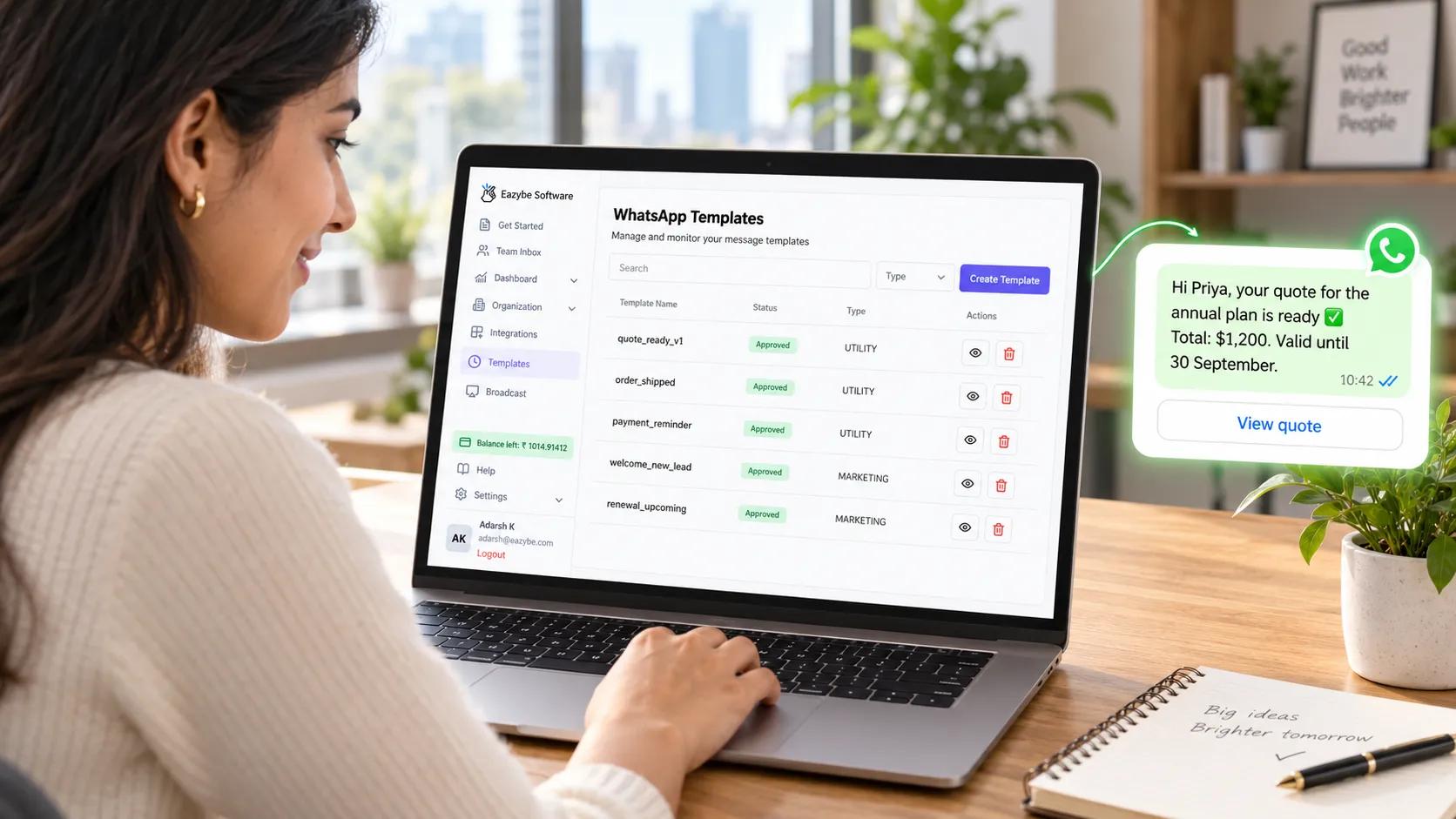
Create WhatsApp Message Templates In Eazybe
You can create WhatsApp message templates in two places: the Eazybe dashboard, or directly inside WhatsApp Web using the Eazybe extension. Both routes send the template to Meta for approval in the same way.
The Eazybe dashboard is the quickest way to build a template, submit it to Meta and track its approval, all in one place:
- Open the Templates page: go to the Templates section of your Eazybe dashboard.
- Start a new template: click the Create Template button.
- Name your template: use a unique name in lower case with underscores, such as quote_ready_v1.
- Choose the category: pick Marketing for promotions and offers, Utility for order updates and other transactional messages, or Authentication for OTPs and verification codes.
- Select the language: make sure it matches the language your message is written in.
- Add a header if you want one: this can be text, an image, a video or a document.
- Write the body: paste in a template from this library and replace the variables with your own.
- Add a footer and buttons: a short footer line, plus up to two buttons, either quick replies such as "Yes" and "No" or calls to action such as "Visit website" and "Call us".
- Review, then submit: check for spelling mistakes or anything that breaks Meta's policies, then click Submit to send it for review.
A note on variables: the templates in this library use named variables such as {{customer_name}} so they are easy to read. In the Eazybe dashboard, variables are written as numbers, so swap each named variable for {{1}}, {{2}} and so on, in the order they appear in the message.
Tracking approval: after you submit, every template shows one of three statuses.
- Pending: Meta is still reviewing it, which can take a few minutes or up to 24 hours.
- Approved: it is ready to use in broadcasts and customer conversations.
- Rejected: it did not meet Meta's policies, so read the feedback, make the changes and resubmit.
The full walkthrough, with screenshots of each step, is in Eazybe's guide to creating a WhatsApp message template.
Create A WhatsApp Template Directly From WhatsApp Web
If your team works inside WhatsApp Web all day, you do not need to leave it. The Eazybe extension lets you create a template while you are chatting with a customer. Which is ideal for turning a message you keep typing into a reusable one:
- Open any chat on WhatsApp Web with the Eazybe extension running.
- Click Quick Reply below the message input field.
- Turn on the Create Template toggle to switch into template mode.
- Fill in the template details, including the name, category and message.
- Submit it for approval, and once Meta approves it, the template is available across all your conversations.
Eazybe's help centre covers this route step by step in creating templates from the extension.
Tips That Get Your WhatsApp Template Approved First Time
- Pick the right category: a promotion filed as utility is the most common reason for rejection.
- Never start or end the body with a variable: always put text before the first placeholder and after the last one.
- Keep variables inside sentences: a variable sitting alone on its own line gets rejected.
- Match the language to the text: a template set to English must be written fully in English.
- Use your full domain in links: shortened links hide where they go, so reviewers reject them.
- Keep buttons short: under 20 characters, and phone number buttons need the country code without the plus sign.
Limitations Of WhatsApp Message Templates
Templates are powerful, but they have clear limits worth knowing before you build a campaign around them:
- Approval is never guaranteed: even a carefully written template can be refused, so keep a spare version of anything important ready.
- They cost money outside the 24 hour window: every business initiated template carries a charge, which adds up quickly at volume.
- The wording is fixed once approved: you can change the variables on each send, but editing the text itself sends the template back to review.
- Only opted-in customers should receive them: sending to people who never agreed to hear from you risks blocks and reports, which hurt your quality rating.
- Quality ratings can pause a template: if enough people block or report it, Meta can pause or disable it without warning.
- Authentication templates offer little freedom: Meta controls most of their structure, so there is not much to customize.
- A template opens the conversation, it does not close the deal: someone still needs to read the reply and act on it, which is where most teams lose momentum.
Final Thoughts On WhatsApp Message Templates
Good WhatsApp message templates are short, specific and filed under the right category. Use the 150 in this library as a starting point, swap in your own details, and most will clear Meta's review quickly, whatever industry you sell in.
The bigger win comes after you hit send. A template that starts a conversation nobody follows up on is wasted effort, so pair these messages with a way to read every reply, give each one an owner and act on what the buyer said. That is exactly the gap Eazybe closes.
Ready to put these templates to work? Start with Eazybe.