

On Monday a customer asks your rep for a price. On Wednesday they send a voice note about delivery dates. By Friday the chat is 200 messages long, the rep is off sick and the person covering for them has to scroll up and read the whole chat before they can send one reply.
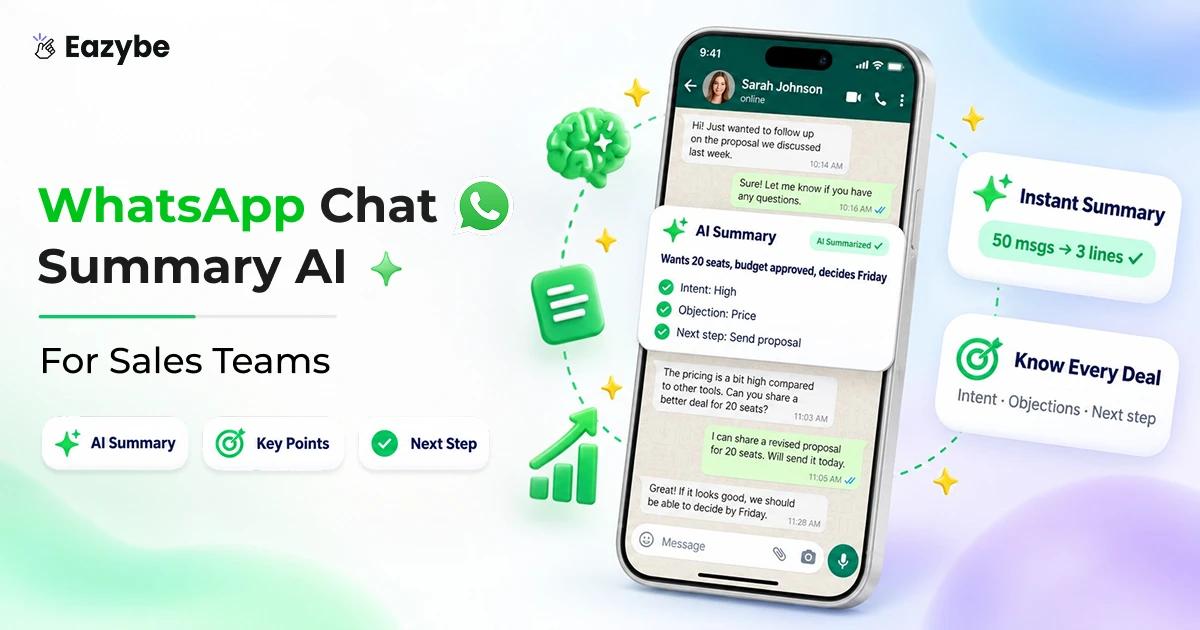
Eazybe AI agents read your team’s WhatsApp chats and write a short summary for each one, covering what the buyer wants, how soon they need it, what’s holding them back and what should happen next. That summary is saved in your CRM, so anyone on the team can pick up the deal. In this blog we explain what a WhatsApp chat summary is, what a good one looks like and how to get one for every chat without typing it yourself.
What Is A WhatsApp Chat Summary?
What Is A WhatsApp Chat Summary?
A WhatsApp chat summary is a few lines that tell you what a long customer chat is about, so you don’t have to read every message to know where things stand.
You can write one yourself and for two or three chats that’s fine. But a rep handling fifty chats a day won’t have time, which is why most sales teams let AI read the chat and write the summary for them.
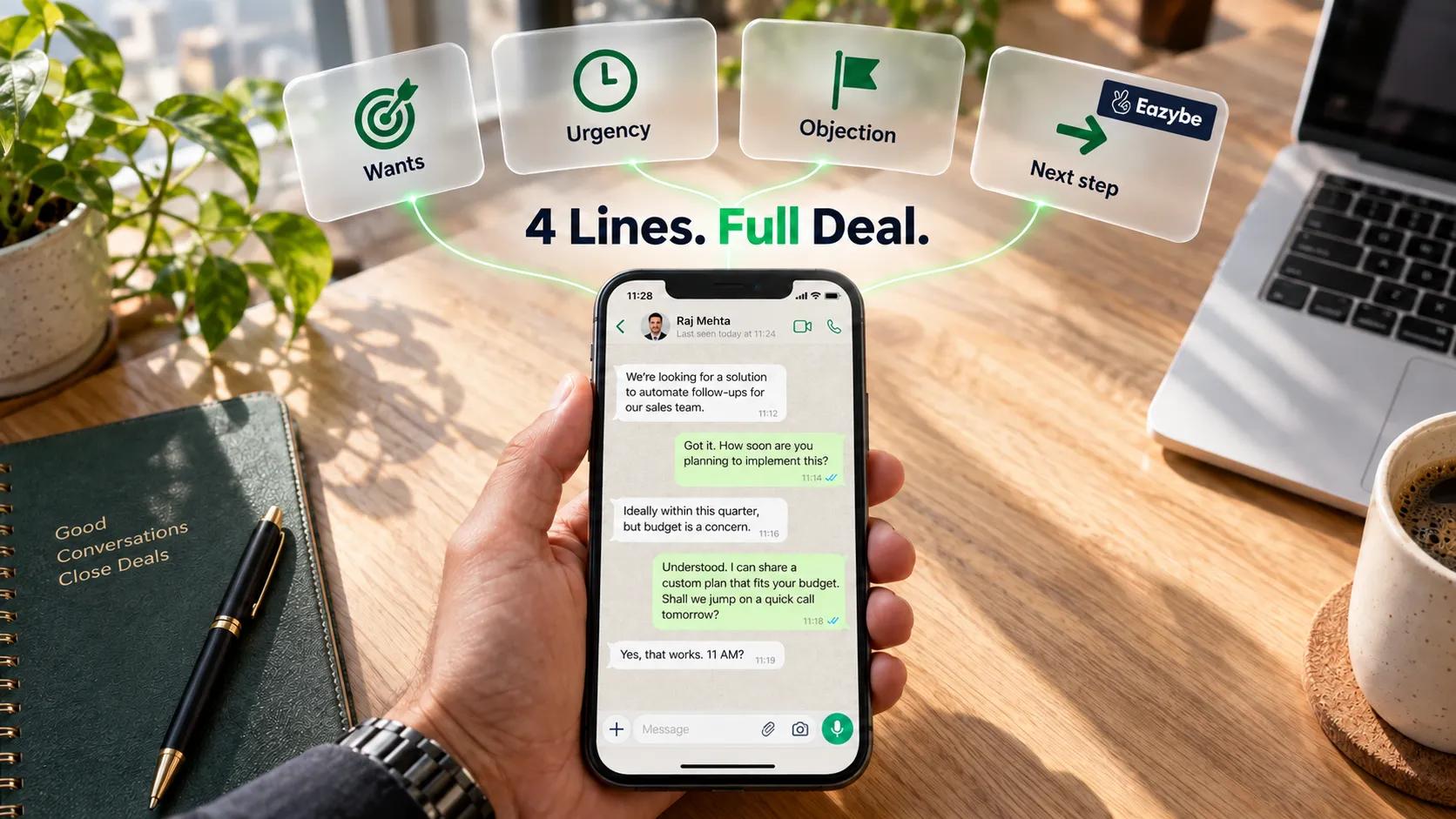
For a sales team, a useful summary answers four questions:
- What does the buyer want?
- When do they need it?
- What’s stopping them from buying?
- What’s the next step?
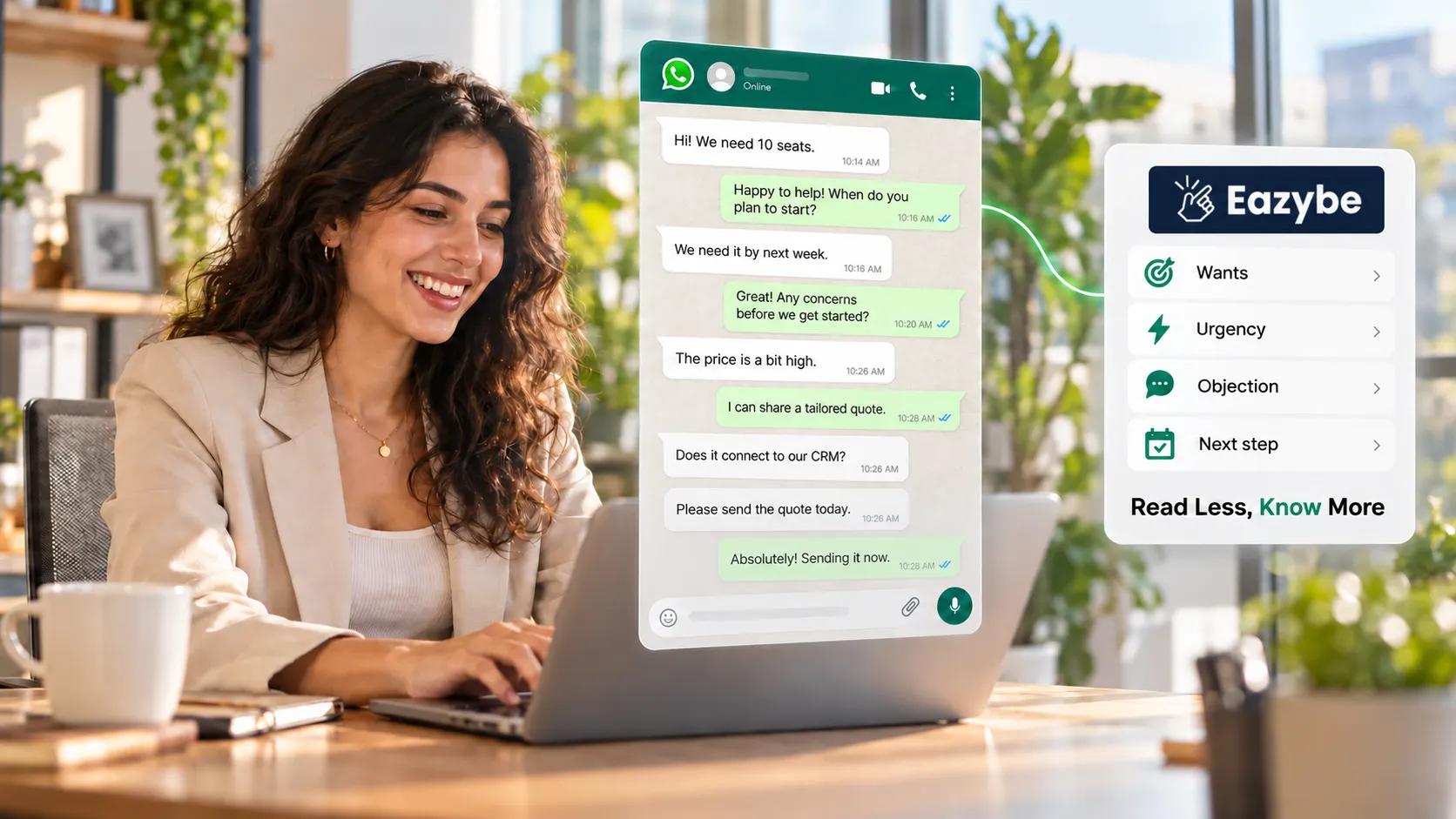
Here’s what that looks like for the chat above:
- Buyer wants: pricing for 10 seats and delivery by month end.
- Urgency: high, their current tool expires on the 30th.
- Holding them back: price is above their budget.
- Next step: send a revised quote by Tuesday.
Once a summary like this is saved in your CRM, a manager can check a deal in ten seconds instead of ten minutes.
To see what else Eazybe picks up from each chat, read our guide on WhatsApp sales intelligence.
Why Long WhatsApp Chats Need A WhatsApp Chat Summary
Buyers like WhatsApp because it is quick, so they reply fast and share a lot. But the important details get lost in one long chat full of greetings, voice notes and “ok thanks” messages and without a WhatsApp chat summary, nobody can find them quickly.
Calls are the bigger blind spot, since nothing said on the phone reaches the chat at all. Eazybe’s AI voice agent calls from your WhatsApp API number and writes the full transcript back into the same thread, so the summary covers what was said as well as what was typed.
Reps Waste Time Scrolling
Before replying to an old lead, a rep has to scroll up, play voice notes again and find the price they sent last week. With thirty or forty chats open, this takes up a big part of the day, while a WhatsApp chat summary would show it all in a few lines.
Our guide on WhatsApp sales best practices shares simple habits that help.
Managers Cannot See Where Deals Stand
When a manager asks about a customer, the answer comes from the rep’s memory or a screenshot. Without a WhatsApp conversation summary in the CRM, there is nothing reliable to check.
So pipeline reviews turn into a long list of questions. Our blog on WhatsApp sales performance analytics shows what managers should be able to see.
What A Good WhatsApp Chat Summary Shows
Good WhatsApp Chat Summary Shows - Four lines, full deal
A summary should help you take action. “The customer asked about the product” tells you nothing, so a good WhatsApp chat summary for sales teams shows four things and WhatsApp chat summary AI can fill them in for every chat.
- The Key Points: What the buyer asked for, which product they want and numbers like quantity, budget or price. Anyone reading the WhatsApp chat summary should know what the deal is about.
- What The Buyer Wants And How Soon: Is the buyer just looking or ready to buy and how soon do they need it? This helps reps choose which chat to answer first. It also shows where each buyer is in your WhatsApp sales funnel, so your team can focus on deals close to closing.
- What Is Stopping The Deal: High price, late delivery or a boss who still has to approve are common reasons deals stop. When the WhatsApp chat summary shows the objection, the next rep can fix it fast. Our guide on sales closing techniques has tips for these moments.
- The Next Step: This is the most important part, because it tells the rep what to do next. A line like “send the new quote by Tuesday” turns the summary into a task.
WhatsApp Chat Summary AI vs Reading The Full Chat
Reading the full chat still has its place. Here’s a simple comparison.
| Feature | Reading The Full Chat | WhatsApp Chat Summary AI |
|---|---|---|
| Time to understand a chat | Minutes | Seconds |
| Handles 50+ chats a day | No | Yes |
| Catches tone and small details | Yes | Sometimes |
| Shows what the buyer wants | No | Yes |
| Shows objections No Yes | No | Yes |
| Shows the next step | No | Yes |
| Saves to your CRM | No | Yes |
| Updates as the chat grows | No | Yes |
| Full record for proof | Yes | No |
| Free to use | Yes | No |
Bottom line: use the summary to decide and act fast and keep the full chat backup for the moments when every word matters.
How Eazybe Creates A WhatsApp Chat Summary For Every Chat

Creates A WhatsApp Chat Summary For Every Chat - Hot deals surface first
Eazybe AI agents read each WhatsApp conversation and write a set of AI properties next to the contact. The default set covers the four things a sales summary needs:
- AI Summary: the key points of the chat in a few lines.
- Intent: what the buyer is trying to do.
- Urgency: how soon they need it.
- Objection: what is stopping them.
- Next Action: what the rep should do next.
If your business needs more, an admin can add custom properties in plain words from the Team Inbox settings, using text, number or dropdown fields. A real estate team might add budget and preferred location, while an education team might add course interest.
All of this works on the WhatsApp numbers your reps already use, either through the Eazybe Chrome extension on WhatsApp Web or through Coexistence, which connects the WhatsApp Business app to the API. You don’t have to move anyone to a new number.
Inside the team inbox, managers can then filter chats by these properties, so hot deals, urgent replies and overdue follow ups rise to the top instead of getting lost.
Try it on your own chats: Eazybe has a free 4 day trial with no credit card needed, so you can see summaries on real conversations before you decide.
Saving WhatsApp Chat Summaries To Your CRM
A summary that lives only in WhatsApp helps one rep. A summary that lives in your CRM helps the whole team, because managers, other reps and reports can all use it.
Eazybe matches each chat to the right contact by phone number and writes the summary and other AI properties into the CRM you already use:
- HubSpot: properties and activity on the contact record.
- Zoho: fields on leads, contacts and deals.
- Salesforce: fields on lead and contact records.
- Bitrix24: fields on leads and contacts.
- Google Sheets: columns in your own Sheet, for small teams without a CRM.
Updates arrive within a few minutes of a new message. Some CRMs take a little longer because of their own API limits, so with Zoho for example, expect a delay of around six minutes.
Once the summary is a field, you can do more than read it. You can build a list of every deal with high urgency, or a view of every buyer who raised price as an objection this week.
If your team runs on HubSpot, our HubSpot WhatsApp integration page shows exactly what syncs.
Using WhatsApp Chat Summaries When A Deal Changes Hands

WhatsApp Chat Summaries - Pick up any deal
Deals change hands all the time. A rep goes on leave, moves to another team or quits and their chats have to go to someone else.
Without a summary, the new rep starts from zero or skips the history and asks the customer to repeat themselves, which annoys buyers. With a summary, they read four lines, see the next step and reply as if they had been in the chat from the start.
The full conversation stays saved too. Eazybe keeps a cloud backup of each chat, so the history doesn’t leave with the rep and the new owner can check the details when they need to.
This matters even more when reps sell from their own numbers. Our guide to WhatsApp Coexistence explains how a team can keep personal numbers while the business still keeps the record.
WhatsApp Chat Summary AI vs WhatsApp’s Own Message Summaries
WhatsApp has its own summary feature now, so it’s fair to ask why a sales team would need anything else.
Meta launched Message Summaries in June 2025, starting with English speaking users in the United States. It uses Meta AI to give you a private recap of unread messages in a chat. It is off by default and Meta says it uses Private Processing, so neither Meta nor WhatsApp can see the messages or the summary.(Source: Meta via Storyboard18)
That design makes sense for personal use, but it doesn’t fit how a sales team works:
- It’s private to one person: so your manager and teammates can’t see it.
- It recaps unread messages: not the whole history of a deal.
- It has no sales fields: so there’s no intent, urgency, objection or next step.
- It doesn’t reach your CRM: so nothing shows up in your pipeline.
So WhatsApp’s own feature helps you catch up on a busy group chat, while a sales tool like Eazybe turns each customer chat into a record your whole team can act on.
What The Data Says About Time Spent Searching For Information
The time lost to scrolling isn’t a small problem. The McKinsey Global Institute found that employees spend about 1.8 hours a day, or 9.3 hours a week, searching for and gathering information. That’s close to a fifth of the working week spent looking for things instead of using them.(Source: McKinsey Global Institute)
This study covers knowledge work in general, not WhatsApp sales chats specifically, so treat it as a sign of the size of the problem rather than an exact figure for your team. Still, anyone who has watched a rep scroll back through a long chat before replying will recognize it.
How Sales Teams Use WhatsApp Chat Summaries Every Day
On our own sales calls, the same patterns keep coming up when teams ask about summaries.
- Real estate in India: a developer that gets 20 to 30 WhatsApp leads a day when a campaign takes off wanted the AI summary in HubSpot so managers could check leads quickly. They still chose to keep the full chat backup next to it, for shared documents and escalations.
- B2B sales in Brazil: a team on Salesforce wanted managers to review deal status without opening every conversation. They also asked for chats to be tagged automatically whenever pricing or payment urgency came up, so the right deals got attention first.
- Education in India: a group with about 750 reps, planning to grow to 1,200, listed AI summaries alongside searchable chat history and escalation alerts as things managers could not work without at that size.
The common thread is simple. Nobody wanted summaries to replace the chat, but everyone wanted a way to understand a deal without reading it from the top.
Limits Of WhatsApp Chat Summary AI
WhatsApp chat summary AI is useful, but it isn’t magic, so it’s worth knowing where it falls short.
- It can miss tone: Sarcasm, jokes and polite “no” answers are hard for AI to read correctly.
- It only knows what’s in the chat: If the real decision happened on a phone call, the summary won’t know about it.
- Language mixes need testing: If your customers mix languages or use local slang, test the summaries on your own chats during the trial.
- It isn’t a legal record: For disputes, refunds or compliance, go back to the full chat backup.
- Personal chats need rules: Reps who sell from their own phones should use labels to keep personal conversations out of sync.
None of these are reasons to skip summaries. They’re reasons to use them as a guide and keep the full chat within reach.
Which Sales Teams Need WhatsApp Chat Summary AI
WhatsApp chat summary AI Sales agent makes the biggest difference for:
- Teams with five or more reps selling on WhatsApp every day.
- Long sales cycles, like real estate, education, B2B and high value services, where one chat can run for weeks.
- Managers who review the pipeline weekly and are tired of asking reps for updates.
- Teams with frequent handovers because of leave, shifts or turnover.
- Teams already using HubSpot, Zoho, Salesforce or Bitrix24 that want WhatsApp data inside the CRM.
You can probably skip it if you’re a solo seller with a handful of chats, or if your chats are short and transactional, like a quick order confirmation.
Final Verdict: Best WhatsApp Chat Summary AI For Sales Teams
Every deal your team closes on WhatsApp leaves behind a long chat full of prices, promises and next steps and most of that detail gets lost the moment someone else needs it. A WhatsApp chat summary AI solves this by turning each conversation into a short, clear note that shows what the buyer wants, how urgent it is, what is holding them back and what should happen next.
The real payoff for sales teams comes when every WhatsApp conversation summary lands in your CRM. Managers can review the pipeline without chasing reps, new reps can take over a deal without asking the customer to repeat themselves and nobody has to scroll back through hundreds of messages to summarize a WhatsApp chat by hand.
Ready to stop scrolling? Start your free 4 day Eazybe trial today, with no credit card needed. Connect your WhatsApp, link your CRM, and see an AI summary for every customer chat within minutes. 👉 Start Your Free 4 Day Trial.