

WhatsApp Web for business is the desktop window onto the number your team already sells from. For most reps it is where the whole day happens, open on a second monitor from nine until six, because a keyboard beats a phone when you are sending forty messages.
This guide covers how to set it up on a PC or Mac, the shortcuts worth learning, and where that window stops being enough for a team. Eazybe AI agents sit inside the same screen and read every conversation into your CRM. So, nobody logs anything by hand.
What Is WhatsApp Web For Business?
WhatsApp Web for business is the browser version of your WhatsApp Business account, linked to your phone by QR code, giving you the same chats on a desktop screen with a full keyboard.
It is worth being precise about what it is, because the name suggests more than it delivers. A WhatsApp Web business account is not a separate account. It is a window onto the one already on your phone.
That distinction explains almost every limitation later in this guide:
- It mirrors, it does not manage: what you see is what is on the phone, nothing more.
- It is tied to one number: the business number that registered the account.
- It has no team layer: no roles, no assignment, no permissions.
For anything beyond that you need something sitting on top, which is where a WhatsApp CRM comes in.
How To Use WhatsApp Business On PC: Setup And Login
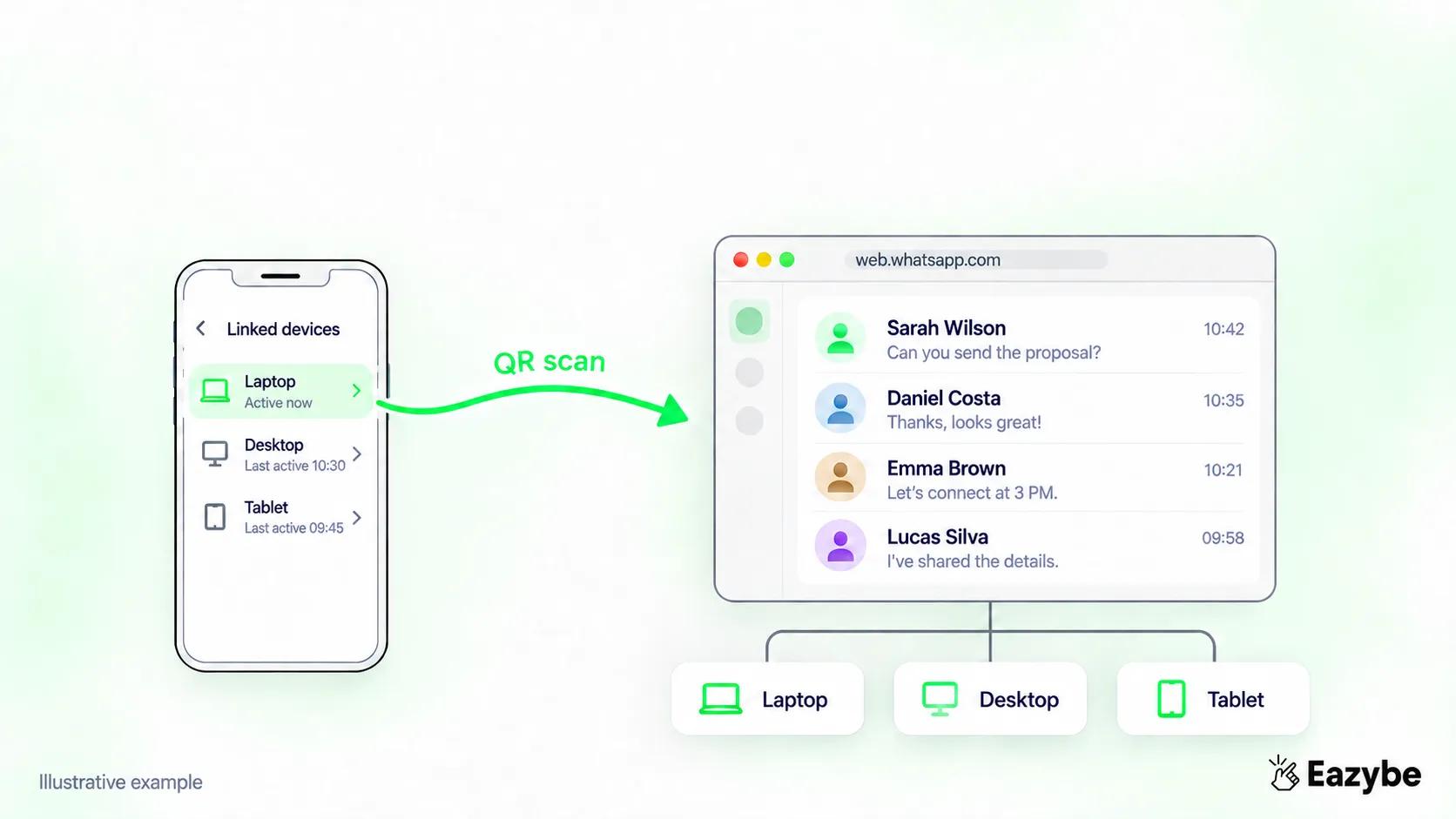
QR scan links your devices
Getting WhatsApp Business on your computer takes about a minute, and there are two routes: the browser or the desktop app.
WhatsApp Business Web Login With A QR Code
The browser route is the fastest and needs nothing installed:
- Open web.whatsapp.com in Chrome, Edge, Firefox or Safari.
- On your phone, open WhatsApp Business and go to Settings, then Linked Devices.
- Tap Link a Device.
- Point your phone camera at the WhatsApp Business web QR code on screen
- Your chats load in the browser.
That is the whole WhatsApp Business web login. If the QR code will not scan, refresh the page, since the code expires after a short time.
WhatsApp Business Web On Mac And Laptop
There is no difference between Mac and Windows here, because the browser does the work. WhatsApp Business web on Mac uses the same QR code flow as any laptop running Chrome.
The only thing worth checking on a laptop is whether your browser is set to clear cookies on exit. If it is, you will be rescanning the code every single morning.
The WhatsApp Business Desktop App: Download And Setup
If you would rather not keep a browser tab open, you can download WhatsApp Business for desktop as a native app from the Microsoft Store or the Mac App Store.
The WhatsApp Business desktop app behaves almost identically to the browser, with two small advantages: native notifications that survive a closed tab, and slightly faster performance on a machine with a lot of tabs open. Everything else is the same, including the limitations covered below.
WhatsApp Business Multi Device Rules
This is where most of the confusion sits, and the rules are simpler than the search results suggest.
The short version before the detail:
- Five devices in total: one primary phone plus four linked.
- One account and one number: linking never gives you a second number.
- The limit belongs to the account: not to each person on your team.
- The phone can be offline: linked devices sync on their own.
- Inactivity logs you out: a linked device left unused eventually drops off.
How Many Devices Can Use WhatsApp Web For Business
One primary phone plus four linked devices, which is five in total.
A linked device can be a laptop, a desktop, a tablet or a second phone through Companion Mode. All of them share the same account and the same number, so linking a device never gives you an extra number.
The important thing for a manager to understand is that the four device limit applies to the account, not to the team. Five reps do not get five devices each. Five reps share the same five slots.
Teams past that point need the API, which removes the device cap entirely. If you want to keep your existing number while doing it, WhatsApp coexistence runs the API alongside the app so nobody changes numbers.
WhatsApp Business Web Without Phone: What Actually Happens
Your phone does not need to be online for WhatsApp Web to work. Linked devices sync independently, so you can keep working with the phone switched off or out of battery.
Two conditions still apply:
- The phone must come online occasionally: leave a linked device unused for around fourteen days and it logs out.
- The phone is still the primary device: it registered the number, and unlinking everything starts from there.
So, WhatsApp Business web without the phone connected works fine day to day. It just is not fully independent of the phone forever.
WhatsApp Business Web Keyboard Shortcuts Worth Learning
Reps who live on this screen save real minutes with these. WhatsApp Business web keyboard shortcuts on Windows use Ctrl, and Mac uses Cmd:
- Ctrl or Cmd + N: start a new chat
- Ctrl or Cmd + Shift + ]: next chat
- Ctrl or Cmd + Shift + [: previous chat
- Ctrl or Cmd + Shift + U: mark as unread
- Ctrl or Cmd + Shift + M: mute the conversation
- Ctrl or Cmd + Shift + E: archive the chat
- Ctrl or Cmd + F: search inside the current chat
- Ctrl or Cmd + Shift + ?: show the full shortcut list
The two worth building a habit around are next chat and mark as unread, since together they let a rep triage an entire morning without touching the mouse.
What WhatsApp Web For Work Does Well
It would be unfair to spend a whole guide on limitations, because WhatsApp Web for work genuinely solves the thing it set out to solve:
- Typing speed: a keyboard beats a phone by a wide margin across a day of messages.
- File handling: dragging a quote or a brochure into a chat is instant.
- Copy and paste: pulling details from a CRM tab into a message takes seconds.
- Search: finding an old conversation is far easier on a big screen.
- Scheduling: sending at the right time rather than the moment you remember, which a scheduler handles properly.
For one person running their own conversations, this is genuinely enough. The problems start when there is more than one person.
What Eazybe AI Agents Do Inside WhatsApp Web
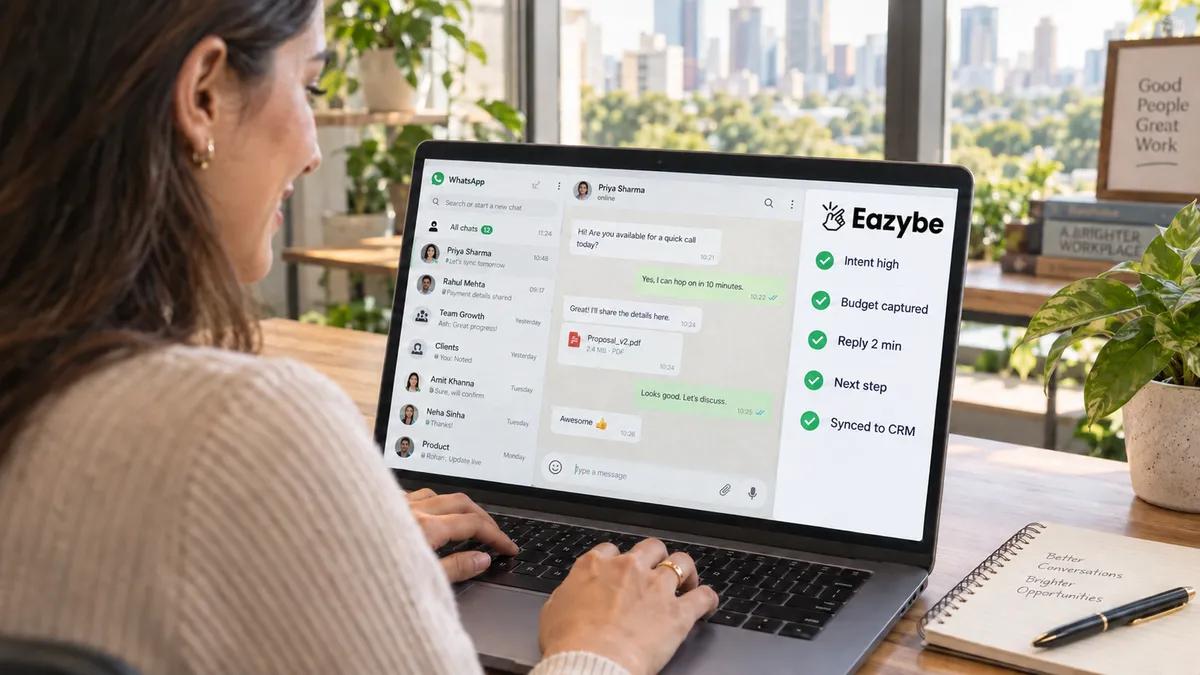
AI working inside chats
The team inbox and the labels solve the coordination problem. This part solves the one nobody talks about, which is that the information your business needs is spoken in the chat and never written down anywhere.
Eazybe AI agents run in a sidebar next to the conversation on the same WhatsApp Web screen. There is nothing to open, nothing to switch to, and nothing for a rep to remember at the end of the day.
How The Agents Work On A Chat
Four things happen while the rep is still typing:
- The thread is read as a whole: not message by message, so a pricing question in March and a setup question in May read as one story.
- Voice notes are transcribed: which matters because budgets and deadlines are usually spoken rather than typed.
- The contact is matched: to an existing CRM record, or a new one is created.
- The findings are written as properties: onto that record, in fields you can filter.
The Sales Intelligence Written To Every Contact
This is the layer that turns WhatsApp Web from a chat window into something you can report on. Every conversation produces three kinds of property:
- Analytics properties: who replied last, when, average reply time on that buyer, message counts each way.
- Engagement Intelligence properties: intent, objection, urgency, heartbeat, escalation, next step and the task that should exist.
- Industry properties: your own business fields filled from the buyer's words, such as budget and location for property or appointment type for a clinic.
The word to hold onto is property. A chat you can scroll is storage, and a property is a value you can sort five hundred contacts by before a meeting starts. The mechanics behind it are covered in WhatsApp sales intelligence.
What The Agents Change For A Rep
- The inbox sorts itself: by intent and urgency rather than by whichever chat buzzed last.
- Nothing gets retyped: the record fills from the conversation they were already having.
- Follow ups stop slipping: a promise made in a chat becomes a task with a date on it.
- Routine questions answer themselves: so the rep spends the day on the conversations that need a person.
What The Agents Change For A Manager
- Reply times are visible per rep: not on average, but this week and on the leads that mattered.
- Quiet deals surface early: a buyer whose reply time slipped from four hours to two days is flagged while there is still time.
- Objections become countable: the same concern across twenty deals turns into one positioning fix.
- Monday runs on data: the pipeline review starts from the record rather than from what people remember.
None of this asks a rep to work differently. They keep the same screen, the same number and the same habits, and the only change is that the day now leaves a record behind it.
WhatsApp Web Limitations For Business Teams
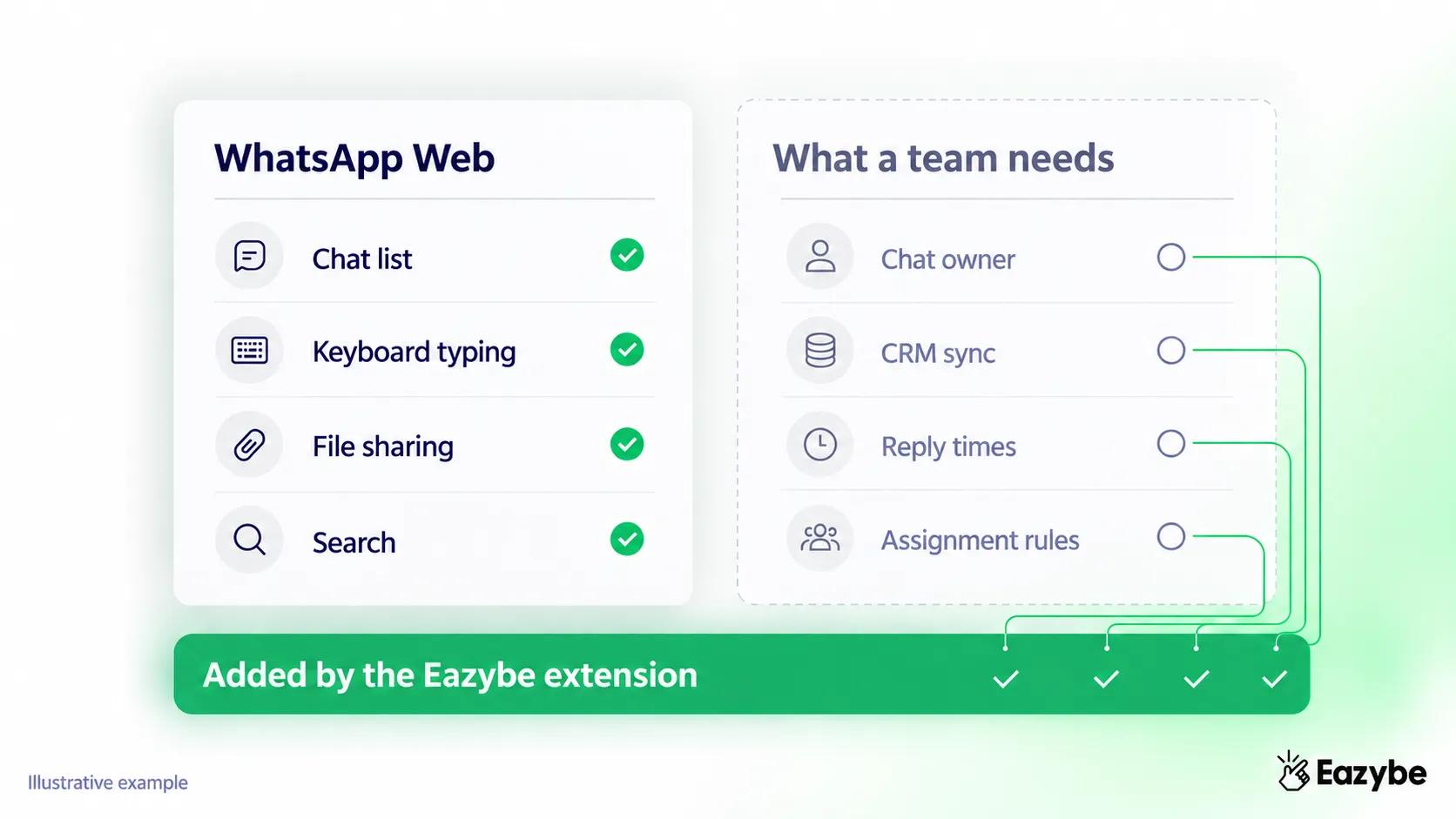
What teams actually need
Here is the turn. Everything above describes a better window onto one phone. None of it makes WhatsApp Web for teams a workable system, and three gaps explain why.
No Assignment On WhatsApp Web For Teams
Nothing in WhatsApp Web says who owns a conversation. Two reps see the same unread chat, both assume it is theirs or neither does, and the customer gets two replies or none.
There is no owner field, no way to route an incoming chat, and no record of who picked it up.
No CRM, So Nothing Reaches Your Records
Every conversation stays inside WhatsApp. The budget a buyer mentioned, the timeline they gave, the objection they raised, none of it reaches your CRM unless a rep stops selling and types it in.
That is the gap sales intelligence exists to close, by reading the conversation into fields rather than relying on anyone remembering.
No Visibility For Managers
A manager cannot see reply times, cannot see which deals went quiet, and cannot see which rep is drowning. The only available reporting method is asking people, and the answer you get is whatever they remember.
Can Two People Use WhatsApp Business Web At Once
Technically yes, and practically no.
Two people can link two separate devices to the same WhatsApp Business account and both will see the same inbox. WhatsApp Business web multiple users is possible in that narrow sense.
What you cannot do is work that way as a team:
- Both see everything, including conversations that have nothing to do with them.
- Neither knows what the other has answered, since there is no owner on a chat.
- A deleted chat disappears for everyone, because it is one shared account.
- You are capped at four linked devices, whatever the size of the team.
That is why teams past three or four people move to a WhatsApp team inbox rather than stretching linked devices further than they were designed to go.
A WhatsApp Web Extension For Sales Turns It Into A Team Tool
Here is the part that matters for a sales manager. You do not have to move your team off the screen they already use. A WhatsApp Web extension for sales adds the missing layer inside the same window.
Eazybe runs as a Chrome extension over WhatsApp Web, so reps keep the interface they know and the number their customers have already saved. Nothing migrates and there is no second app to open.
WhatsApp Web Team Inbox And Chat Assignment
Every conversation gets an owner, either assigned by a manager or routed automatically. The owner's name sits on the chat so nobody doubles up, and reassignment takes one click when somebody is out.
A team inbox also gives managers a view of what is unassigned, which is usually where the leaks are.
Labels And Funnels
Labels tag a conversation by stage or category, and funnels string those stages into a sequence you can track. Where WhatsApp Web gives you a flat list of chats, labels give you a pipeline you can filter.
Dynamic labels take it further by applying automatically from a CRM property, so a contact moving stage in your CRM shows up in WhatsApp without anyone tagging it.
Quick Replies
Reps answer the same eight questions every week. Quick replies turn those into saved responses a rep can drop in with a keystroke, which is where most of the time saving on this channel actually comes from.
WhatsApp Web CRM Integration
This is the one that changes the manager's job. A WhatsApp Web CRM integration writes the conversation into your records automatically, so the chat and the contact stay in step.
What lands there:
- The conversation itself, backed up against the right contact.
- Analytics properties such as reply time and who sent last.
- Engagement properties such as intent, objection and next step.
- Business fields filled from what the buyer actually said.
A HubSpot WhatsApp integration is the most common setup, with Zoho, Salesforce, Pipedrive and Bitrix24 working the same way.
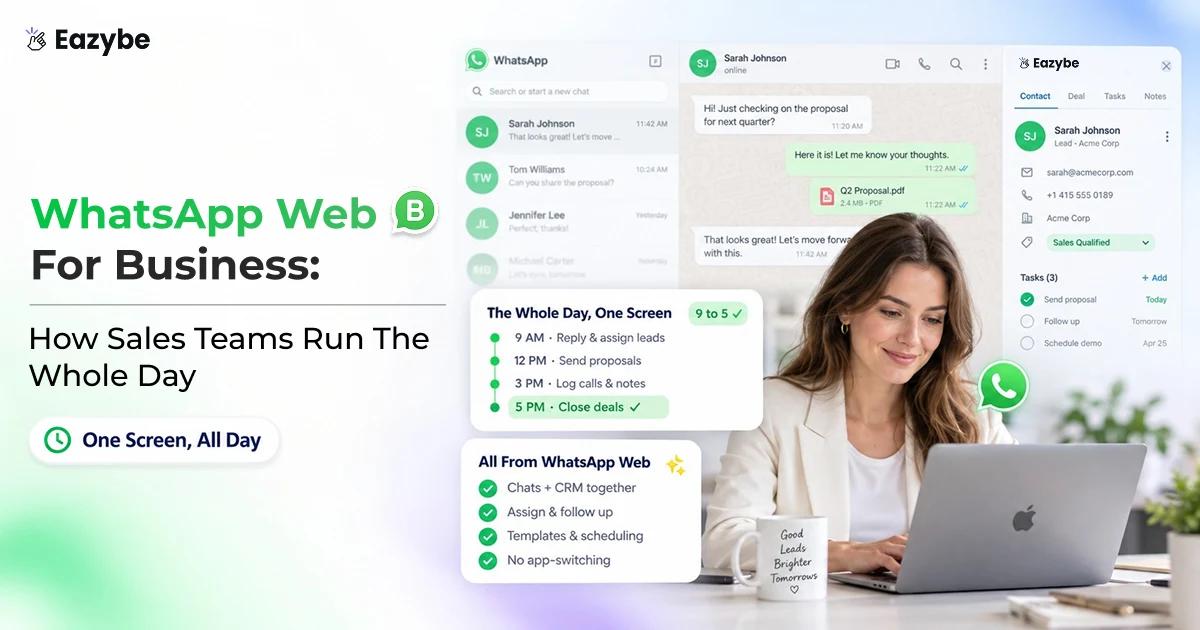
A Sales Team's Day On WhatsApp Web For Business

A full day, tracked
What this looks like in practice, hour by hour:
- Morning: a rep opens WhatsApp Web and sees only the chats assigned to them, sorted by urgency rather than by whichever buzzed last.
- Mid morning: new enquiries arrive and route to whoever is free, with no manager needed to distribute them.
- Through the day: quick replies handle the repeat questions, and the properties fill themselves as conversations happen.
- Afternoon: a manager checks unassigned chats and reply times without asking anyone anything, which is what rep radar is for.
- End of day: the CRM already reflects the day, so nobody stays late doing data entry.
Same screen, same habits, same number. The only thing that changed is that the work now leaves a record.
Honest Limits Of WhatsApp Web For Business
Adding a layer on top fixes the team problem, and it does not remove every constraint. Four worth knowing before you set it up:
- The extension needs Chrome: it runs over WhatsApp Web, so a rep on Safari would need to switch browsers.
- Four linked devices is still four: the device cap is Meta's and only the API removes it.
- A quiet thread gives little to read: short conversations produce thin properties, however good the AI is.
- Assignment needs a rule: routing only works if somebody decides how chats should be distributed.
Final Verdict: WhatsApp Web For Business
WhatsApp Web for business is a very good window onto one phone. It types faster, searches better and handles files properly, which is exactly why your reps never close the tab.
What it was never built to be is a system for a team. There is no owner on a chat, no record in your CRM and no way for a manager to see the week without asking about it.
Adding that layer inside the same screen is far easier than moving everybody somewhere new and it is the difference between a shared inbox and five people guessing.