

Most Malaysian businesses do not decide to get the WhatsApp Business API. They run out of road on the Business app and start looking.
The pattern is always the same. One number, three or four salespeople sharing it, nobody sure who answered what and no record of any of it anywhere. Eazybe AI agents sit on that same number, reply, qualify and write every conversation into your CRM on their own. This blog covers what a WhatsApp API provider in Malaysia actually does, what the good ones cost, how to get set up, and where the whole thing still falls short.
What Is A WhatsApp API Provider In Malaysia?
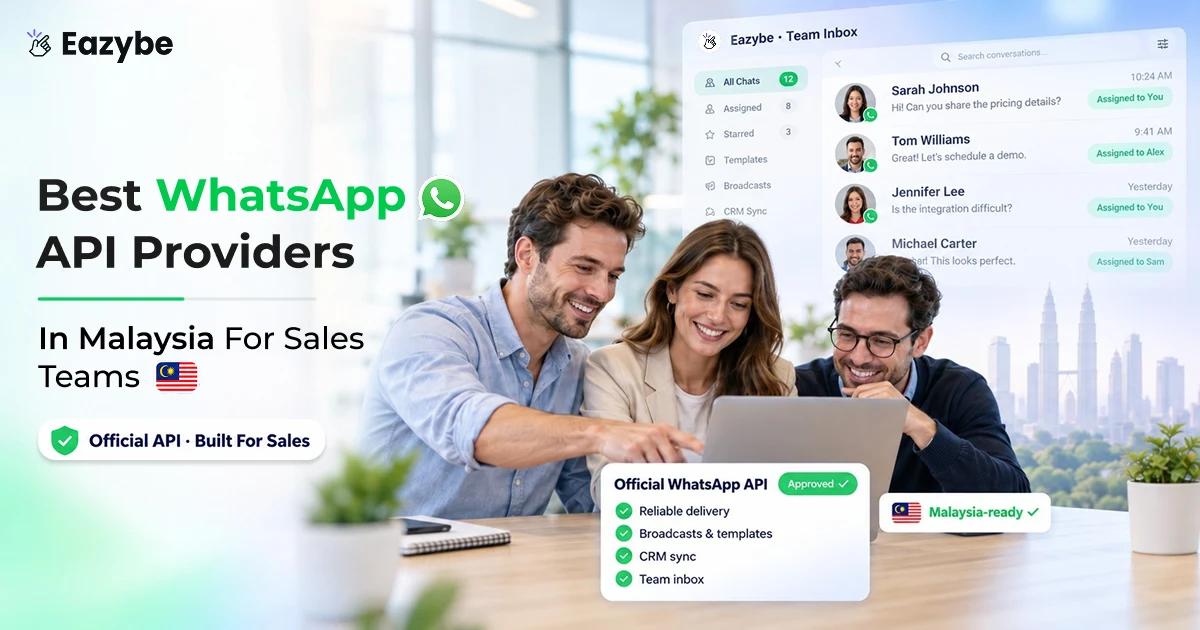
A WhatsApp API provider is a company Meta has approved to sell you access to the WhatsApp Business Platform. You cannot sign up with Meta directly and start sending, so every business using the API in Malaysia is going through somebody.
What the provider gives you:
- The connection to Meta: including your WhatsApp Business Account and phone number registration.
- An interface to work in: since the raw API is code and most teams are not going to build on it.
- Template submission: getting your message templates through Meta’s approval.
- Billing: usually their own fee stacked on Meta’s per conversation charge.
- Support: which varies enormously and matters more than anyone expects.
Some providers are full Business Solution Providers with direct Meta access. Others are resellers sitting on top of one. Both can work, but it changes who you talk to when something breaks. The full picture of what the platform does sits in our WhatsApp API guide.
WhatsApp Business App vs WhatsApp Business API In Malaysia
Half the confusion in this market is people weighing up two products that were never meant to do the same job:
1. WhatsApp Business App
Free, takes two minutes to install, and honestly good enough if you are running things on your own. Business profile, catalogue labels and quick replies. It all works.
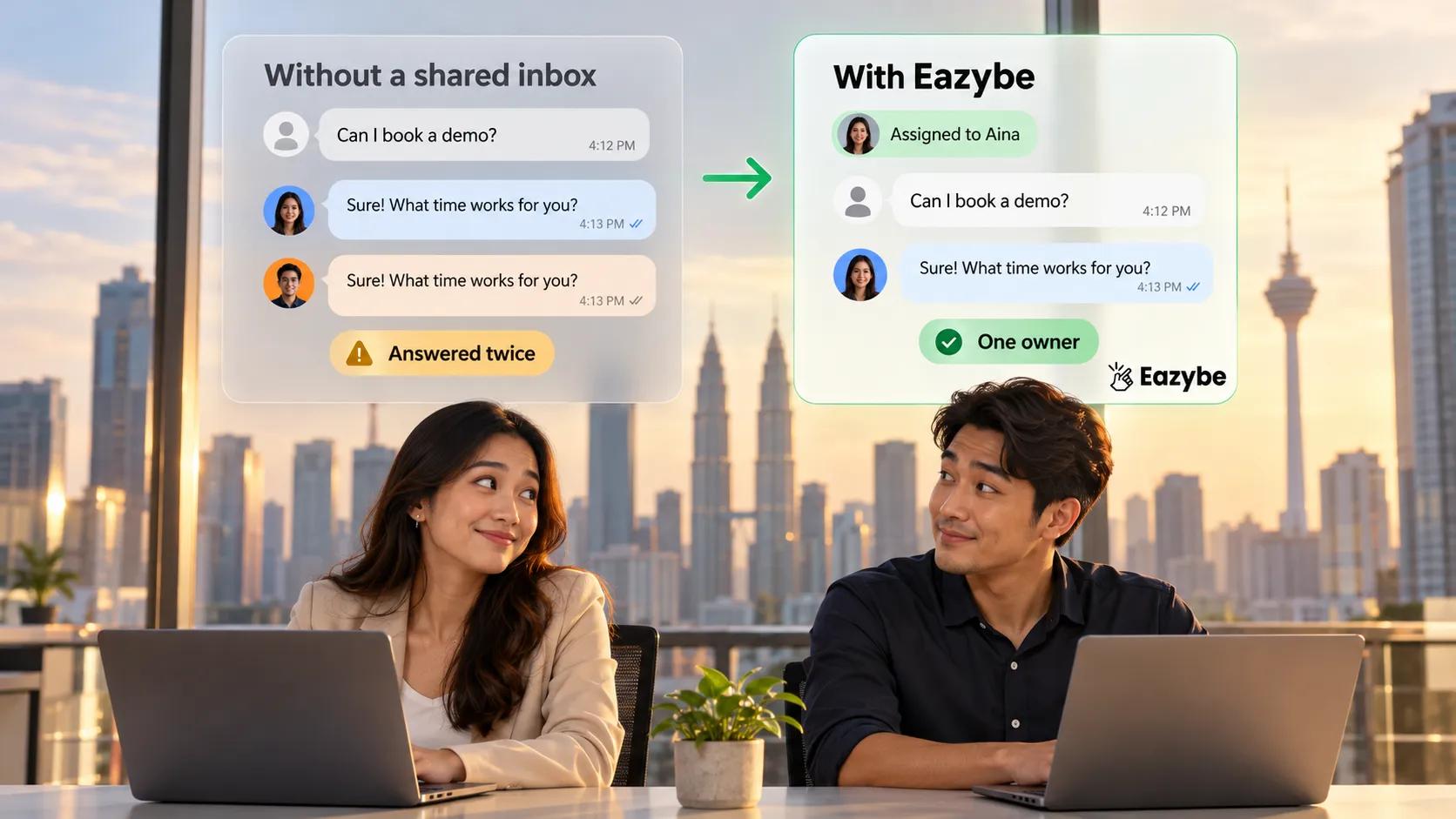
The trouble starts the day somebody else needs the number. The app lives on one phone with a few linked devices and it has no idea who is meant to be handling which chat. Two people answer the same customer or nobody does.
Good for solo seller small F&B outlets and anyone under roughly 500 contacts.
2. WhatsApp Business API
Made for a team working off one number. Each chat has an owner, so nobody doubles up or assumes someone else replied. Templates let you message first instead of sitting there waiting. And none of it vanishes when a phone does.
The catch is that you pay for it, it takes a few days to set up rather than a few minutes, and Meta wants to verify your business before you send anything at all.
Good for: any team where more than two people deal with customers.
3. Where Most Malaysian SMEs Actually Sit
Right in the middle, and stuck. The app has obviously stopped working for them. The API sounds like a developer and a fortnight nobody has.
WhatsApp Coexistence is the way across. Same number, same chats and team features added. You do not have to tell three thousand customers to save a new number, and that is usually what stops businesses moving in the first place.
Why Malaysian Sales Teams Outgrow The Business App
One owner per chat
Nothing breaks loudly. It just gets quietly worse until somebody notices revenue going missing.
Six signs you have already outgrown it:
- Two people reply to the same customer, because neither could tell the other had seen it.
- A lead goes three days without an answer and nobody finds out until they buy elsewhere.
- Your best salesperson leaves and the conversations leave with the phone.
- Nobody can tell you response times, because the data does not exist.
- Follow ups depend on memory, which means they depend on who is having a good week.
- The CRM is empty or filled in once a week from somebody’s recollection of Tuesday.
That last one is the expensive one. Conversations happen in WhatsApp, records live in the CRM, and the gap between them is where deals disappear. A proper WhatsApp CRM setup closes it by writing the conversation into the record as it happens.
What Makes An Official WhatsApp Business API Provider
Plenty of companies sell WhatsApp API access without having any direct line to Meta. Worth knowing which kind you are talking to before you sign.
- A Business Solution Provider deals with Meta directly. They have their own support channel in, so a rejected template or a stuck verification usually gets sorted faster.
- A reseller buys from a BSP and sells it on. Often cheaper and often perfectly fine, right up until something breaks and your problem has to pass through two companies before anyone at Meta sees it.
How to check before you sign:
- Ask outright whether they are a BSP or reselling, and whose infrastructure your number sits on.
- Check Meta’s partner directory rather than taking the website’s word for it.
- Ask who owns the WhatsApp Business Account, because if it is in their name rather than yours, moving later is painful.
That last point catches a surprising number of businesses. Your WABA should be yours. Template approval runs through whichever provider you pick, and how that works is covered on our WhatsApp templates page.
WhatsApp Business API Pricing In Malaysia
What you actually pay
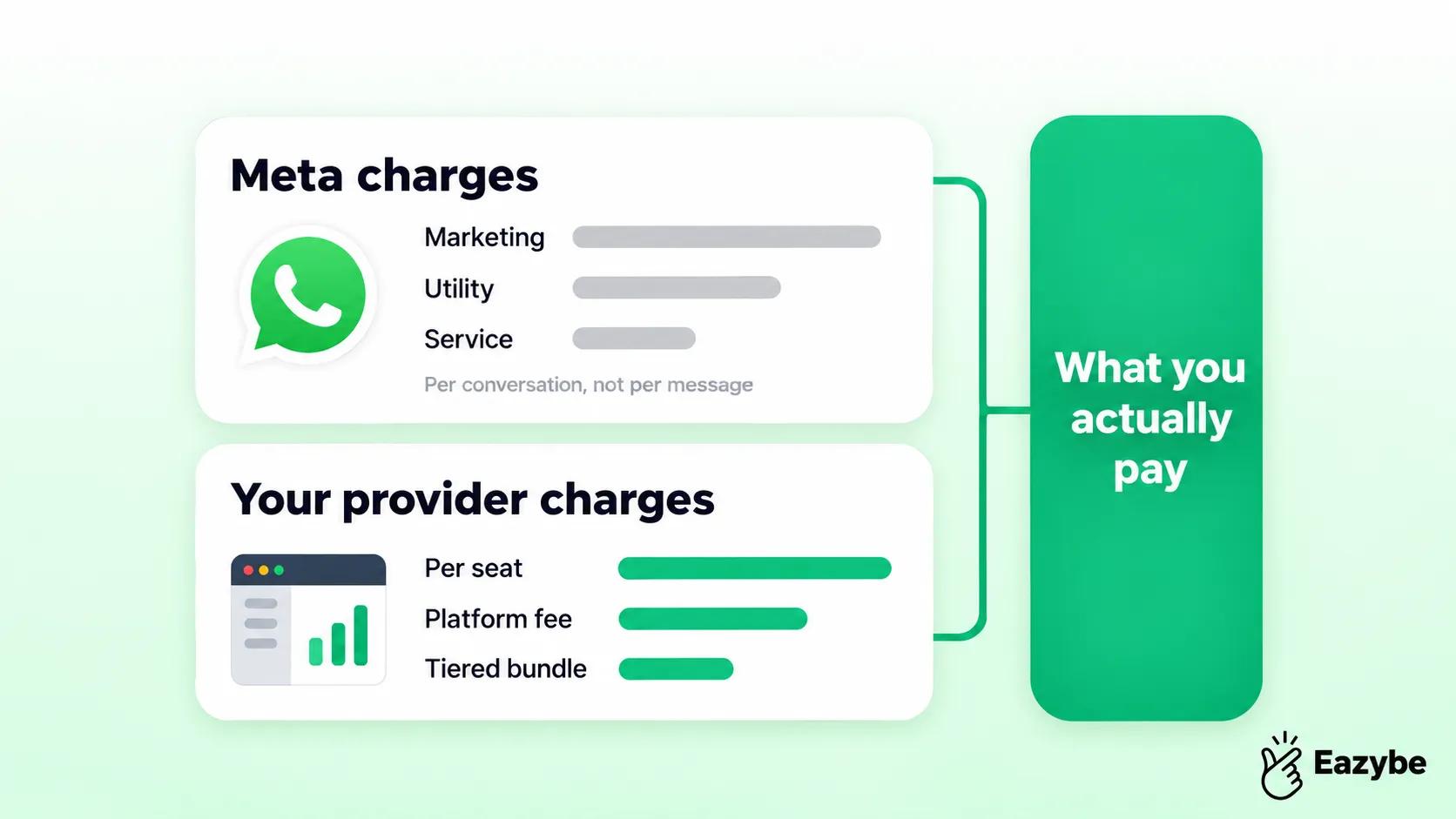
This is where most comparisons fall apart, because providers quote one layer and bill you for two.
1. What Meta Charges
Meta bills per conversation, not per message, and the rate depends on the category. Marketing conversations cost the most, utility and authentication less, and service conversations less again. Rates are set per country, so Malaysia has its own figures, and Meta has been changing the structure through 2026.
Check Meta’s current Malaysia rate card directly rather than trusting a provider’s blog, including ours. These numbers move.
2. What The Provider Charges
On top of Meta, each provider adds their own fee. Three common shapes:
- Per seat monthly: Easiest to forecast, which is how Eazybe prices at nine dollars per seat on Starter. Eighteen on Scaler and twenty seven on Basic AI with annual billing.
- Platform fee plus markup on conversations: Where the markup is sometimes buried.
- Tiered bundles: With a conversation allowance, fine until you cross the tier
3. The Costs Nobody Quotes You
- Setup and onboarding: charged by some providers and absorbed by others.
- Template design: if you need help getting them through approval.
- Failed and undelivered messages: which some models still count.
- Integration work: the big one, if the provider has no native CRM connection and you need a developer.
Ask any provider for the total cost of a thousand completed conversations at your volume. It is the only figure that compares fairly. Eazybe’s own tiers are on the pricing page.
Quick Comparison: Setup, Cost And What You Get
| Factor | Business App | Bulk Sender Tools | WhatsApp Business API |
|---|---|---|---|
| Cost | Free | Roughly $20 to $100 a month | Per conversation plus platform fee |
| Users on one number | One device, limited linked | One | Whole team |
| Message unsaved contacts | No | Yes, unsafely | Yes, with templates |
| Ban risk | Low | High | None if used correctly |
| CRM sync | None | Rare | Depends entirely on provider |
| Setup time | Minutes | Minutes | Days to two weeks |
| Best for | Solo sellers | Testing scale | Teams that have outgrown both |
The short version: if you are one person, stay on the app. If you are a team, the API is the only option that does not eventually cost you a number or a customer.
Running a sales team on one WhatsApp number? Eazybe connects it to your CRM and puts AI agents on the replies. Start free, no card needed.
How To Get Started With WhatsApp API Provider In Malaysia
Five steps. Allow a week, not a quarter:
1. Set Up Business Manager And Get Verified
You need a Meta Business Manager account and business verification. Have your company registration documents ready, since Meta asks for proof the business exists. This is the step most likely to take longer than expected.
2. Pick Your Provider
Decide this before verification rather than after, because your provider usually walks you through it. The question that matters most is whether they connect natively to whatever CRM you already run.
3. Register Your Number
Either a new number or your existing one through Coexistence. For most Malaysian SMEs the existing number is the right call, because customers already have it saved and a new line gets ignored.
4. Submit Your Templates
Every message you send to someone who has not messaged you first need an approved template. Submit them in every language you serve, since approval is per language. Get these in early, because rejections cost days.
5. Connect The CRM And Run A Small Campaign
Connect before your first send, not after. Then run something small, fifty contacts rather than five thousand, and watch what lands where. Broadcast handles the sending and Scheduler handles the timing.
Also Read: How To Integrate WhatsApp With CRM
Serving Customers In Bahasa Malaysia, English, Mandarin And Tamil
Four languages, one agent
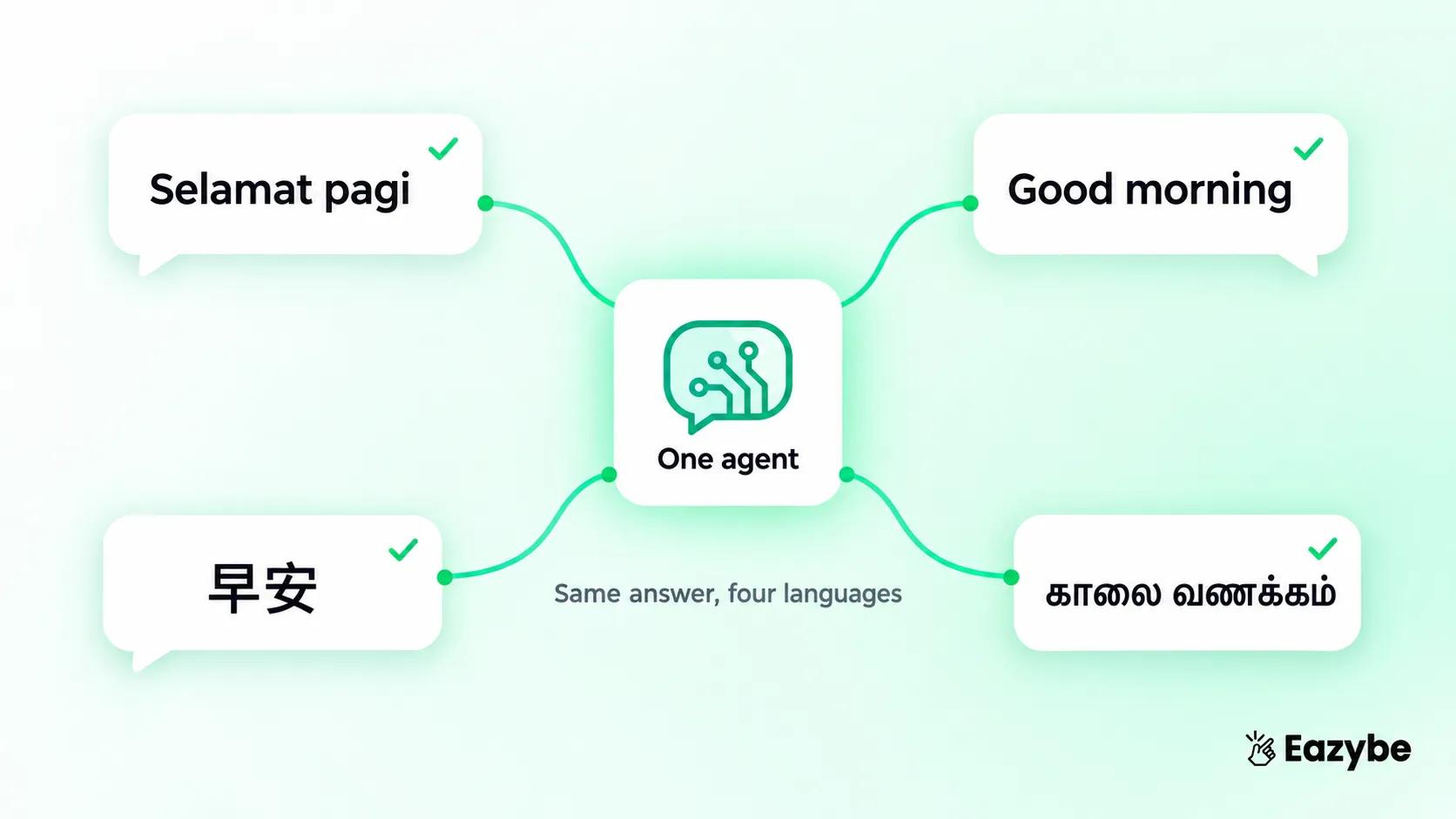
Malaysia is the market where multilingual support stops being a nice feature and becomes the whole job.
What it means practically:
- Templates need approval per language: One approved English template does not cover the Bahasa Malaysia version. And teams discover this when a campaign stalls
- Your team probably covers two languages, not four: So the gap gets filled by whoever happens to be in.
- Customers switch mid conversation: Often between English and Bahasa Malaysia in the same thread.
- Tone differs by language: And a direct translation frequently lands wrong
This is where AI agents earn their place, since one agent handles all four without a hiring round. How that works on the sales side is covered in our AI sales agent guide.
WhatsApp Business API Provider Integration With Your CRM
Chats become CRM records
Here is the gap in every other Malaysia provider page. They all explain messaging. Almost none of them explain what happens to the conversation afterwards.
Without CRM sync, this is your week. Your team has four hundred conversations. The outcomes live in the messaging platform. Your CRM still shows most of those contacts as untouched, and somebody calls a lead who bought on Tuesday.
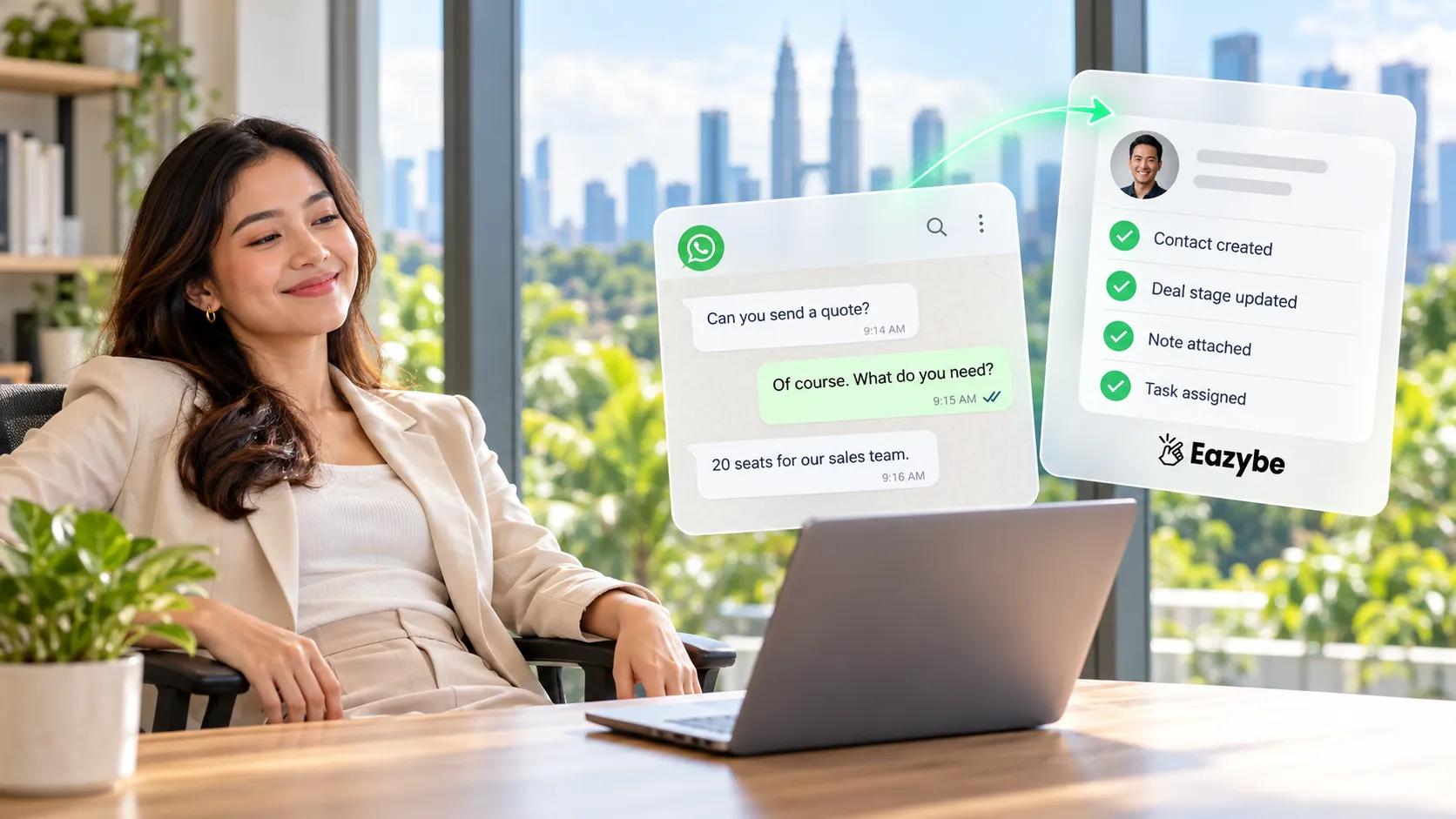
With it:
- Contacts create themselves from new conversations rather than being typed in.
- The conversation is attached to the record and stays searchable months later.
- Deal stages move as conversations progress.
- Follow up tasks get assigned without anyone remembering to.
- Reporting covers messaging and pipeline in one place instead of two.
Eazybe syncs two ways with HubSpot WhatsApp integration, Zoho, Salesforce, Pipedrive, Bitrix24, LeadSquared, Freshworks and Google Sheets.
For teams on Zoho, the Zoho WhatsApp integration covers Leads, Contacts, Deals and Notes.
And the Salesforce WhatsApp integration does the same across Salesforce objects.
WhatsApp API Provider Use Cases That Convert In Malaysia
Five that pay for themselves:
- E-commerce order updates and cart recovery : Where is my parcel is the most common message any online seller gets, and answering it automatically saves hours. For abandoned carts, send within half an hour. After that the moment is gone.
- F&B bookings and orders : Tables, catering quotes, order confirmations. Malaysian restaurants already do this on WhatsApp. Usually on somebody’s personal phone, which works until that person has a day off.
- Clinic and salon reminders: Confirm the day before and let them move the time right there. Give someone only the option to cancel and that is what they will do.
- Education enrollment and fee reminders : Parents take months to decide. The school that stays in touch without nagging is the one that gets the enrollment.
- Property enquiries: New listings, viewing times and the buyer who went quiet three weeks ago. Revenue Inbox is what tells you they went quiet.
Wording you can copy for all of these is in our WhatsApp message templates collection.
Mistakes That Cost WhatsApp API Providers Malaysian Businesses Money
- Buying a contact list: Fastest route to a blocked number, and no provider will save you. People who never opted in report and block at rates that flag you within days
- Submitting templates late: Teams get verified, get excited, and then wait four days for approval before the first campaign goes out
- Running English only: In this market that is a decision to serve part of your audience properly and the rest badly
- Choosing a provider with no CRM connection: You will pay a developer later, and the quote will be more than the subscription
- No opt out: Both a compliance problem and a quality problem, since WhatsApp watches how people react to you
What gets numbers restricted and how to avoid it is covered in will WhatsApp ban my number for marketing.
Also Read: Best WhatsApp Business API Provider In Dubai, UAE For Sales Teams
What To Ask A WhatsApp API Providers Before Signing
Seven questions. The answers tell you more than the feature page:
- Are you a BSP or a reseller and whose infrastructure is my number on?
- Who owns the WhatsApp Business Account, me or you?
- Does it write to my CRM natively, or does that need a developer?
- What is the total cost of a thousand conversations at my volume?
- How does template approval work and do you help with rejections?
- What support do I get in Malaysian hours, and through which channel?
- What happens if I leave, meaning can I take my number and history?
The last one is worth pushing on. Providers rarely volunteer the exit path.
Where WhatsApp API Providers In Malaysia Falls Short
Worth being straight about, because the API is not the answer to everything:
- It does not fix a weak offer: Messaging faster just gets you to no sooner
- Templates are restrictive: Every proactive message needs approval, and Meta rejects things for reasons that are not always obvious
- Costs scale with volume: Unlike a flat software fee, a busy month costs more
- Setup is genuinely a week: If you need something running tomorrow, this is not it
- Small operations do not need it: If you are one person with 200 customers, the Business app is the correct answer and the API is overhead
How Eazybe Works For Malaysian Sales Teams
Eazybe is built for teams who already run a CRM and sell on WhatsApp, which describes a great many Malaysian SMEs.
Your existing number stays your number through Coexistence, so the customers who already have it saved keep reaching you on it.
The AI agents that do the work:
- Lead Qualification Agent, which answers new enquiries round the clock, works out what they want and routes them.
- CRM Sync Agent, which writes every conversation into the record so nobody types up the day at six o’clock.
- Customer Success Agent, handling the repeat questions in whichever language the customer used.
- Revenue Agent, flagging the deals that went quiet and never got followed up.
- Agent Builder, for the jobs specific to your business.
Alongside them, Rep Radar shows who is responding and how fast, Quick Reply stops your team retyping the same four answers and Cloud Backup means the history does not leave when a phone does.
Final Thoughts: Choosing A WhatsApp API Providers That Fits Your Stage
There is no single best WhatsApp API provider in Malaysia, only the right one for where you are.
If you are one person with a few hundred customers, stay on the Business app and spend the money elsewhere. If you are a team of three or more sharing a number, you have already passed the point where the app is costing you more than the API would.
And if you run a CRM, make native sync the first filter rather than the last. Every provider can send messages. The difference between them is what happens to the conversation afterwards, and that is the part that either fills your pipeline or leaves it empty.
So the move is simple work out your real monthly conversation volume, ask three providers what that costs in total, and ask all three whether it reaches your CRM without a developer. The answers will narrow it to one fairly quickly.
See it on your own number. Eazybe keeps the number you have, connects it to your CRM, and puts AI agents on the replies. Start free with no card, or book a demo.