

Your best rep has four years of customer relationships on one phone number. Most guides tell you to migrate that number to the WhatsApp Business API and wait for verification. Which suits a marketing team and not a sales team.
You do not have to. Two of the three methods below need no API and no number change and Eazybe's AI agents qualify and log every chat by themselves while reps keep working as normal. This guide covers all three routes, the setup for Zoho, HubSpot and Salesforce and what actually syncs once you connect.
What Is WhatsApp CRM Integration?
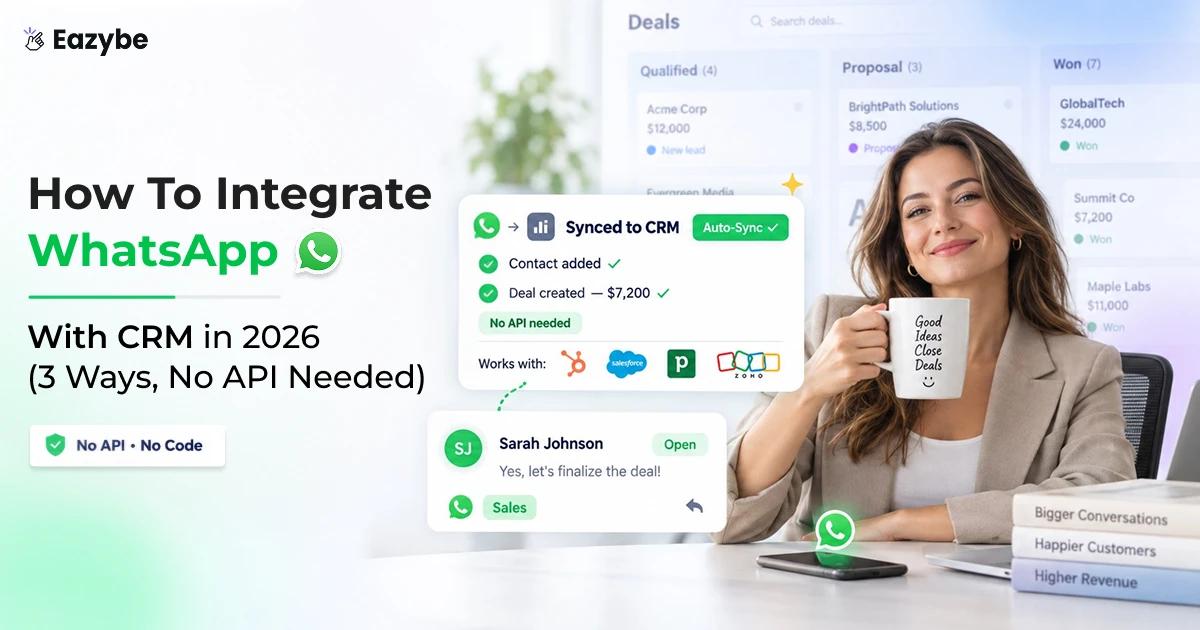
WhatsApp CRM integration connects WhatsApp to your CRM, so every chat and contact is saved against the right customer record automatically instead of sitting on one rep's phone.
There are three ways to do it:
- Chrome extension: syncs chats to your CRM with no API and no number change, best for sales teams.
- Business API through a BSP: adds broadcasting and automation, but the number must be migrated.
- Coexistence: runs the API alongside the app, so reps keep their own numbers.
One question decides it: will your reps give up their personal numbers? If not, two of the three are already out.
Can You Integrate WhatsApp With CRM Without The Business API?
Yes. Two of the three methods here need no API at all and the third uses it without taking the number off the rep.
The confusion is easy to explain. Most WhatsApp platforms are built for broadcasting and broadcasting really does need the API, so their guides present it as the only way in. For campaigns, that is correct.
Logging chats into a CRM is a different job. If a rep is already working in WhatsApp Web, a connector can read that conversation and write it into the CRM without a single message touching the API.
If you want broadcasting and templates later, the WhatsApp API overview covers what it unlocks and what it costs.
3 Ways To Integrate WhatsApp With CRM: Quick Comparison
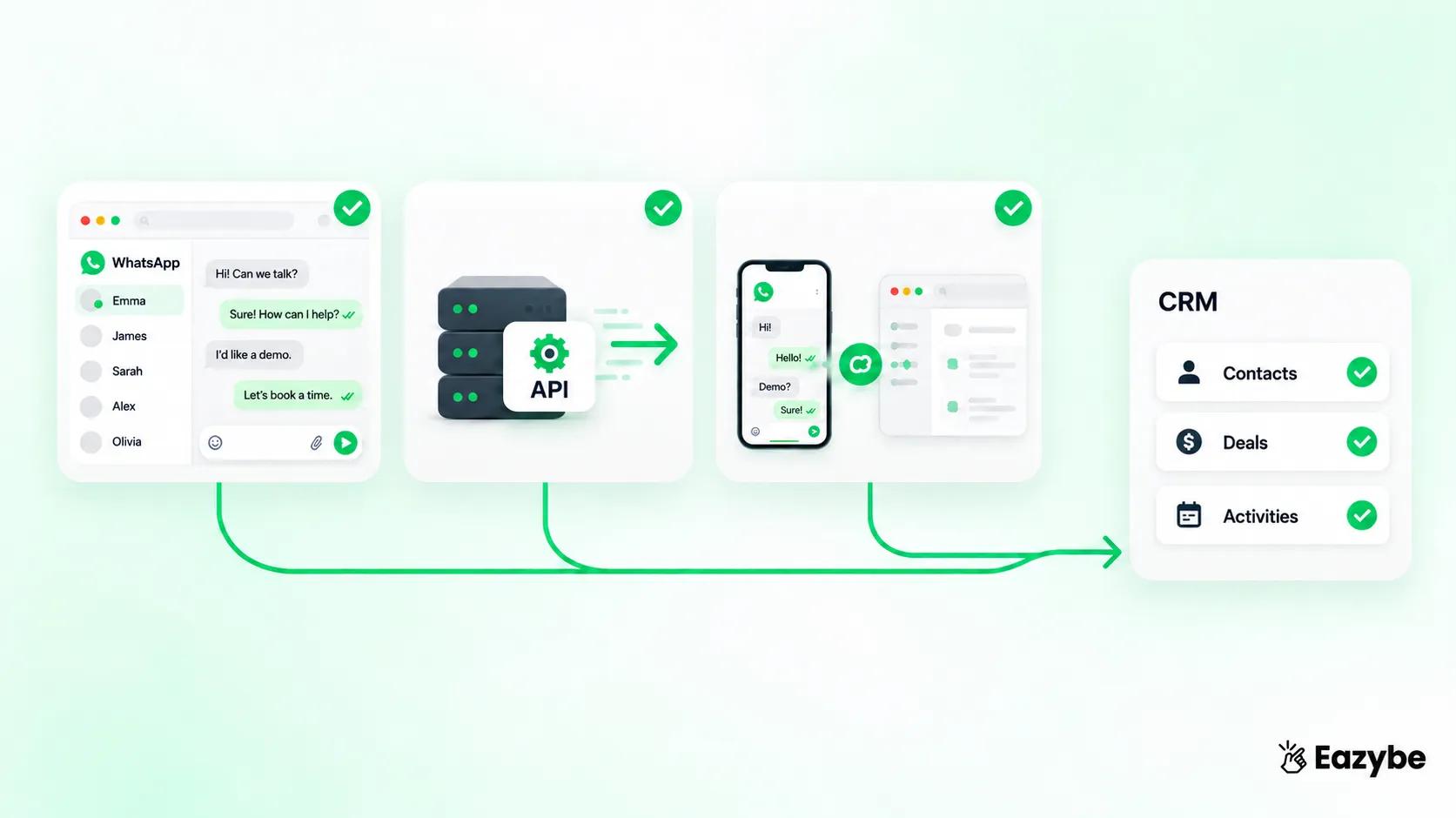
Three integration paths compared
The three routes differ on one thing above all, which is whether your reps keep their own numbers. Everything else follows from that.
| Features | Chrome Extension | Business API | Coexistence |
|---|---|---|---|
| Setup time | Minutes | Days | Days |
| Number change | No | Yes No | Number change No Yes No |
| Reps keep own numbers | Yes | No | Yes |
| Broadcasting | Limited | Full | Full |
| CRM sync | Two way | Depends on platform | Two way |
| Cost | Per user | Platform fee plus Meta charges | Platform fee plus Meta charges |
| Best for | Sales teams | Marketing and support | Sales teams wanting both |
Method 1: Chrome Extension On WhatsApp Web, No API Needed
This is the fastest route and the one most sales teams end up on. The rep carries on using WhatsApp Web exactly as before and a connector sits alongside the chat window syncing everything into the CRM.
- Install the extension in Chrome.
- Sign in and connect your CRM in the integration settings.
- Open WhatsApp Web and the CRM panel appears beside the chat.
- Contacts, messages and notes start syncing straight away.
- No number migration, no verification wait, no template approval.
It suits teams where reps already sell on their own numbers and nobody wants to disturb that. Where it stops is bulk sending, since compliant broadcasting at scale needs the API.
Setting reps up properly on the desktop is covered in WhatsApp Web for business.
Method 2: WhatsApp Business API Through A BSP
The API is the official route, provisioned through a Meta approved BSP and it is what you need for real broadcasting and automation.
- Choose a BSP and complete Meta business verification.
- Migrate a number onto the API, which then leaves the regular app.
- Get message templates approved before sending.
- Connect your CRM through the BSP's platform.
- Pay a platform fee plus Meta's per conversation charge.
This works well for marketing and support teams sending high volume. It works badly when your reps have years of relationships sitting on personal numbers, because those numbers cannot be used in the app once migrated.
What the two billing layers actually add up to is broken down in the WhatsApp Business API pricing guide.
Method 3: Coexistence, The API Without Changing Your Number
Coexistence is the newest option and the one that solves the problem the other two leave open. The API runs alongside the WhatsApp Business app on the same number. So, reps keep chatting as normal while the business gets API capability:
- Reps keep the numbers customers already have saved.
- Chats sync to the CRM from the same number.
- Broadcasting and automation become available.
- Contacts and chat history carry across when you enable it.
- Availability varies by country, so confirm yours before planning around it.
For teams who were stuck choosing between keeping their reps happy and getting proper visibility, this removes the trade off.
The setup steps and current limitations are in the WhatsApp Coexistence guide.
WhatsApp CRM Integration Step By Step
Whichever route you choose, the sequence is the same:
- Pick your method using the comparison table above.
- Choose a connector and check it supports your CRM natively.
- Install the extension, or complete Meta verification for the API route.
- Connect your CRM and authorise the permissions it asks for.
- Map your fields, deciding what becomes a contact, a deal and a note.
- Open a chat and confirm it appears in the CRM before rolling out to the team.
That last step matters more than it sounds. Roll out to twenty reps before testing the mapping and you will spend a week cleaning up duplicate contacts.
How To Integrate WhatsApp With Zoho CRM
Zoho is the most common CRM among small sales teams and the no API route works fully with it:
- Install the connector and open your Zoho integration settings.
- Authorise the connection with your Zoho account.
- Open WhatsApp Web and select any chat.
- Link an existing Zoho contact, or create a new one from the chat.
- Messages, notes and tasks then sync both ways.
Once connected you can see the Zoho record beside the conversation, so reps stop switching tabs to check who they are talking to.
Full setup instructions are on the Zoho WhatsApp integration page.
How To Integrate WhatsApp With HubSpot Free
HubSpot's free tier covers more than most people expect and contact sync works on it:
- Contacts and conversation logging work on the free plan.
- Deals sync on free, with pipeline limits.
- Tickets and workflow automation need a paid tier.
- Custom properties depend on your HubSpot plan.
So a small team can genuinely start at zero CRM cost and only pay for the connector. If you outgrow the free tier later, nothing about the WhatsApp connection changes.
The step by step is on the HubSpot WhatsApp integration page.
How To Connect WhatsApp To Salesforce
Salesforce takes more setup than the others, mostly because of how permissions work:
- You will usually need an admin to authorise the connection.
- Decide whether chats map to Leads, Contacts or both.
- Confirm which objects accept the activity logging.
- Check your org's field level security before mapping anything custom.
The payoff is that once mapped, every WhatsApp conversation becomes a logged activity against the record, which is what most Salesforce teams are missing today.
Requirements and object mapping are covered on the Salesforce WhatsApp integration page.
Pipedrive, Bitrix24, LeadSquared And Google Sheets
- Pipedrive maps chats to deals rather than contacts, which suits teams that think in pipeline stages.
- Bitrix24 handles both contacts and leads and is common among larger operations running multiple divisions.
- LeadSquared is strong in education and real estate, where lead volume is high and speed of first response decides everything.
- Google Sheets is the option for teams with no CRM yet. Chats log into a sheet automatically, which gives you a searchable record and a starting point before committing to a CRM.
The full list with setup guides sits on the integrations page.
How To Sync WhatsApp Chats With CRM Automatically
This is where most integrations quietly disappoint, because connecting is easy and syncing properly is not. Ask any provider exactly what arrives on the CRM side:
- Contacts: created automatically from new chats, or linked to existing records
- Messages: logged as activities or notes against the record
- Attachments: images and PDFs should attach to the record, not just be mentioned
- Voice notes: many tools drop these entirely, which loses real content
- Old history: some tools backfill previous chats, others start from today only
- Direction: two way means CRM updates appear in the chat panel too, not just chat data flowing out
That last point separates a real integration from a one way log. If the rep has to open the CRM to update anything, the sync is only doing half the job.
Backup WhatsApp Conversations To Your CRM
The business case here is simple. If conversations live only on a rep's phone, the business does not own its own customer relationships:
- Every chat stored against the CRM record, not the handset.
- Full history available when a rep resigns or moves territory.
- Searchable months later when a dispute comes up.
- Nothing lost when someone changes phone or loses one.
Teams usually discover this the hard way, in the week after a good rep leaves and takes three years of context with them.
How the stored history works is explained on the cloud backup page.
Track Sales Team WhatsApp Conversations In Your CRM

Track WhatsApp conversations CRM
Once chats sync, a manager can finally answer questions that used to need a meeting:
- Who replied to each lead and how quickly.
- Which conversations are still unanswered right now.
- How many chats each rep is actually handling.
- Which stage every conversation sits at in the pipeline.
- Which chat generated the deal that closed.
You can also send WhatsApp messages from inside the CRM, so a rep working a list does not have to switch applications to follow up.
Which of these numbers are worth reviewing weekly is set out in WhatsApp sales performance analytics.
WhatsApp Sales Intelligence: What Your CRM Sees Once Chats Sync
Connecting WhatsApp to a CRM gives you records. Sales intelligence is what you do with them and this is where most integrations stop short:
- Response times by rep: who replies in ten minutes and who takes two days, tracked automatically rather than self reported.
- Unanswered chats right now: every conversation still waiting, visible before it becomes a lost deal.
- Deals that have gone quiet: leads with no reply for a set number of days, surfaced instead of forgotten.
- Labels that update themselves: AI reads the conversation and moves the stage without a rep touching anything.
- Pipeline by conversation: every deal mapped to the chat that created it.
- Attribution that holds up: which WhatsApp conversation actually produced the closed revenue.
That last point is the one managers ask for and almost never get. Most tools can tell you how many messages went out, but very few can tell you which chat turned into money.
How this looks day to day is shown on the Rep Radar page.
What Happens To Your WhatsApp Leads When A Rep Resigns
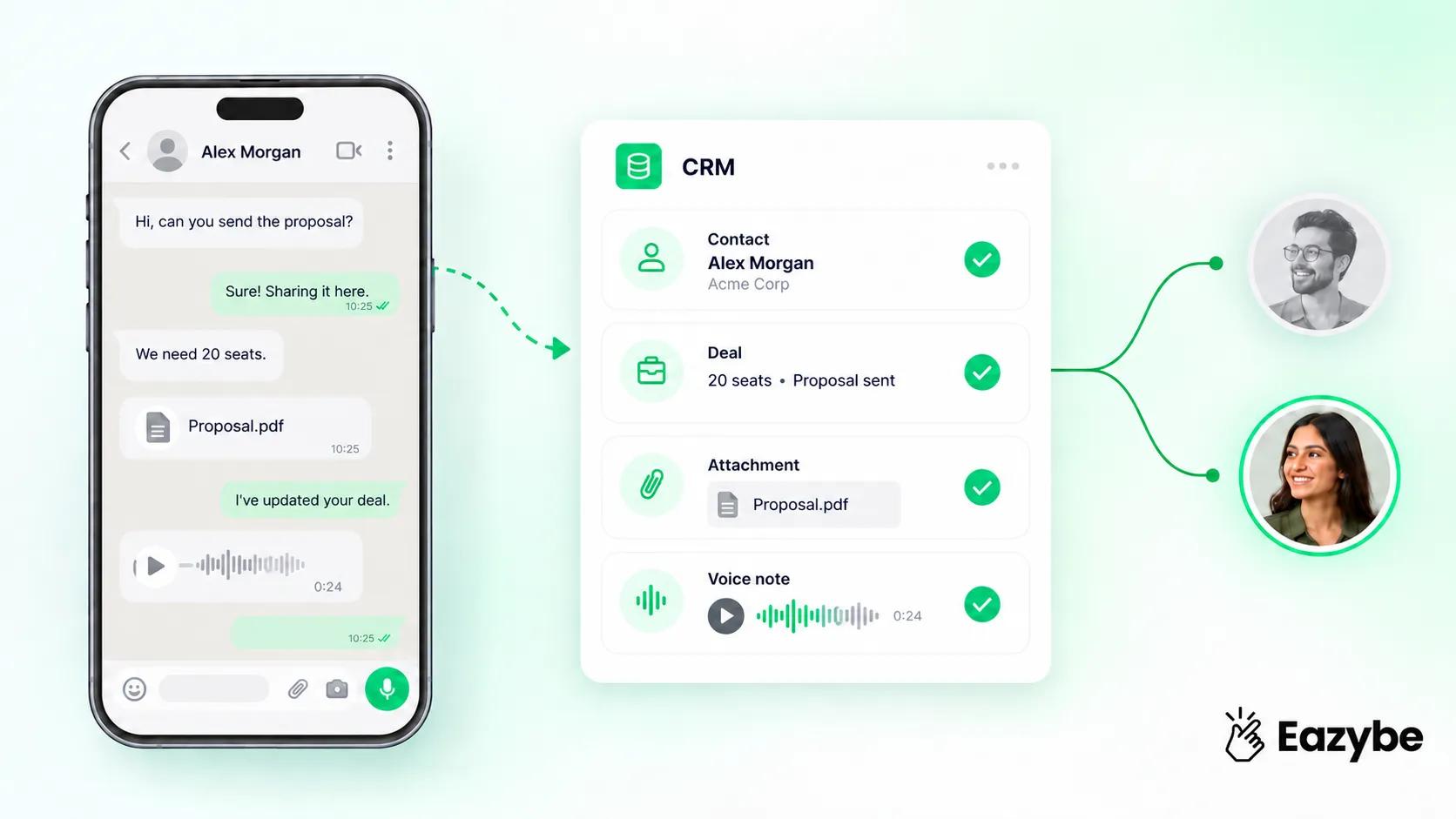
WhatsApp chats sync CRM
Nobody writing about CRM integration covers this and it is the moment the whole thing proves its worth.
A rep hands in notice. Their pipeline is in the CRM, so that looks fine. But the actual conversations, the pricing they promised, the objection they handled, the site visit they half arranged, all of it is on a personal handset that walks out on Friday.
- The new rep inherits a name and a deal value, with no context at all.
- The customer has to repeat everything, which is where most inherited deals die.
- The departing rep still has the number and often still has the relationship.
- Nobody can check what was actually promised if a dispute comes up later.
What a synced integration changes:
- Every conversation sits against the CRM record, readable by whoever takes over.
- The new rep opens the history and picks up mid conversation rather than starting again.
- Attachments, quotes and voice notes stay with the business.
- Handover takes an hour instead of a fortnight.
This is also the strongest argument for doing the integration before you need it, since teams usually discover the gap in the week after a good rep leaves.
Keeping conversations on the same number through a change of hands is covered in the WhatsApp team inbox guide.
WhatsApp Team Inbox With CRM Integration
Past three reps on one number, informal coordination stops working and leads start falling between people:
- Incoming chats assign automatically by rule.
- Everyone can see what is claimed and what is open.
- Managers get a view across the whole queue.
- Internal notes stay internal, invisible to the customer.
- Nothing sits unanswered because two people assumed the other had it.
Assignment rules and permissions are handled through the team inbox.
Is WhatsApp CRM Integration Safe? How To Avoid A Ban
This deserves a straight answer, because competitors muddy it deliberately. What matters is not whether a tool is an extension, it is whether the tool sends messages on your behalf.
- An extension that reads the WhatsApp Web session you opened yourself and copies it into your CRM is not sending anything
- A script that blasts messages through WhatsApp Web in the background is automating the platform and Meta's spam detection catches that pattern fast
Five signs a tool is on the wrong side of that line:
- It promises unlimited bulk sending for a flat fee.
- It skips business verification entirely.
- It sends hundreds of messages with no template approval.
- It markets itself on volume rather than on workflow.
- It cannot explain how its sending works when you ask.
The full picture on what gets numbers banned is in will WhatsApp ban my number for marketing.
Can You Keep The WhatsApp Business App While Using A CRM?
Yes, with two of the three methods. The extension route leaves the app completely untouched and Coexistence lets the app and the API run on the same number together:
- Reps keep the numbers customers already have saved.
- Existing chat history stays where it is.
- No retraining, since the interface does not change.
- The business gains the CRM record it was missing.
Only the full API route requires giving up the number, which is why it suits marketing teams more than sales teams.
WhatsApp CRM Integration Cost: What You Actually Pay
Costs differ sharply by method and comparing them on headline price alone is misleading:
- Extension route: a per user monthly fee, usually from around $19, with no Meta charges since nothing goes through the API.
- API route: a platform fee plus Meta's per conversation charge, which varies by country and message category.
- Coexistence: the same two layers as the API route.
- Free options: genuinely exist for single users and testing, but stop at one number and offer no team features.
For a ten person sales team doing no broadcasting, the extension route is almost always cheaper, because you never touch Meta's per conversation billing.
Current plans are on the pricing page.
Best CRM With WhatsApp Integration For Small Business

WhatsApp leads CRM backup
The honest answer is that the CRM matters less than the connector. Any of the main CRMs will hold your data perfectly well and what decides whether the integration works is what the connector syncs:
- HubSpot: best free tier, easiest for a team with no CRM habits yet.
- Zoho: cheapest paid tier, very common among SMBs.
- Pipedrive: best if your team thinks in pipeline stages.
- Bitrix24: best for larger groups with multiple divisions.
Pick the CRM your team will actually update, then check the connector handles voice notes, attachments and two way sync before committing.
More comparison detail sits in the CRM integrations roundup.
Which WhatsApp CRM Integration Method Should You Choose?
- Sales team, reps on personal numbers: Chrome extension, no API needed.
- Marketing or support, high volume broadcasting: Business API through a BSP.
- Sales team wanting broadcasting too: Coexistence, if available in your country.
- One person testing: start with a free tier and upgrade when a second rep joins.
Most teams over complicate this. If you are not broadcasting to thousands of people, you probably do not need the API at all.