

Zoho CRM has no way of knowing that your customer agreed to the price on Tuesday night. Because that part of the deal happened in a chat window and nothing in a chat window. Becomes a record on its own. So, the stage sits where a rep last left it while the buyer has already moved on.
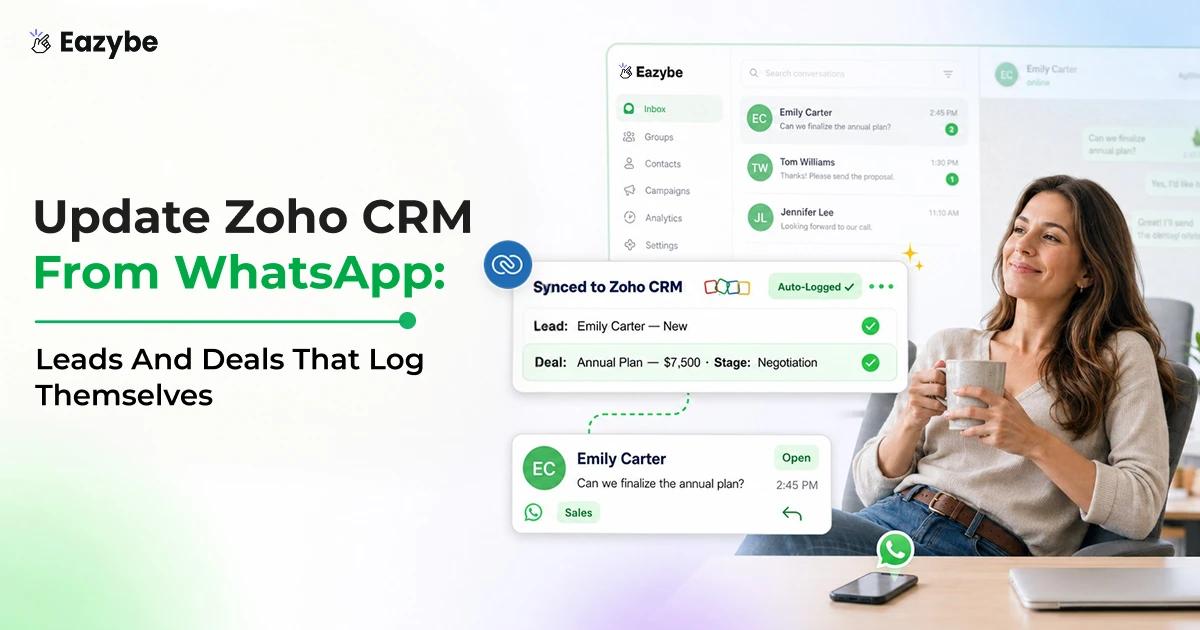
Eazybe - WhatsApp AI Agents fill that gap by reading each conversation and writing. The outcome onto the matching Zoho record with a panel beside. The thread for raising a lead or setting a task. In this blog, we explain how to update Zoho CRM from WhatsApp automatically. Which records change and which properties the AI keeps current.
What Updating Zoho CRM From WhatsApp Actually Changes
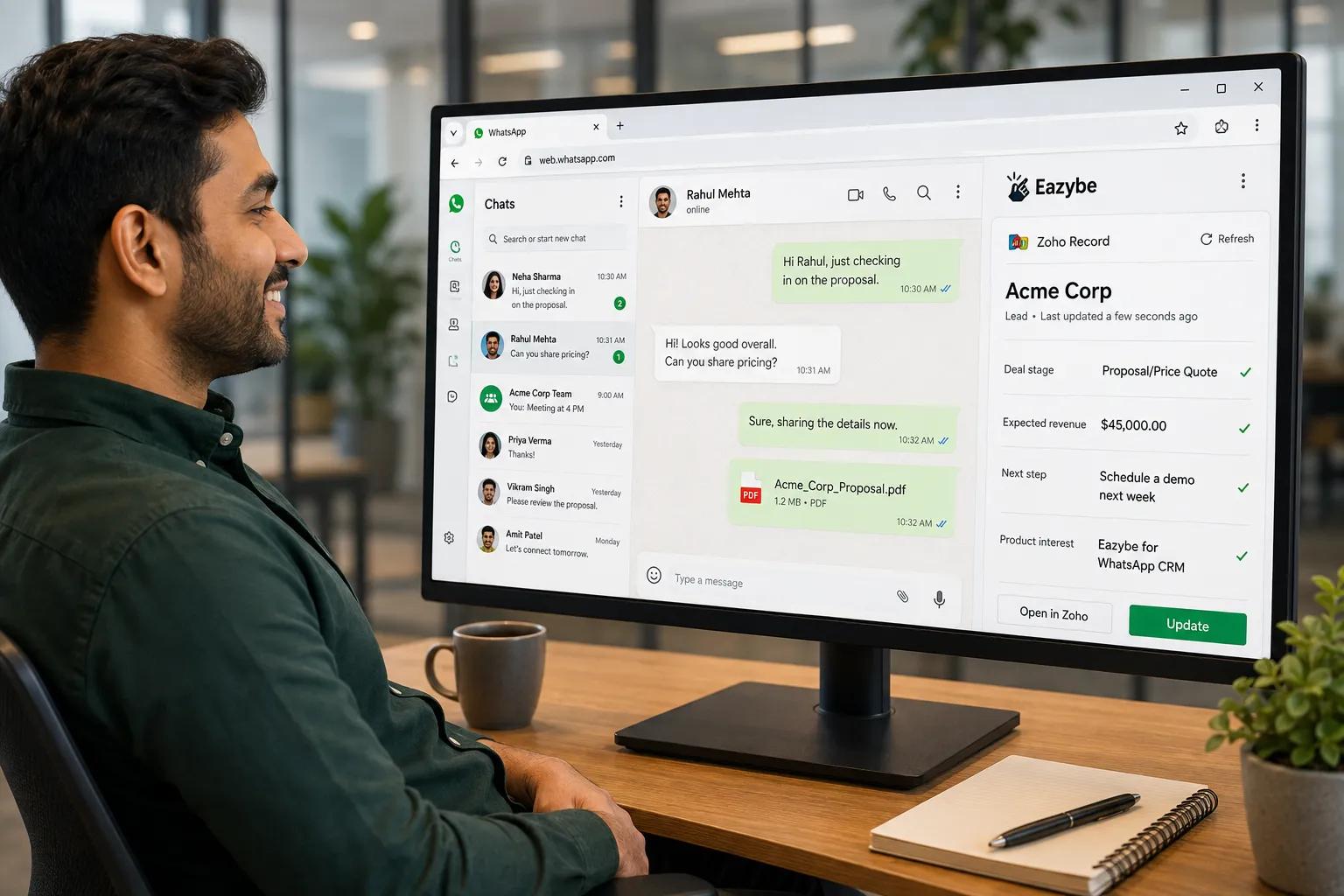
Zoho record updated instantly
To update Zoho CRM from WhatsApp means an AI layer reads your conversations and writes the details. That matters onto the matching Zoho records. So, the CRM stays current without a rep typing anything in:
- The conversation is the input instead of something a rep summarises later.
- The record updates because the chat happened and not because anyone remembered.
- Your objects and reports stay untouched.
- You still set which properties sync and can review what lands.
It is AI assisted rather than a black box firing at every field it can reach.
Also Read: Top 7 CRM With WhatsApp Integration
Why Your Zoho Records Go Stale In The Same Four Ways
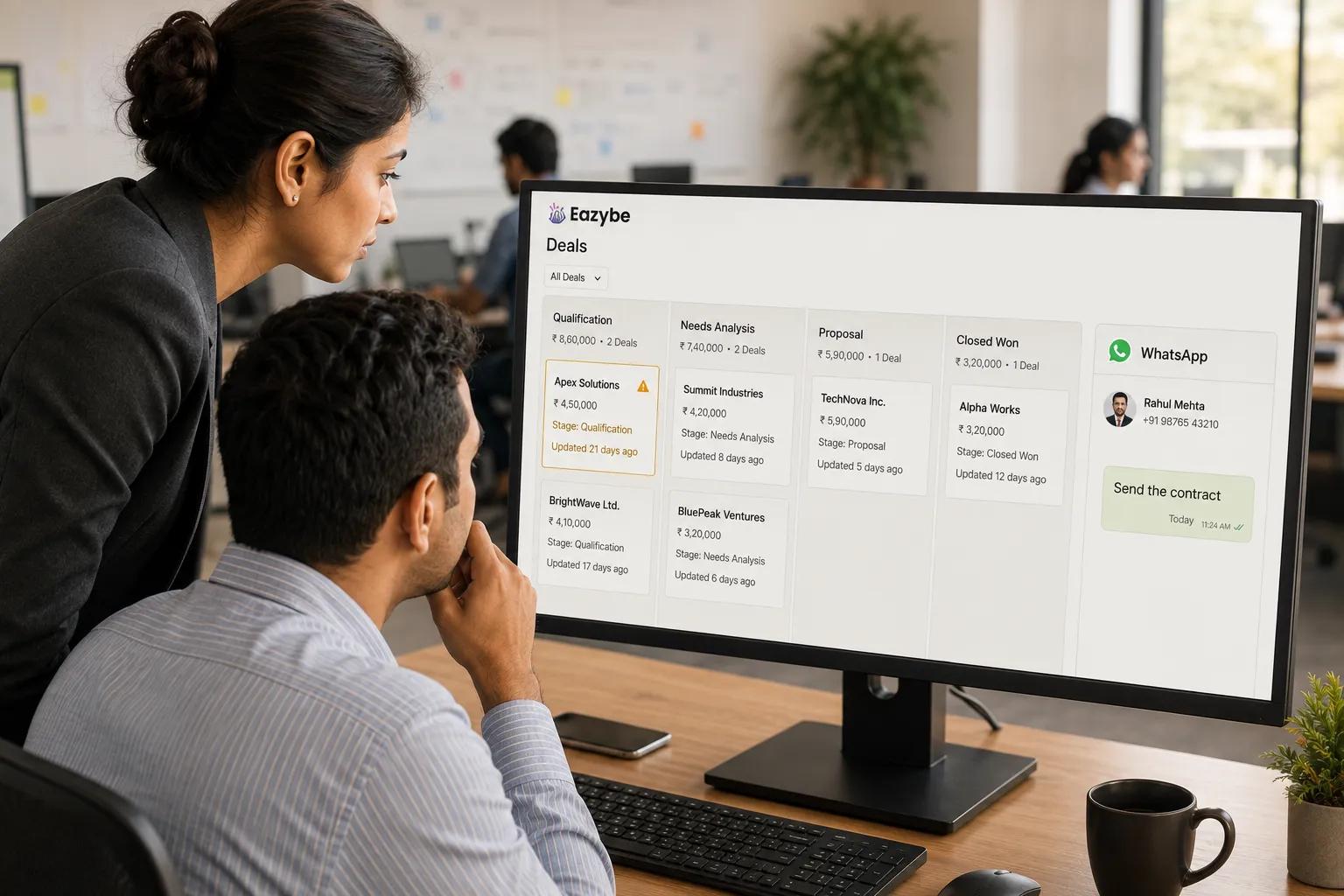
Why Zoho deals go stale
This was never a discipline problem. Reps are measured on closing and not on logging. So, the update loses to the next incoming message every time:
- Deals sit in stale stages because nobody moved them after the call went well.
- Leads never get created since the chat started but the contact was never added.
- Next steps live in a rep's head instead of sitting as a task with a due date.
- The context disappears the moment that rep goes on leave or resigns.
None of this is a Zoho problem since Zoho does exactly what it is told. The problem is the input and the input is a manual step your team quietly skips.
That last point is the expensive one, which is why WhatsApp chat sync exists to keep the account history on the record rather than on a handset.
How Eazybe Gets The Update Into Zoho Without Anyone Typing
Eazybe is a Chrome extension that loads beside WhatsApp Web. Nothing migrates, it runs on personal WhatsApp, on the Business App and on the API through coexistence. So, the number your customers already reply to stays exactly as it is.
Read, Extract, Write:
- Reads every conversation with AI rather than only the ones a rep flagged.
- Extracts what matters against the Zoho fields you chose, covering lead details, deal movement and the implied next step.
- Writes the update into Zoho and logs the chat itself against the record.
Contacts sync on a different clock to the chat backup
There is no single interval here, it helps to know which is which. Contact syncs run roughly every fifteen minutes while the chat and component backup runs closer to every few minutes. So the conversation reaches the record faster than the contact detail settles.
The reading layer behind all of this is covered in depth in WhatsApp Sales Intelligence. Nobody has to be the bridge between WhatsApp and Zoho any more.
Which Zoho Records Update From WhatsApp: Contacts Leads Deals Notes And Tasks
Plenty of tools in this space stop at dumping messages onto a contact, which is backup and nothing more. Keeping Zoho current means writing to the objects your pipeline runs on:
- Contacts: created for new people and enriched for existing records.
- Leads: an inbound enquiry becomes a lead instead of a message you forget.
- Deals: kept current so the stage and next step reflect reality rather than drift.
- Notes: carrying a concise read of what was discussed.
- Tasks: an implied follow up gets a due date instead of slipping.
Eazybe writes to the objects the Zoho integration supports and does not invent ones it has no access to. A wider view of how these fit together sits on the WhatsApp CRM page.
How To Choose Which Zoho Properties The AI Keeps Current
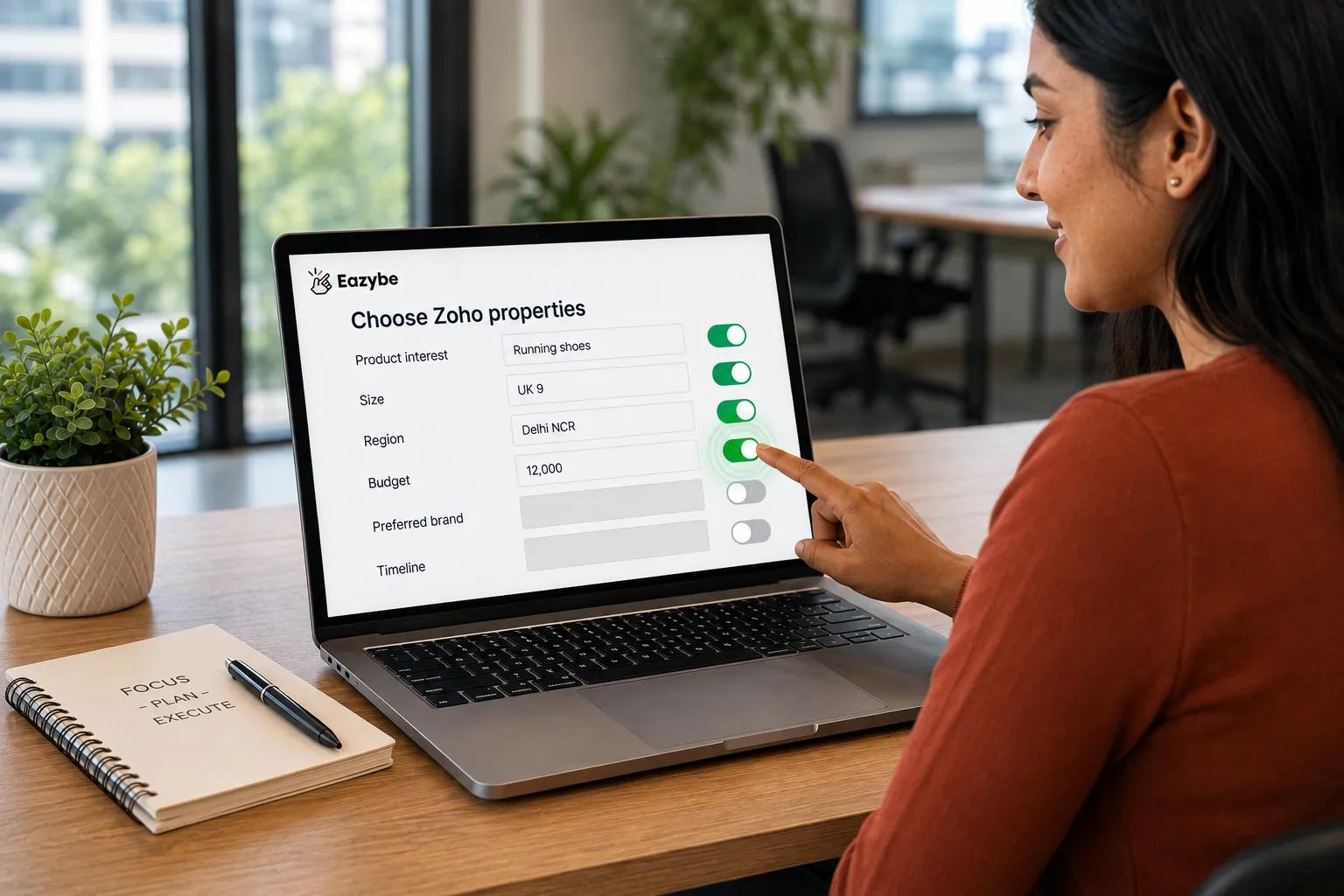
Pick Zoho properties to update
A Zoho record can carry dozens of fields, most of them are noise for any given team.
The fields your business actually runs on:
- A shoe brand might track product interest, size and region.
- A real estate team might track budget, listing and location.
- A B2B team might track deal stage, use case and decision timeline.
Self selecting inside the Mini CRM view
In the Mini CRM view you choose which Zoho properties appear, stay editable, the AI writes only against those. It sifts the conversation, fills the fields you named using the words the customer actually used and leaves everything else alone.
That is what makes automatic updating safe, since you define what updated means before anything gets written. The same field led approach drives the Zoho WhatsApp integration if you run both.
Google Sheets Works Until Zoho Makes Sense
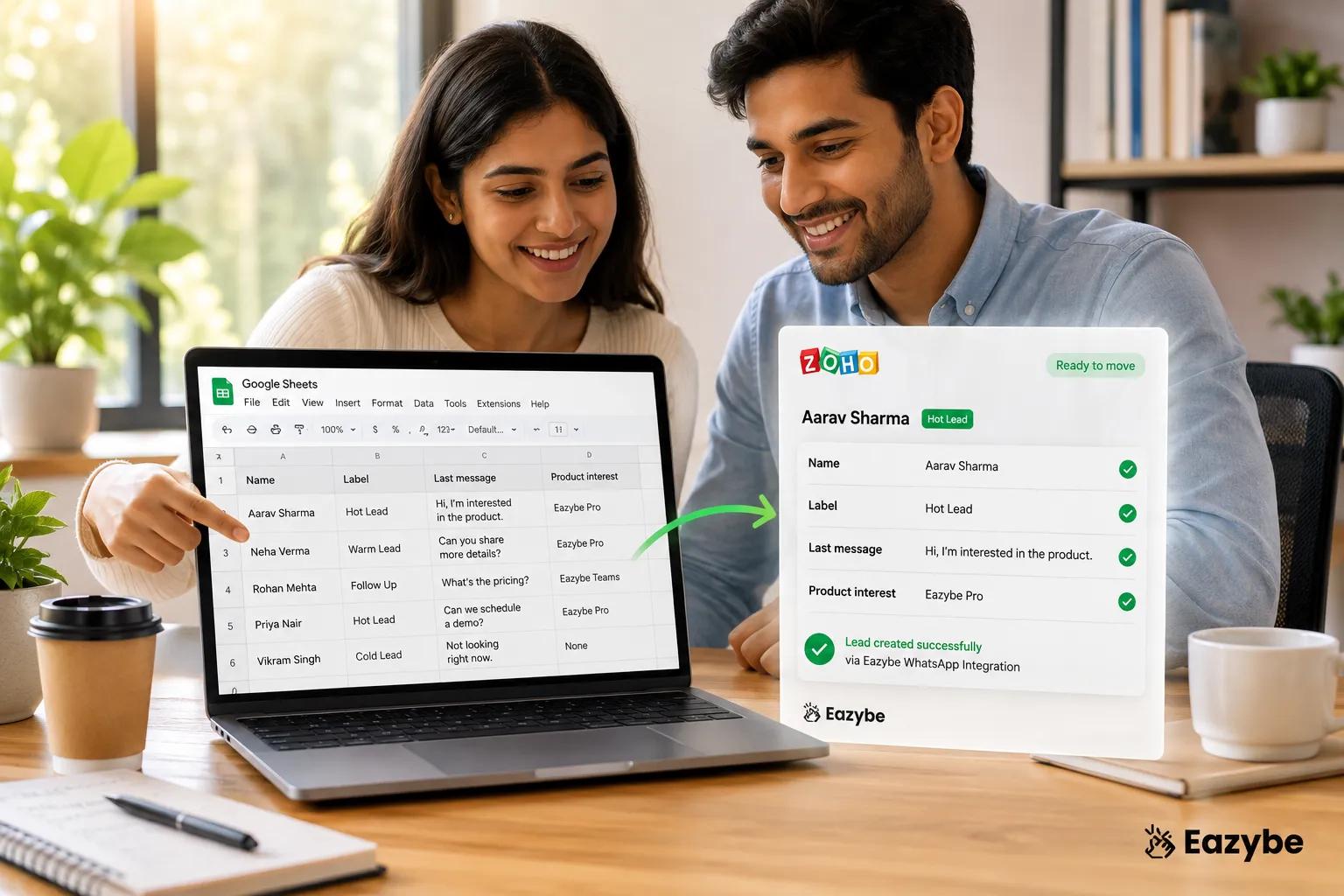
Move leads into Zoho
Not every team is ready to put everyone on a Zoho seat and you do not have to wait for that to get the benefit.
Google Sheets works as a first class home for the same properties. So, you can back chats up straight into a Sheet. And keep a two way sync on your Business Labels, bulk upload contacts and export them by label. For a small team that is a genuine place to keep WhatsApp organised at no cost.
Be clear eyed about what a Sheet is though. It is a lightweight home and not a pipeline engine. So, it will not run deal stage objects or give you the reporting a real CRM does. Start in Sheets and move to Zoho when you are ready or run both with the Sheet as the simple mirror. Since, cloud backup keeps the chat history in place either way.
How To Connect Zoho CRM To WhatsApp In A Few Minutes
This is a connection and not an IT project:
- Install the Eazybe Chrome extension and open WhatsApp Web.
- Connect your Zoho CRM and authorise the integration.
- Self select the properties on Contacts, Leads and Deals you want kept current.
- Let the sync run while contacts land roughly every fifteen minutes and the chat backup runs closer to every few minutes.
Two mechanics worth knowing on day one. The chat backup runs one way from WhatsApp into Zoho. The initial backup covers the past three days rather than your full history. So, nothing arrives as a data dump.
Reps still on personal numbers can move across without changing anything customer facing. Which the WhatsApp Coexistence guide walks through.
Eazybe vs Manual Zoho Updates: What Actually Changes
The gap is not about effort since your reps are already working hard enough. It is about whether the record waits on someone finding time to type:
| Dimension | Manual Zoho updates | With Eazybe |
|---|---|---|
| Who logs it | The rep after the fact | The AI reads the chat and writes it |
| When it updates | If and when someone remembers | On a sync schedule |
| What is captured | Whatever the rep bothers to log | The gist of every conversation |
| Consistency across reps | Varies wildly | The same selected fields every time |
| Objects kept current | Whatever is open in the tab | Contacts, Lead, Deals, Notes and Tasks |
| Leadership visibility | Trust the rep's memory | The record reflects the real conversation |
| Ongoing effort | Forever | Configure once and leave it |
Manual updates depend on a rep who is busy closing while automatic updates depend on the conversation. which always happens.
Teams that switch usually notice the pipeline review shrinks first. Which is the clearest early read on sales efficiency.
5 Things To Know Before You Connect Zoho
None of these are dealbreakers, but each one shapes how you set it up:
- Chat backup runs one way: WhatsApp writes into Zoho rather than acting as a mirror.
- The initial pull covers three days: Enough to seed the records and not your entire archive.
- Thin chats give thin updates: A rich conversation yields a rich record while a two word thread tells any system very little.
- You own the property list: The AI writes only where you point it and large deals still deserve a human read.
- Outbound is a separate capability: Sending automated WhatsApp messages from Zoho Workflow Rules sits on the higher Scalar plan.
Point AI sales agents at the volume, keep your own eyes on the deals that matter, since the typing is what gets removed and not the responsibility.
Final Verdict: Update Zoho CRM From WhatsApp
Zoho was never the weak link. It reports exactly what it was given. Which is why a pipeline full of stale stages is really a pipeline full of updates nobody had time to type.
Letting the conversation write the record changes what Zoho is given. Deal stages move when the customer moves them. Follow ups arrive as tasks with dates on them. Leads exist because someone messaged and not because someone remembered.
Scope is Contacts, Leads, Deals plus Notes and Tasks. Which covers the daily motion of a sales team, Google Sheets holds the same properties if you are not on seats yet. Work inside that and Zoho stops being an archive of what people recalled, starts being a briefing on what was actually said.