

A customer sends a photo of a ring and asks if you have it in rose gold. The bot replies with a menu. Press 1 for products. Press 2 for support. That is where most WhatsApp chatbot builders lose the sale. Old builders were just flowcharts. You guessed the questions and hoped people stayed on the path. They never do. With billions of people on WhatsApp and millions messaging a business every day, a fixed flow runs out of answers fast.
Newer builders read the message and understand what the person wants. They pull in a human when the chat gets tricky. Eazybe - WhatsApp AI Agents go further. They use your product and pricing details to qualify the lead and hand your team a chat that is ready to act on. This guide covers what a WhatsApp chatbot builder does and how to choose one and how to build better customer journeys.
What Is a WhatsApp Chatbot Builder?
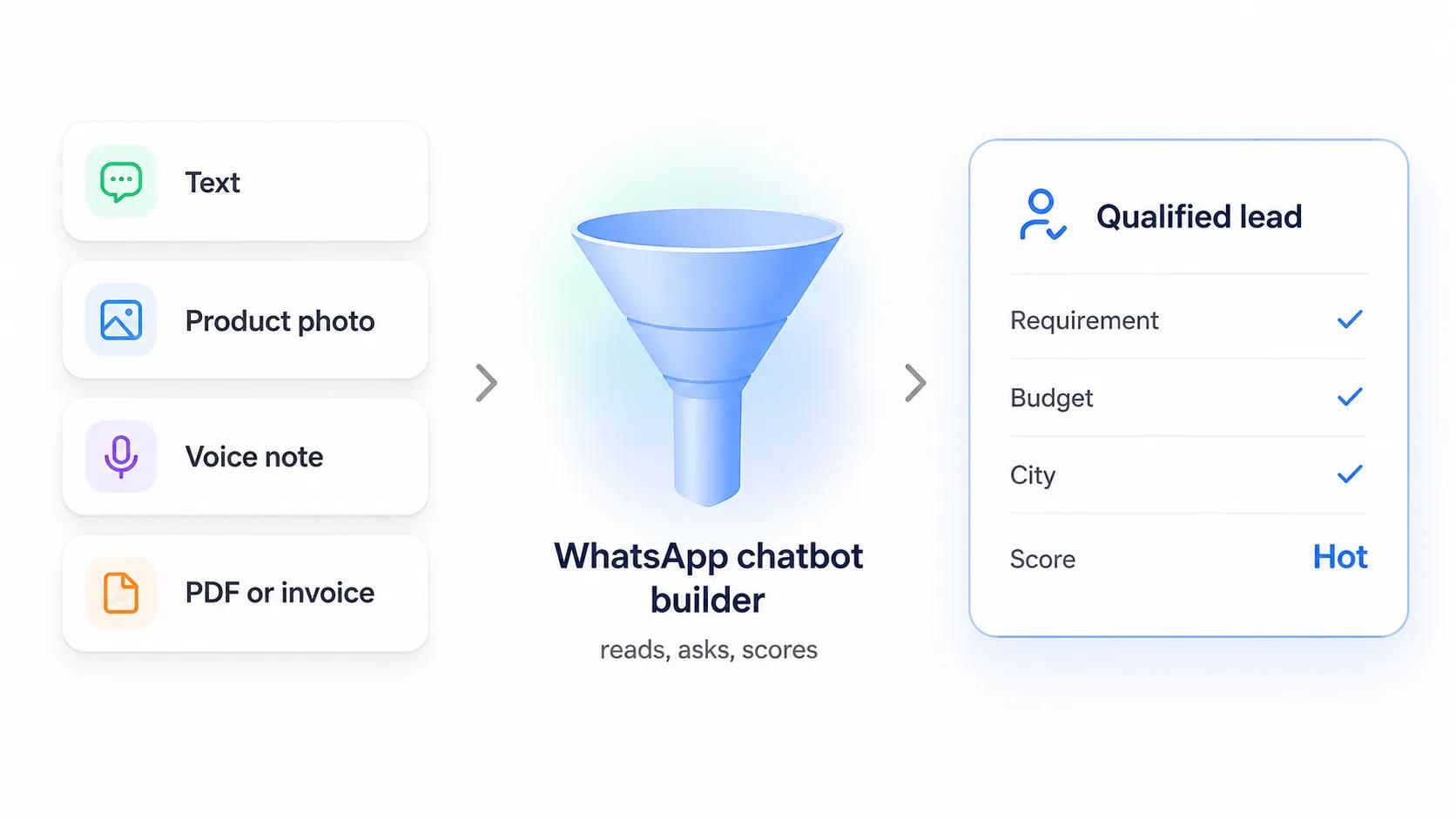
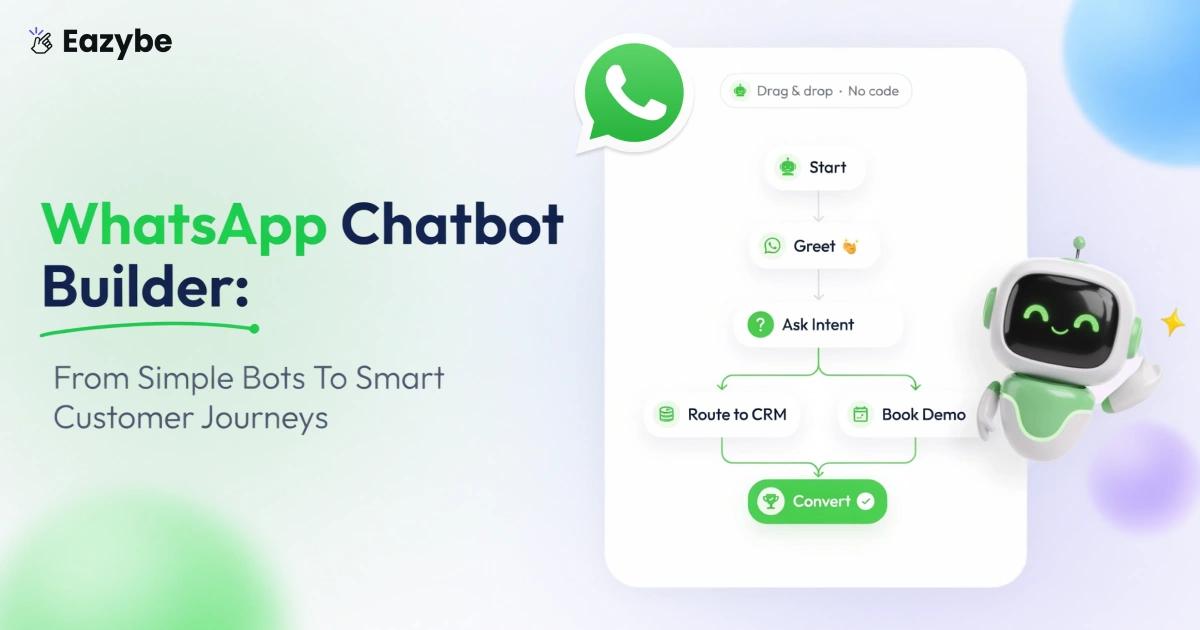
A chatbot builder reads any message type, asks the right questions and scores the lead.(Source: WhatsApp company data via TechCrunch)
A WhatsApp chatbot builder is what you use to run automated replies on a WhatsApp number without touching code. It sits on the WhatsApp Business API. A customer messages your business number, the bot reads it, replies, asks whatever it needs to ask, and saves the answers.
That last part is the one most people skip. Plenty of bots reply well and leave nothing behind. Then your sales rep opens the chat the next morning and has to read forty messages to work out what the person wanted.
So look at what a builder does across four points:
- It picks up the message. Text is easy. Images, PDFs and voice notes are where cheaper tools fall over.
- It figures out the intent and either answers or asks the next question.
- It stores what it learned. Name, requirement, budget, lead status, into your CRM as proper fields.
- It steps aside when the customer needs a person.
Your team should feel the difference too. Quick reply templates and a shared inbox mean nobody types the same delivery policy for the two hundredth time.
On the media, WhatsApp has said people send roughly 7 billion voice messages a day. In markets like India and Brazil, a voice note is often the first thing a customer sends. A builder that only reads text just drops those.
What Changes When a WhatsApp Chatbot Builder Actually Works
Every article lists the same three wins. Faster replies. Fewer repeat questions. Always online. All true and all a bit thin. Here is what really shifts inside a business once the builder is doing its job.
1. Top-Notch WhatsApp Chatbot Builder Replies Before the Buyer Moves On
Buyers message three or four sellers at the same time. Whoever answers first usually gets the order. A reply at 9am the next day reaches someone who already bought from somebody else. Eazybe answers in seconds on the same number your rep already uses because of WhatsApp coexistence so nobody has to sit on the phone waiting.
2. Best WhatsApp Chatbot Builder Turns Chats Into Records
This is the part nobody writes about. A conversation is worth nothing until it becomes data. Name. Requirement. Budget. City. Stage. Eazybe writes those straight into your WhatsApp CRM as proper fields while the chat is still running. Your reports start working. Without this you just have a busy inbox and nothing to show for it.
3. Top WhatsApp Chatbot Builder Sorts Buyers From Browsers
Not every inquiry deserves a rep. Some people want a price. Some want a catalogue. Some are ready to pay today. Eazybe tags each chat hot or warm or cold and pushes it to the right person. Your team spends the morning on the ten that matter instead of scrolling past ninety that do not.
4. Premium WhatsApp Chatbot Builder Works the Hours Your Team Does Not
Customers message at 11pm and on Sunday afternoons. Those chats used to sit unread till Monday. Now they get answered and qualified overnight and the rep opens a finished conversation instead of a cold one.
5. A Builder Chatbot For WhatsApp Reads More Than Text
People send photos of products and screenshots of invoices and voice notes instead of typing. A text only bot drops all of that. Eazybe reads the media and keeps the chat going and those are often the bigger orders.
6. Using A WhatsApp Chatbot Builder Gives You One Version of the Truth
Ten reps on ten phones means ten different answers to the same price question. Eazybe runs every agent off the same knowledge base so the answer is the same whoever the customer reaches.
How To Build A WhatsApp Chatbot That Qualifies Leads
Anyone can build a chatbot that replies. The harder job is building one that qualifies the lead and hands your sales team enough to close.
So do not start with the conversation flow. Start with the outcome. Ask what your rep needs to know before they take over. That list usually looks like this.
- Name and phone number
- What the customer is actually asking for
- Budget if it matters in your business
- City or location
- Lead score of hot or warm or cold
- The full chat history
- The rep or team who picks it up next
Once you know that list, build the flow backwards from it. Ask only the questions that fill those fields. Nothing extra. Then push the finished conversation into your CRM or your WhatsApp team inbox so the handover is clean.
A chatbot that only answers questions leaves your rep starting from zero. A chatbot that qualifies leaves them starting from context.
How To Build A WhatsApp Chatbot With Eazybe Step By Step
Building a WhatsApp chatbot is not as hard as people expect. Start with one job. Test it. Improve it as you go.
- Get a WhatsApp Business API number through an official Meta partner. With Eazybe you can keep the number your reps already use instead of starting fresh.
- Pick one goal for version one. Lead capture or support or FAQs. Not all three.
- Load your business information into Eazybe. Products and pricing and delivery rules and return policy. The agent only knows what you feed it.
- Write four or five qualifying questions. Enough to score the lead without dragging the chat out.
- Decide when a human takes over. High value leads or complex questions or an unhappy customer. Eazybe passes the chat across with the full history attached.
- Connect the bot to your CRM so every lead saves on its own with proper fields.
- Set up follow ups for people who go quiet or leave halfway. A scheduler handles this so nobody has to remember.
- Test it inside your own team first. Ask them to throw odd questions at it and note where it breaks.
One tip that saves a lot of pain. Do not try to automate everything on day one. Launch one workflow. Watch real customer chats for a week. Then widen it. Teams that do this get running faster and end up with a bot that actually works.
7 Checks That Separate the Best No Code WhatsApp Chatbot Builder From the Rest
Every vendor demo looks good. These seven checks are where the differences actually show up.
- Media handling: Can it read an image or a PDF or a voice note? On one retail project we scoped, roughly one in five conversations involved a customer sending a photo. Ignore that and you quietly lose those chats.
- Narrow agents: One giant prompt covering every product line performs badly. Look for three or four agents split by topic instead.
- Uptime: This is the number one reason teams switch vendors. A partner in the UAE running around 1500 client accounts moved to us only because their old provider kept going down. Ask for status history before you sign.
- Data mapping: Field level mapping into your CRM. Not a raw webhook dump that someone has to clean up later.
- Storage: Chats are business records. A cloud backup keeps them safe if a phone or an account is lost.
- History: WhatsApp chat sync matters because a bot that cannot see old chats will greet a repeat buyer like a stranger.
- Languages: Test the agent in your customer's language before you pay for it, not after.
Where Your WhatsApp Chatbot Builder Should Send The Lead
A transcript sitting inside a chat app is not an asset. It becomes one the moment it lands in the system your team already works in.
That is where a WhatsApp CRM layer earns its place. The bot collects. The CRM stores and reminds and reports. If you run HubSpot then a HubSpot WhatsApp integration creates the contact and logs the whole chat without anyone copying a single line by hand.
One warning from our own experience. Leads created by a bot can go missing when inbox permissions are set wrong. We hit this ourselves. Chatbot conversations were not showing up for the right people and nobody spotted it until a review weeks later. So before you launch, open your Whatsapp Team Inbox logged in as a normal sales user and check that bot chats actually appear there.
What It Really Costs To Build AI Chatbot WhatsApp Setups
Pricing here is not per seat. It is per conversation and per credit. Most articles skip this and that is why the second invoice surprises people.
There are two layers. Meta charges for the conversation window. Your platform charges for the AI on top. The math is easy. 3000 leads a month at around seven messages each is about 21000 message events. Ask any vendor to price that number instead of pointing you at a plan page.
The second layer is yours to control. Send easy questions like opening hours to a cheap rule. Keep the stronger model for real product questions. Teams that do this often cut their AI spend by half and lose nothing.
Then check what you get back. WhatsApp sales performance analytics shows how many bot chats became qualified leads and how many became revenue. Without that number you are guessing.
Do You Need A New Number To Build A Chatbot For WhatsApp
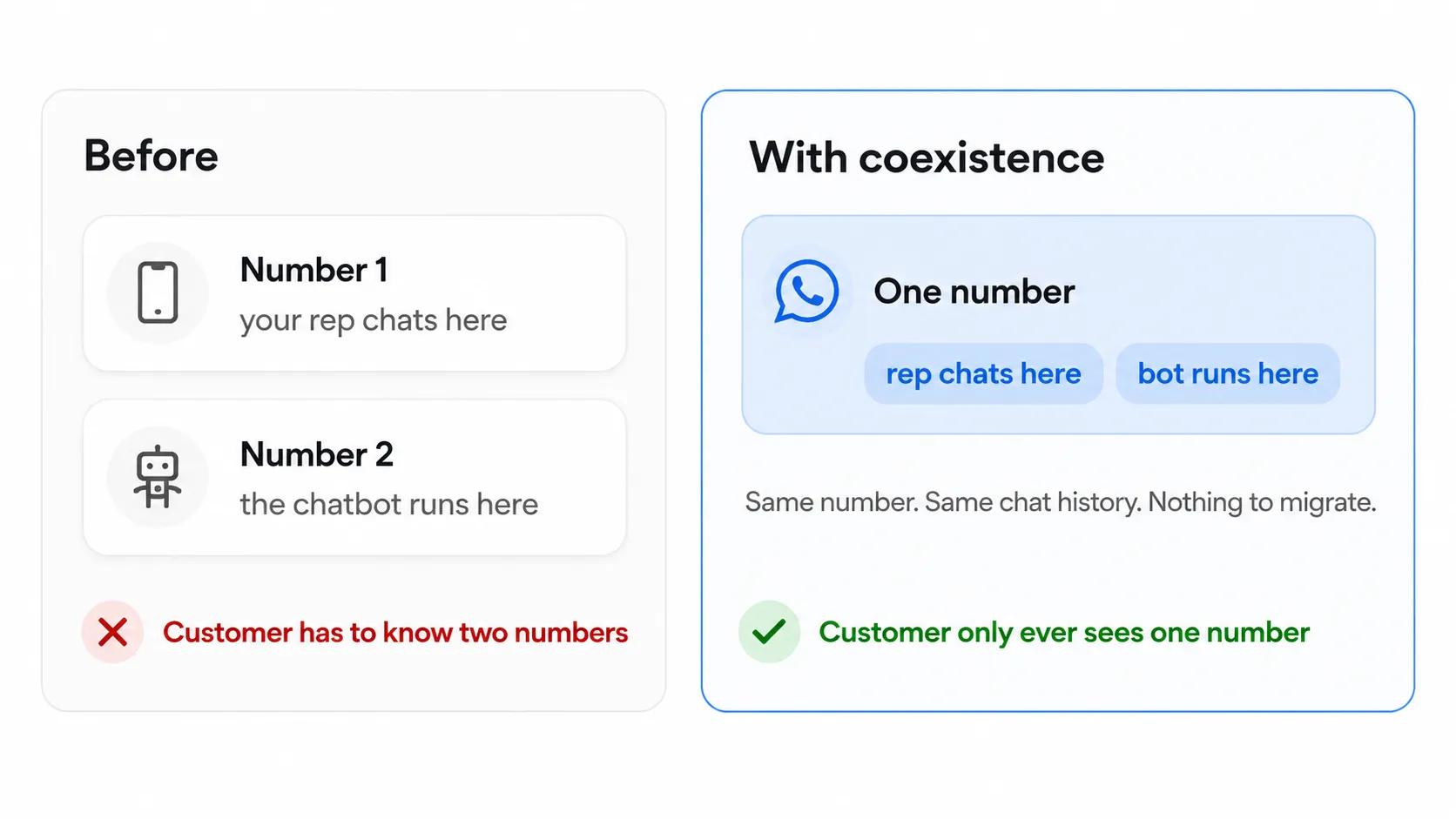
With coexistence, your rep and your bot share one number — nothing to migrate.
Short answer. Not any more.
For years moving to the API meant giving up the WhatsApp Business app your reps were already using. That cost was real. They lost their chat history and the rhythm they had built with customers. WhatsApp coexistence fixed that. One number can now run the app your rep uses and the automation layer at the same time. The bot replies at 11pm. The rep replies at 11am. The customer only ever sees one number.
It still does not suit every team. Some prefer a fresh number so marketing traffic stays away from personal sales chats. Test it on one number first and see how it feels before you move everyone across.
5 Mistakes That Break A WhatsApp Chatbot Builder Setup
Most guides list three. Fallback messages. Testing. Overpromising. Fine advice but none of it is where teams actually lose money. These five are:
- Building the bot to keep people away from your team: If you measure success by how few chats reach a human you will train customers to hate the bot. Count qualified leads instead. That number tells you something.
- Asking too many questions: Four questions get answers. Nine gets silent. Every extra question costs you replies and the drop off is steeper than anyone expects.
- Leaving no way out: Some people will never talk to a bot. Give them a clear exit in the first message. Type agent and a person picks up. Hiding it does not make them stay.
- Ignoring what happens after the bot finishes: Most losses are not bot failures. They are follow up failures. The chat ends well and nobody circles back for four days. That gap is where your sales efficiency quietly leaks.
- Letting the bot try to close: Bots qualify. People close. A bot pushing for a decision reads badly and it wastes the one real advantage you have. Your sales closing techniques still belong to your reps.
Top WhatsApp Chatbot Builder Platforms Compared
Different tools solve different problems. This table shows the shape of the market rather than a ranking. Use it as a filter when you are shortlisting the best whatsapp chatbot platforms.
| Type Of Builder | Best For | Handles Unscripted Chat | Sends Lead To CRM | Typical Buyer |
|---|---|---|---|---|
| Basic flow builder | FAQ and order status | No | Sometimes | Small shop |
| Marketing first platform | Broadcasts and campaigns | Limited | Basic sync | Ecommerce brand |
| AI agent builder | Qualification and support | Yes | Field level | Sales team |
| Custom build | Very specific workflows | Depends | Fully custom | Enterprise |
Region changes the answer too. Anyone looking for a whatsapp chatbot builder in Brazil needs Portuguese handling and voice note support because voice is the default there.
India focused teams usually care more about credit cost and how cleanly a chat moves between agents. The gap between two tools rarely shows up in a demo. It shows up in month three.
Before you settle on a top whatsapp chatbot builder it helps to look at the wider set of WhatsApp business tools available today.
Most teams shortlist three and test two. That is usually enough to see which one handles a messy real conversation and which one only handles the demo script.
It is also worth comparing every WhatsApp automation tool in the market so you know exactly where each one fits before you commit.
How To Check If Your WhatsApp Chatbot Builder Is Working
Most teams track the wrong thing. They count how many chats the bot handled alone. That number always looks good and tells you nothing.
Watch these instead:
- Qualified leads per 100 chats: The only number your sales head cares about. If it falls, your questions are wrong. Not the bot.
- Drop off point: Find the exact question where people stop replying. It is usually the fifth or sixth. Cut it and watch the completion rate move.
- Handover rate: Too low means people are stuck with a bot they wanted to escape. Too high means the agent is not answering enough. Around one in four is normal for a sales team.
- Time for the first human reply: The bot replied in two seconds. Then the lead waited nine hours for a rep. That gap kills deals.
- Questions the bot failed: Pull the top twenty every week. That list is your knowledge base work for the month.
Check these weekly for the first month. Monthly after that. Small fixes made often beat one big rebuild every quarter.
Ready To Build Your WhatsApp Chatbot?
Most builders are sold on speed. Every tool replies fast. That is the easy part.
The real test is what your rep opens after the chat ends. A wall of messages or a scored lead with the requirement and budget and city already filled in.
If lead generation is the goal, keep version one narrow. One job. Five questions pulled from what your reps already ask. Output straight into your CRM.
Then watch one number. Qualified leads per 100 chats. If it climbs, your setup is right. If not, the questions need fixing and not the tool.
Eazybe AI Sales Agents run on the number your team already uses. They read photos and voice notes and hand your rep a scored lead with the full chat behind it. Book a demo and bring one inquiry if your current setup is lost.