
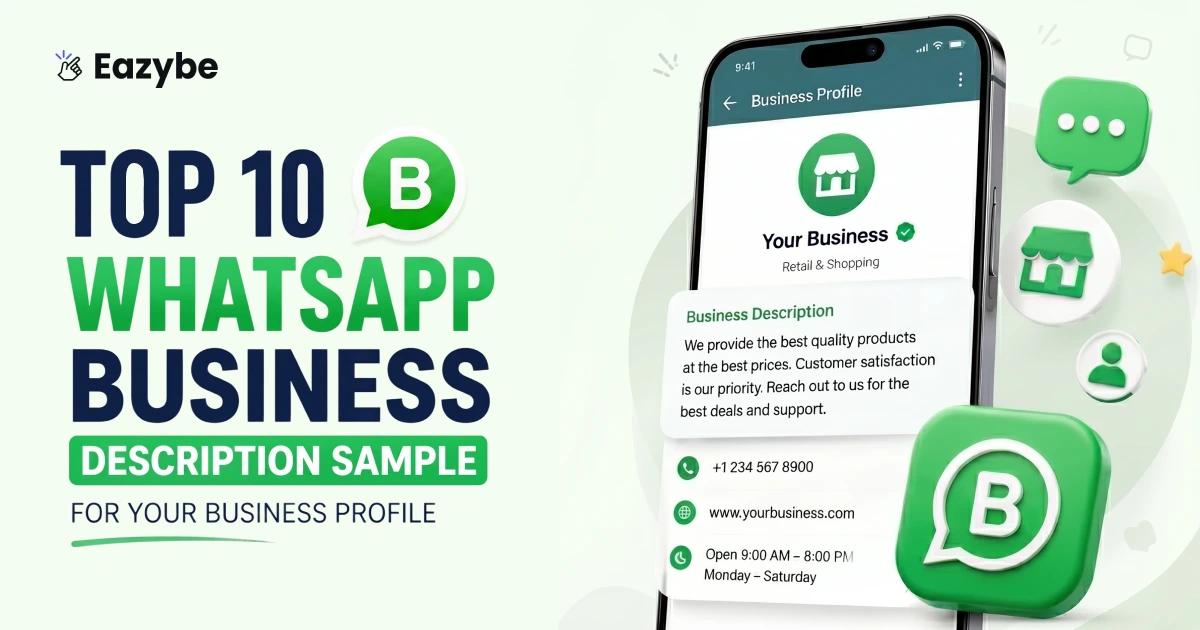


A WhatsApp Business description is a short line under your business name that tells people what you do. It is one of the first things a customer sees when they visit your profile. You only get 139 characters so keep it simple and to the point.
WhatsApp has over 2 billion users worldwide and most people decide in just a few seconds whether to message a business or not. A good WhatsApp Business description helps them make that decision faster. It makes your profile look active and trustworthy. And if you get a lot of messages, Eazybe - WhatsApp AI Agent With CRM integration helps you reply quickly and manage chats without any hassle.
What Is A WhatsApp Business Description?
A WhatsApp Business description sits right below your business name on your profile. It is a short line and one or two sentences and that tells people what you do and what they can expect from you. Nothing more nothing less.
Think of it as your digital front door. When someone lands on your profile that one line is the first real thing they read about your business. It does not need to be clever or poetic. It just needs to be honest or also be a WhatsApp business tool. A simple clear description tells customers who you are and gives them a reason to hit that message button instead of leaving.
Suggested Read: WhatsApp Broadcast Message: Send Bulk Messages Safely
Why Your WhatsApp Description Matters
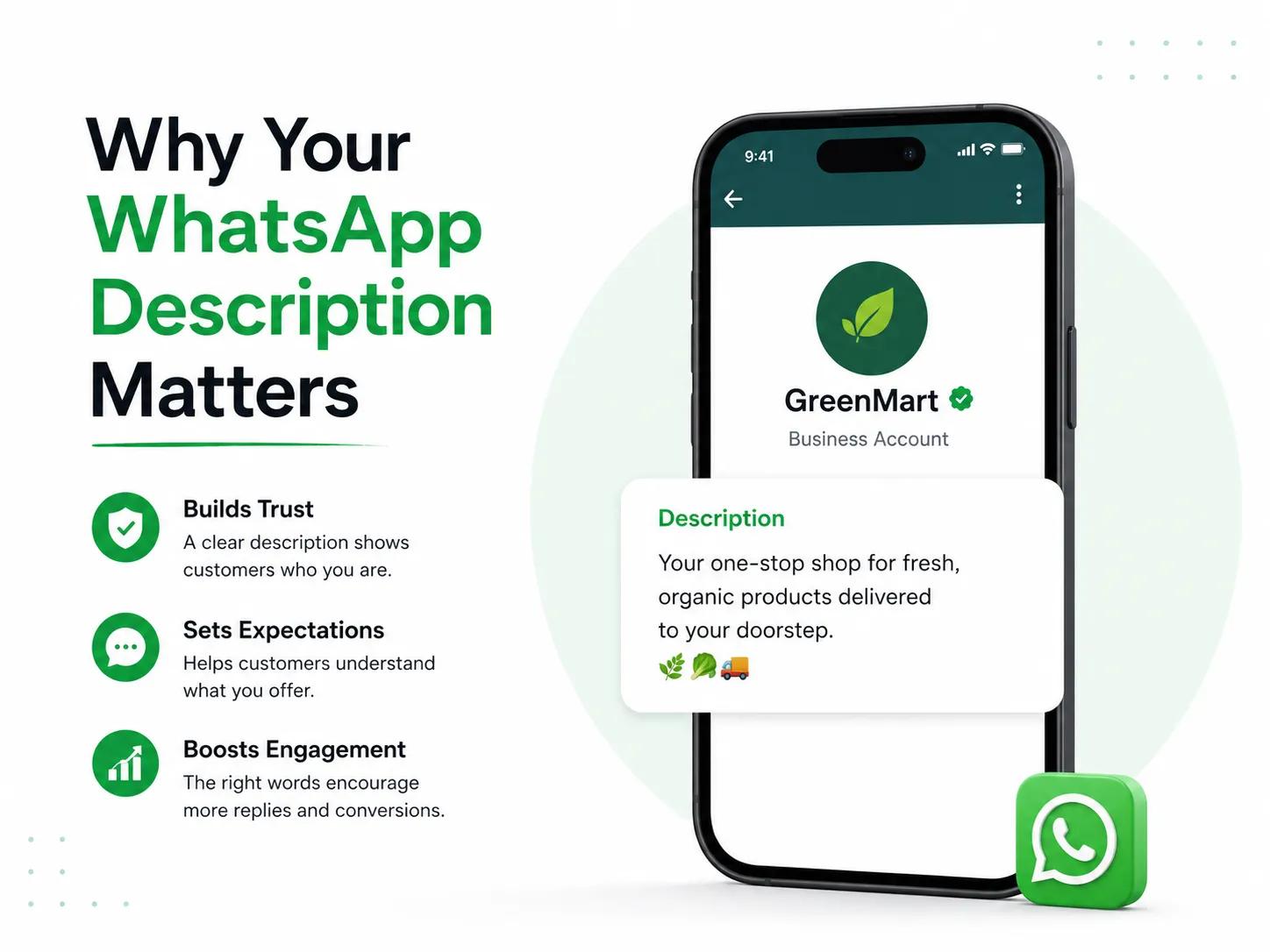
People move fast online. They glance at a profile for a few seconds and either message you or move on. That one short line under your business name plays a bigger role than most people realize. According to Meta, over 175 million people message a WhatsApp Business account every single day. Which means first impressions happen constantly and yours needs to count.
A good WhatsApp description does more than just fill a blank space. Here is what it actually does for your business with sales enablement:
- Builds trust: A complete, well-written profile tells people you take your business seriously. They feel more comfortable reaching out.
- Saves time: People know what you do right away. No guessing, no back and forth.
- Drives action: When someone feels confident about a business, they are more likely to message, ask questions, or place an order.
- Keeps you active: A fresh, updated description shows your business is running and responsive.
Leaving that space blank sends the wrong signal. A few clear, honest words there can be the difference between someone reaching out or simply moving on.
How To Add Or Edit Your WhatsApp Business Description
Most people do not realise how easy it is to update their WhatsApp Business description. It take less than a minute and you do not need any technical knowledge. Here is exactly how to do it:
On Android:
- Open WhatsApp Business on your phone
- Tap the three dots in the top right corner
- Go to Settings
- Tap Business Tools
- Select Business Profile
- Scroll down and tap Description
- Write or edit your description and tap Save
On iPhone:
- Open WhatsApp Business on your phone
- Tap Settings at the bottom right
- Tap Business Tools
- Select Business Profile
- Scroll down and tap Description
- Write or edit your description and tap Save
That is all there is to it. The whole thing takes under a minute. One thing worth remembering your description has a 139 character limit so keep it short and make every word count.
And if you want to keep your profile updated regularly without having to do it manually every time, Eazybe lets you manage and update your WhatsApp Business description directly from your browser without even picking up your phone.
Also Read: WhatsApp vs Email Marketing
How To Write A Great WhatsApp Business Description
Most businesses either leave this blank or fill it with something so generic it says nothing at all. The truth is, writing a good WhatsApp description is not complicated. It just takes a little honesty for sales efficiency and a minute of your time. Here is how to get it right:
- Sound like yourself: Forget trying to sound professional in a stiff, corporate way. Write the way you actually speak to a customer walking through your door. A local bakery should feel warm. A creative agency should feel sharp. Your tone is part of your identity.
- Cut it down: You get 139 characters. That is not a lot but it is enough if you are clear. Strip out anything that does not need to be there. The shorter and sharper it is the better it lands.
- Be specific about what you do: We sell handmade soy candles tells a story. We sell products tells nothing. Specific words build trust fast. Generic ones make people scroll past.
- Tell people what to do next: Do not just describe your business and stop there. Add one small line at the end: Message to order or Book your slot today. That tiny push is often what turns a visitor into a customer.
- Keep it fresh: Changed your hours? Launched something new? Update your description. A stale profile signals a quiet business, even when you are busier than ever.
One honest, specific and current description will do more for your WhatsApp profile than any fancy marketing trick ever will.
What's the Difference Between WhatsApp Business vs Regular WhatsApp?
If you have never used WhatsApp Business before it is easy to wonder why you even need it when you already have regular WhatsApp on your phone. They look almost the same but they are built for very different purposes.
Regular WhatsApp is made for personal conversations chatting with friends, family and staying connected with people you know. That is it. WhatsApp Business on the other hand is built specifically for people running a business with WhatsApp coexistence. It gives you things that regular WhatsApp simply does not have.
Here is a quick look at how the two are different:
| Feature | Regular WhatsApp | WhatsApp Business |
|---|---|---|
| Business Profile | No | Yes — name, address, hours, description |
| Auto Replies | No | Yes — away messages and greetings |
| Quick Replies | No | Yes — save and reuse common responses |
| Product Catalogue | No | Yes — showcase your products |
| Business Description | No | Yes — tell customers what you do |
| Labels for Chats | No | Yes — organise customers and orders |
| Broadcast Messages | Limited | Yes — reach multiple customers at once |
The biggest difference for most small business owners is the business profile. That is where your WhatsApp Business description lives. The short line that tells every new visitor exactly what you do before they even send a message. Regular WhatsApp does not give you that. And for a business trying to look professional and build trust quickly, that one feature alone makes WhatsApp Business worth switching to.
Must Read: WhatsApp Bulk Message Sender Without Getting Banned
Top 10 WhatsApp Business Description Samples
A bad description loses customers before the conversation even starts. A great one makes people stop scrolling and hit message. Here are 10 samples that do exactly that sharp, specific and written to actually work.
1. Clothing Brand
We do not follow trends, we set them. New drops every week sizes for everyone and prices that do not hurt. Tell us your style and we will find your fit. 👕✨
2. Coffee Shop
Life is too short for bad coffee. Every cup is freshly brewed every bite is homemade and every visit feels like a proper break. Come in or order ahead we will be ready. ☕🥐
3. Fitness Studio
No cookie cutter workouts. No empty promises. Just real training, real coaches and real results. Message us today and your first session is on us. 💪🏋️
4. Home Cleaning Service
Your home deserves better than a rushed job. We clean like it is our own, thorough, careful and always on time. Book once and see the difference. 🏠✨
5. Jewelry Store
Not mass produced. Not ordinary. Every piece is handcrafted and made to be kept forever. Message us and we will make it special. 💎✨
6. Digital Marketing Agency
Real strategies, honest timelines and results you can actually see. Tell us your problem and we will help your business grow online. 📈🚀
7. Travel Agency
You deserve a trip with no surprises and no stress. We handle flights, hotels and experiences. Just tell us where you want to go. ✈️🌍
8. Bakery
Baked at sunrise and loved all day long. Everything is made from scratch with real ingredient. Message us to reserve your order. 🍞🧁
9. Beauty Salon
You walk in looking tired and walk out feeling your best. Hair, skin, nails and bridal services done by people who genuinely care. 💇♀️✨
10. Electronics Store
We sell quality tech at honest prices and offer reliable repairs. Same day service available. Message us, no question is too small. 📱🔧
A description like these does not just sit on your profile. It works for you every single day. Quietly turning visitors into customers before you even say hello.
Common Mistakes To Avoid In Your WhatsApp Business Description
A lot of businesses put real effort into their products and services but completely ignore their WhatsApp description. And some of the mistakes people make there are honestly pretty easy to fix. Here are the ones that come up the most:
- Leaving It Blank: Surprisingly Common. No description means customers land on your profile and have no idea what you do. It feels careless. One decent sentence is all it takes to fix this.
- Being Too Vague: Quality services and best products mean nothing to anyone. If someone reads your description and walks away confused about what you actually sell or do that is a problem. Say something real and specific.
- Writing in All Caps: Hard to read and looks aggressive. Nobody wants to be shouted at before they even send a message. Just write normally.
- Copying Someone Else's Description: It shows. People can tell when something feels borrowed or generic. Your business has its own story even a small one. Write that instead.
- Keyword Stuffing: Trusted best cheap fast premium quality service is not a description. It is noise. Nobody reads it and nobody trusts it. One clear sentence beats ten buzzwords every single time.
- Never Updating It: If your description still says something that stopped being true two years ago change it today. An outdated profile makes people wonder if the business is even still running.
- Putting Your Number or Website in the Description: WhatsApp already shows that information elsewhere on your profile. That space is too valuable to repeat what is already there. Use it to actually say something worth reading.
None of these are big fixed schedulers. But getting them wrong costs you customers quietly every single day without you even realising it.
How To Personalize Your WhatsApp Business Description
No two businesses are the same and so why do so many WhatsApp profiles sound exactly alike? Writing a WhatsApp Business description that actually feels like yours takes two minutes. And those two minutes can make a real difference with WhatsApp copilot.
Around 68% of customers are more likely to message a business that feels specific and honest over one that sounds copy pasted. Here is how to do it in three simple steps
Step 1 — Say what you do
Just be straight about it. No complicated words.
"We make fresh homemade pickles."
Step 2 — Say what sets you apart
Most people skip this part. Do not. This is the line that makes someone choose you over the next option.
Made from grandma original recipe with no preservatives or artificial colors.
Step 3 — Tell them what to do next
One clear line at the end is all it takes to turn a reader into a customer.
Message us to place your order or ask about bulk pricing.
Put all three together and it becomes: Fresh homemade pickles made from grandma original recipe and no preservatives, no artificial colors. Message us to order or ask about bulk pricing.
Also Read: How To Read Deleted Messages On WhatsApp
How Eazybe Makes WhatsApp Business Easier
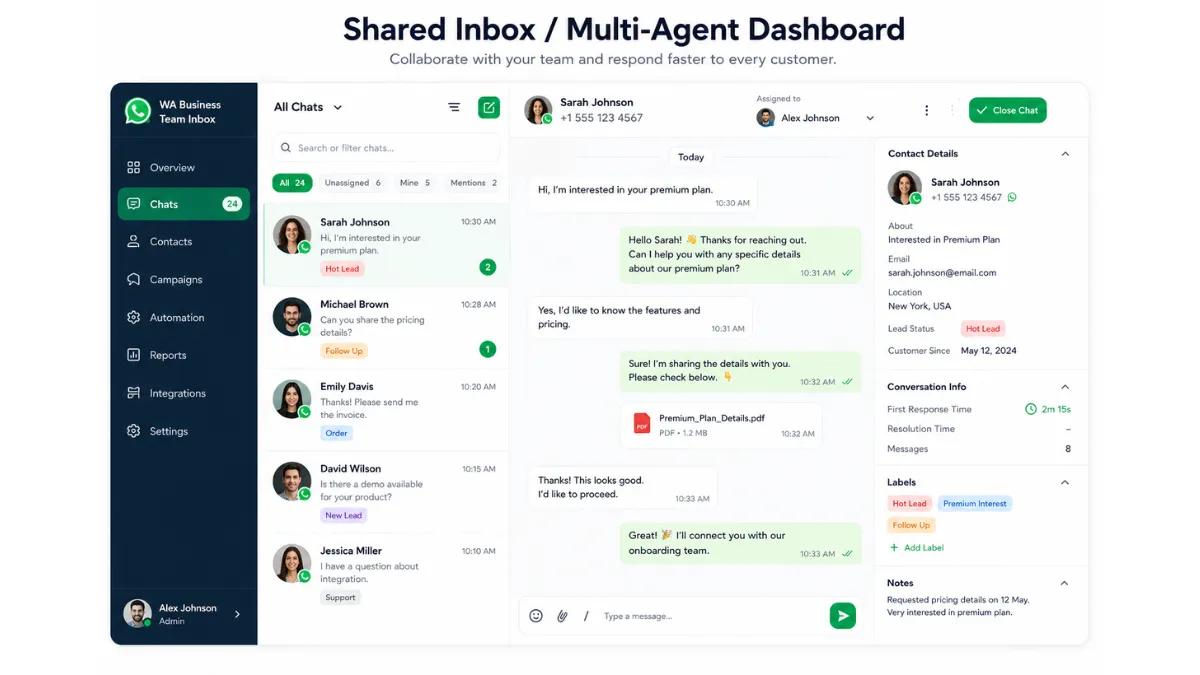
Running a business on WhatsApp sounds simple until you are actually doing it. Messages pile up, orders get missed and somehow you are expected to reply to everyone instantly. And small but important things like keeping your WhatsApp Business description updated are usually the first to get ignored. Most business owners spend 2 to 3 hours every day just managing WhatsApp chats and WhatsApp Team inbox that is time that could go toward actually growing the business. Eazybe changes that.
It sits right on your browser and brings everything into one place. No switching tabs, no picking up your phone every few minutes, no missed messages and connecting with WhatsApp crm. Here is what it actually does:
- Quick Replies: Save your most common responses and send them in one click with a quick reply. No more typing the same thing twenty times a day.
- Chat Management: See all your conversations in one clean dashboard. Label chats, filter by status and never lose track of a customer again.
- WhatsApp Business Description Updates: Keep your description, business hours and profile info fresh and accurate without jumping between apps. An outdated description loses customers before the chat even starts.
- Order Tracking: Keep tabs on orders right from your chat window. No separate spreadsheet, no sticky notes.
- Broadcast Messages: Send updates offers or announcements to multiple customers at once without it looking like a bulk message.
- AI Smart Replies: AI sales agent suggests replies based on the conversation so you respond faster and sound more consistent.
Here is a quick look at how things change once you start using Eazybe:
| Task | Without Eazybe | With Eazybe |
|---|---|---|
| Replying to messages | Done manually one by one | Quick replies in one click |
| Managing chats | Scattered and easy to miss | All in one clean dashboard |
| Updating WhatsApp Business description | Easy to forget and goes outdated | Updated instantly from browser |
| Tracking orders | Separate notes or spreadsheets | Tracked inside the chat |
| Sending offers to customers | Done one by one | Broadcast to all at once |
| Daily time spent on WhatsApp | 2 to 3 hours | Under 45 minutes |
Your WhatsApp Business description is the first thing a customer sees — and Eazybe makes sure it never gets left behind. Everything runs cleaner, replies go out faster and managing your WhatsApp Business stops feeling like a full time job.
Suggested Read: How To Appear Offline On WhatsApp (Without Going Offline)
Final Thoughts On Best WhatsApp Business Description
Your WhatsApp Business description is a small thing but it is often the reason someone decides to message you or not. One honest line about what you do can do more for your business than a long sales pitch ever will. People do not remember fancy words. They remember how a business made them feel and sometimes that feeling starts with a single sentence on your profile.
Take a minute right now and read your current description. Does it actually sound like your business? Does it say something real or does it feel like it was just thrown together to fill the space? If it does not feel right and change it. It takes two minutes and the difference it makes is worth it.
The businesses that do well on WhatsApp are not always the biggest or the most polished. They are the ones that feel approachable and real from the very first glance. A clear description and an honest tone and one simple line telling people what to do next that is genuinely all it takes to turn a stranger into a customer.
So if your description is blank, vague or just does not sound like you anymore — today is a good day to fix that.