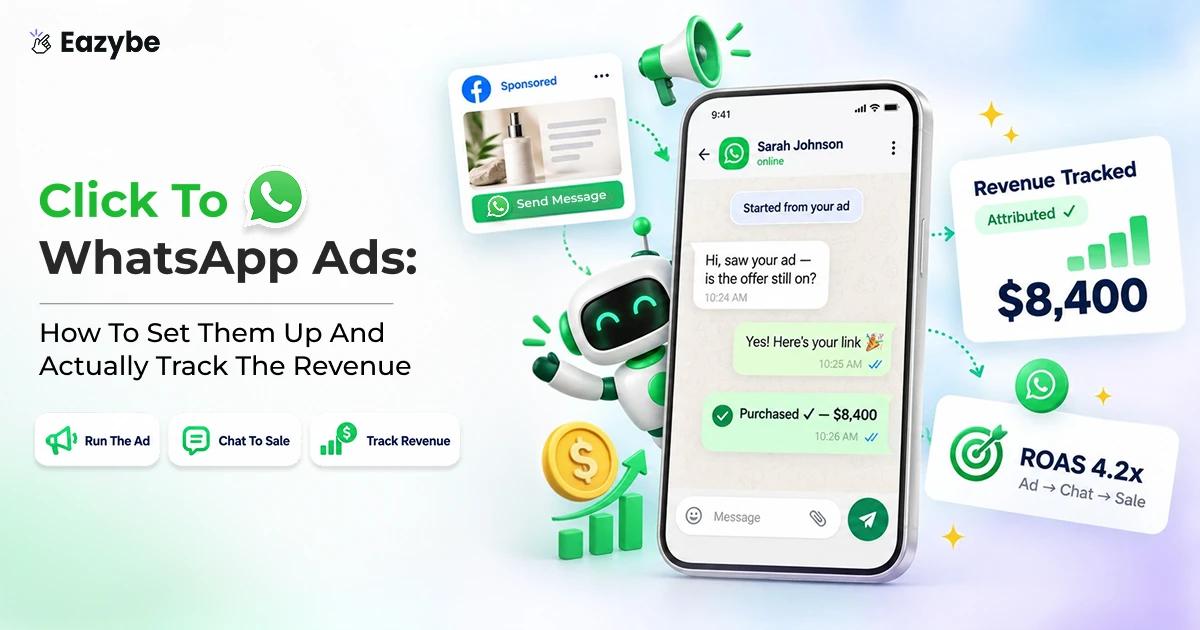


Click to WhatsApp ads are Facebook and Instagram ads carrying a "Send Message" button. One tap opens a chat with your business inside WhatsApp. So, instead of a form submission you get a live conversation with someone. Who already owns the number they contacted you from.
Budgets keep moving toward them because they work. What falls apart is everything after the tap and that is where the money goes. This Eazybe guide covers the setup, the real costs and why your reporting shows conversations but no revenue. It also covers the part nobody advertises: WhatsApp AI agents that sit on the other side of the ad, answering in seconds, scoring every lead and pushing your budget toward the people who actually buy, without anyone on your team lifting a finger.
What Are Click To WhatsApp Ads?
A click to WhatsApp ad (CTWA) is a Meta ad with a messaging destination. Someone scrolling Facebook, Instagram, Reels or Stories taps the button, WhatsApp opens up and there is already a message sitting there waiting for them to send.
Everything a landing page usually puts in the way disappears. There is nothing to load, nothing to scroll past, no form to abandon halfway and no risk that someone mistypes their number. What you get instead is a conversation with somebody who chose to start it.
1. CTWA versus a boosted post
This one catches out more advertisers than anything else on this page and it shows up on your bill.
A real click to WhatsApp ad gets built in Ads Manager with a messaging objective and WhatsApp as the destination. That ad gets you Meta's free entry point window, which means the conversation it starts costs you nothing for the first 72 hours.
Boost a Facebook post with a WhatsApp button instead and it looks pretty much the same to whoever taps it, but Meta treats it as something else entirely. There is no free window, so you are paying message charges from your very first reply. If a campaign you assumed was covered has been quietly running up charges, this is usually where it started. q
2. CTWA versus lead form ads
Both formats are chasing a contactable lead, they just take different routes to get there.
A lead form hands you a name and a number that somebody typed into a box and a decent share of those numbers turn out to be wrong, mistyped or made up on purpose. A CTWA conversation hands you a number that is verified by the simple fact that a message arrived from it, along with some idea of what the person wants.
Lead forms will usually give you more raw leads for the same spend, so if volume is the only thing you are counting they look better. Once you count qualified leads instead, CTWA tends to pull ahead and the gap widens the further down the funnel you measure.
Suggested Read: Top 7 WhatsApp CRM Integrations For Sales And Support
The Problem Every Sales Leader Hits After The CTW Ads Go Live
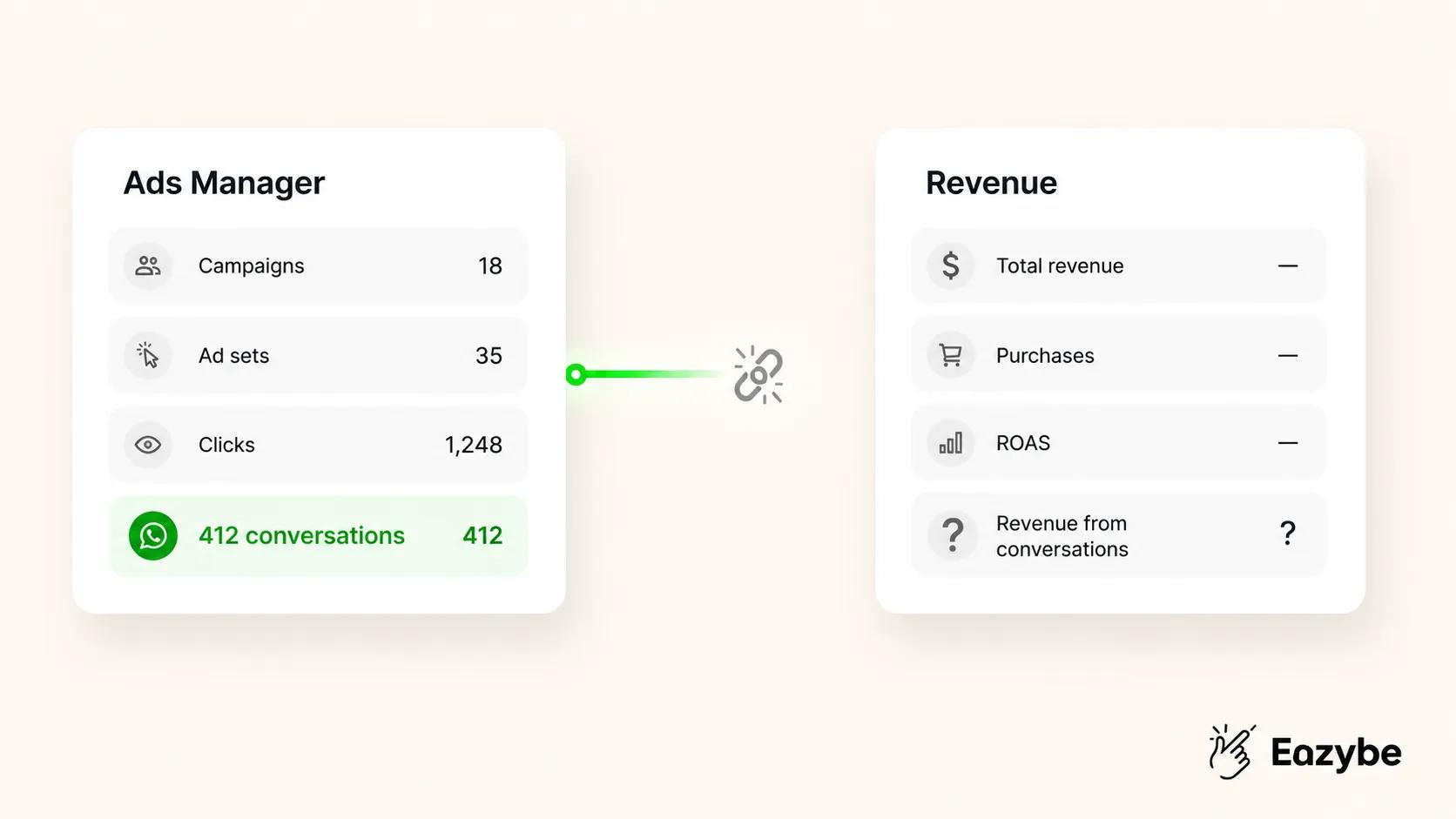
Ads data disconnected from revenue
The campaign launches and the first week looks fine. Conversations started to climb steadily, the cost per conversation sits where you hoped and marketing has a good number to report.
Then somebody in a finance meeting asks which ads made money and the room goes quiet.
Sales will say the leads were weak. Marketing will say the leads were fine and nobody answered them fast enough. Neither side can prove anything, because your ad data ends at the tap and your sales data begins inside WhatsApp, with nothing in between joining them up.
Four things are usually going wrong underneath that argument:
- The trail breaks at the very first message: Meta passes over an identifier when the conversation opens and if nothing stores it, that conversation can never be traced back to the ad you paid for. Every sale after that point is unattributed.
- Nothing ever goes back to Meta: With no conversion event returning, the algorithm keeps optimising toward people who like sending messages rather than people who buy things, so your spend drifts a little further off target every week.
- The reply arrives too late : Leads land on individual phones, often in the evening or over a weekend and by the time anyone opens WhatsApp the interest has cooled. Meta watches your response times too and slow ones cost you delivery.
- Nobody owns the lead: Without assignment, either two reps answer the same person or nobody does and the conversation dies without leaving a trace that it happened.
Notice what all four have in common. None of them are advertising problems and none of them get solved by hiring another rep or rewriting your creative. They are all things a human has to remember to do, at speed, every single time, which is exactly the kind of work that stops happening the moment volume picks up.
The ads themselves are rarely the problem. What is broken sits on either side of them, in how you measure and how you handle what comes in and you can fix both without touching your creative or your budget. The rest of this guide covers the setup first, then how to close that loop.
Also Read: How To Increase Sales: What Successful Companies Are Doing Differently In 2026
What You Need Before Running Click To WhatsApp Ads
Five things and only the last one requires any thought:
- A WhatsApp Business account, either the free app or the API.
- Meta Business Manager with admin access to your ad account and your WhatsApp Business Account.
- Your WhatsApp number connected under Business Settings, then Accounts, then WhatsApp Accounts.
- A Facebook Page linked to the same business
- A decision on app versus API.
On that last point, most teams find the line sits around 50 conversations a week. Below that you can answer by hand and the free app copes fine. Above it you will want automated welcomes, routing and reporting and none of those exist in the app.
If you are already running the Business App and would rather not give it up, you do not have to pick one. WhatsApp coexistence runs the app and the API together on the same number, so your team keeps replying exactly where they always have while the automation works alongside them.
Worth knowing on timing: CRM sync runs from about ten minutes after you install, while an agent needs two or three days to train on your past conversations before it is ready to answer live. Set it up before your campaign launches, not the week after.
How To Set Up Click To WhatsApp Ads
All of this happens inside Meta Ads Manager:
- Create a campaign and pick the Engagement or Leads objective, depending on which one your account is currently being shown.
- Set the conversion location to messaging apps, then choose WhatsApp as the destination. If WhatsApp does not appear, your number is not connected properly back in Business Settings.
- Choose your audience and go wider than feels comfortable. Tight targeting limits what Meta can learn, so save it for retargeting.
- Set placements to automatic to begin with. Reels will usually bring the volume while Feed tends to bring the better conversations.
- Build the creative and get a WhatsApp chat on screen within the first second or two of any video, since that cue tells people what tapping will do.
- Write the pre filled message, which matters more than everything else on this list put together.
- Add icebreakers, the tappable questions that appear in the chat, keeping each one under 80 characters.
- Publish it and leave it alone for at least a week, because a campaign judged on day two is a campaign judged during its learning phase.
Also Read: 7 Best AI Agents For Customer Support
Writing the pre filled message
Most people leave this on whatever Meta suggests, which throws away the most useful field in the whole setup. This message is the first thing that lands in your inbox, so it should tell you something before anyone types a word.
Weak: "Hi, I want to know more."
- For a property developer: "
Hi, I saw your ad about the riverside apartments. Can you send me prices and availability?" - For a course provider: "
Hi, I want to check if I am eligible for the data science programme." - For a D2C brand: "
Hi, do you ship to my area and what is the delivery time?."
Read either of those and you already know which campaign sent them and roughly what they want. Whoever picks up the chat can just answer, instead of spending the first three messages working out who they are talking to.
Click To WhatsApp Ads Cost: What You Actually Pay
There are two layers to your cost and most advertisers budget for one of them:
- Meta ad spend: is the obvious one, billed the usual way through Ads Manager. Cost per conversation started swings hugely by country, industry and time of year, so published benchmarks will only get you so far. Work yours out backwards from your own numbers instead. Closing one conversation in four with a £40 acquisition target means you need conversations under £10. Closing one in ten means you need them under £4.
- Message charges: are the layer people forget and they only apply once you are on the API, where the usual WhatsApp Business API pricing takes over. The free entry point window matters here, because a conversation started by a proper CTWA ad costs nothing for its first 72 hours, marketing messages included. Nothing else on WhatsApp works that way, which is why your follow up should be built around those three days.
The one exception is Meta Business Agent messages, which are billed for token usage even inside that free window.
What Changes On 1 October 2026
From that date Meta begins charging for service messages and for utility templates sent inside the 24 hour customer service window, both of which cost nothing today.
Your 72 hour CTWA window survives untouched, so ad driven conversations stay free for those three days. Everything after them changes. Somebody who goes quiet and comes back on day five now costs you money to answer, where before it was free.
So, two things follow from that. Build your follow up to do its real work inside the 72 hours instead of trailing off past them. And remember that replies typed in the free WhatsApp Business App are never billed at all. Which is worth thinking about before you move your whole operation onto the API.
Must Read: Top 9 Best WhatsApp Business Tools for Sales, Support & AI Automation In 2026
Click To WhatsApp Ads Attribution: Why Your Reporting Shows Nothing
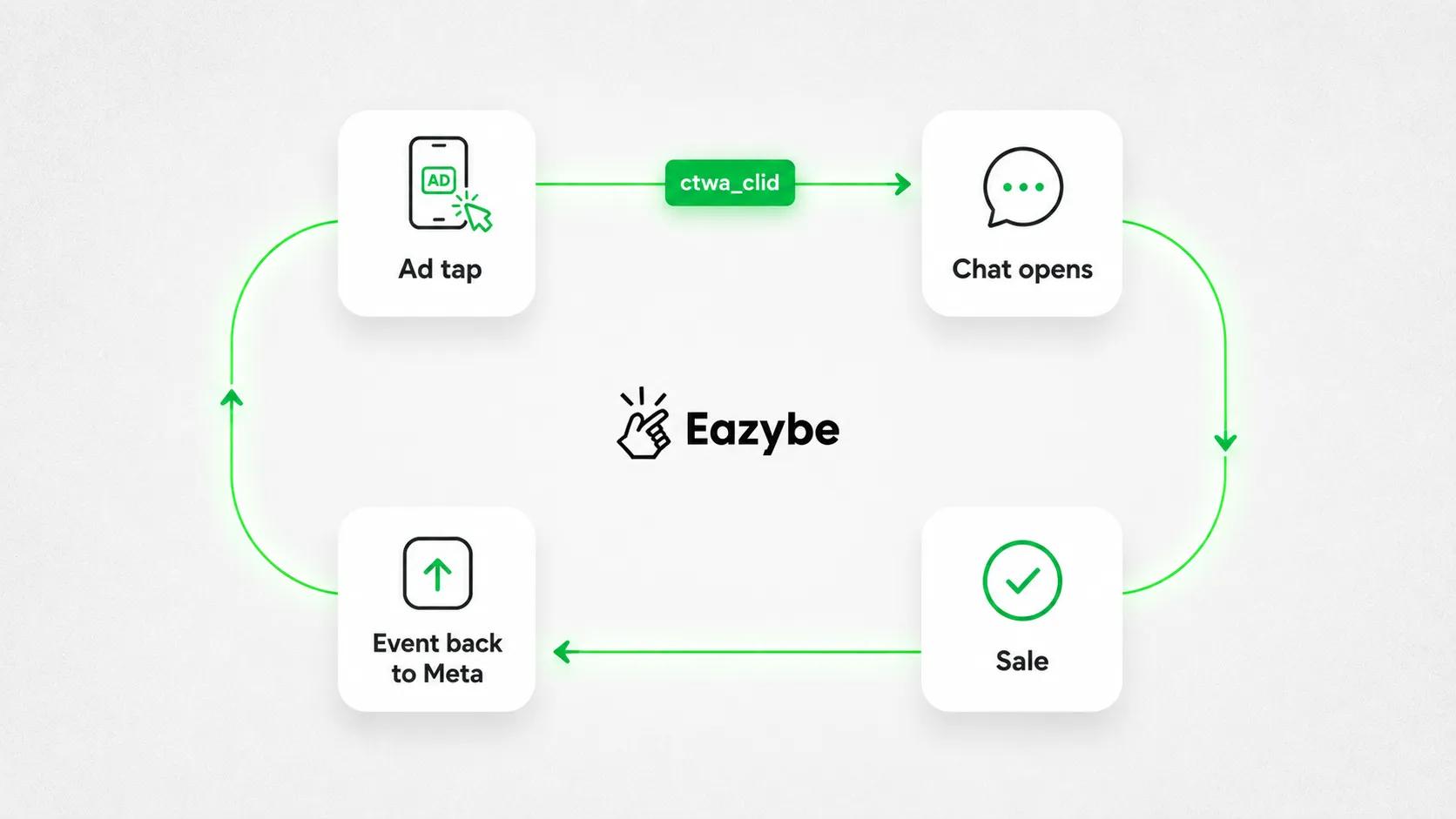
CTWA attribution loop explained
Almost every guide skips this section and it explains why your dashboard and your bank account tell different stories.
What ctwa_clid is and why it matters
When somebody taps your ad, Meta creates a click identifier called ctwa_clid and passes it along with that first message into the webhook your platform receives.
That identifier is the only thread connecting the conversation to the ad. If your platform does not grab it and save it against the contact, the thread is cut for good. You will still see the sale, but nothing anywhere will know which ad paid for it.
It is why so many accounts end up showing hundreds of conversations started with no revenue figure beside them. The data existed for a moment and nobody caught it.
Closing the loop with the Conversions API
Catching the identifier only gets you halfway. The other half is sending an event back to Meta when something valuable happens, so the algorithm learns which ads bring buyers instead of which ads bring chat.
It runs like this:
- Someone taps your ad and Meta generates ctwa_clid.
- Your platform pulls it from the webhook as the first message arrives and stores it against that contact.
- You decide what counts as a conversion, whether that is a qualified lead, a booking or a purchase.
- When it happens, you send the event back through the Conversions API with the stored ctwa_clid attached.
- Meta connects the sale to the ad and starts looking for more people like that buyer.
Two details are worth passing to whoever builds this, because they are the usual reason events get accepted and then ignored. Your action source has to be set to business messaging rather than the default and the messaging channel has to be specified as WhatsApp. Miss either and Meta will process the event without ever tying it to your CTWA campaign.
What good attribution looks like
With the loop closed, the numbers you report change completely.
Cost per conversation started stops being your headline, because all it measures is how many people said hello. You track cost per qualified lead, cost per sale and revenue attributed to each campaign across a 30 day window instead. Those are the figures that hold up in a finance meeting, and they are what makes Meta's algorithm start working in your favour.
Also Read: AI Sales Agents: Type, Features, Examples, ROI Benefits And Provider
Click To WhatsApp Ads Benchmarks: What The Numbers Actually Show
Here are the figures people quote with a note on how much weight each one deserves:
- 94% higher conversion and 92% lower cost per lead than equivalent landing page campaigns, from a Forrester study. Worth knowing Meta commissioned the research.
- €1.50 to €8.00 per conversation started, depending on industry, according to vendor benchmarks.
- 25% to 50% of conversations reach qualified lead status, provided you have a decent qualification flow running.
- Reply inside five minutes and real estate leads convert to site visits several times more often than leads answered an hour later. Most platforms push for under 60 seconds, which in practice means a person cannot do it.
- The famous 98% open rate does not hold up, Analysts traced it back to early WhatsApp marketing copy with no methodology behind it. Measured figures sit nearer 65% to 90%, which still buries email.
Treat all of it as directional. Nearly every CTWA statistic out there comes from a company selling CTWA software, the ranges are wide and results swing hard between markets and industries. The only number worth trusting is your own cost per qualified lead, measured before and after you fix what is in this guide.
By Hand Versus With A CTWA Agent
Two teams run the same campaign with the same budget and the same creative. One handles the replies themselves, the other lets an agent take the first pass. Here is where the two paths separate.
| After The Tap | By Hand | With An Agent |
|---|---|---|
| First reply | Whenever someone opens WhatsApp | Within seconds, any hour |
| Qualifying | A rep works it out mid conversation | Scored on every message |
| Routing | Whoever notices it first | Straight to the right closer |
| CRM record | If somebody remembers | Logged automatically |
| Wasted retargeting | Every browser stays in the audience | Non buyers excluded |
| Attribution | Breaks at the first message | Tracked from ad to sale |
None of the differences on the right need extra headcount. They are the same five jobs, done at a speed and a consistency nobody manages by hand once the volume picks up.
How CTWA Agents Handle All Of This Automatically
Most tools stop at a chatbot that fires a welcome message and then hands you a full inbox to sort out. That solves the speed problem and leaves the other two untouched.
A CTWA agent goes further. It works the whole conversation on its own, from the second the ad is tapped through to the point a rep needs to step in and it never gets tired at 11pm on a Sunday.
Here is what actually happens, without anyone touching it:
- Second one: The agent replies. Not a canned "thanks for messaging", but an answer to whatever the person actually said, in their language, because it is multilingual by default.
- Before it replies, it checks your CRM: So if that number already exists as a contact, an open deal or a customer who bought last year, the reply accounts for it. Nobody gets asked a question you already know the answer to.
- Through the conversation, it scores intent: Using BANT, MEDDIC or criteria you write yourself. Budget, timeline, fit, whatever matters in your business, picked up from what the person says rather than from a form.
- Then it decides: High intent goes straight to your best closer while the person is still typing. Everything else keeps talking to the agent until it either warms up or does not.
- And the budget part, which is the one people miss: The agent knows who was never going to buy, so those people stop eating your retargeting spend. Most accounts are quietly funding a lot of impressions to browsers and that money goes back into finding real buyers instead.
- Every message logs itself: Contact, deal, campaign, the whole thread, sitting in HubSpot, Salesforce, Zoho, Pipedrive or wherever your pipeline lives, without a rep copying anything across.
Also Read: How To Use WhatsApp Poll Results To Sell More And Grow Your Business
It works on the number you already have
No migration, no new number to put in your ads, no waiting on Meta approval before you can start. It runs on Personal WhatsApp, the Business App and the WhatsApp API, which means the number your customers already message is the number this runs on.
It does not stop at the ad
The CTWA agent shares a context engine with the rest of the lineup, so a lead it qualified today does not arrive as a stranger next month. The CRM Sync Agent keeps logging the conversation, the Revenue Agent flags it if the deal goes quiet and the Customer Success Agent picks it up after they buy. The history travels with the deal instead of resetting at each handover.
You can talk to one right now
There is a live agent running on WhatsApp that will qualify you in about sixty seconds, which is the same experience your own leads would get. Worth a minute of your time before you decide whether an agent can hold a real conversation, because most cannot.
CTWA Lead Management: What Happens After The Click
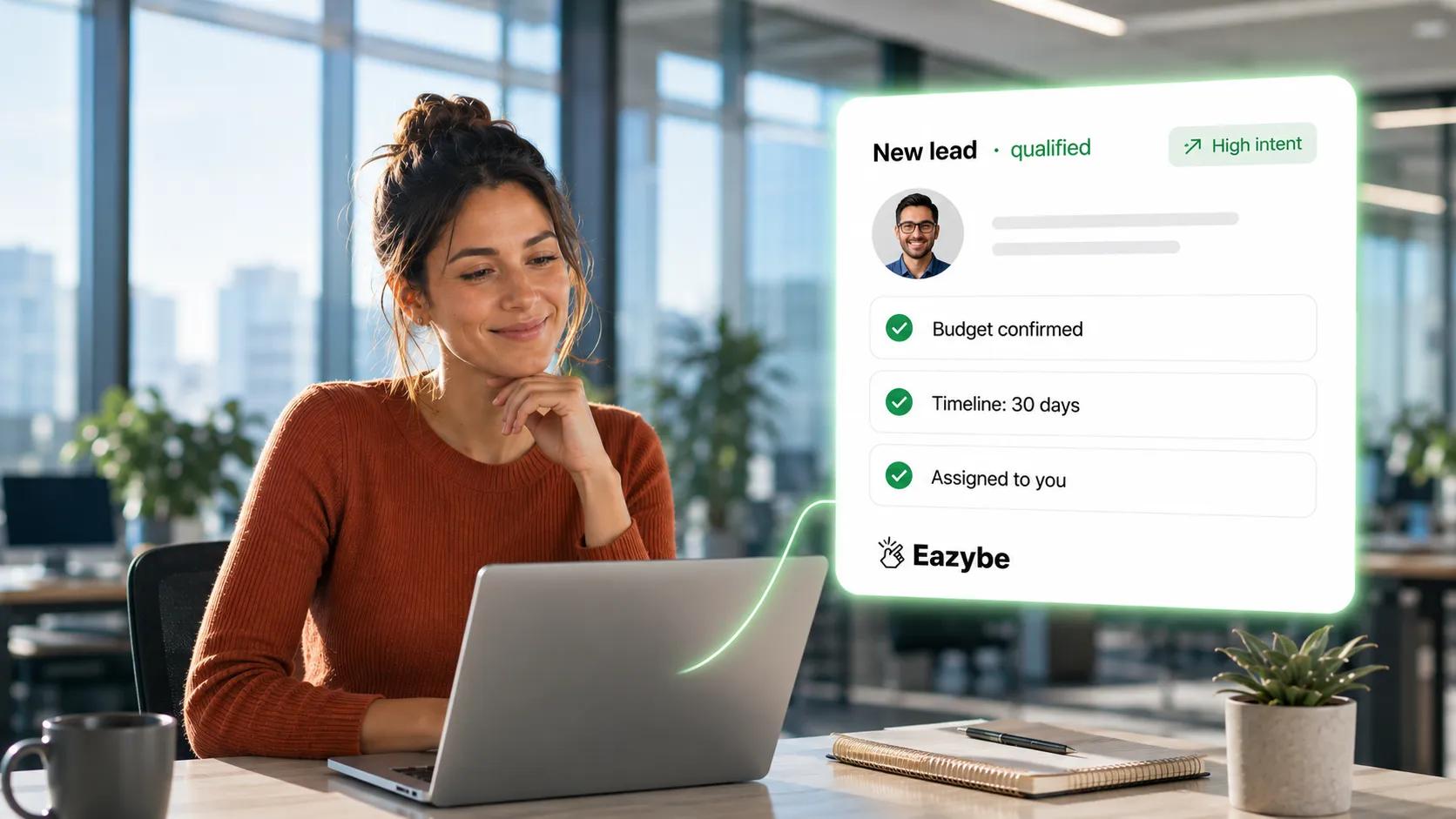
Qualified WhatsApp lead auto-assigned
Your ad buys a conversation. What you do in the next few minutes decides whether it turns into money. Those three things have to happen in every conversation, within about a minute, at whatever hour your ads happen to be running. No team does that by hand for long, which is why the next section covers what it looks like when the work runs itself.
Three things settle that and none of them are advertising problems:
- Speed: Your first reply needs to land inside a minute, which no human inbox manages across evenings, weekends and lunch breaks. It affects delivery too, since Meta treats slow response times as a quality signal.
- Qualification: Not everyone who taps is a buyer. Some are shopping around, some are curious, a few tapped by mistake. Working out which is which saves your reps an hour on the wrong lead.
- Ownership: Every chat needs a name against it, or it sits there while everyone assumes somebody else picked it up.
The Eazybe CTWA Agent covers this part. It works on your existing number across the personal app, the Business App and the API, scores intent on every message using BANT, MEDDIC or criteria you define and passes high intent leads straight to the right rep. It also reads your CRM before it answers, so the reply takes account of whatever history that contact already has with you.
There is a budget side to it that people miss. Since the agent already knows who is serious and who is not, you can stop spending retargeting money on people who were never going to buy and most accounts are quietly wasting a fair amount there every month.
Around that sits the rest of the workflow. A WhatsApp team inbox puts a name against every conversation so none of them sit unanswered and Whatsapp CRM drops each ad driven conversation onto the right contact record with the campaign attached, integration rather than leaving it stuck inside somebody's WhatsApp.
Click To WhatsApp Ads Meta Best Practices
- Reply inside a minute: and automate that first response so it holds up at 11pm on a Sunday
- Treat CTWA as lead generation rather than a checkout: since the first sale usually arrives days later, so optimise for cost per opt in and nurture from there
- Use the 72 hour window on purpose: Plan a WhatsApp follow up sequence across those three days instead of sending one message and hoping
- Qualify before you pitch: Two or three questions followed by a relevant answer beats a twelve message hard sell that gets your chat muted
- Go broad on prospecting: and keep narrow audiences for retargeting
- Rotate creative every two or three weeks: running three to five variants together and cutting the weakest early
- Give any campaign a week: before you judge it, since the first few days are the learning phase
- Segment your follow up: using what the qualification flow told you, because sending the same WhatsApp broadcast message to everybody throws away context you already paid to collect
Click To WhatsApp Ads Facebook Examples
Four businesses running click to WhatsApp ads in four different markets, each with a different goal. Read them for the structure rather than the industry, because the same four steps sit underneath all of them:
- A property developer in Dubai: runs Reels ads for a new launch. The pre-filled message asks about prices for a named development, an agent qualifies budget and timeline in three questions and anybody with a confirmed budget reaches a senior closer within the hour. They track cost per site visit rather than cost per conversation.
- A D2C skincare brand in Brazil: points CTWA at a bundle offer. The welcome flow asks about skin type, recommends two products and sends a payment link inside the free window and every purchase fires an event back to Meta so the algorithm goes looking for more buyers like that one.
- An education provider in Turkey: advertises a new intake. Icebreakers let people pick between student, working professional and career switcher, each routing to its own follow up sequence and counselling calls get booked inside the chat.
- A B2B software company in Spain: runs CTWA for demo requests. The agent asks about company size and use case, politely sends the ones who are too small on their way and books everyone else straight into the calendar with the full chat already sitting in the CRM before anyone dials in.
Four markets, four industries and the same four steps underneath all of them. Reply fast, qualify, route, then tell Meta what happened.
Common Mistakes That Burn Budget
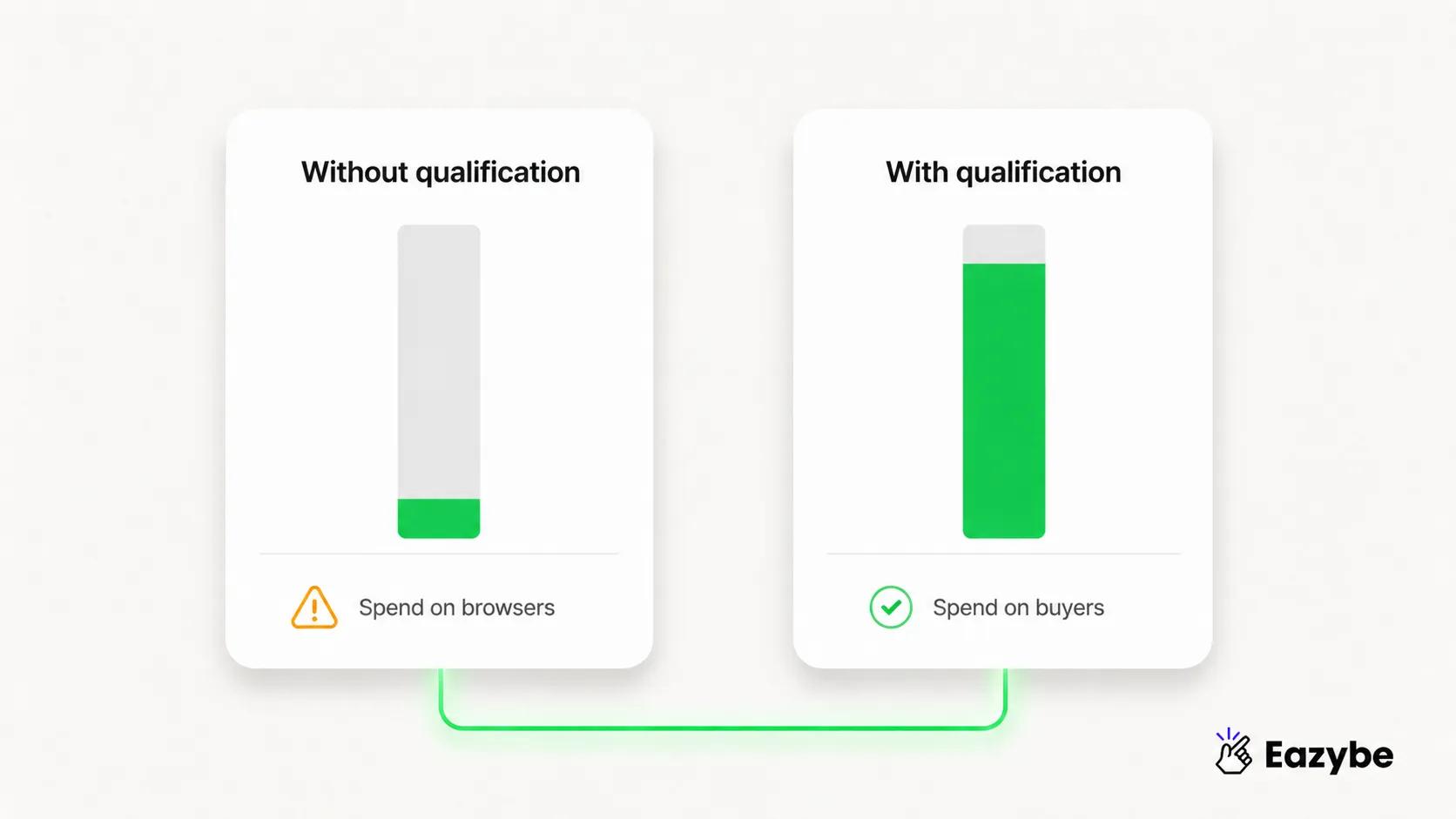
Qualification saves ad spend
- Boosting a post instead of building a proper ad, which costs you the free 72 hour window and adds message charges nobody budgeted for.
- Leaving the first reply to a human, which guarantees slow answers at exactly the hours your ads are running.
- Optimising for conversations started, which teaches Meta to find people who enjoy messaging rather than people who spend money.
- Selling in the first message, which gets you muted before you have learned anything about who you are talking to.
- Killing campaigns on day two, before the learning phase has even finished.
- Never firing a conversion event back, which is the expensive one, because your cost per lead creeps up week after week and nobody can work out why.
Final Verdict: Best CTWA Service Provider
In most WhatsApp first markets, click to WhatsApp ads intagram are the cheapest high intent traffic. Meta sells and the format itself is hardly ever the thing holding you back. What separates the accounts that scale from the ones that plateau sits either side of the tap: a first reply that arrives in seconds, qualification that tells buyers apart from browsers. A conversion event going back to Meta so the algorithm knows who to look for next.
Sort those three and your existing campaigns get cheaper without a single change to the creative. Leave them and you will carry on paying for conversations that nobody can trace to a sale. If you are still deciding which platform to run all this on, our comparison of the best WhatsApp CRM software goes through the options.