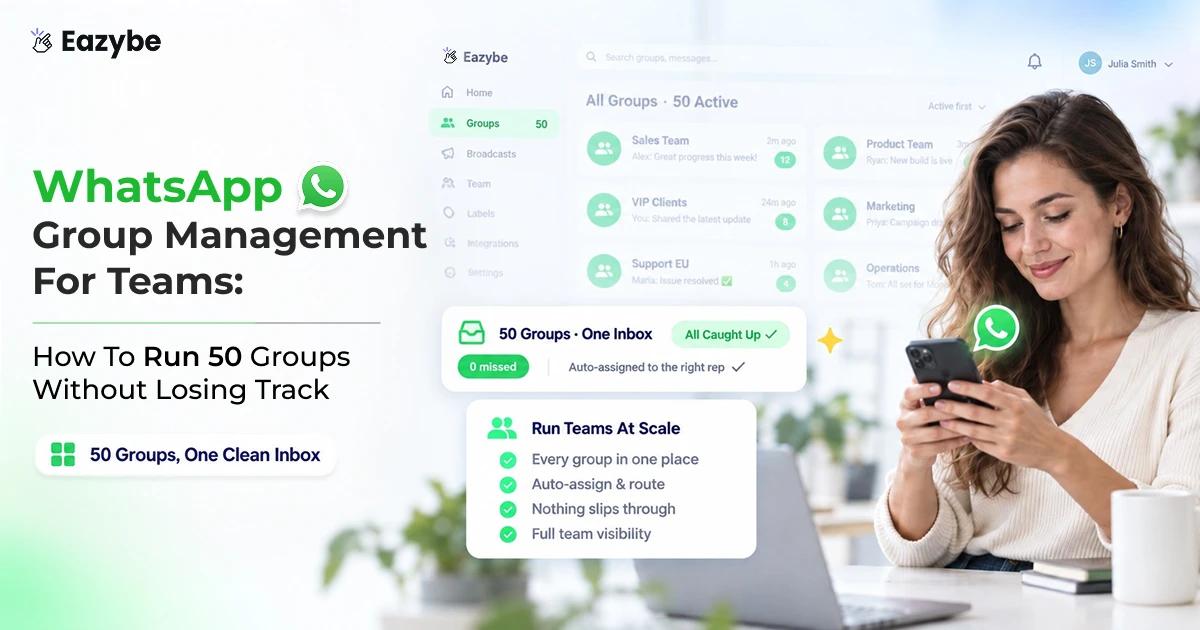


WhatsApp group management for teams means running your business groups as a proper channel, with one shared team inbox, an owner on every issue and a ticket behind anything that matters. Without it, a real customer complaint looks exactly like a meme until somebody scrolls far enough to notice.
This guide covers how to turn driver groups, support communities and sales groups into structured workflows using ticketing, assignment and CRM sync. It also shows where Eazybe WhatsApp AI agents do the heavy lifting: they read each group for intent and urgency, so your team opens the one that needs them instead of the one that buzzed last.
Also Read: WhatsApp Lead Qualification With AI: How To Qualify Leads Inside The Chat
What Is WhatsApp Group Management?
WhatsApp group management is the set of systems and workflows that let a team handle business WhatsApp groups at scale. Unlike family or friend groups, business groups act as support channels, sales touchpoints or community hubs where several stakeholders talk at once.
Done properly, WhatsApp group management covers six things:
- Centralised group inbox: all group chats in one place, separate from 1:1 customer conversations.
- Ticketing for group inquiries: a ticket raised automatically when a customer flags an issue in a group.
- Round robin assignment: group inquiries spread across agents by availability or expertise.
- Role based group access: control over which team members see or answer which groups.
- AI powered intelligence: intent, urgency and next actions pulled out of the conversation.
- CRM integration: group activity synced to the customer record for full visibility.
One distinction worth making early. This is about groups as a business channel, not about internal team chat tools like Slack or Microsoft Teams.
Must Read: Top 7 WhatsApp CRM Integrations For Sales And Support
Why WhatsApp Groups Are Harder To Manage Than 1:1 Chats

Group chaos made trackable
Groups fail differently from direct chats, and the failure is usually invisible until a customer escalates. Four things make them harder to manage.
Volume And Noise
A single group can produce hundreds of messages a day. Run ten or twenty or fifty of them and real issues sit buried under casual chat, side threads and forwards that nobody needed.
Multiple Stakeholders In One Thread
A group holds customers, drivers, partners or community members all at once. One question might need two different people from your side, which makes handoffs and clear ownership far more important than they are in a 1:1.
Context Switching Between Groups
Agents hop between groups, lose the thread, and re-read history to work out what was happening. Without a ticket sitting over the conversation, follow ups quietly stop happening.
No Native Business Features
WhatsApp gives groups no assignment, no ticket tracking and no SLA management. Personal WhatsApp and the Business App treat a group exactly like a 1:1 chat. Which is fine for a family and useless for a support channel.
This is why teams reach for WhatsApp group management tools rather than trying to run it by hand. A team inbox solves most of it, because it puts every group in one place with an owner attached.
Suggested Read: Best WhatsApp CRM Chrome Extension For Sales Teams
The Six Workflows That Make WhatsApp Group Management Work
These six sit on top of each other. The group inbox comes first, and everything else assumes it exists:
A Centralised WhatsApp Group Inbox
The problem is that switching between groups on a phone destroys context and makes prioritisation impossible. The fix is a shared inbox that pulls every group into one interface. Where the team can filter by unread, assigned or urgent and jump straight into what needs attention.
What to look for in a WhatsApp group inbox:
- A unified view of every group across personal, Business App and WhatsApp API connections.
- Filtering by channel, assignee or custom properties.
- Saved views that persist, such as "urgent groups" or "driver support groups".
Automatic Ticket Creation From Group Messages
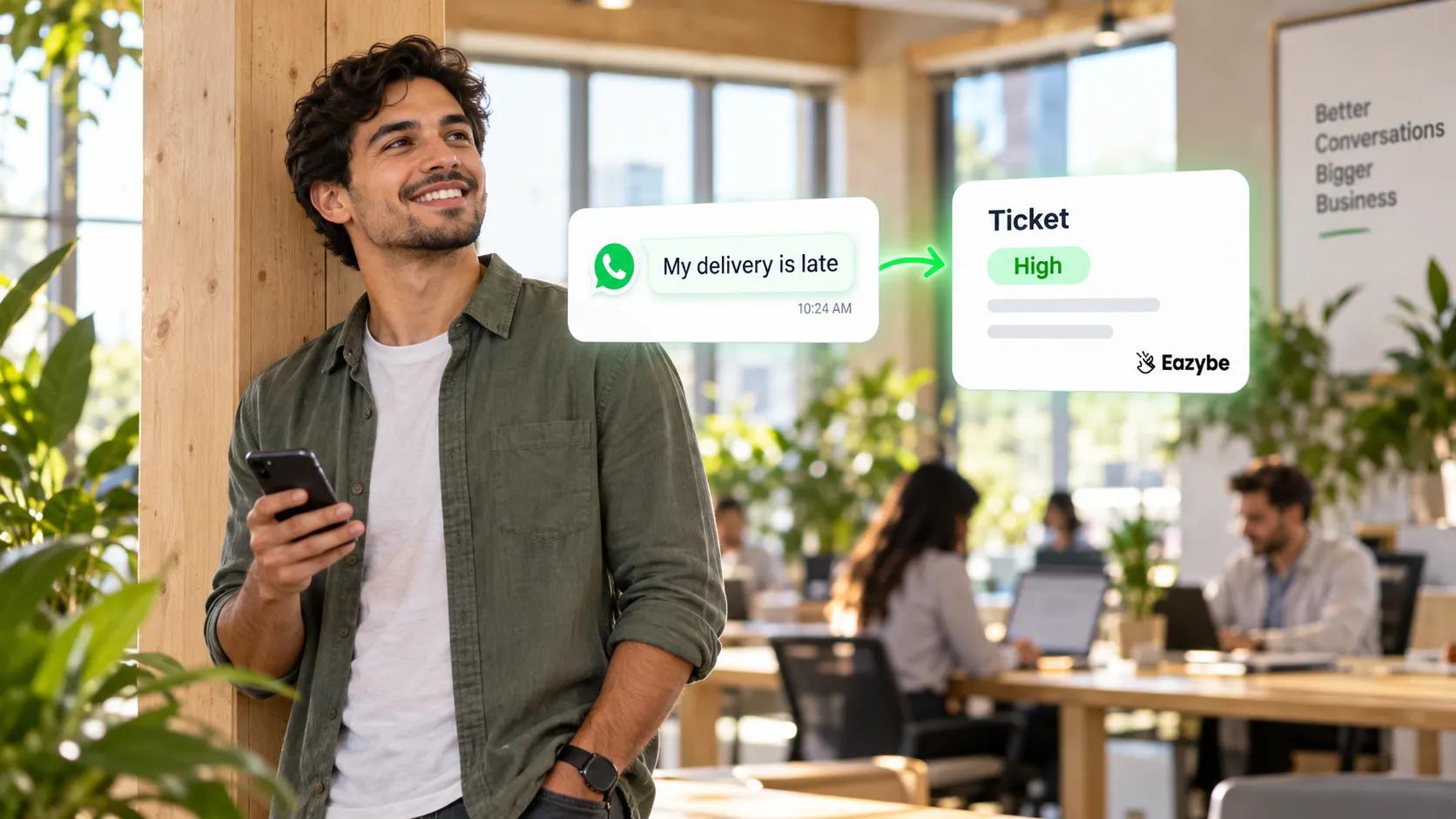
Group messages become tickets
A customer posts "my delivery is late" into a driver and client group. Without a ticket it is just another message somebody might catch.
How WhatsApp group ticketing works:
- AI scans group messages for keywords, urgency signals and specific intents such as complaints or escalations.
- A ticket is created with a summary, a priority level and an initial assignment.
- Agents view the ticket in the inbox and reply directly in the group.
- Status moves from open to in progress to resolved as the conversation develops.
Also Read: How To Use WhatsApp Poll Results To Sell More And Grow Your Business
Round Robin Assignment For Group Inquiries
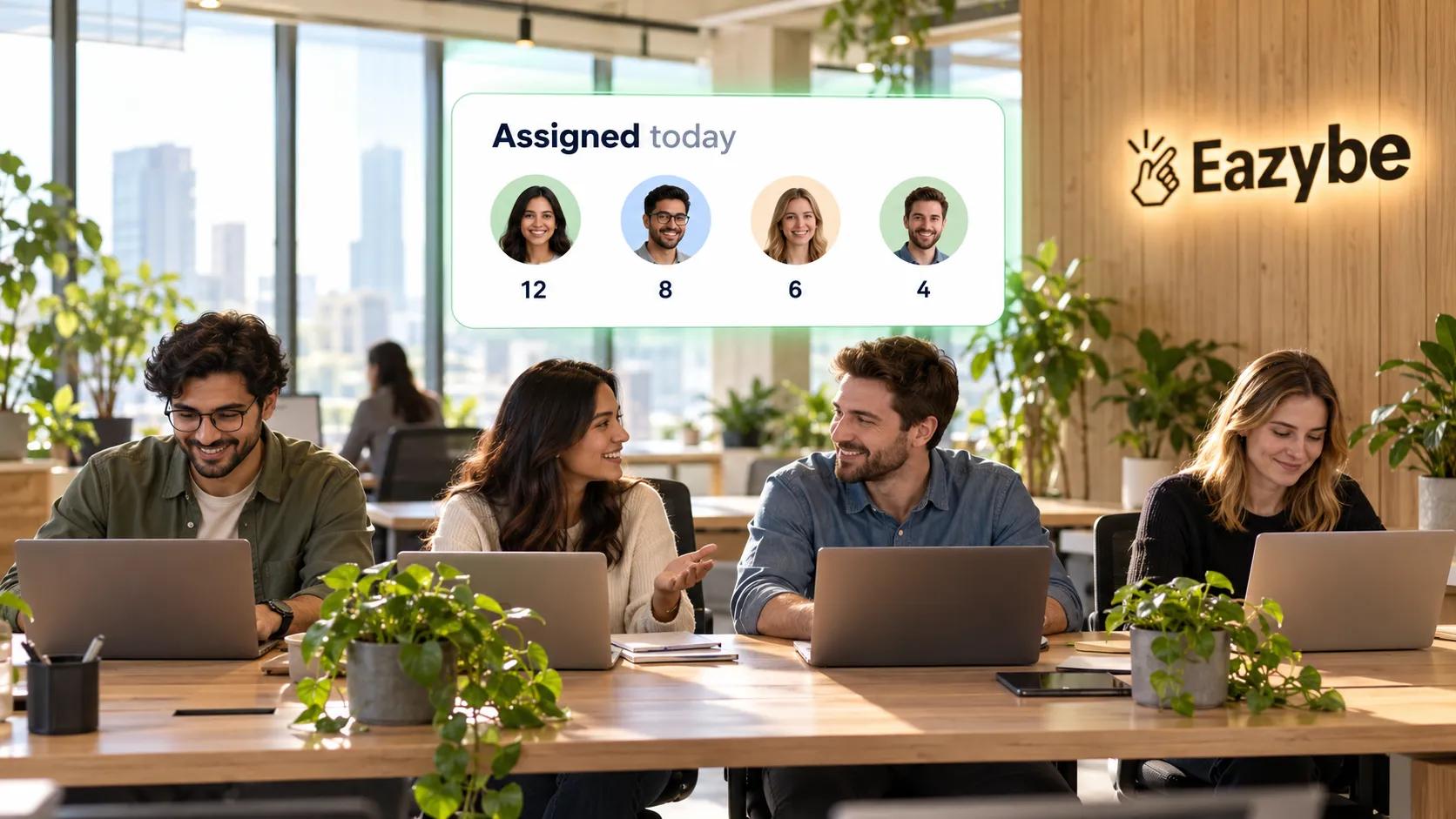
Inquiries distributed evenly automatically
Left alone, one agent ends up handling every group request while others sit idle. Round robin spreads tickets evenly across whoever is available.
Configuration options:
- Equal distribution: the next available agent in the rotation.
- Workload based: whoever currently has the fewest open tickets.
- Skill based: driver issues to operations, billing questions to finance.
Role Based Access To Groups
Not everyone should see everything. A sales group does not need to be visible to support agents, and the reverse is equally true:
- Admin: full access to all groups, can assign tickets and configure automation.
- Manager: access to assigned groups plus oversight of team performance.
- Agent: access only to the groups they own or are assigned to.
AI Properties That Summarise A Group
Reading a 200 message thread to work out where things stand is the biggest time sink in group management. AI properties replace that with:
- Summary: two or three lines on the group's purpose and recent activity.
- Intent: what participants are trying to do, whether that is support, sales or discussion.
- Urgency: high, medium or low based on keywords, time elapsed and customer history.
- Blocker: what is stopping resolution, such as a pending payment or a missing document.
- Next action: the suggested next step for whoever owns it.
In practice a support group reads as: client reporting a delayed shipment on order 4521, intent support escalation, urgency high at two hours since the first message, next action check the tracking number and give an ETA. The same signals feed Rep Radar, which shows how quickly each agent is actually responding.
CRM Sync For Group Activity
Group conversations happen in WhatsApp while customer records live in your CRM, which means your CRM has no idea what is being discussed. Sync closes that gap.
What gets synced:
- Group messages tagged to the relevant contact or deal.
- Ticket creation and resolution logged as CRM activities.
- AI summaries attached to the customer timeline.
- CRM properties such as order or payment status pulled into the inbox.
Dynamic labels are the neat part: move a HubSpot deal to closed lost and the group tags itself as a churn risk.
Also Read: How To Schedule WhatsApp Messages: Every Method That Actually Works In 2026
Personal WhatsApp vs Business App vs Business API For Groups
The three connection types look similar on the surface. But only one of them gives a team anything to work with:
| Feature | Personal WhatsApp | WhatsApp Business App | WhatsApp Business API |
|---|---|---|---|
| Group creation | Yes | Yes | Yes |
| Shared group inbox | No | No | Yes |
| Automatic ticket creation | No | No | AI triggered |
| Round robin assignment | No | No | Yes |
| AI properties | No | No | Yes |
| CRM integration | No | Limited, manual | Yes |
| Role based access | No | No | Yes |
| Multi agent collaboration | No | No | Yes |
Personal WhatsApp suits small scale community groups. The Business App works for a solo operator or a small team handling five to ten groups by hand. Anything past ten groups, or anything that needs tickets and CRM sync, belongs on the WhatsApp Business API.
Must Read: How To Get The WhatsApp Green Tick Without Getting Rejected
3 Ways Teams Use WhatsApp Group Management

Teams managing driver groups
The workflows above look abstract until you see them running in a real business. Here are three teams using the same setup for very different jobs.
1. Logistics: Driver And Client Groups
A logistics company runs 60 driver and client groups. Clients post updates, complaints and questions all day, drivers answer ad hoc, and the back office sees none of it.
The solution:
- Every driver and client group appears in one centralised inbox.
- AI watches for words like delayed, missing or damaged and raises tickets.
- Round robin pushes those tickets to the operations team.
- CRM data flags groups where a delivery is already overdue.
The result is a support team responding roughly three times faster, drivers left to drive, and management able to track resolution times properly.
2. Real Estate: Buyer And Agent Groups
An agency runs a group per property for interested buyers. Several agents answer questions, but nothing tracks who is following up or which questions were never answered.
The solution:
- Each property group is assigned to a primary agent.
- AI spots buyer questions such as "is this still available" and raises a ticket.
- Tickets go to the primary agent, with overflow routed to the manager.
- The CRM tracks which buyers are engaging and flags the high intent ones.
Agents close faster because they spend the day on buyers who are actually moving, and no inquiry sits unanswered.
3. Support: Product Community Groups
A SaaS company runs onboarding groups where customers ask setup questions, report bugs and request features. Agents struggle to separate real support issues from general chat.
The solution:
- AI categorises each message as a support request or general discussion.
- Tickets are raised only for the actionable ones.
- Those sync into the support CRM with full context attached.
- Agents reply in the group and the ticket closes when the customer confirms.
Support SLAs improve, onboarding completion goes up, and the product team gets bug reports as they happen.
Also Read: WhatsApp Sales Funnel: How To Manage Leads, Follow-Ups And Closings In One Chat
How To Set Up WhatsApp Group Management Step By Step
Setting this up takes an afternoon, not a project plan. Work through these six steps in order and start small before you turn it on everywhere:
- Connect your WhatsApp number: Use personal WhatsApp through the Chrome extension, the Business App, or the API through coexistence. Past ten groups, or with multiple agents involved, go with the API.
- Configure group filters and saved views: such as unassigned groups, high urgency, or driver support, filtering by assignee, messaging window or AI properties.
- Set up AI ticket triggers: on keywords, intent or CRM properties. Start conservative with high confidence triggers only, then widen as the team trusts the reads.
- Enable round robin assignment: as equal, workload based or skill based, and set working hours so tickets never land with an offline agent.
- Connect your CRM: to map groups to contacts or deals, log messages as activities, and pull CRM properties into the inbox.
- Run a pilot on five to ten groups: before rolling out. Assign each agent two or three groups, test the ticket flow, review the AI summaries and refine the triggers from there.
Suggested Read: 7 Best Practices For WhatsApp Sales Teams To Grow Revenue
Honest Limits Of WhatsApp Group Management
No tool handles every group perfectly, and it is better to know the edges before you build a process on them. Four limits are worth planning around:
- AI is assistive rather than autonomous: ticket creation is accurate on common patterns like complaints and escalations, but edge cases still need a person, so keep a human approval step on critical workflows.
- CRM sync is one way on some platforms: group activity flows into your CRM, but a CRM change does not automatically message the group unless you build that workflow yourself.
- Very large groups strain the system: groups with hundreds of active members generate enormous volume, and AI processing can lag at peak, so split them by region or product or topic.
- Group history starts at connection: API access covers messages sent after the connection is made, so older history is not available unless it was backed up separately.
Also Read: Top 11 Revenue Intelligence Platforms For B2B Sales: What Each One Actually Sees
Final Verdict On WhatsApp Group Management For Teams
WhatsApp group management is really an ownership problem wearing a volume problem's clothes. Once every group sits in one inbox, every real issue becomes a ticket, and every ticket has a name against it, fifty groups stop being frightening.
The AI is there to point people at the right group first, and the CRM sync is there so the rest of the business can see what was said.
Ready to get your groups under control? Start with Eazybe's team inbox.